
Nowadays, video content has become an indispensable part of our daily lives. Whether it's short videos on social media or long-form documentaries, video editing tools have come to play a crucial role. However, for many creators, professional video editing software is often expensive, raising the barrier to entering the field of video production. This article will introduce 14 free AI video editing tools that are easy to use and powerful, capable of meeting most video production needs. They help creators achieve greater creative freedom at a lower cost.
1. Jianying
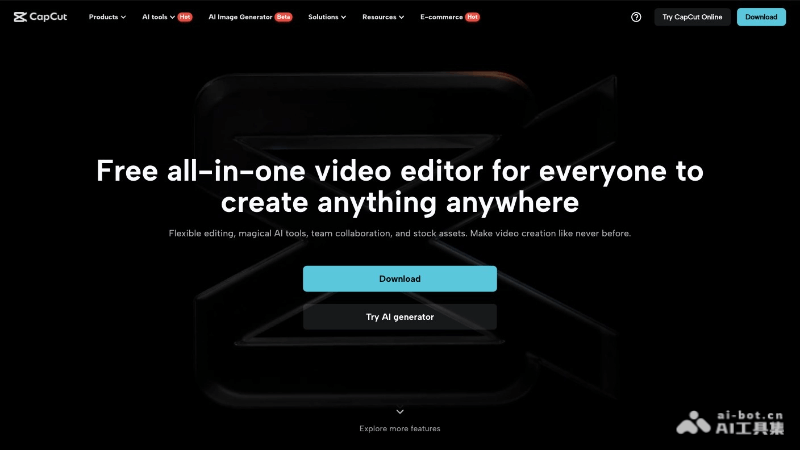
Jianyingis a full-featured free AI video editing tool that offers a series of easy-to-use editing functions, including cutting, speed adjustment, reverse playback, canvas, transitions, and more, as well as a rich asset library such as stickers, fonts, music library, voice changing, filters, and beauty effects. The software's highlight lies in its powerful AI features, enabling intelligent subtitle recognition, curve speed adjustment, intelligent keying, and text-to-speech. It recently launched innovative features such as AI automatic beat marking, digital human voice-over, and image-text-to-video, greatly simplifying the video production process. The professional version interface of Jianying is designed specifically for desktop users, supporting high-quality video output and NVIDIA RTX accelerated export, suitable for professional editing scenarios.
🚀Product Highlights
- Intelligent Subtitles: AI technology can automatically recognize speech in videos and generate accurate subtitles, improving editing efficiency.
- Curve Speed Adjustment: Professional speed effects make the video rhythm smoother.
- Intelligent Keying: One-click operation can separate people or objects in a video from the background.
- Text-to-Speech: Convert text into natural-sounding speech, supporting multiple voices and languages.
- Massive Asset Library: Provides a massive collection of audio, memes, stickers, styled text, effects, filters, and more to meet users' different creative needs.
- High-Quality Output: Supports higher-quality video output, up to 4K resolution and 60fps video frame rate.
- AI Creation: Includes innovative features such as AI automatic beat marking, digital human voice-over, and image-text-to-video, simplifying the video production process.
- Cross-Platform Use: Whether on a browser, desktop, laptop, or mobile phone, users can easily create high-quality videos.
👨🏻💻Target Users
- Creators of all levels, whether beginners or professionals, can useJianyingto find editing functions and materials that suit them.
💰Product Pricing
- Free Version: Basic editing tools such as editing, adding subtitles, adding stickers, adding transitions, etc., meeting basic video editing needs. It also includes some AI features, such as intelligent subtitle recognition and one-click synchronization of music saved on Douyin.
- Membership Service: Benefits such as 100GB cloud storage and member materials. The price is 25 yuan for continuous monthly subscription, 30 yuan for a single month, 138 yuan for continuous annual subscription, and 188 yuan for a single year.
- SVIP Super Membership Service: A variety of AI features, such as intelligent translation, intelligent highlighting, intelligent packaging, digital human synthesis, etc. The monthly fee is 79 yuan, the annual fee is 599 yuan, the continuous monthly subscription is 59 yuan per month, and the continuous annual subscription is 499 yuan per year. For more pricing information, please log in to the official website platform.
2.Filmora
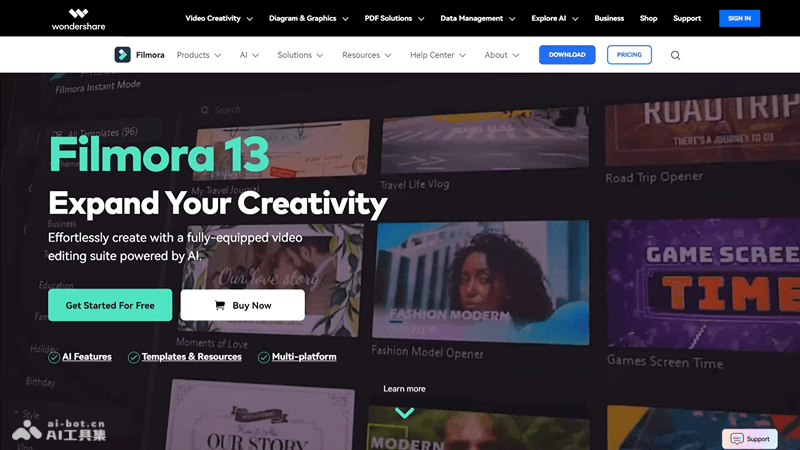
FilmoraIt is a powerful AI video editing software launched by Wondershare, offering multiple editing modes suitable for both beginners and professionals. The software includes advanced features such as animation, overlays, and audio control, supports screen recording, and supports import and export of multiple file formats. Filmora's AI tools, such as smart editing and text-to-video, greatly improve creative efficiency. It also provides a wealth of creative resources and templates, helping users easily produce professional-level video content. The latest version introduces more AI creative features, such as voice cloning and dynamic text effects, enhancing the ability for personalized video creation.
🚀Product Highlights
- Comprehensive Video Editing Suite: Filmora provides editing, special effects, audio editing, and other features, suitable for various video projects, such as personal videos or complex professional productions.
- AI Features: The latest version of Filmora includes AI automatic completion features, such as AI assistant editing, AI text-to-video,AI smart matting, etc., simplifying the video editing process.
- Templates and Resources: Filmora provides a large number of templates, titles, effects, stickers, and audio resources, helping users quickly create high-quality video content.
- Cross-Platform Features: Filmora supports cross-platform editing, and users can edit, save, and share content on desktop, tablet, or even mobile devices.
- Educational Resources: Filmora provides rich educational resources, including YouTube tutorials, masterclasses with expert insights, and more, helping users improve their video editing skills.
- Motion Tracking: Filmora X's motion tracking feature can add logos or emojis to moving people or objects, and the effect can automatically move with the target, making it very suitable for beginner and intermediate editors.
- Keyframe Feature: Helps users quickly create keyframe animations and supports one-click application of keyframe templates.
- Color Matching: Through simple operations, quickly apply the selected color scheme to other material edits.
- Audio Ducking: One-click highlight of vocals, making the outside hear the voice the user wants to convey.
- AI Audio Stretch: On the v user adjusts the audio timeline to match the video content.
- 3D Titles: Filmora 12 introduces a new 3D title feature, adding more visual depth to videos.
- AI Smart Matting: Provides more advanced matting features, allowing precise cutting using AI mechanisms.
👨🏻💻Suitable Audiences
- Video editing beginners, social media content creators, Vlog creators, small business owners and marketers, educators, etc.
💰Product Pricing
- Free Version: Filmora 13 offers a 7-day free trial, and exported videos will have a watermark.
- Cross-Platform Quarterly Plan: Priced at $29.99 per quarter, automatically renews, and can be canceled at any time.
- Cross-Platform Monthly Plan: Costs $19.99 per month, watermark-free export, 150,000+ creative resources, 100+ advanced video editing features, 200 Filmora AI credits per month, and 1GB of cloud storage.
- Cross-Platform Annual Plan: Priced from $59.99 to $89.99 per year, automatically renews, and can be canceled at any time.
- Perpetual License Plan: One-time payment of $79.99 to $99.99 for perpetual use rights to a specific version, excluding future version updates.
- Filmora Creative Assets: 7-day free trial, then automatically renews at $19.99 per month (enjoying a 45% discount), can be canceled at any time.
3. Bicut
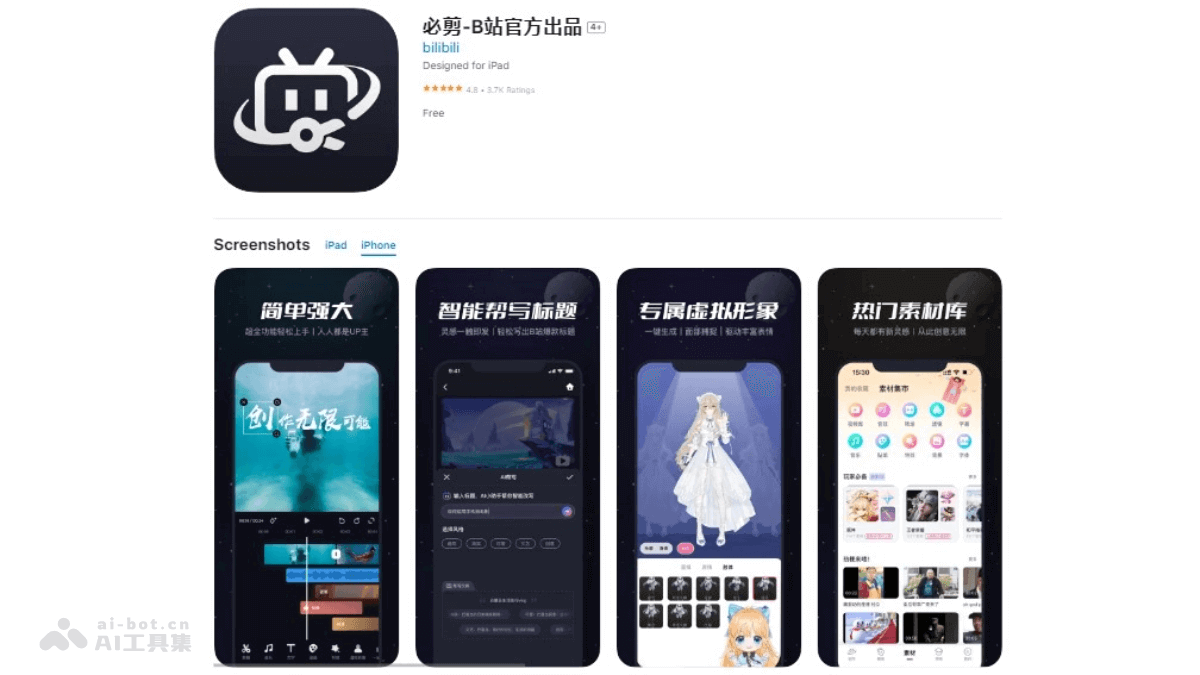
Bicut Appis a mobile video editing tool launched by Bilibili (B Site), supporting high-definition screen recording and video editing, and can directly send works to Bilibili. It provides a rich material library, voice subtitles, one-click triple connect, and other featured functions, as well as virtual avatar creation, text videos, ghost animal tools, and other editing tools, simplifying the video creation process and making creation more fun.
🚀Product Highlights
- HD Screen Recording: Supports screen recording up to 1080P, 6Mbps, 60fps, suitable for gamers to record exciting moments.
- All-Around Editing: Provides full-track display and frame-by-frame editing functions, making editing more precise.
- Virtual Avatar: Users can create exclusive virtual avatars, achieving zero-cost virtual UP host work.
- Voice Subtitles: Supports one-click voice-to-subtitles and automatic alignment, improving editing efficiency.
- One-Click Triple Connect: Featured triple connect positions can be added at will, increasing video interactivity.
- Bilibili Submission: After logging in with a Bilibili account, supports one-click easy submission to Bilibili, convenient and quick.
👨🏻💻Target Audience
- Content creators on Bilibili, especially young UP hosts, suitable for users who like ACG culture.
💰Product Price
- Completely free, all functions can be downloaded and used for free.
4.Vmake AI
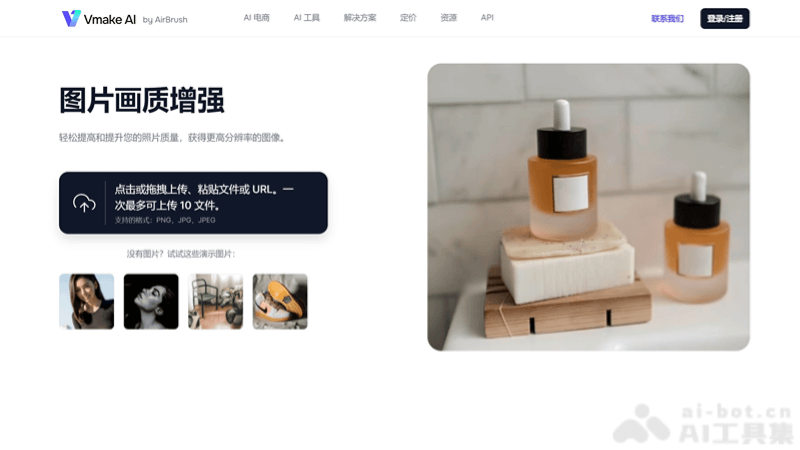
Vmake AIis an AI online image and video editing platform, providing a series of tools to simplify the image editing process in e-commerce and content creation. The platform can generate AI fashion models, enhance product photography, improve video quality, and more. Main functions include AI Fashion Model Studio, which can generate diverse digital models displaying different poses, styles, and clothing; AI Product Photography, using AI-generated backgrounds to transform product photos and enhance image quality; Video Quality Enhancer, using AI technology to improve video resolution, brightness, and contrast;Background Removaland replacement, easily remove or replace image backgrounds, using AI-generated replacements. Vmake AI provides mobile app integration, making it convenient for users to operate on mobile devices.
🚀Product Highlights
- Video Quality Enhancement: Vmake AI uses AI technology to improve video resolution, brightness, and contrast, supporting multiple video formats such as MP4, MOV, M4V, 3GP, etc.
- Video Background Removal: Can accurately remove backgrounds from videos, providing a one-click image background replacement function, making the video subject more prominent.
- Video Watermark Removal: Vmake AI provides efficient video watermark removal, helping users quickly clean unnecessary elements in videos.
- AI Fashion Model Generation: Vmake AI specially launched an AI fashion model function for e-commerce users, showcasing product wearing effects without real models, enhancing product appeal.
- Video Stabilization and Denoising: Vmake AI supports video stabilization and denoising functions, ensuring video quality reaches professional standards.
👨🏻💻Target Audience
- AI tools designed specifically for e-commerce. Such as fashion e-commerce merchants, designers, content creators, marketers, small businesses, etc.
💰Product Pricing
- Free Plan: Sign up for an account to get 5 free credits. Free users can only generate images and video preview downloads.
- Basic Plan: Priced at approximately $139.99/month, generate 1,000 photos per month, providing fast image editing and model generation, unlimited model diversity.
- Premium Plan: Priced at approximately $600/month, providing unlimited image generation, priority technical support, and more advanced customization options, such as hairstyles and expressions.
- Enterprise Plan: Pricing starts at $10,000/month, suitable for enterprise users who need extensive use of Vmake AI services.
5.Opus Clip
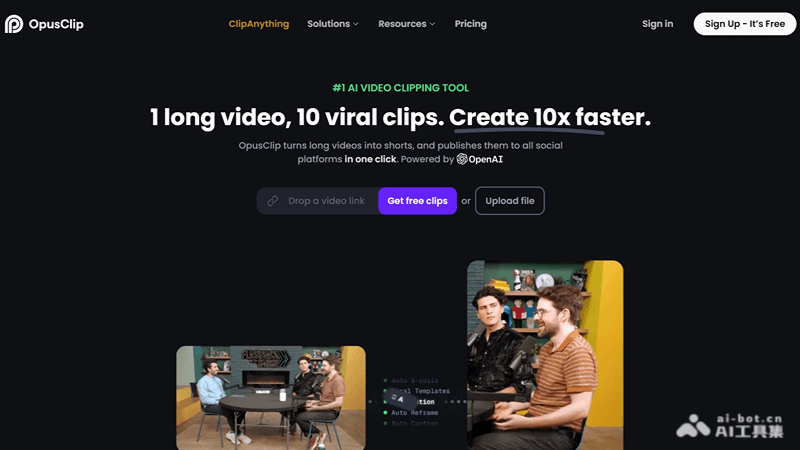
Opus Clip is an AI-driven video editing tool that can automatically cut long videos into short video clips suitable for social media platforms. Through intelligent analysis and one-click publishing features, it simplifies the process of video content creation and sharing, helping users improve their social media influence and engagement. Opus Clip offers a new feature called ClipAnything, the first multimodal AI editing tool, which supports users in editing any moment in a video using visual, audio, and emotional cues.
🚀Product Highlights
- AI Curation (ClipGenius™): Opus Clip's AI technology can analyze video content, identify and extract highlights from videos, and then seamlessly reassemble these clips into engaging short videos.
- AI Virality Score: Every video clip generated by Opus Clip receives a virality potential score based on AI analysis, helping users understand the potential performance of the video on social media.
- Automatic Cropping and Reframing: It can automatically crop unnecessary parts of the video, focus on key elements such as the main subject, and optimize the video's presentation on social media.
- AI Face Detection: Opus Clip uses AI technology to ensure that people's faces in the video are always prominently displayed, which is especially important for vloggers and interview content.
- Automatic Subtitles and Keyword Highlighting: It can automatically generate subtitles for videos and highlight keywords by analyzing subtitle content, increasing video watch time and engagement.
👨🏻💻Target Audience
- Very suitable for users who need to quickly produce and distribute short videos, suitable for content creators, marketers, and enterprises.
💰Product Pricing
- Free Trial: New users can enjoy a 7-day free trial of the Pro plan, providing 90 minutes of video processing time, and can download approximately 30 clips.
- Free Plan: Provides 60 minutes of video processing time per month.
- Paid Plans:
- 200-minute plan: $19 per month or $228 per year.
- 400-minute plan: $38 per month or $456 per year.
- 600-minute plan: $57 per month or $684 per year.
- 800-minute plan: $76 per month or $912 per year.
- 1000-minute plan: $95 per month or $1140 per year.
- For more information, visit Opus Clip's official website directly to get the latest pricing.
6. Kuaiying
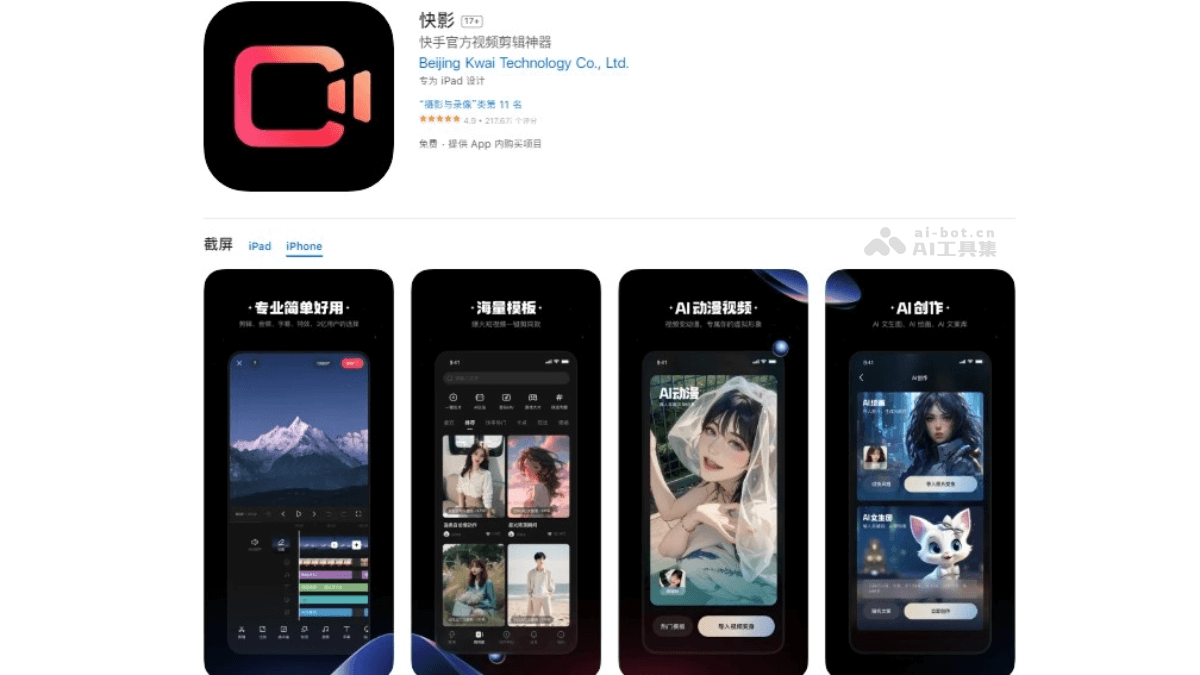
Kuaiying APPis a powerful video editing tool officially launched by Kuaishou. It provides a series of easy-to-use editing functions, including video splitting, cropping, splicing, reversing, etc., as well as a rich music library, sound effects, filters, and subtitle options. It also has AI-driven video animation, text-to-image, andpaintingfunctions, as well as a creation center to help users improve content creation and account operations. Users can use these tools to easily create and share personalized short videos on social platforms. It is suitable for users who want to quickly create and share fun videos.
🚀Product Highlights
- Video Editing Features: Kuaiying provides a variety of editing functions including video splitting, cropping, splicing, reversing, etc., meeting users' basic editing needs.
- Sound Effects and Music Library: It has a rich sound effects and music library, supports intelligent text dubbing, voice-to-subtitles, audio extraction, etc., making users' videos more vivid and interesting.
- Subtitles and Filters: It provides a variety of subtitle options and filter effects, as well as beautification, video background, picture-in-picture, and other functions to help users create exquisite video works.
- Massive Templates: Kuaiying provides a massive number of templates, allowing users to create with one click the same short videos that are trending online, helping works become popular.
- AI Features: Kuaiying's AI features include video animation, text-to-image, painting, etc., using artificial intelligence technology to provide more creative possibilities.
👨🏻💻Target Users
- Social media content creators, video bloggers and Vloggers, small businesses, event planners, film and television production professionals, or ordinary users, etc.
💰Product Pricing
- Free Version: Enjoy the app's basic functions, including video splitting, cropping, splicing, reversing, adding speed changes, transitions, adding covers and end credits, etc.
- Membership Subscription: Continuous monthly subscription: about ¥18.00; continuous annual subscription: about ¥88.00; template draft payment: ¥1 to ¥6, enjoying exclusive materials, advanced capabilities, unlocked templates, premium voice tones, ad removal, cloud space, and other privileges.
7.Descript
Descriptis an AI-driven audio and video editing tool that transcribes audio and video content into text, allowing users to edit media files as easily as editing documents. Main features includeautomatic transcription, text-based editing, studio sound enhancement, dubbing, automatic filler word removal, and multi-person collaboration. It is suitable for podcast production, video editing, and internal and external enterprise communication. It offers different levels of subscription plans, including a free version and paid versions, to meet individual and team needs.
🚀Product Highlights
- Text-Based Editing: Descript supports users in editing audio and video by editing automatically generated transcript text, as simple as editing a text document.
- AI-Driven Tools: It provides AI-assisted editing features such as automatic filler word removal, studio sound enhancement, eye contact correction, and automatic clip creation, simplifying the editing process.
- Multi-Platform Content Creation: Descript supports creating content for multiple platforms such as YouTube, podcasts, and social media clips within one tool.
- Remote Recording: Descript provides the ability to remotely record high-quality audio and video with collaborators from anywhere.
- Transcription and Subtitles: Automatically transcribe audio and video files, and easily add subtitles to improve accessibility and engagement.
- Built-in Recorder and AI Green Screen: The new version of Descript adds a built-in recorder that can capture the screen and camera on separate tracks, and AI-based green screen functionality.
👨🏻💻 Target Audience
- Suitable for users who want to simplify their video and audio editing workflow
💰 Product Pricing
- Free Plan: Includes 1 hour of transcription time per month and basic editing features.
- Creator Plan: $12 per month billed annually or $15 per month, providing 10 hours of transcription time per month and all editing features.
- Pro Plan: $24 per month billed annually or $30 per month, providing 30 hours of transcription time per month and advanced collaboration tools.
- Enterprise Plan: Offers custom pricing and advanced features.
8.FunClip
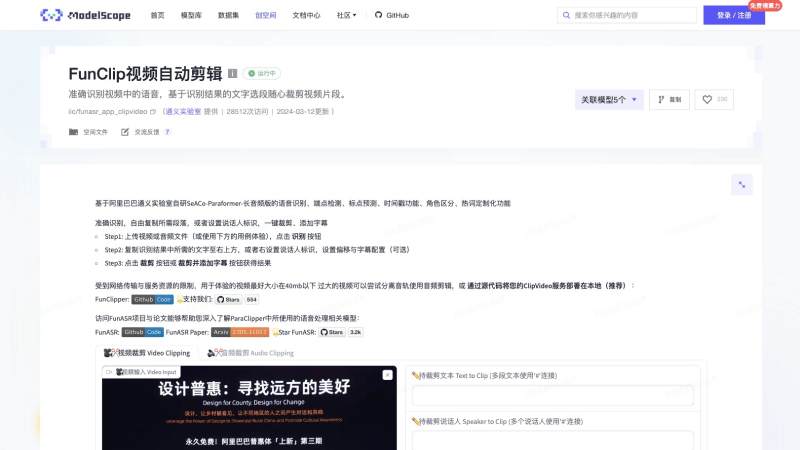
FunClipis an open-source AI video editing tool launched by the Tongyi Lab of Alibaba DAMO Academy. Through automated speech recognition technology, it converts thespeech in videos into text, allowing users to quickly cut the desired video clips based on the text. FunClip integrates a high-precision Chinese ASR model, supports hotword customization and speaker recognition, and provides a Gradio interactive interface, simplifying the video editing workflow. It supports multi-segment editing and can automatically generate SRT subtitle files. Version 2.0 of FunClip further integrates the capabilities of large language models, allowing users, after uploading videos and performing speech recognition on the audio track, to analyze and select the video's SRT subtitles through a set prompt, and perform intelligent editing based on the LLM inference results.
🚀 Product Highlights
- Automated Speech Recognition: Based on a high-precision Chinese ASR model, it quickly converts speech content into text, improving the searchability of video content.
- Hotword Customization: Users can specify certain entity words, personal names, etc. as hotwords to improve the recognition accuracy of specific vocabulary.
- Speaker Recognition: Integrates a speaker recognition model, allowing users to cut videos based on automatically recognized speaker IDs.
- Multi-Segment Editing Support: Users can quickly cut video clips based on recognized text or speaker IDs.
- Gradio Interactive Interface: Provides a simple and intuitive operation interface, simplifying the video editing workflow.
- Automatic Subtitle Generation: Edited videos can automatically generate SRT subtitle files, making it convenient for users to add or edit subtitles.
- Command-Line Invocation: In addition to the graphical interface, it also supports video recognition and editing via the command line, providing a more flexible way to use it.
👨🏻💻 Target Audience
- Suitable for a variety of use cases such as educational video production, corporate promotion, personal Vlogs, and news reporting.
💰 Product Pricing
- Free and Open Source: Allows more developers and users to participate in the improvement and innovation of the tool.
9. Kaipai
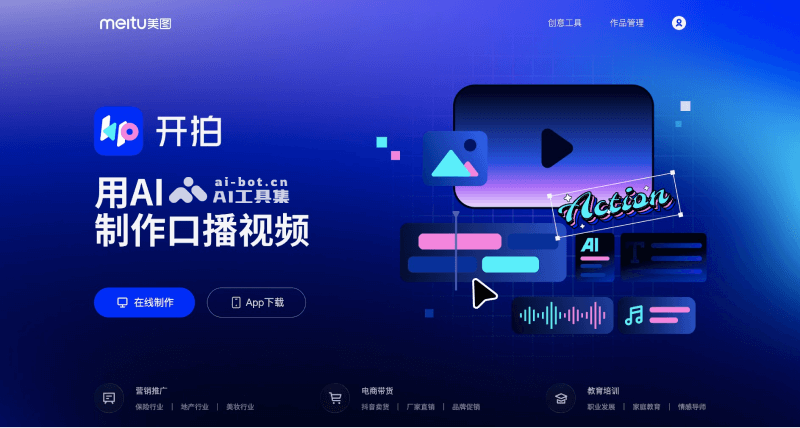
KaipaiIt is an application based on artificial intelligence technology that helps users create talking-head videos. It provides a one-stop service from script generation and video shooting to editing. Users can quickly generate scripts through the AI script feature, easily shoot videos using the teleprompter and HD camera, and efficiently complete video production through AI editing tools. Kaipai also providesdigital humancustomization services, allowing users to create virtual avatars for video recording.
🚀 Product Highlights
- Smart Editing: AI technology can intelligently identify key segments in videos, helping users quickly edit and package videos and improve editing efficiency.
- One-Click Packaging: Users can add subtitles, effects, stickers, and more with one click, quickly producing talking-head videos with a variety show feel.
- AI Cover Generation: Intelligently analyzes video content and generates eye-catching video covers with one click.
- Image Quality Restoration: AI technology can restore blurry, low-quality videos in high definition, improving the overall look of the video.
- AI Removal: Provides the ability to remove subtitles and watermarks from videos in batches, helping users obtain clean video images.
👨🏻💻 Target Users
- Suitable for self-media creators and users who need to produce video content quickly and efficiently.
💰 Product Pricing
- Free: 5 free ultra-fast script generations per day, limited material templates, etc.
- Kaipai VIP Membership:Monthly subscription: 18 yuan;Annual subscription: 168 yuan;Single year: 198 yuan, AI editing intelligent recognition one-click video creation, 200+ material templates, multi-device synchronized editing and creation
10.Vozo
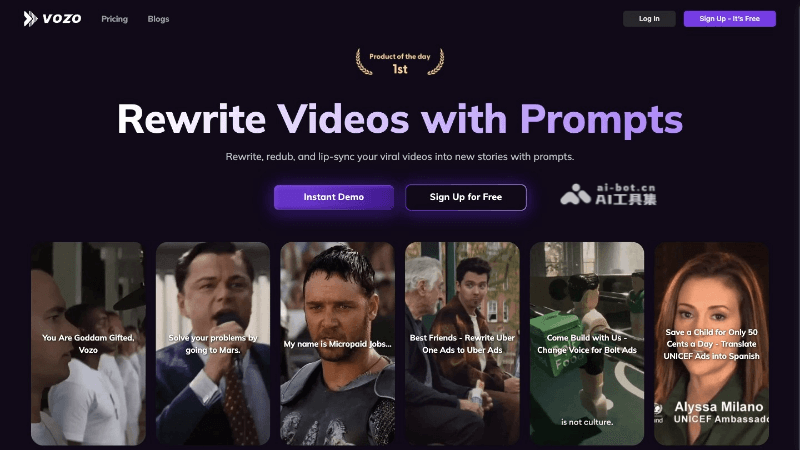
VozoIt is an innovative AI video editing tool that, based on artificial intelligence technology, allows users to rewrite and re-dub existing videos through simple prompts to create entirely new stories. Core features include text-driven voice editing, multilingual video translation, multi-speaker lip sync, and automatic video format adaptation. Vozo is suitable for content creators, marketers, educators, and others, simplifying the video production process and improving efficiency and quality.
🚀 Product Highlights
- Video Rewriting and Re-Dubbing: Vozo can automatically rewrite video scripts and generate new dubbing based on user-provided prompts, while ensuring voice and lip sync.
- Text-Based Voice Editing: Users can directly modify video narration by editing text without re-recording, and multiple accent, tone, and emotion options are provided.
- Multi-Character Lip Sync: Vozo uses advanced technology to achieve natural and smooth lip sync for multiple characters in a video, improving the viewing experience.
- Video Translation: Supports translating videos into more than 30 languages and dialects, with translation accuracy as high as 98.9%.
- Automatic Video Optimization: Vozo can automatically crop, reframe, and adjust video ratios to meet the requirements of different social platforms, ensuring content is presented in the best format on various platforms.
👨🏻💻 Target Users
- Suitable for content creators, marketers, educators, and others.
💰 Product Pricing
- Free Trial:30 credits included;Rewriting and re-dubbing: 30 minutes of video processing time;Lip sync: 3 minutes of video processing time;Video reuse: 3 minutes of video processing time;10 video processings per month, 7-day validity period.
- Creator Plan:$19/month;100 credits per month;Rewrite and redub: unlimited video processing;Lip sync: 10 minutes of video processing time;Video reuse: 10 minutes of video processing time;Monthly credits reset, suitable for short video creators and low-volume users.
- Business Plan:$99/month (annual payment);600 credits per month;Rewrite and redub: unlimited video processing;Lip sync: 60 minutes of video processing time;Video reuse: 60 minutes of video processing time;Suitable for long video creators and standard-volume users, annual payment saves 20%
- Enterprise Plan:Custom;Suitable for high-volume users or users with special needs.
11. Dujia Editing
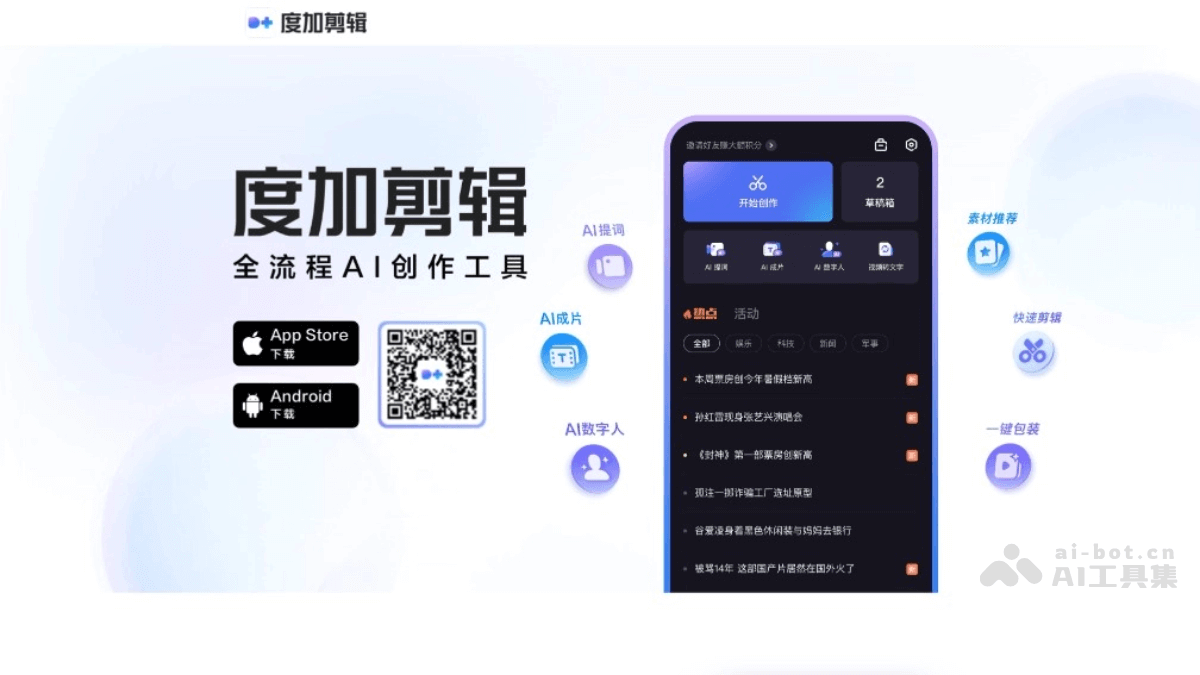
Dujia Editingis an AI video editing tool launched by Baidu that simplifies the video production process. It features intelligent subtitle recognition, one-click video creation, beauty filters, and teleprompter functions, supports quick editing and material packaging, and lowers the threshold for creation. Users can automatically add subtitles through speech recognition, select intelligently recommended materials, and easily complete video editing. Dujia Editing is suitable for self-media creators, especially knowledge-sharing videos, and supports interoperability with Baidu Netdisk for easy material management.
Product Highlights
- AI Video Creation: Can quickly convert copy into video, supports copy polishing, abbreviation, and expansion, and can generate short videos.
- Intelligent Beauty and Teleprompter: Provides beauty shooting functions and an intelligent teleprompter to help users feel more confident when recording.
- Quick Editing: Can one-click identify silent, repeated, or tonal segments in videos, edit videos based on text, and add subtitles.
- Material Packaging: Intelligently recommends stickers, sound effects, music, and other materials, optimizes subtitle effects, and completes video packaging with one click.
- AI Copy: Instantly generates a copy draft based on the input creative theme and angle, simplifying the creative process.
- Web-wide Image Search: Provides massive Baidu image resources, search and use immediately, enriching video content.
- Encyclopedia Cards: Supports linking to the encyclopedia at any time in videos, increasing the knowledge value of videos.
Target Audience
- Suitable for users of all levels, self-media creators, especially users creating knowledge-sharing videos.
Product Pricing
- Free to Use: Basic functions are provided for free.
- Credit System: Value-added services can be redeemed through credits, such as Dujia 2680 credits HK$288.00, Dujia 1980 credits HK$228.00, Dujia 1280 credits HK$148.00.
12.WinkStudio
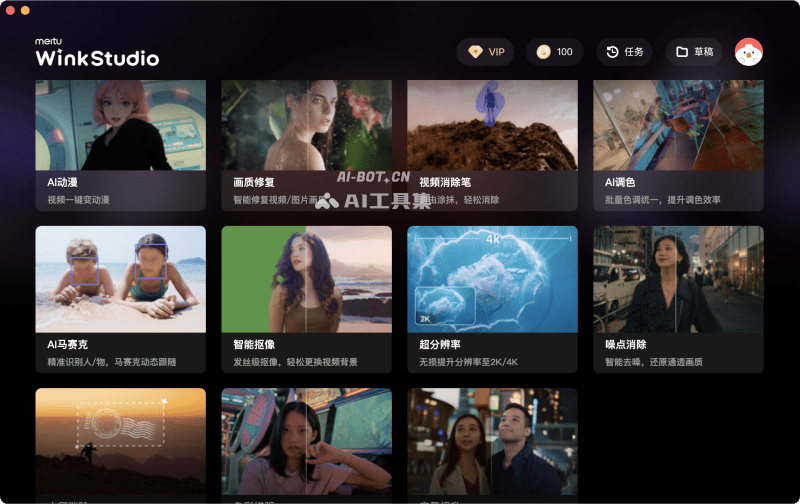
WinkStudiois a desktop AI video editing tool launched by Meitu, enhancing the productivity of video creators in desktop video editing scenarios. It has a variety of video portrait retouching functions, such as one-click beauty, refined facial features, makeup, etc., and supports batch video processing. WinkStudio's feature lies in its AI toolbox, including image quality restoration, AI anime,Watermark Removaletc., can help users complete video editing efficiently and professionally. WinkStudio provides high-definition video output and supports 4K ultra-HD video export, meeting the needs of a high-definition visual experience. The software supports Windows and Mac operating systems, and also has a mobile versionAPP, suitable for professional video creators and enthusiasts.
🚀Product Highlights
- AI Video Editing: Combining AI technology with video editing, it realizes the efficient editing concept of "retouch one frame, apply globally," providing a professional portrait retouching experience.
- Video Beautification and Function Interface: An intuitive beautification function interface design, supporting custom beauty recipes and batch portrait processing, improving work efficiency.
- Image Quality Restoration and AI Effects: Powerful image quality restoration features can improve video clarity, repair image noise, and provide innovative editing options such as AI anime.
- Video Removal and Color Grading: Provides a video removal pen feature to help users remove unwanted elements or watermarks, and intelligent color grading helps users easily adjust video colors.
👨🏻💻Target Users
- Suitable for photographers, post-production specialists, MCN agencies, self-media bloggers, and other professionals and enthusiasts who need efficient and precise video editing.
💰Product Pricing
- Free Version: After registering and logging in, users receive 100 Mei Beans and can use some features for free.
- Membership Version: Provides more features and a monthly gift of 300 Mei Beans. The monthly price is 50 RMB (39 RMB for continuous monthly subscription), and the annual price is 398 RMB (298 RMB for continuous annual subscription.
13.GhostCut
GhostCutis an AI-driven video editing tool focused on providing features such as video translation, subtitle removal, dubbing, and deduplication. It can intelligently identify and remove hardcoded subtitles in videos, support multilingual translation and dubbing, and help users quickly generate video content suitable for different platforms. GhostCut provides image translation andautomatic erasurefeatures, and rich video templates to meet diverse editing needs.

🚀Product Highlights
- Intelligent Text Removal: Can intelligently identify and delete hardcoded subtitles in videos, support multiple languages, and return videos to their most original and purest state.
- Video Deduplication: Provides a massive number of editing modes to help users distinguish their videos from other videos, avoid being judged by platforms as reposted or non-original, and increase video traffic.
- Video Translation: No need for manual translation and recording dubbing. With one click, the speech or subtitles in a video can be translated into other languages, re-dubbed, and the original subtitles erased, breaking language barriers.
- Short Drama Commentary: Automatically extracts commentary lines, automatically marks characters, generates commentary based on the plot, automatically separates background sound and retains the original sound, and automatically aligns audio and video, saving a large amount of editing time.
👨🏻💻Target Users
- Suitable for self-media workers, global trade clients, MCN agencies, e-commerce sellers, educational institutions, video translation service providers, and video post-production personnel, etc.
💰Product Pricing
- Free Version: You can upload 5 videos for free, each video must not exceed 10 minutes, support Chinese and English video translation, hard subtitle translation and video subtitle removal features, and videos have the Guishou Clip watermark.
- Basic Version: The price is 99 yuan/month or 999 yuan/year, you can upload 20 videos per month, each video must not exceed 30 minutes, support video translation in 7 languages including Chinese, English, Japanese, Korean, French, German, Spanish, etc., videos have no watermark but have the Guishou Clip LOGO, and you can customize the style and position of video translation.
- Professional Version: The price is 299 yuan/month or 2999 yuan/year, you can upload unlimited videos per month, each video must not exceed 60 minutes, support video translation in 10 languages including Chinese, English, Japanese, Korean, French, German, Spanish, Russian, Arabic, etc., videos have no watermark and no LOGO, you can customize the style and position of video translation, and enjoy dedicated customer service and technical support.
14.Chillin
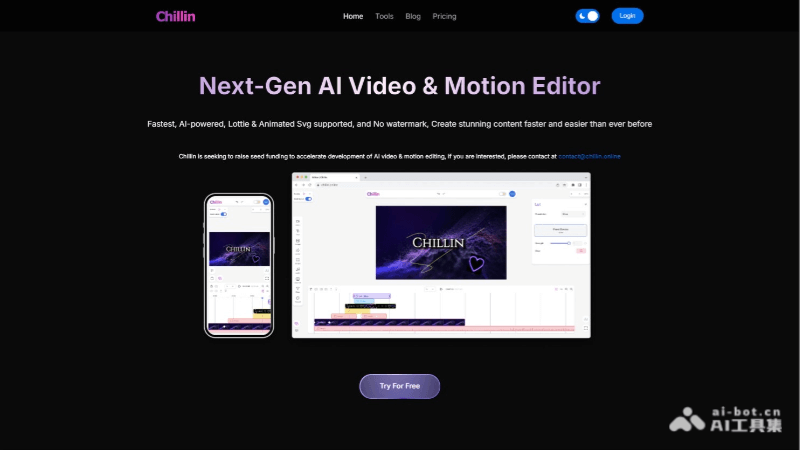
ChillinIt is an AI-driven online video and animation editor that integrates the core functions of Adobe After Effects and Premiere Pro, allowing users to achieve non-linear video editing and vector animation production on one platform. Supporting Lottie and SVG formats, Chillin provides a series of advanced editing tools, including path trimming, path tracing, and gradient keyframes. It has intelligent features such as AI subtitle generation, image background removal, high-quality image generation, and AI voice generation. Users can use Chillin on mobile devices and desktop devices, enjoying watermark-free 4K video export, making it very suitable for users pursuing efficient creation.
🚀Product Highlights
- AI-driven subtitle generation: Supports more than 100 languages, automatically generates subtitles, and simplifies multilingual video production.
- Image generation and background removal: Generate high-quality images from text, easily remove image backgrounds, and increase creative flexibility.
- Seamless integration of AE and Pr functions: Integrates the core functions of Adobe After Effects and Premiere Pro, providing advanced editing options.
- Comprehensive video editing features: Provides advanced features such as editing, filters, subtitle editing, audio waveform visualization, color tone adjustment, and LUTs.
- Cross-platform support: Suitable for mobile devices and desktop devices, allowing creation anytime and anywhere.
- Watermark-free export: Supports watermark-free video export up to 4K 60fps, meeting high-quality video publishing needs.
👨🏻💻Suitable Users
- Suitable for users who need to create video content quickly and efficiently. Social media content creators, online educators, corporate marketers, individual video bloggers, animators, etc.
💰Product Pricing
- Free Version:No watermark,full-featured editing, unlimited 720p video export,unlimited SVG and GIF image export.
- Basic Version: $5/month,includes all features of the free version,no ads,unlimited 1080p and 4K video export,unlimited Lottie export.
- Professional Version: $9/month,includes all features of the free version,no ads,10GB cloud storage space,300 AI credits.
- Professional Enhanced Version: $19/month,Includes all features of the free version,no ads,25GB cloud storage,800 AI credits.
- Highest version: $29/month,includes all features of the free version,no ads,50GB cloud storage,1500 AI credits.