
In the digital age, images and videos have become an indispensable part of our daily lives. Whether shared on social media or applied in professional fields, high-quality visual content always attracts more attention. Watermarks on images and videos ruin the overall aesthetic. With the development of artificial intelligence technology, there are now free AI tools that can help us remove watermarks and eliminate unwanted objects. In this article, we will introduce 14 free AI watermark removal tools that let you easily remove unwanted objects from images and videos.
LiblibAI Watermark Removal
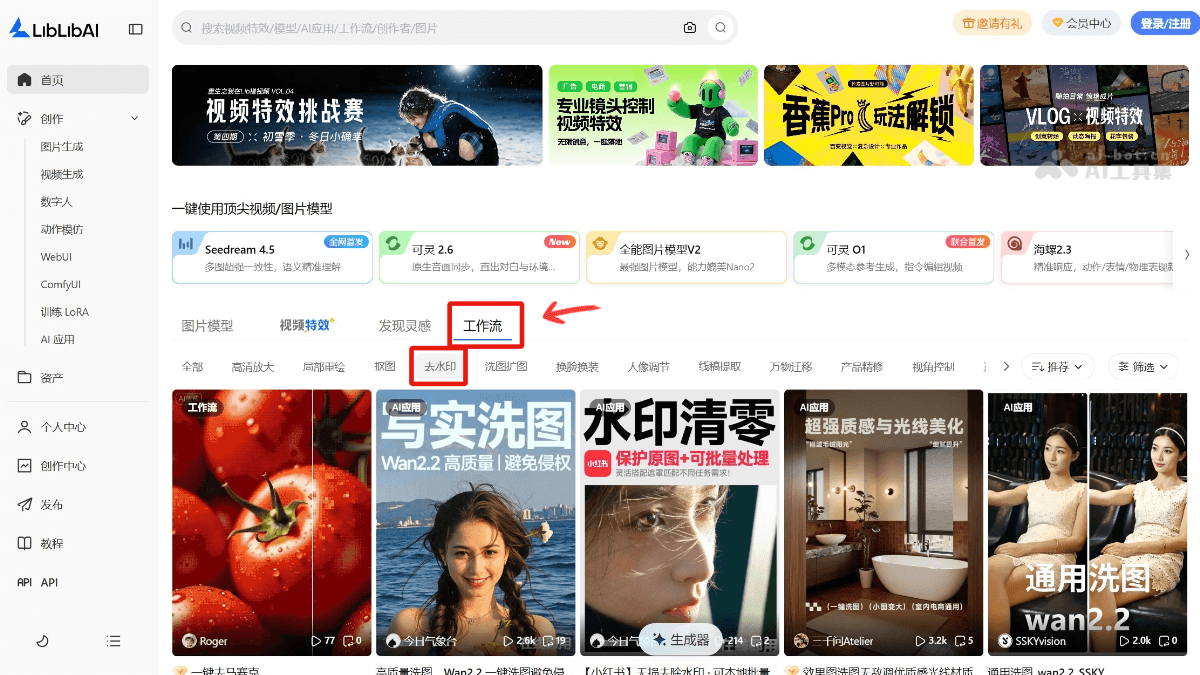
LiblibAI Watermark Removalis an AI watermark removal tool launched by LiblibAI. Users only need to simply input instructions to quickly remove watermarks from images while maintaining high-precision blending with the original image and natural effects. It supports watermark removal in specified areas, with flexible and precise operation. No complex smudging operation is required, making it suitable for users such as e-commerce designers who need to process images quickly. It can also eliminate other unwanted elements, such as objects, lighting effects, makeup, and more.
🚀Product Highlights
- Efficient Watermark Removal: Through advanced AI technology, it can quickly and accurately identify and remove watermarks from images without manual smudging, saving time and effort.
- Natural Blending Effect: After watermark removal, the image as a whole is natural and traceless, maintaining high-precision blending with the original image and ensuring that the visual effect of the image is not affected.
- Flexible Instruction Input: Users can specify the watermark content and position to be removed through simple text instructions, making the operation simple and intuitive.
- Adjustable Weight Settings: It provides a weight adjustment function. Users can flexibly adjust the model weight according to the specific conditions and needs of the image to optimize the removal effect.
- Wide Range of Application Scenarios: It can also handle other unwanted elements in images, such as objects, lighting effects, makeup, and more, meeting a variety of image processing needs.
💰Product Price
- Free Member: Users can receive free computing power every day, directly generate images or videos, and easily experience LiblibAI's latest creation features.
- Creation Member:
-
Basic VIP Monthly Subscription: 29 yuan/month, providing 15,000 points of computing power per month, 20GB storage space, 800 training accelerations per month, and 3 concurrent multitasking sessions.
-
Basic VIP 12 Months: 299 yuan, providing 15,000 points of computing power per month, 20GB storage space, 800 training accelerations per month, and 3 concurrent multitasking sessions.
-
Professional VIP Monthly Subscription: 58 yuan/month, providing 35,000 points of computing power per month, 50GB storage space, 5,000 training accelerations per month, and 6 concurrent multitasking sessions.
-
Professional VIP 12 Months: 638 yuan, providing 35,000 points of computing power per month, 50GB storage space, 5,000 training accelerations per month, and 6 concurrent multitasking sessions.
-
Master VIP Monthly Subscription: 169 yuan/month, providing 90,000 points of computing power per month, 130GB storage space, 30,000 training accelerations per month, and 10 concurrent multitasking sessions.
-
Master VIP 12 Months: 1699 yuan, providing 90,000 points of computing power per month, 130GB storage space, 30,000 training accelerations per month, and 10 concurrent multitasking sessions.
-
- Training Member:
-
Training Member Monthly Subscription: 59 yuan/month, providing 15,000 compute points per month, 80GB storage space, 20 training accelerations per month, 5 training task queues, and a maximum of 300 training images.
-
Training Member 12 Months: 569 yuan, providing 15,000 compute points per month, 80GB storage space, 20 training accelerations per month, 5 training task queues, and a maximum of 300 training images.
-
Training Premium Member 1 Month: 199 yuan, providing 50,000 compute points per month, 200GB storage space, 200 training accelerations per month, 10 training task queues, and a maximum of 600 training images.
-
Training Premium Member 12 Months: 1,899 yuan, providing 50,000 compute points per month, 200GB storage space, 200 training accelerations per month, 10 training task queues, and a maximum of 600 training images.
-
Team Edition Member 1 Month: 80 yuan/month, providing soon-to-launch compute points, storage space, training accelerations, training task queues, and training image limits.
-
图改改
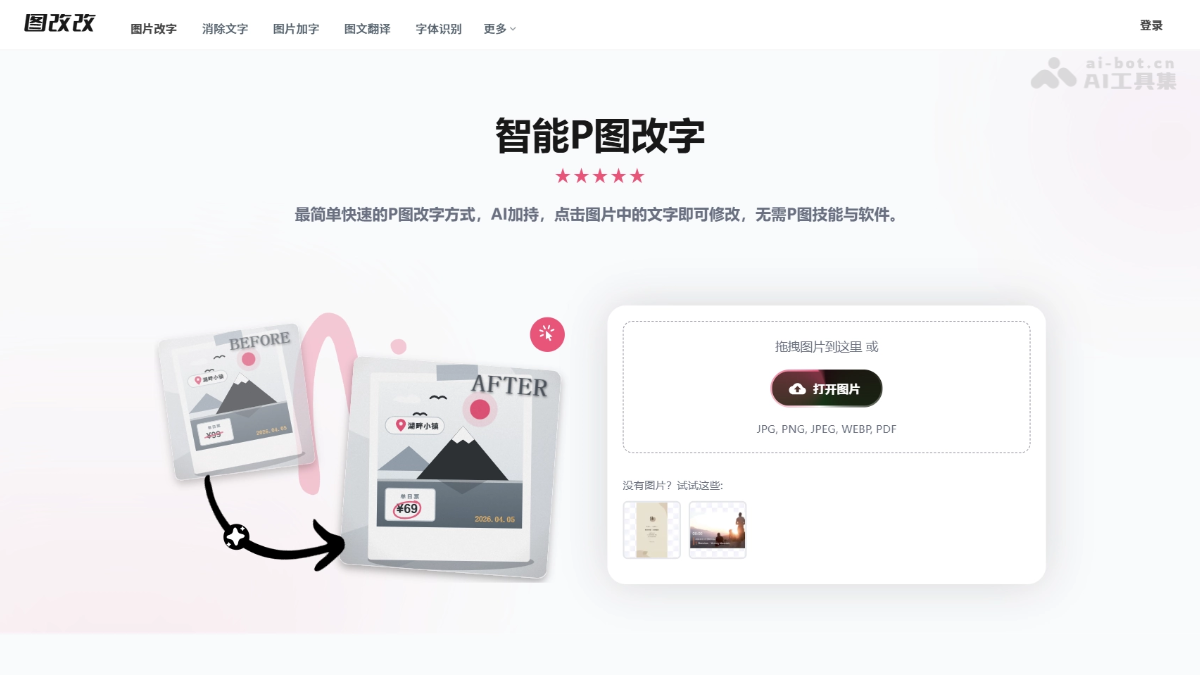
图改改is a free online AI image editing tool, especially outstanding for watermark removal. Users only need to upload an image, select or click the watermark area, and the AI will intelligently analyze the background texture and automatically reconstruct it. Wood grain, fabric, lighting and shadows, and gradient backgrounds can all be restored seamlessly, without leaving ghosting, white edges, or color blocks. No professional skills such as Photoshop are required, and the operation can be completed in three simple steps. It supports multiple formats such as JPG and PNG as well as high-definition export, making it suitable for removing image watermarks, timestamps, and redundant text to quickly obtain a clean base image.
🚀Product Highlights
-
AI One-Click Text Editing: Upload an image and click the text to edit it directly, with no need for professional design skills such as Photoshop.
-
Conversational AI Editing: A single natural language instruction can complete surgical local modifications while keeping all other pixels unchanged.
-
AI Font Matching: Automatically recognizes fonts in the image and matches similar fonts, with a built-in massive font library and support for uploading custom fonts.
-
Seamless Background Repair: Intelligently reconstructs complex textured backgrounds such as wood grain, fabric, lighting and shadows, with no ghosting, white edges, or color blocks.
-
High-Precision OCR: Supports full-language recognition and can handle slanted, curved, small-font, and mixed-layout text.
-
Image Text Translation: Recognizes text in images and translates it into multiple languages while preserving the original layout and design style.
💰Product Pricing
- The core image text editing function can be used without payment.
稿定AI
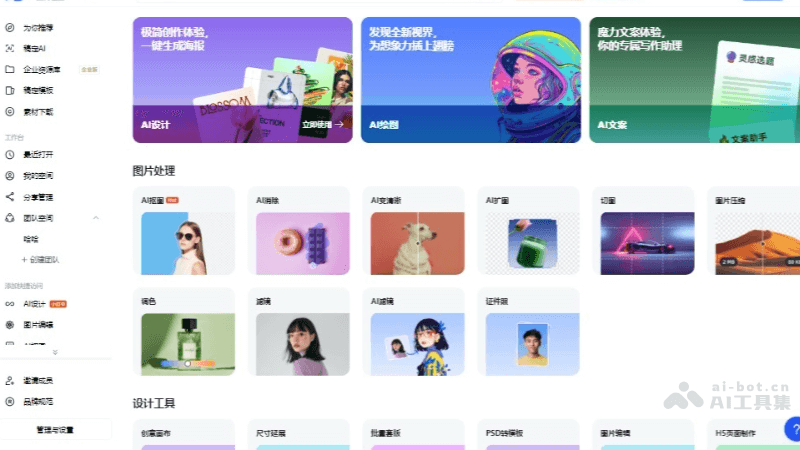
稿定AIis an online design and AI image processing tool platform launched by 稿定设计. Users can use the platform for image processing, design tool use, and creating various designs, such as posters, advertising banners, long-image posters, H5 pages, and more. It provides intelligent image processing functions such as AI cutout, AI removal, AI enhancement, and AI outpainting, as well as design tools such as creative canvas, size extension, and batch template application, helping users complete design work more efficiently.
🚀Product Highlights
- AI Watermark Removal
- Automatic recognition: AI analyzes the image and identifies the position and size of the watermark.
- Intelligent removal: Based on the characteristics of the watermark, intelligently selects the most suitable method to remove the watermark while preserving the original image quality as much as possible.
- Effect optimization: After removing the watermark, AI will also optimize the image to ensure that the watermark-free image looks natural and trace-free.
- AI Eraser
- Element recognition: The user marks the elements to be removed, and AI automatically recognizes the boundaries and content of these elements.
- Smart processing: Based on the image's background and surrounding environment, AI intelligently fills in or adjusts the blank areas left by the removed elements, so that they blend naturally with the surrounding environment.
- Detail optimization: AI will also optimize the details of the processed image to ensure that the removal effect looks natural with no obvious traces.
- AI Cutout: Based on artificial intelligence technology, it automatically recognizes and separates the subject and background in an image for fast cutouts.
- AI Enhance Clarity: Enhances the clarity of images, making blurry images clearer.
💰Product Pricing
- Free Plan: Suitable for personal trial and learning, no commercial license, public-interest templatesGaoding AI is free to use, the editor is accessible with zero barriers, and mobile and computer work together seamlessly.
- Basic Plan: Suitable for individuals or sole proprietorships, template membership from ¥8.3/month; asset download membership from ¥39/month; premium membership from ¥39/month.
- Team Plan: Suitable for small and medium-sized enterprises, template membership from ¥299/seat/year; asset download membership from ¥998/3 seats/year; premium membership from ¥1799/4 seats/year.
Meitu Design Studio
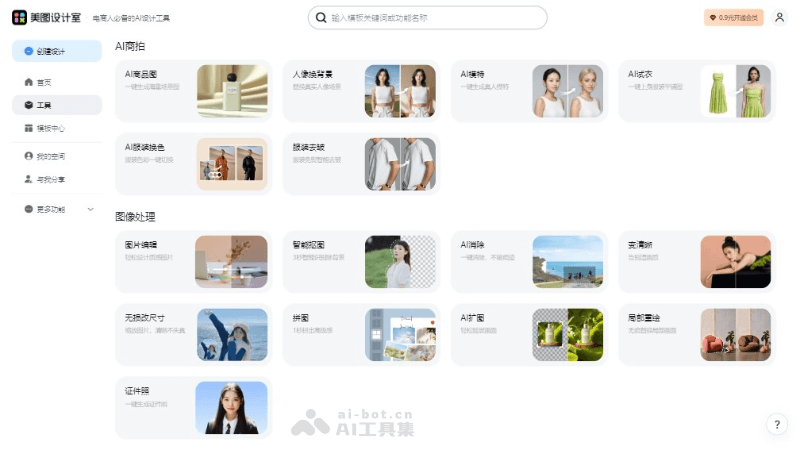
Meitu Design Studiois an online service platform launched by Meitu that brings together a variety of AI design tools. It provides three major functional modules: AI commercial photography, image processing, and AI design, including intelligent product image generation, portrait background replacement, model virtual try-on, clothing color change, image editing, cutout, wrinkle removal, clarity enhancement, collage, Logo design, PPT creation, copy generation, poster design, and more. Users only need to upload images or enter text to quickly generate professional-level design works, simplifying the design process and improving work efficiency, and it is suitable for multiple fields such as e-commerce, office work, and new media.
🚀Product Highlights
- AI-driven design tools: Based on artificial intelligence technology, it provides one-click solutions such as AI product images, AI model virtual try-on, AI clothing color change, and more, simplifying the design process.
- Efficient automation: Through features such as smart cutout, AI eraser, and lossless resizing, it automates common design tasks and saves users time.
- Applicable to multiple scenarios: Meitu Design Studio can provide corresponding design support for e-commerce product display, social media content creation, office document editing, and more.
- High-quality output: It ensures the professionalism and visual effect of design works; for example, the LivePPT feature can generate high-quality presentation slides.
💰Product Pricing
- Free Plan: Basic features are free, and you can access some basic design tools and templates.
- Subscription Plan: Enjoy AI eraser, AI design tools, AI cutout, advanced editing features, commercially licensed assets, and more, which require payment; for details, please visit the official website.
Koukoutu
KoukoutuIt is an online image tool focused on AI watermark removal. After uploading, it can recognize and remove complex watermarks, text, people, and other distractions with one click. It supports drag-and-drop, click, or Ctrl+V paste, and is compatible with psd/jpeg/png/webp. The page claims free HD, no watermark, and batch processing. It is actually divided into a standard version and an advanced version; the advanced version is slower but more refined. The tool is suitable for e-commerce materials, design base images, self-media covers, and old photo cleanup, saving the need for manual retouching in PS.

🚀Product Highlights
-
One-click intelligent watermark removal: Automatically recognizes and removes complex watermarks, text, people, and other distractions in images.
-
Flexible upload methods: Supports drag-and-drop, click to select, or Ctrl+V to paste images.
-
Broad format coverage: Supports common image formats such as psd, jpeg, png, and webp.
-
Batch processing capability: The page claims it can process up to 10,000 images at a time.
💰Product Pricing
- Cost: 1 image/25 credits.
AniEraser
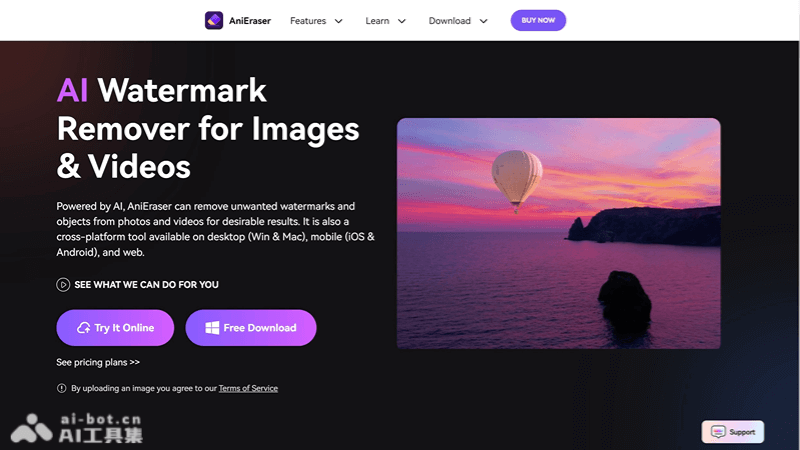
AniEraserIt is an AI watermark removal tool launched by Wondershare. It can quickly remove unwanted elements such as watermarks, objects, and text from images and videos while maintaining the clarity and quality of the original files. It supports use on multiple platforms, including PC and mobile devices, is easy to operate, and is suitable for various media platforms. It features batch processing, multi-format support, and high-resolution processing. Based on AI technology, it intelligently identifies and removes unwanted elements, improving editing efficiency.
🚀Product Highlights
- Image and video watermark removal: Can remove unwanted elements such as watermarks, objects, and text from images and videos.
- Object removal: Supports deleting extra objects or people from images and videos.
- Batch processing: The desktop version supports batch processing up to 5 files, improving efficiency.
- High-resolution processing: Can process large-size and high-resolution files.
- Custom brush: Users can adjust the brush size as needed to precisely select the area to remove.
- AI intelligent recognition: Based on artificial intelligence technology, it quickly and intelligently identifies and removes unwanted elements.
💰Product Pricing
- Free plan: AI object removal: free trial for 1 image, video not supported; background removal: free trial for images with 1 credit, free trial for video for 1 minute.
- Most popular plan: ($6.99/month, $83.99/year) Supports 1080P watermark-free export; AI object removal: 1 image/month, video not supported; background removal: images 1 credit/month, video 1 minute/month.
- Advanced plan: ($12.99/month, $155.88/year) Supports 1080P watermark-free export; AI object removal: 60 images/month, video supported; background removal: images 100 credits/month, video 5 minutes/month.
QuQuQu
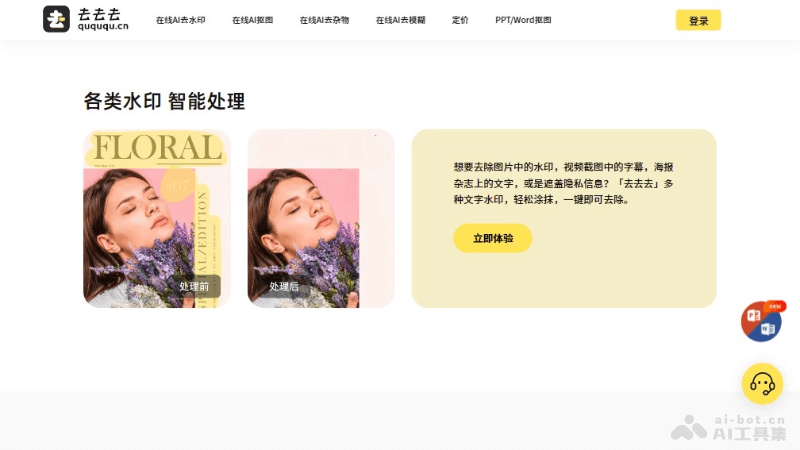
QuQuQuIt is an online AI watermark removal tool specifically designed to remove various watermarks from images and documents, including text, image, and transparent watermarks. It provides online operation, batch processing, and intelligent recognition features. Users can easily upload files, select watermark areas, and automatically remove watermarks without downloading any software. It is suitable for multiple scenarios such as copyright cleanup, personal editing, commercial advertising design, and education and research, helping users efficiently process and edit their digital content.
🚀Product Highlights
- Image Watermark Removal: Provides a tool to remove watermarks from images.
- Document Watermark Removal: Supports removing watermarks from document formats such as PDF.
- Online Operation: Users can operate directly on the website without downloading software.
- Batch Processing: Supports users uploading multiple files for batch watermark removal.
- Intelligent Recognition: Automatically detects and removes watermarks, reducing manual operation.
💰Product Pricing
- Free Download: Annotated images, limited to 5 times per day, 50% of the original image resolution
- Paid Download: Single time ¥0.2; 10 times ¥1; 100 times ¥10; 1000 times ¥80. Applicable to watermark removal, cutout, object removal, deblurring, high resolution.
Duiyou AI Eraser
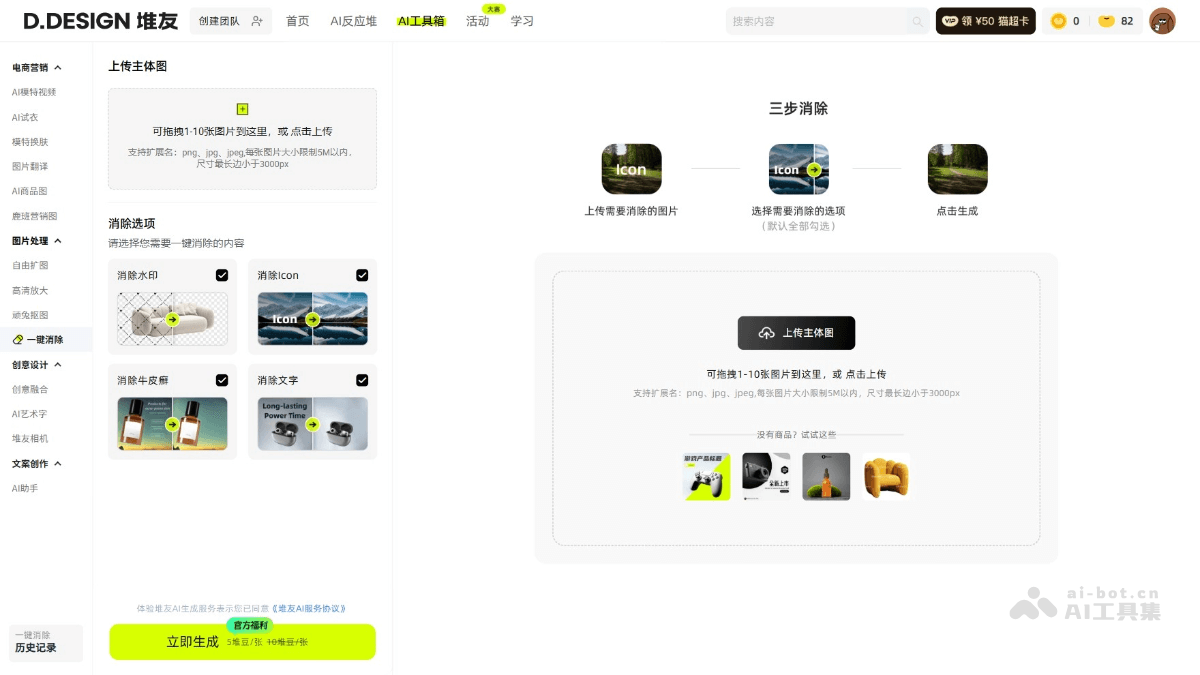
Duiyou AI Eraseris an online one-click image eraser launched by Duiyou AI, capable of one-click removal ofwatermarks, icons, unwanted blemishes, text, and other unwanted content in images. Users upload multiple images (supporting png, jpg, jpeg formats), and by checking the content options to be erased, processed images are automatically generated. Duiyou AI Eraser is simple and easy to use, suitable for users who need to quickly remove unwanted elements from images.
🚀Product Highlights
-
High-Precision AI Algorithm: Adopts advanced AI technology to accurately identify and eliminate interfering elements such as watermarks, text, and blemishes in images. The processed images are natural and traceless, preserving the original image quality and details.
-
One-Click Operation: Users do not need complex operations; simply upload an image and select the elimination type to complete processing with one click. It is simple and easy to use, suitable for users of all levels.
-
Batch Processing: Supports uploading multiple images at once for batch elimination operations, greatly improving processing efficiency and saving time and effort.
💰Product Pricing
- Individual Membership: Annual card: ¥299; continuous monthly: ¥39; half-year card: ¥179; quarterly card: ¥109. 240 Dui Coins are gifted each month (redeemable for 2400 Dui Beans), 12 times in total. Gifted Dui Coins reset each month, and up to approximately 11,630 images can be generated.
- Annual Card Benefits: As low as ¥0.1 per Dui Coin; personalized exclusive model training; online workflows ready to use.
- Basic Benefits: Enjoy AI videos and exclusive member features; exclusive high-quality member models for worry-free commercial use; watermark-free downloads of images/works across the site; Dui Bean-free one-click cutout; enjoy free image expansion/detail restoration; massive commercial photography/marketing poster hit templates.
- Team Membership: Starting from 2 team members, ¥399.
- Exclusive Team Benefits: Enjoy individual annual card membership benefits, flexibly adjust member color correction and permissions; share team computing power, use as needed; unified management of design assets, real-time online access; visual data analysis, track member creation results.
- Individual Top-Up Pack: Dui Coins can be used for deductions when generating images, generating videos, model training, VIP features, etc. within the Duiyou platform. When Dui Beans are insufficient, Dui Coins can be used for exchange; 1 Dui Coin can be exchanged for 10 Dui Beans.
-
300 Dui Coins: ¥39.9; valid for 60 days
-
850 Dui Coins: ¥99.9; valid for 90 days
-
2600 Dui Coins: ¥299.9; valid for 365 days
-
6000 Dui Coins: ¥599.9; valid for 365 days
-
- Dui Bean Tasks: New users will receive 50 Dui Beans for free after their first login/registration, valid for one year; daily login grants 80 Dui Beans; following the official account [Duiyou Creative] grants 20 Dui Beans; bookmarking the website grants 50 Dui Beans; completing a Reactor/AI Toolbox image generation and publishing each grants 25 Dui Beans; completing personal information grants 20 Dui Beans.
Huiwa AI Eraser
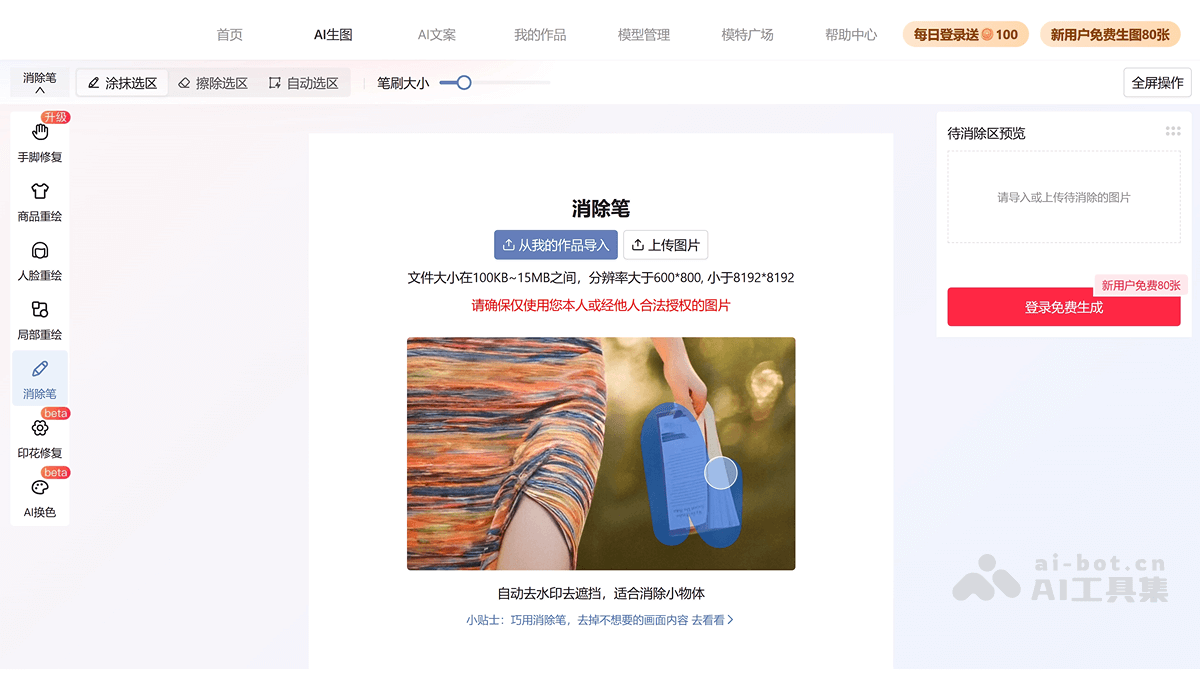
Huiwa AI EraserIt is an AI retouching tool launched by Huiwa, Alibaba's AI e-commerce marketing tool. It can remove unwanted elements from images with one click, making products more prominent in displays. It helps merchants and content creators improve the efficiency and appeal of marketing content creation. It is suitable for e-commerce platform merchants, and categories such as clothing, beauty, and home that require a large amount of creative content and marketing copy. Through AI image processing tools, product images are optimized and visual effects are improved.
🚀Product Highlights
- Automatic watermark and obstruction removal: Huiwa AI Eraser can automatically identify and remove watermarks and obstructions in images, helping users quickly clean up unwanted elements in images.
- Suitable for removing small objects: Suitable for handling small objects in images, such as labels, icons, or other small details, making them disappear from the image and improving the image's aesthetics and professionalism.
- File size and resolution support: Supported image file sizes are between 100KB and 15MB, and the resolution must be greater than 600×800 and less than 8192×8192, covering the dimensions and sizes of most commonly used images.
- Editing and optimization: E-commerce product images can be edited and optimized, unwanted elements can be removed, and product images can be made cleaner and more professional, improving product appeal.
💰Product Pricing
- Free: Registering and logging in grants 400 computing power points, and daily login grants 100 computing power points(completely sufficient)。
Tukeli
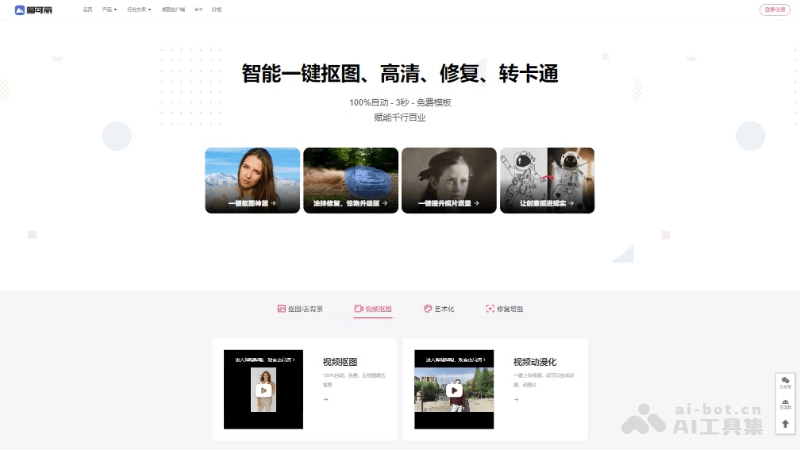
TukeliIt is an AI image and video processing tool that provides a series of convenient online services, including one-click cutout, watermark removal, video cutout, image restoration, blurry video enhancement to high definition, AI painting, and AI background replacement. Without professional PS skills, you can easily remove image backgrounds and create professional-level image effects.
🚀Product Highlights
- Smart cutout: It can remove backgrounds from images or videos with one click, and supports fine cutouts of people, objects, and more.
- Image restoration: It provides functions such as colorization of old photos, restoration, watermark removal, and making blurry photos clear, automatically repairing image defects based on AI technology.
- Video processing: It supports video cutout and anime stylization, and can convert video content into anime style, increasing the fun of videos.
💰Product Pricing
- Free: Inviting friends to register grants 5 free download points.
- Monthly subscription: 100 points/month ¥19; 200 points/month ¥29; 400 points/month ¥49; 800 points/month ¥79; 1200 points/month ¥99; 5000 points/month ¥399; 10000 points/month ¥699.
- Purchase by points: 2 points ¥3.99; 10 points ¥9.9; 100 points ¥49; 300 points ¥139; 1000 points ¥399; 10000 points ¥999; 100000 points ¥4999.
360 Zhitu
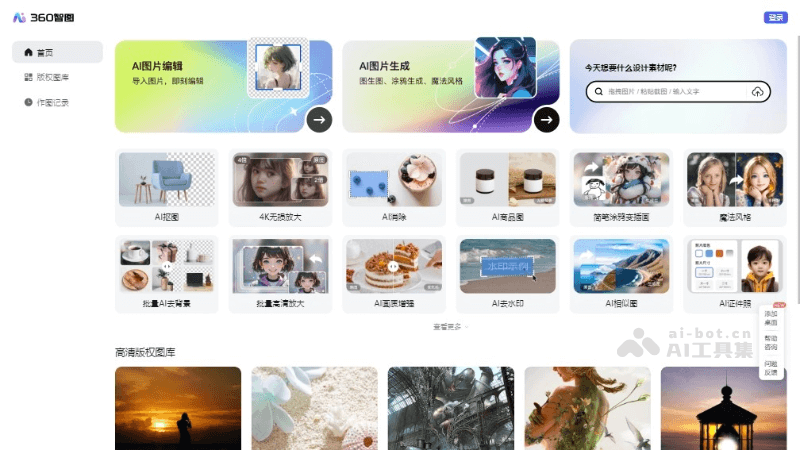
360 ZhituIt is an AI image processing and creation platform launched by 360 Search, offering a variety of intelligent image processing and creation tools. Users can use the platform's AI technology for cutouts, lossless upscaling, watermark removal, style transfer, and other operations, as well as converting simple doodles into illustrations. 360 Zhitu also provides a high-definition copyright image library to meet users' copyrighted image needs in design, media production, and other areas.
🚀Product Highlights
- AI Cutout: Based on artificial intelligence technology, it intelligently identifies and separates the subject from the background in an image, enabling quick cutouts.
- 4K Lossless Upscaling: Through AI algorithms, it increases image resolution to 4K while minimizing quality loss and maintaining image clarity.
- AI Eraser: Automatically removes watermarks, text, or other unwanted elements from images, making them cleaner and tidier.
- Magic Style: Applies different style filters to give images unique visual effects.
- Batch Processing: Supports batch AI background removal and HD upscaling, improving efficiency when processing large numbers of images.
- AI Image Quality Enhancement: Through algorithms, it improves image quality, making blurry images clearer.
💰Product Pricing
- Visit the official 360 Zhitu website to get the latest pricing information.
HitPaw Watermark Remover
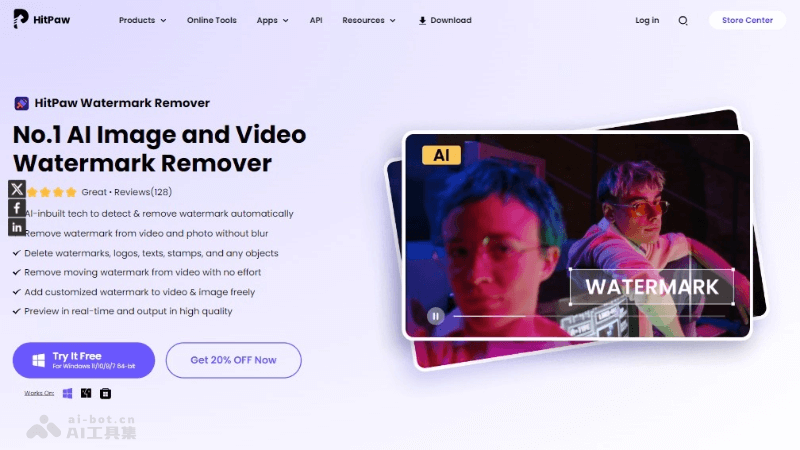
HitPaw Watermark Remover is a powerful AI-driven image and video watermark removal tool that can automatically detect and remove various watermarks, logos, text, and other unwanted objects. The software supports Windows and Mac operating systems and provides a simple and easy-to-use interface with efficient processing capabilities.
🚀Product Highlights
- AI-Driven Removal Modes: Provides a variety of AI algorithms, including Gaussian blur, AI model, matte fill, color fill, and smooth fill, to suit different watermark removal needs.
- Photo Watermark Removal: Provides four removal tools, including smooth fill, AI model, texture repair, and edge fill, to suit watermarks of different colors.
- Video Watermark Removal: Supports removing fixed or moving watermarks in videos, including logos, text, date stamps, and more.
- Batch Processing: Allows users to process multiple files at the same time, improving work efficiency.
- High-Quality Output: Ensures that after watermark removal, the output images and videos remain high quality, without leaving any traces.
💰Product Pricing
- Some free trial features are provided, while advanced features require payment to unlock. Log in to the official website for the latest information.
BeeCut
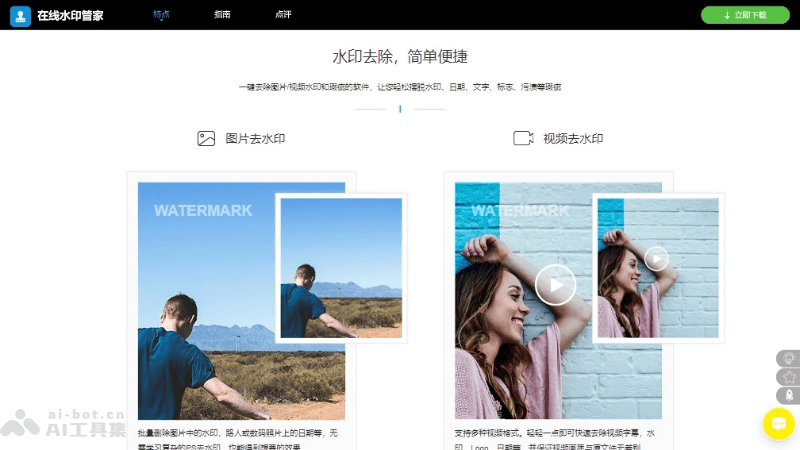
BeeCutis a free online AI watermark removal tool that helps users remove watermarks from short videos. BeeCut supports multiple popular short video platforms, such as Douyin, Huoshan, Pipixia, Zuiyou APP, Pipigaoxiao, 6 Rooms, Meipai, and AcFun. Users only need to provide the short video link, and Bee Watermark Removal can perform online parsing and remove the video watermark with one click.
🚀Product Highlights
- Multi-Platform Compatibility: Supports watermark removal for multiple popular short video platforms, such as Douyin, Kuaishou, Huoshan, Weishi, and more.
- One-Click Operation: Users only need to copy the video link and paste it into the tool to remove the watermark with one click, with no complicated settings required.
- Fast Processing: Utilizes efficient video processing technology to complete watermark removal in a short time, so users do not need to wait for a long time.
- HD output: After removing the watermark, the video maintains its original HD quality and will not affect the viewing experience of the video.
💰Product pricing
- Free online service, no payment required
WatermarkRemover
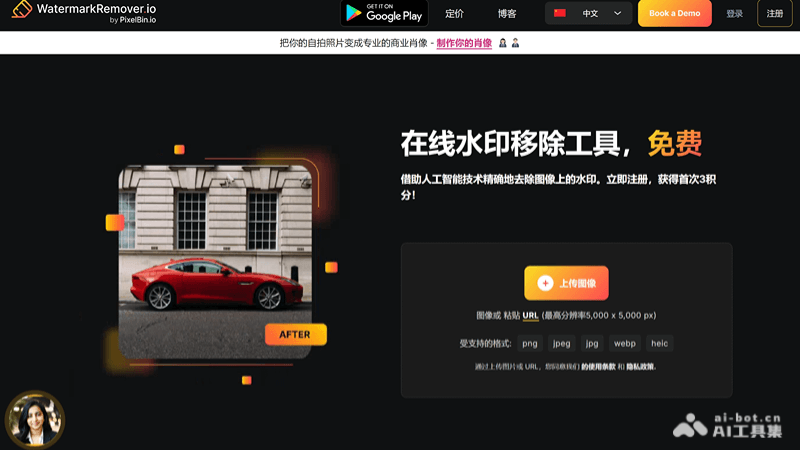
WatermarkRemover is a free AI online watermark removal tool that helps users automatically detect and remove watermarks from images. The tool supports multiple image formats, including JPG, JPEG, PNG, WEBP, and HEIC. By uploading images to the WatermarkRemover.io website, it will automatically remove watermarks within a few seconds, and users can download images without watermarks.
🚀Product highlights
- AI-driven watermark removal: Based on advanced artificial intelligence algorithms, WatermarkRemover can automatically detect and erase watermarks in images, without requiring users to manually select the watermark area.
- Supports multiple image formats: Supports multiple image formats including PNG, JPG, JPEG, WEBP, and HEIC, and can process images up to 5000×5000 pixels and 25MB in size.
- Batch processing function: Supports users in removing watermarks from multiple images at the same time, suitable for users who need to process a large number of images.
- Maintains original image quality: While removing watermarks, WatermarkRemover maintains the quality and resolution of the original image, ensuring the output image quality.
💰Product pricing
- Free plan: 3 free uses, 3 free downloads.
- Subscription plan: 100 uses $15, 300 uses $25, 500 uses $35.
- Pay as you go: 30 uses $29, 100 uses $75, 300 uses $149.
- Benefits: All plans include: remove logos from images, free image downloads, access to additional uses, seamless API integration.