

What is HitPaw Watermark Remover
HitPaw Watermark Remover is a powerful AI-drivenimage and video watermark remover tool, capable of automatically detecting and removing various watermarks, logos, text, and other unwanted objects. It supports Windows and Mac operating systems, providing an easy-to-use interface and efficient processing capabilities.
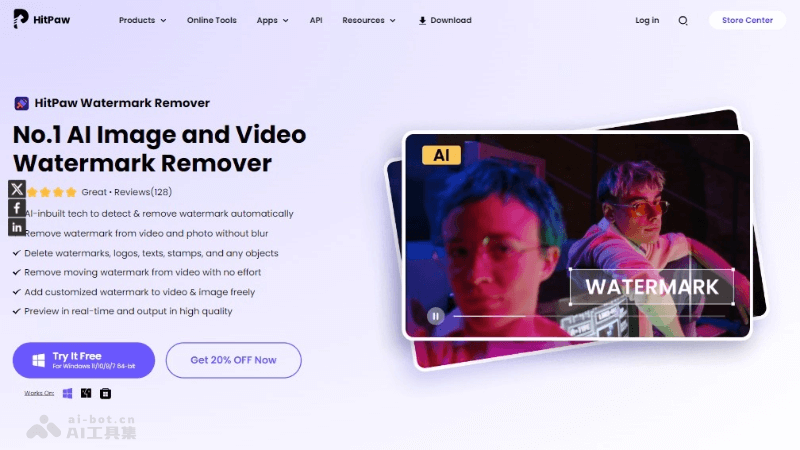
Main features of HitPaw Watermark Remover
- AI-driven removal modes: Provides multiple AI algorithms, including Gaussian blur, AI model, matte fill, color fill, and smooth fill, adapting to different watermark removal needs.
- Photo watermark removal: Provides four removal tools, including smooth fill, AI model, texture repair, and edge fill, to adapt to watermarks of different colors.
- Video watermark removal: Supports removing fixed or moving watermarks in videos, including logos, text, date stamps, etc.
- Batch processing: Supports users in processing multiple files simultaneously, improving work efficiency.
- High-quality output: Ensures that after watermark removal, the output images and videos remain high quality, leaving no traces.
HitPaw Watermark Remover's product official website
- Product official website:hitpaw.com/remove-watermark.html
Application scenarios of HitPaw Watermark Remover
- Social media content creation:Remove watermarks from downloaded social media videos, reshare them, or use them for non-commercial purposes.Clean up watermarks in images for profile pictures or posts.
- Education and training:Teachers and trainers remove watermarks from educational materials for classroom teaching or online courses.Students remove watermarks from videos and images for academic research or project reports.
- Business and marketing:Marketing teams remove watermarks from brand materials for advertising or promotional activities.Enterprises remove watermarks from product images for e-commerce websites or brochures.
- Legal and copyright research:Legal professionals remove watermarks to analyze copyrighted materials or evidence.Researchers remove watermarks to better study and discuss image and video content.
- Personal use:Users remove watermarks from personal photos and videos for making family videos or digital photo albums.Photography enthusiasts remove watermarks from images for personal portfolios or print displays.
- Video editing and post-production:Video editors remove watermarks from video footage for the production of movies, short films, or music videos.Post-production personnel clean up video clips for visual effects or color correction.


