

What is KoukouTu
KoukouTu is an AI-based free online image processing tool focused on providing users with efficient and convenient background removal services. KoukouTu uses AI technology to automatically identify the subject and background, achieving preciseAI background removal, without complex operations or professional software. KoukouTu is simple to use and suitable for designers, e-commerce practitioners, content creators, and various other users, meeting daily image processing needs.
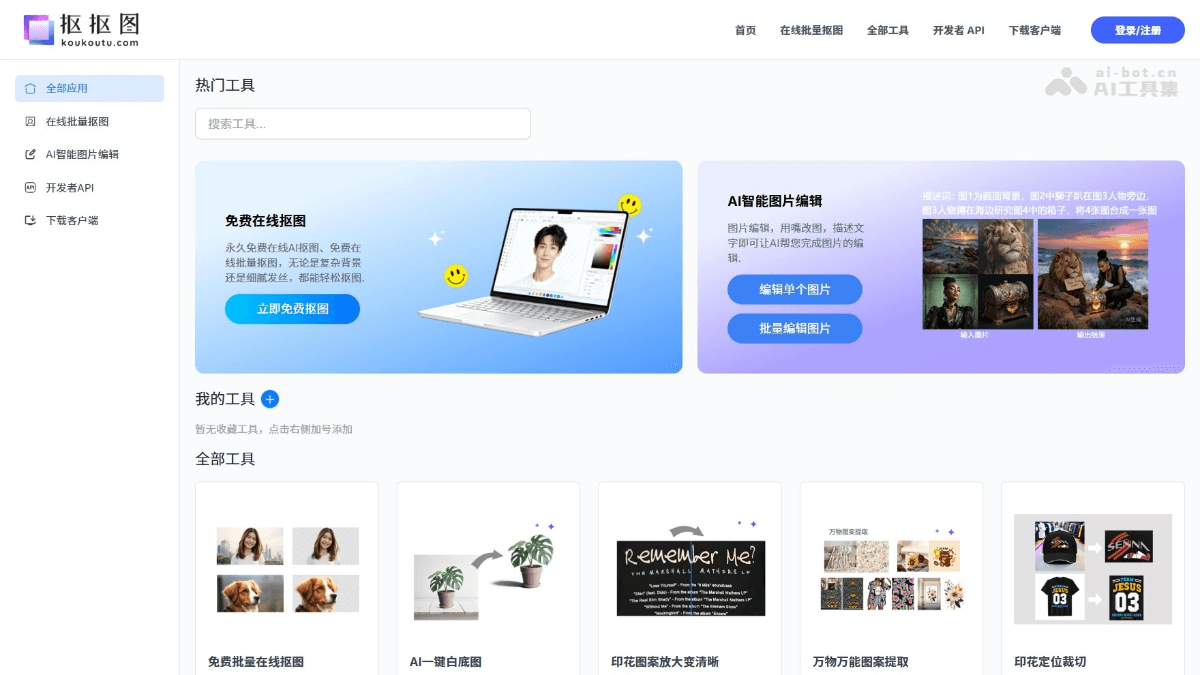
Main features of KoukouTu
-
AI smart background removal: Through advanced artificial intelligence technology, it automatically and accurately identifies the subject and background in an image, can handle complex details such as hair strands and edges, and supports various subjects such as people, products, animals, and patterns, achieving high-quality background removal results.
-
Batch processing function: Supports uploading and processing multiple images at the same time, suitable for batch operation needs such as e-commerce product images, model images, and material images, reducing repetitive manual operations.
-
Background replacement and white background image generation: Provides a one-click background replacement function, which can automatically generate solid-color backgrounds or transparent backgrounds. It is suitable for various scenarios such as e-commerce platform main images, ID photos, and product display images. The operation is simple and completed with one click.
-
Print and pattern extraction: Accurately extracts print, texture, and pattern images, effectively distinguishing patterns from background textures and preserving details.
-
Lossless image upscalingand enhancement: Based on AI technology, it intelligently supplements image details and improves image clarity. After upscaling, edges remain clear and are not prone to blurring, making it suitable for old photo restoration and e-commerce material optimization.
-
Smart watermark removal: Supports automatically removing common simple watermarks without complex operations.
- AI image editing: Provides a variety of AI-assisted image editing functions, such as color adjustment and contrast optimization, helping users quickly improve image quality.
- AI image HD: Enhances image details through AI technology, making blurred or low-resolution images clearer. It is suitable for old photo restoration and material optimization.
- AI product retouching: Performs refined processing on e-commerce product images, highlighting product details and improving visual effects. It is suitable for product displays on e-commerce platforms.
- Old photo restoration: Uses AI technology to repair problems such as fading and scratches in old photos, restoring photo clarity and color and preserving precious memories.
- Text to image, image to image, image to video: Supports multiple creative functions such as generating images from text, generating images from images, or generating videos from images, meeting the diverse needs of content creators.
How to use KoukouTu
- Visit the official website: Visit the KoukouTu official website https://www.koukoutu.com/ . No registration or login is required, and it can be used directly.
- Choose a tool: On the homepage, choose the function you need to use, such as "AI smart background removal," "background replacement," "print extraction," etc.
- Upload image: Click the upload button, select an image file from your local computer, or directly paste an image link. Common image formats such as JPG and PNG are supported.
- Wait for processing: Click the "Start Processing" button, and AI will automatically identify and process the image.
- View results: After processing is complete, the page will display the processed image result. Users can preview and confirm whether the result meets expectations.
- Download result: If satisfied, click the "Download" button to save the processed image to the local computer.
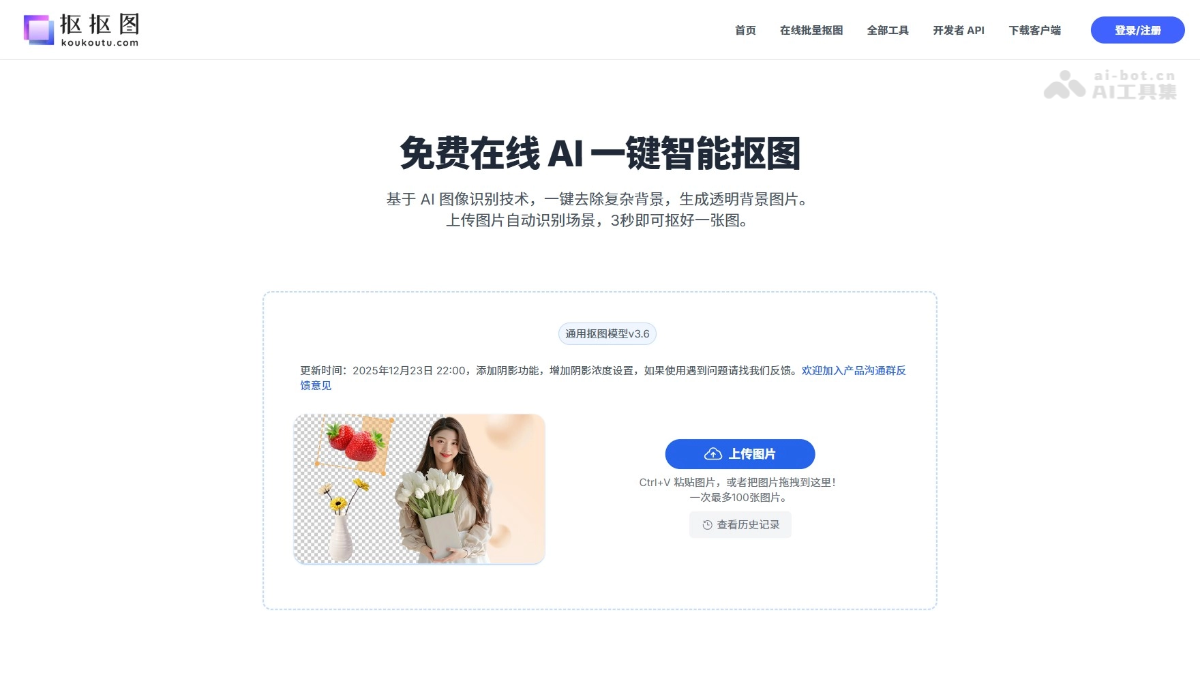
KouKouTu's Product Features and Advantages
-
Permanently free: KouKouTu provides a permanently free AI cutout service, allowing you to enjoy high-quality image processing features without paying.
-
No registration or login required: No need to register an account or log in; use it instantly and leave when done, convenient and quick.
-
Use online in the browser: No need to download or install any software; operate directly in the browser, saving time and storage space.
-
Batch processing: The tool supports uploading and processing multiple images at the same time, greatly improving work efficiency, especially suitable for e-commerce and designers.
-
Rich features: In addition to cutout, it also provides background replacement, print extraction, image upscaling, watermark removal, and other tools, meeting one-stop design needs.
KouKouTu's Application Scenarios
-
Design field: Designers can quickly cut out image subjects for posters, brochures, and other designs, improving design efficiency and professionalism.
-
Content creation: Self-media creators and video producers can quickly cut out images and replace backgrounds to create attractive cover images and video effects.
-
Print customization and POD: Accurately extract print patterns for custom designs such as apparel and home soft furnishings, ensuring the patterns are clear without background interference.
-
Daily needs of ordinary users: Used for making ID photos, restoring old photos, or fulfilling personal creative projects, with simple and convenient operation.
-
Education and training: Teachers can quickly process teaching images, and students can use them to create project reports, improving teaching and learning outcomes.


