

What is Meitu Design Studio
Meitu Design Studio is an online service platform launched by Meitu Inc. that integrates a variety ofAI design toolsand is dedicated to providing merchants and creators with a one-stop intelligent visual content production solution. The platform integrates core functions such as AI product image sets, smart modelfitting, AI sales videos,one-click cutout、LivePPTand more, covering the full chain of needs including product photography, detail page design, marketing posters, and social media materials. Through AI technology, it greatly lowers the design threshold. Users can generate high-quality e-commerce visual content with one click without complex prompts, helping small and medium-sized merchants efficiently complete brand visual marketing and achieve cost reduction and efficiency improvement.
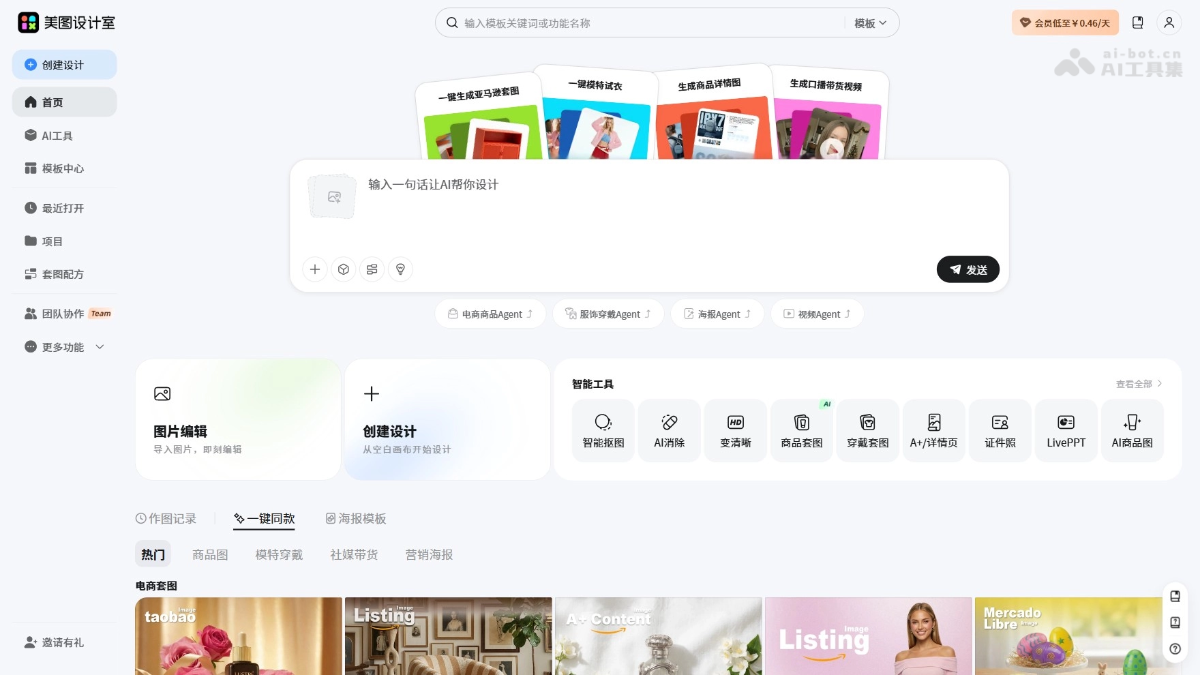
Main Features of Meitu Design Studio
-
AI Commercial Photography: Through functions such as AI models, product image sets, clothing and shoe fitting, and sales videos, it generates full-chain e-commerce visual content with one click, and can mass-produce high-quality product display materials without prompts.
-
Image Processing: Provides tools such as smart cutout,AI removal, enhance clarity, ID photos, lossless resizing, and batch processing, meeting the one-stop processing needs of image editing, restoration, and optimization.
-
AI Design: IntegratesAI Logo, LivePPT, AI copywriting,AI posters、text-to-imageand other creative tools. Entering a simple description can quickly generate brand designs, marketing copy, and visual content.
-
Template Center: Provides a massive number of scenario templates for e-commerce, social media, marketing, and more, supports image set recipes, team collaboration, and design records, helping users efficiently reuse design assets and improve collaboration efficiency.
How to Use Meitu Design Studio
- Register and Log In:Visit the Meitu Design Studio official website https://www.designkit.com/ ,Create an account or use a social media account for quick login.
- Select a Function Module:According to your needs, select the corresponding design tool or service, such as AI commercial photography, image processing, AI design, etc.
- Upload Materials:According to the selected function, upload the images that need to be processed or designed. If you want to use the AI product image function, upload product images.
- Use Design Tools: According tothe provided AI tools for design. For example, use the AI cutout tool to automatically remove the image background, or use the AI poster tool to generate promotional posters.
- Edit and Adjust:During the design process, you can edit and adjust the image or design to meet specific needs. Meitu Design Studio provides multiple editing options, such as color adjustment, text addition, element movement, etc.
- Select a Template:If you are using the Template Center function, you can select a suitable template from the provided template library, and then customize it as needed.
- Preview and Download:After completing the design, preview the work to ensure it meets expectations.You can download the design work to your device.
Examples of Using Meitu Design Studio
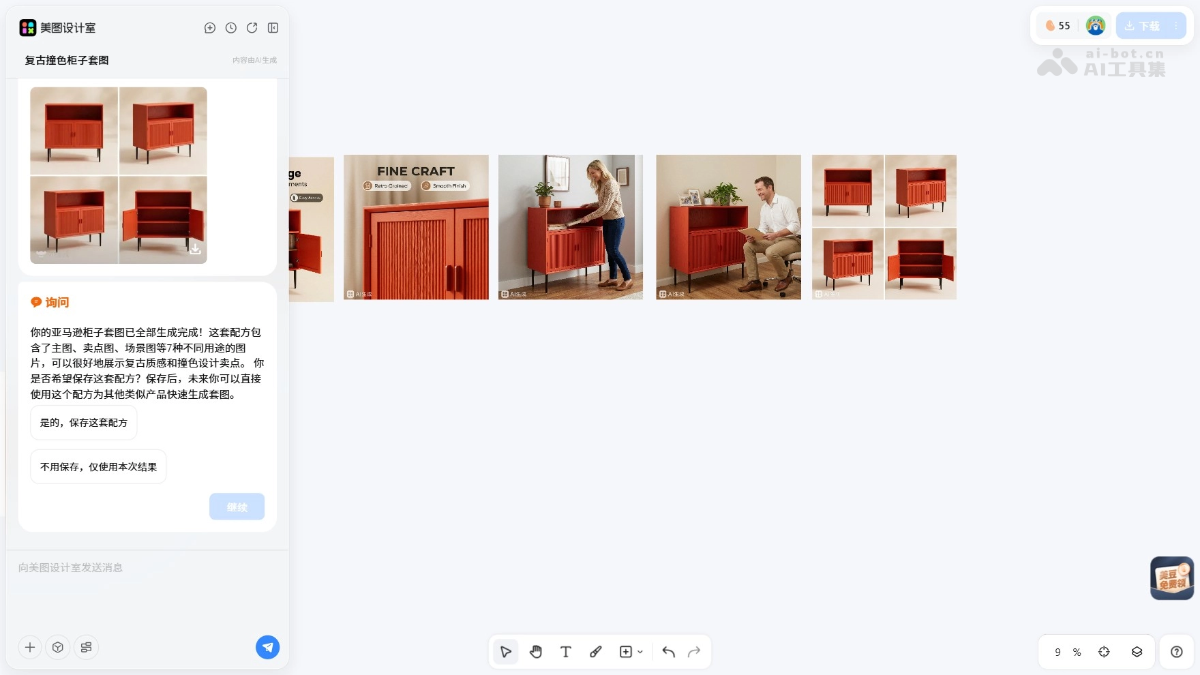
Help me generate a set of Amazon image sets. This product is a cabinet, sold to the United States, the language is English, selling points: vintage texture, color-block design
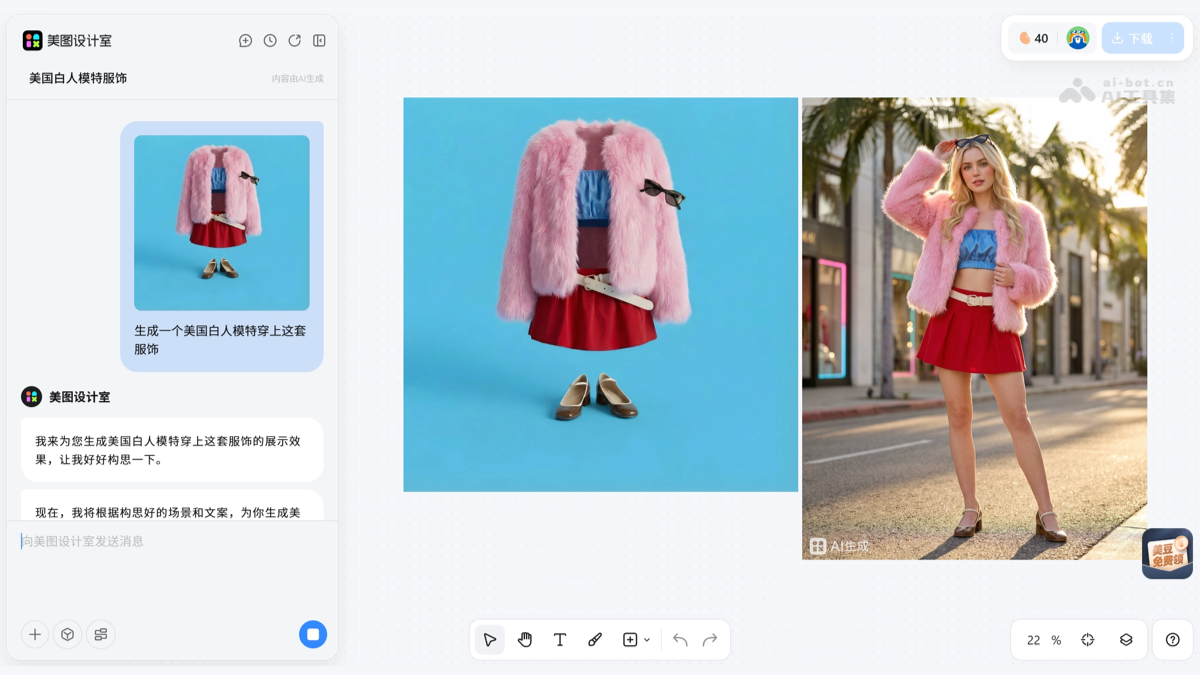
Generate a Caucasian American model wearing this outfit
Product pricing of Meitu Design Studio
- Monthly subscription:¥30
- Annual subscription:¥168
- Quarterly subscription:¥68
Membership features include smart cutout, one-click background removal; smart eraser, easily remove clutter and passersby; image quality restoration for spoiled photos; medical-grade portrait retouching; ID photo design, easily change outfits and backgrounds; free grid collage.
Application scenarios of Meitu Design Studio
- E-commerce design: Create attractive product display images, advertising banners, promotional posters, and social media images for online stores.
- Social media management: Design posts and stories for social platforms such as Instagram, Facebook, and Weibo.
- Marketing and advertising: Produce marketing materials such as flyers, brochures, billboards, and online advertisements.
- Corporate branding: Design corporate logos, business cards, letterheads, presentations, and other branding materials.
- Education and training: Create teaching slides, course outlines, posters, and educational materials.
- Personal projects: Create professional visuals for personal blogs, resumes, personal branding, or portfolios.


