
What is FunClip
FunClip is a fully open-source, locally deployed automatedvideo editing toollaunched by the Tongyi Lab of Alibaba DAMO Academy. It enables automated speech recognition of videos by invoking the FunASR Paraformer series models from Alibaba's Tongyi Lab. Users can select text segments or specific speakers based on the recognition results to quickly cut out the desired video clips. FunClip's features include integration of high-precision Chinese ASR models, support for hotword customization, speaker recognition, and a Gradio interactive interface, making video editing simple and convenient. In addition, it supports multi-segment editing and can automatically generate SRT subtitle files.
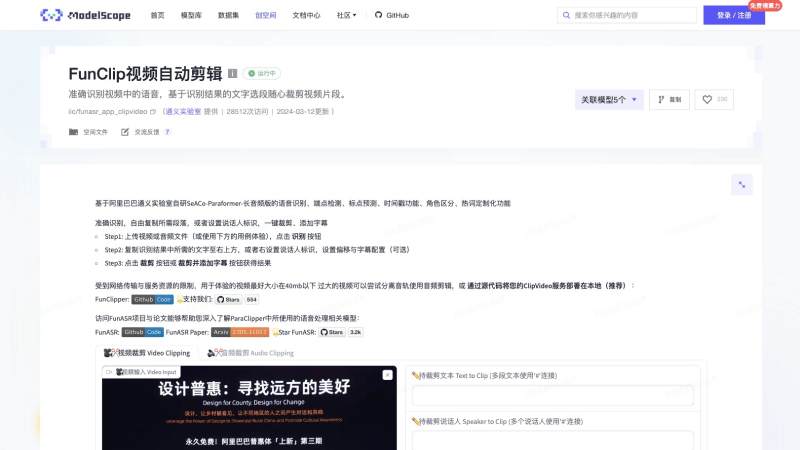
FunClip's Main Features
- Automated Speech Recognition: Utilizes the FunASR Paraformer series models from Alibaba's Tongyi Lab to perform speech recognition on videos, converting speech into text.
- Hotword Customization: Through the integrated SeACo-Paraformer model, users can specify certain entity words, personal names, etc. as hotwords to improve the recognition accuracy of specific vocabulary.
- Speaker Recognition: Integrates the CAM++ speaker recognition model, allowing users to cut out video segments of a specific speaker based on automatically recognized speaker IDs.
- Video Cutting: Users can select text segments from the recognition results or specify a speaker, and obtain the corresponding video clip by clicking the cut button.
- Gradio Interactive Interface: The interactive interface implemented through Gradio simplifies the video editing workflow. Users can set up the service on the server side and edit through a browser.
- Multi-Segment Editing Support: FunClip supports users in performing multi-segment editing on videos, providing flexible editing capabilities.
- Automatic Subtitle Generation: The edited video can automatically generate SRT subtitle files for the entire video and the target segments, making it convenient for users to add or edit subtitles.
- Command-Line Invocation: In addition to the graphical interface, FunClip also supports video recognition and cutting through the command line, providing a more flexible way to use it.
FunClip Official Website Entry
- Official GitHub Source Code Address:https://github.com/alibaba-damo-academy/FunClip
- ModelScope Community Online Demo:https://modelscope.cn/studios/iic/funasr_app_clipvideo/summary
How to Use FunClip
Method 1: Local Deployment of the Gradio Version
First, make sure Python and Git are installed on your computer, then open the terminal and enter and run the following commands in sequence
git clone https://github.com/alibaba-damo-academy/FunClip.git
cd FunClip && pip install -r ./requirements.txt
python funclip/launch.py
Finally, visit in your browserlocalhost:7860to experience FunClip
Method 2: Online Experience with the ModelScope Community Demo
Visitthe online Demo provided by the ModelScope Community, then follow the steps below:
- Upload a video or audio file (or use the example below to experience it), and click the "Recognize" button
- Copy the required text from the recognition results to the upper right, or set the speaker identifier on the right, and set the offset and subtitle configuration (optional)
- Click the "Cut" button or the "Cut and Add Subtitles" button to obtain the result
Method 3: Run Related Commands via Command Line
Open the terminal and enter and run the following commands in sequence
# 1. 克隆GitHub源代码
git clone https://github.com/alibaba-damo-academy/FunClip.git
# 2. 安装Python依赖
cd FunClip && pip install -r ./requirments.txt
# 3. 添加视频进行识别
python funclip/videoclipper.py --stage 1 \
--file examples/2022云栖大会_片段.mp4 \
--output_dir ./output
# ./output/目录下将输出识别结果和.srt字幕文件
# 4. 裁剪命令
python funclip/videoclipper.py --stage 2 \
--file examples/2022云栖大会_片段.mp4 \
--output_dir ./output \
--dest_text '我们把它跟乡村振兴去结合起来,利用我们的设计的能力' \
--start_ost 0 \
--end_ost 100 \
--output_file './output/res.mp4'