
What is Vmake AI
Vmake AI is an AI-powered online image andvideo editingplatform, providing services specifically for e-commerce, design, and personal projects. Vmake AI simplifies the creation process of high-quality content through AI tools such asfashion model customization、product photography, image color replacement, and graphic design generators. Vmake AI also provides mobile solutions and a developer API, supporting brands and creators in efficiently generating and managing creative content across different devices.
Vmake AI's main features
- AI fashion model customization: Create AI models for fashion e-commerce or 3D design, with adjustable skin tone, age, expression, and body type.
- AI product photography: Use AI technology to quickly replace product image backgrounds and enhance visual effects.
- Image color changer: An online AI tool that can quickly adjust clothing colors and enhance the diversity of e-commerce catalogs.
- AI graphic design generator: Starting from product photos, quickly create marketing materials such as banners and social media posts.
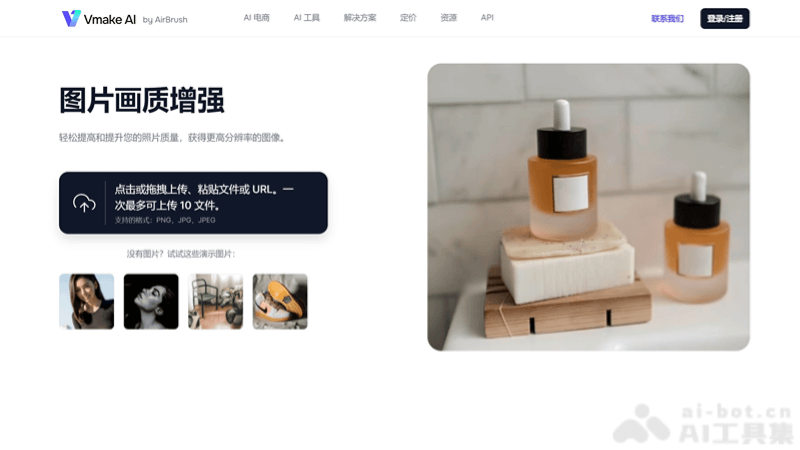
- Video and image enhancement tools: Improve video and image quality without professional editing skills.
- Mobile solutions: Support users in creating and managing AI creative content through mobile devices.
- Developer API: Provide developers with tools to integrate AI model generation and image editing features, adapting to specific business needs.
How to use Vmake AI
- Visit the website: Open a browser and visit the Vmake AI official website (vmake.ai).
- Choose a tool: According to your needs, choose one from the provided AI tools, such as AI fashion model customization, AI product photography, etc.
- Upload materials: According to the requirements of the selected tool, upload the image or video materials you need to edit.
- Adjust settings: Use the various options and sliders provided by the platform to adjust your materials, such as changing the model's skin tone, age, expression, or changing the background of product images.
- View results: After editing is complete, preview the improved image version.
- Download the image: If you are satisfied with the enhanced image, click the download button to save the image to your device.
- Use the image: The downloaded image can be used for multiple purposes, such as improving your online presence, web marketing, etc.
Vmake AI application scenarios
- E-commerce: Merchants can use Vmake AI to create high-quality product images and videos, including changing product backgrounds, enhancing image quality, and displaying how products look in different environments.
- Social media marketing: Content creators and marketers can use Vmake AI to enhance the visual appeal of social media posts, such as by changing image backgrounds or colors to match the brand image.
- Fashion and apparel: Designers and fashion brands can use the AI fashion model tool to showcase clothing and create diverse model displays without the need for actual photo shoots.
- Advertising and brand promotion: Advertising creatives can use Vmake AI's video and image editing tools to quickly produce advertising materials, including removing unwanted background elements or adding special effects.
- Personal entertainment and creation: Individual users can use Vmake AI to edit personal photos and videos, such as creating family videos, travel memories, or social media sharing content.


