

What is Descript
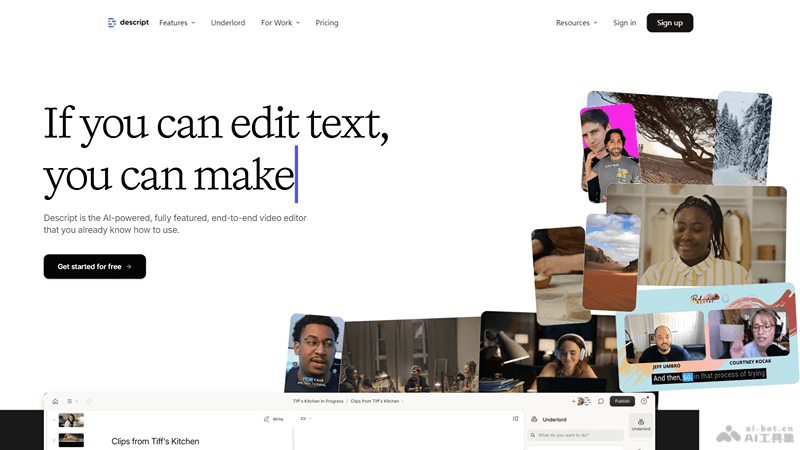
Descript isan AI video editing tool, which supports editing audio and video content by editing text. Descript can automatically recognize speech, generate text transcripts, and allows users to edit directly on the text, simplifying the editing process. This innovative approach makes video and audio editing more efficient, and is especially suitable for podcasters, video editors, and any users who need to process large amounts of audio and video material.
Main features of Descript
- Automatic transcription: Converts audio and video files into text, accurately capturing dialogue and narration.
- Text editing: Users can directly edit audio and video content at the text level, including cutting, pasting, moving, and modifying.
- Multi-track editing: Supports editing multiple audio and video tracks simultaneously, making it easy to handle complex projects.
- Speaker recognition: Can recognize different speakers and distinguish them in the transcribed text.
- Search and replace: Quickly find specific words or phrases in audio or video and replace them.
How to use Descript
- Register and log in:Visit Descript's official website (descript.com),Create an account and log in.
- Upload files:Select "New project" or "Upload file".Select the audio or video file you want to edit and upload it to Descript.
- Automatic transcription:Descript will automatically transcribe the uploaded audio and video files into text.
- Edit text: UseDescript's text editing feature allows you to edit the transcribed text, such as adding, deleting, or modifying words.
- Adjust audio/video:When editing text, the corresponding audio or video portion will also adjust automatically. For example, if you delete a part of the text, the corresponding part of the audio or video will also be removed.
- Search and replace:Use the search function to quickly find specific words or phrases and replace them.
- Version control: Usethe version control feature to view edit history and, if needed, revert to a previous version.
- Collaboration:Invite team members to join the project for collaborative editing by multiple people.
- Export and share:After editing is complete, you can choose to export audio, video, or text files.You can also share the project link directly on Descript.
Use cases of Descript
- Podcast production: Podcasters can use Descript to transcribe interview content and quickly edit conversations to produce high-quality podcast episodes.
- Video editing: Video editors can use Descript's text editing feature to simplify the video editing process and improve editing efficiency.
- Meeting records: Enterprises or organizations can transcribe meeting audio recordings into text and edit them to generate meeting minutes or reports.
- Academic research: Researchers can transcribe recordings of interviews, lectures, or seminars for analysis and research.
- Legal industry: Lawyers or legal advisors can use Descript to transcribe recordings of testimony, interviews, or legal consultations.


