What is Runway
Runway is an innovative AI video tool that provides advancedAI video generation, green screen removal, motion capture, video editing, and other features. Throughthe Gen-3 Alpha model, it supports users in transforming text descriptions or static images into high-quality, dynamic video content. Runway focuses on artists and professional creators, supports multiple creation modes such as text-to-video (T2V) and image-to-video (I2V), and features advanced director tools and motion brush functions, driving the AI revolution in the field of film and television creation.
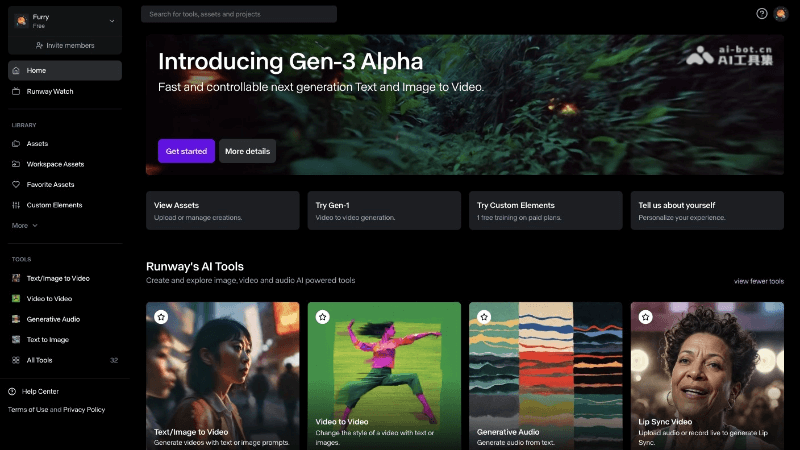
Runway's main features
- Text-to-Video (T2V): Users input descriptive text, and Runway transforms it into video, supporting descriptions of complex scenes and character actions.
- Image-to-Video (I2V): Animates static images by adding motion and lighting effects, suitable for animating illustrations and photos.
- Advanced camera control: Provides rich camera parameter adjustments, such as focal length and exposure, to achieve professional-level video perspectives and motion trajectories.
- Director mode: Through timeline and keyframe control, users can precisely edit every frame of the video to achieve complex narratives and visual effects.
- Motion brush: Allows users to select areas on an image and set different motion speeds to create dynamic visual effects.
- Parallel video generation: Supports generating multiple videos simultaneously, improving creative efficiency.
- Multimodal model: Combines video and image training to improve model controllability and the realism of video generation.
- Runway Agent: A conversational AI video creation assistant. Users describe their creative needs in natural language and can complete the entire process from concept ideation and storyboard design to multi-scene finished video generation in a single conversation.
How to use Runway
- Official website access: Open a browser and go directly to Runway's official website to start your video creation journey.
- Quick registration: Create an account on the Runway platform, fill in basic information, and complete registration and login.
- Choose a creation mode: According to your creative needs, choose a suitable creation tool, such as text-to-video or image-to-video.
- Detailed input: Enter or upload your content in the selected tool. Whether it is a text description or an image, be as detailed as possible to guide video generation.
- Parameter fine-tuning: Use tools provided by Runway such as advanced camera control and director mode to fine-tune every detail of the video, such as camera movement and scene transitions.
- One-click generation: After setup is complete, click the generate button, and Runway will begin creating the video according to your instructions.
- Instant preview: During video generation, you can preview the effect instantly to ensure the video matches your creative vision.
- Convenient download: The generated video can be downloaded directly to your device, making it convenient for subsequent editing or sharing.
Runway's product pricing
- Basic version: Permanently free, providing 125 one-time credits, suitable for new users to try basic AI video and image generation features, but with video length and resolution limits.
- Standard Edition: Provides more credits, with pricing adjusted according to Runway's latest policy, subject to the latest information on the official website, suitable for users who need advanced features such as watermark removal and higher video quality output.
- Pro Edition (Pro): Starting at $336 per year, providing 2,250 credits per month, suitable for professional users and teams, including advanced video editing features and custom AI training.
- Unlimited Edition: Starting at $912 per year, providing completely unlimited video generation capabilities, suitable for professional users who need to heavily use advanced video generation features.
- Enterprise Edition: Pricing and specific services are not detailed, providing customized services and enterprise-level support, suitable for large organizations and enterprise users.
Runway's application scenarios
- Video content creation: Runway can quickly generate video content, suitable for individual creators, video bloggers, and small production teams, for making short films, music videos, advertisements, and other creative videos.
- Film and television production: In the film and television industry, Runway can assist with pre-production, such as storyboards and proof of concept, as well as quickly generate special effects shots, reducing production costs.
- Animation production: Animators can use Runway to transform static images or sketches into dynamic scenes, accelerating the animation creation process.
- Advertising industry: Advertising designers can use Runway to quickly generate attractive advertising videos, improving the efficiency of creative implementation.
- Education and training: In the field of education, Runway can be used to create instructional videos, helping students better understand complex concepts and processes.
- Social media marketing: Enterprises and brands can use Runway to create short video content suitable for social media platforms, increasing user engagement.