

What is Opus Clip
Opus Clip is an offering from OpusAI video clipping toolthat can automatically extract highlights from long videos and reassemble them into engaging short videos. Users only need to upload a video and select clips, and Opus Clip will use AI technology to analyze the content and pick out the highlight moments. It simplifies video editing work, so even non-professionals can quickly create short videos suitable for social media sharing. Opus Clip is especially suitable for creators and marketers who need to quickly select and edit content from large amounts of video material.
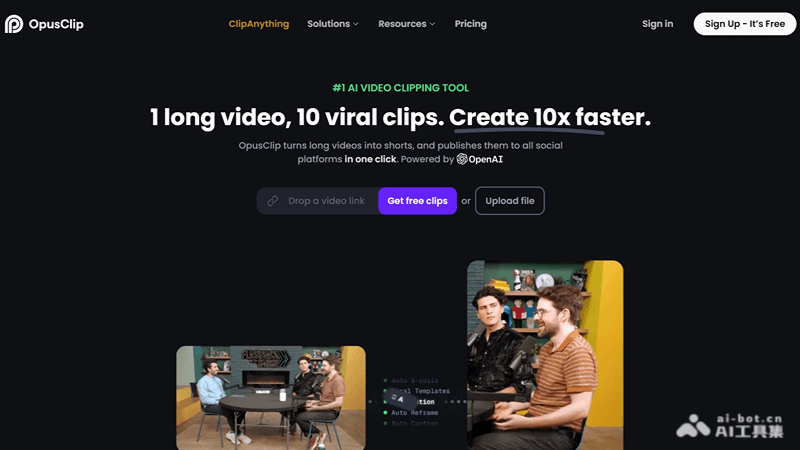
Opus Clip's main features
- Video clipping: Automatically extract highlights from long videos and generate short videos.
- AI analysis: Use artificial intelligence technology to analyze video content and identify highlights and important moments.
- One-click generation: Provide the option to quickly generate short videos, simplifying the editing process.
- Clip selection: Allow users to manually select or adjust the clips chosen by AI to ensure the final video meets expectations.
- Video editing: Provide basic video editing features, such as trimming, sorting, and adjusting clips.
How to use Opus Clip
- Visit the website: Open a browser and visit the official Opus Clip website (opus.pro), register an account, and log in.
- Upload a video: On the Opus Clip interface, find the upload button and select the long video file you want to edit to upload.
- AI analysis: After uploading, Opus Clip's AI will analyze the video content and automatically identify and select possible highlight clips.
- Select clips: Browse the clips recommended by AI, and you can choose to keep, delete, or adjust the order and duration of the clips.
- Edit and adjust: Use the video editing tools provided by Opus Clip to further edit and adjust the selected clips, such as trimming and merging.
- Preview: Before generating the final video, preview the edited video to make sure the content meets your needs.
- Generate video: Once satisfied, use Opus Clip's one-click generation feature to combine the selected clips into a new short video.
Opus Clip's use cases
- Social media content creation: Quickly extract highlights from long videos and create short videos suitable for platforms such as Instagram and TikTok.
- Event and activity editing: Extract key moments from events such as conferences, concerts, and sports events to create highlight reels.
- Personal video blogs: Vloggers can quickly select interesting clips from videos shot in daily life to create video logs.
- Marketing and advertising: Enterprises or brands can extract attractive clips from product introductions or advertising shoots for marketing promotion.
- Education and training: Educators can extract key points from lectures or training videos to create teaching summaries or review materials.


