
What is Chillin
Chillin is an AI-drivenonline video editor, combining the features of After Effects and Premiere Pro, providing seamless non-linear video editing and vector animation creation. It supports Lottie and Svg formats, and features AI subtitle generation, image background removal, high-quality image generation, and more. Users can use it directly in the browser without downloading or installing, enjoying cross-platform, watermark-free 4K video editing experience. Chillin simplifies the video creation process and is an ideal choice for users pursuing efficient creation.
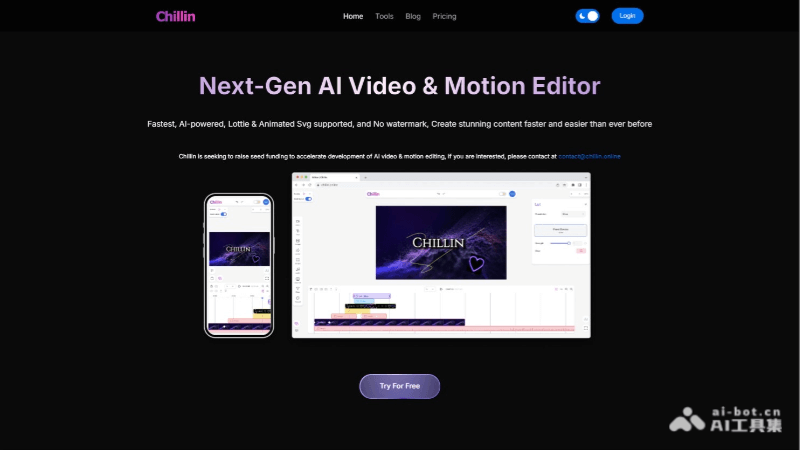
Main Features of Chillin
- Seamless combination of AE and Pr features: Integrates the core features of Adobe After Effects and Premiere Pro, providing advanced editing options.
- AI-driven subtitle generation: Supports over 100 languages, automatically generates subtitles, simplifying multilingual video production.
- Image generation and background removal: Generates high-quality images from text, easily removes image backgrounds, increasing creative flexibility.
- Efficient short video generation: Quickly generates short videos with AI voice and subtitles by entering prompts.
- Comprehensive video editing features: Provides advanced features such as clipping, filters, subtitle editing, waveform visualization audio, color adjustment, and LUTs.
- Cross-platform support: Suitable for mobile devices and desktop devices, ensuring creation anytime, anywhere.
- Watermark-free export: Supports watermark-free video export up to 4K 60fps, meeting high-quality video publishing needs.
How to Use Chillin
- Open Chillin editor: Directly access Chillin's online editor in the browser (chillin.online), no need to download or install any software.
- Create or import project: Choose to create a new project or import existing video files, images, Lottie animations, etc.
- Edit video: Use various editing tools provided by Chillin, including clipping, splicing, adding filters and effects, etc.
- Use AI features:
- Subtitle generation: Automatically generates video subtitles based on AI technology, supporting multiple languages.
- Image processing: Use AI for image background removal or generating images from text.
- Add animations and effects: Use Chillin's vector animation tools and effects library to add dynamic elements to videos.
- Adjust audio: Import audio files, use waveform visualization tools to adjust audio effects.
- Edit subtitles: If needed, manually edit or adjust automatically generated subtitles.
- Export video: After editing, choose watermark-free export, select appropriate resolution and frame rate for video export.
Application Scenarios of Chillin
- Social media content creation: Quickly produce and edit short videos for social platforms such as Instagram, TikTok, YouTube, etc.
- Online education and training: Create instructional videos, course demonstrations, and training materials, adding subtitles and animations to enhance the learning experience.
- Corporate promotion and marketing: Create product introductions, company promotional videos, and marketing ads to attract potential customers.
- Personal Video Blog: Create personalized video content for personal blogs or video channels.
- Animation Production: Use Chillin's vector animation tools to create animated shorts or motion graphics.
- Event and Activity Recording: Edit event videos, add special effects and subtitles, and create event recaps or promotional videos.