

What is Vozo
Vozo is a multifunctionalAI video editing tool, supporting one-click script rewriting, automatic dubbing, text-driven voice editing,multi-character lip sync, professional multilingual translation, and automatic video optimization, providing users with an efficient and flexible video creation solution. Vozo simplifies the video editing process, provides content creators with broad creative space, supports the internationalization and personalized dissemination of video content, and drives video content creation and distribution into a new era of diversification and personalization.
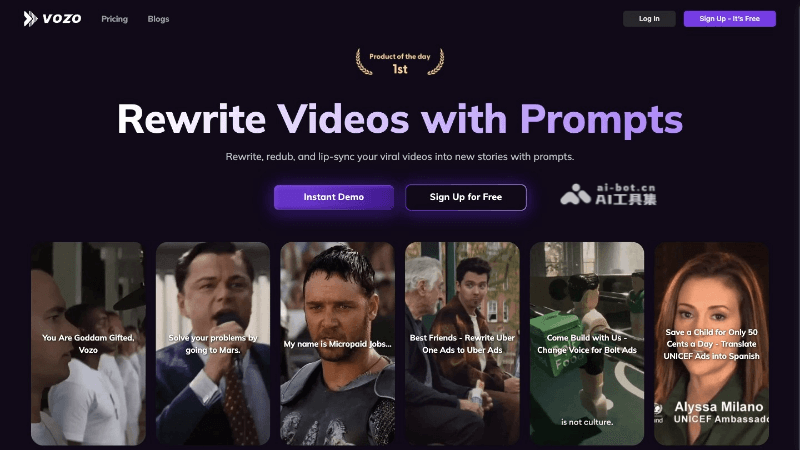
Vozo's Main Features
-
Intelligent Video Rewriting and Redubbing: Vozo can automatically rewrite video scripts based on prompts given by users and generate dubbing similar to the original video's voice, allowing video content to quickly adapt to different contexts and styles.
-
Text-Driven Voice Editing: Users can directly adjust the video narration by editing text without re-recording audio, and can choose appropriate accents, tones, and emotions to match the needs of the video content.
-
Multi-Character Lip Sync: Vozo uses advanced technology to achieve lip sync for multiple characters in a video, ensuring that dialogue looks natural and smooth, enhancing the video's realism and immersion.
-
Professional Video Translation: Supports translating video content into multiple languages and dialects with high translation accuracy, helping creators easily achieve content internationalization and broaden their audience reach.
-
Automatic Video Optimization: Vozo can automatically adjust video cropping, reframing, and aspect ratios to adapt to the format requirements of different social platforms, ensuring that videos can be presented in their best state on every platform.
How to Use Vozo
-
Download and Install: Visit Vozo's official website (vozo.ai) to download the Vozo application, and follow the instructions to complete installation.
-
Register and Log In: After installation is complete, open the Vozo application, register an account, or log in with an existing account.
-
Import Video: After logging in, import the video file that needs to be edited.
-
Intelligent Video Rewriting and Redubbing: After selecting a video, use the intelligent video rewriting feature and enter new script prompts. Vozo will automatically generate new dubbing based on the prompts, which can be previewed and adjusted to ensure that the dubbing matches the video content.
-
Multi-Character Lip Sync: If there is dialogue among multiple characters in the video, the lip sync feature can be used to ensure that each character's lips are synchronized with the dubbing.
-
Export and Share: After editing is complete, preview the entire video, and after confirming there are no issues, export the video file. Vozo provides multiple video formats and quality options to choose from. After exporting, the video can be shared to social media or other platforms.
Vozo's Application Scenarios
-
Secondary Creation of Video Content: Vozo allows users to rewrite video scripts through simple prompts and automatically generate dubbing similar to the original voice, transforming classic videos into viral marketing videos or comedic effects.
-
Advertising and Marketing: Advertising agencies can use Vozo to quickly create multiple versions of advertisements targeting different audiences, improving creative efficiency.
-
Multilingual Video Production: Vozo supports translating videos into over 30 languages and dialects, with translation accuracy as high as 98.9%, helping marketers and e-commerce businesses translate product videos into multiple languages and expand their global market influence.
-
Video dubbing and text editing: Video narration can be modified directly by editing text without re-recording; the system provides multiple accent, tone, and emotion options, improving the flexibility and expressiveness of video content.
-
Multi-character lip sync: Vozo uses advanced technology to achieve natural and smooth lip sync for multiple characters in a video, ensuring that dialogue looks realistic and natural.
-
Automatic video format optimization: Vozo can automatically crop, reframe, and adjust video ratios to meet the requirements of different social platforms, ensuring that content is presented in the best format on various platforms.


