
In today's era where the digital wave is sweeping the globe, artificial intelligence technology is integrating into every aspect of our lives. As the core tool for our daily information gathering, social interaction, and online activities, browsers have also ushered in a new transformation through deep integration with AI. This article will introduce 11 free AI browser extensions. When you are reading an English article and encounter a word you don't know, just click the extension and get an instant translation; or when you are looking for information, it can help you quickly sort out the key points, saving time and effort. It's like installing a "smart brain" in your browser, super convenient to use!
1. Doubao Browser Extension
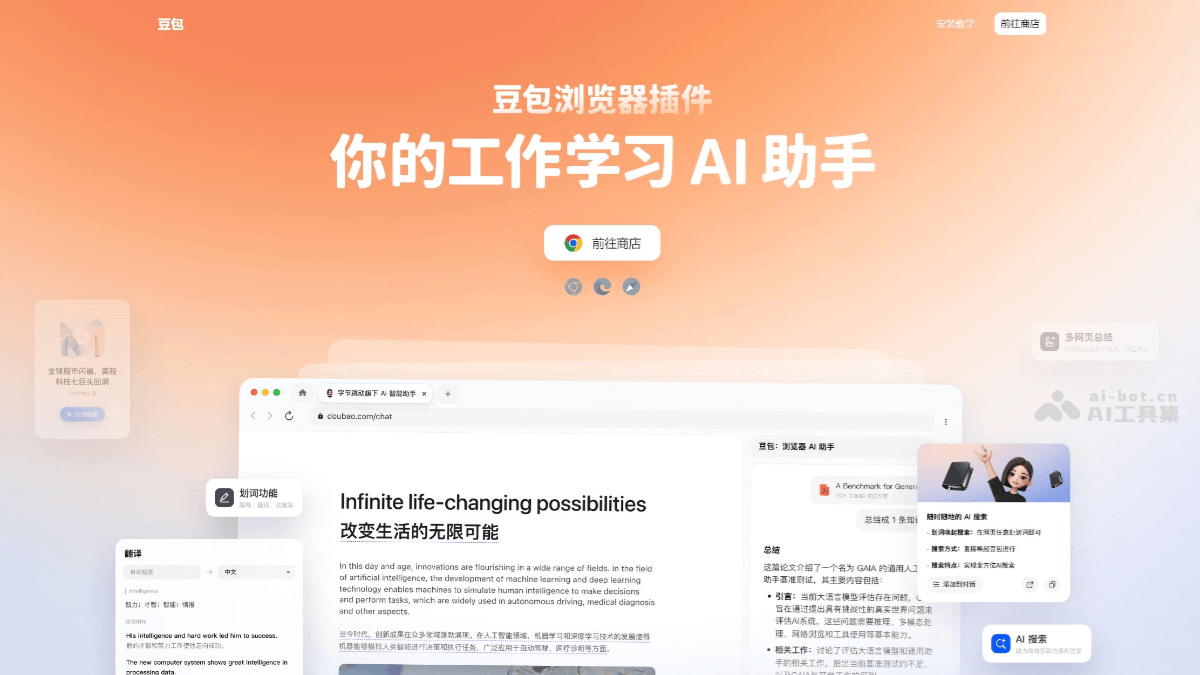
Doubao Browser Extensionis an AI intelligent assistant browser extension launched by ByteDance, enhancing users' browser experience through AI technology. It has a variety of practical functions, including AI Q&A, content summarization, translation, intelligent search, one-click bookmarking, and more. Users can quickly obtain information through word-selection translation, dialog box questioning, and other methods, and intelligently summarize and translate web pages, documents, videos, and other content. It provides creative writing assistance, text-to-image conversion, email writing assistance, and other functions.
🚀 Feature Highlights
-
AI Q&A and Dialogue: Users can ask questions anytime in the browser, and Doubao will answer immediately and provide suggestions.
-
Content Summarization and Extraction: It can quickly summarize web pages, documents, videos, and other content, and extract key information.
-
Translation Function: Supports word-selection translation and full-text translation, covering multiple languages, and provides customizable translation configurations, such as showing the original text, underlining the translated text, etc.
-
Intelligent Search: Optimizes search results, automatically organizes information, and provides a more precise search experience.
-
One-Click Bookmarking: Users can quickly bookmark web pages, PDFs, videos, and other content, and manage them uniformly in the Doubao bookmarks.
-
AI Reading Companion: Assists in reading English literature and other materials, providing full-text translation and question-asking functions.
-
Creative Writing Assistance: Provides writing assistance functions such as article openings, paragraph continuation, and summaries, inspiring creativity.
-
Text-to-Image Conversion: Converts text content into images, increasing the forms of information expression.
-
Email Writing Assistance: Helps users quickly write emails, providing templates and suggestions.
-
Sidebar Panel: Click the floating window menu button to open the sidebar panel, which automatically conducts a conversation based on the current page.
-
Avatar Floating Window Menu Button: Provides "Translate this page" and "Summarize this page" functions.
-
AI Word-Selection Toolbar: Integrates practical shortcut tools such as AI search, explanation, translation, and copy. Users can personalize the appearance of the word-selection toolbar and customize toolbar skills.
-
Skills for Different Scenarios: Different skill lists can be specified separately for "when reading websites" and "when editing text."
-
Added Custom Configuration to Translation Function: Users can translate the current page more flexibly, with support for configurations including "show original text," "always translate this page," "show underline for translated text," "translation service," "translation target language," and more.
-
Text selection toolbar supports adding skills: Some official Doubao skills can be added to the text selection toolbar.
-
Translation and summarization support voice reading: In the "Translate" and "Summarize" functions of the text selection toolbar, voice reading is supported.
-
Online video summarization and conversation: Supports online video summarization and conversation. After summarization is complete, it can automatically locate the specific position in the video.
🌐Supported browsers
-
Chrome browser: Users can visit the Doubao official website to download the extension, and then install it according to the official tutorial.
-
Microsoft Edge browser: Supports installation and use. Users can click "Get" and "Add extension" to Edge.
-
Safari browser: Download the Doubao Safari browser extension from the App Store. After installation, relevant settings need to be configured in the Safari extensions menu.
2. AutoGLM Rumination
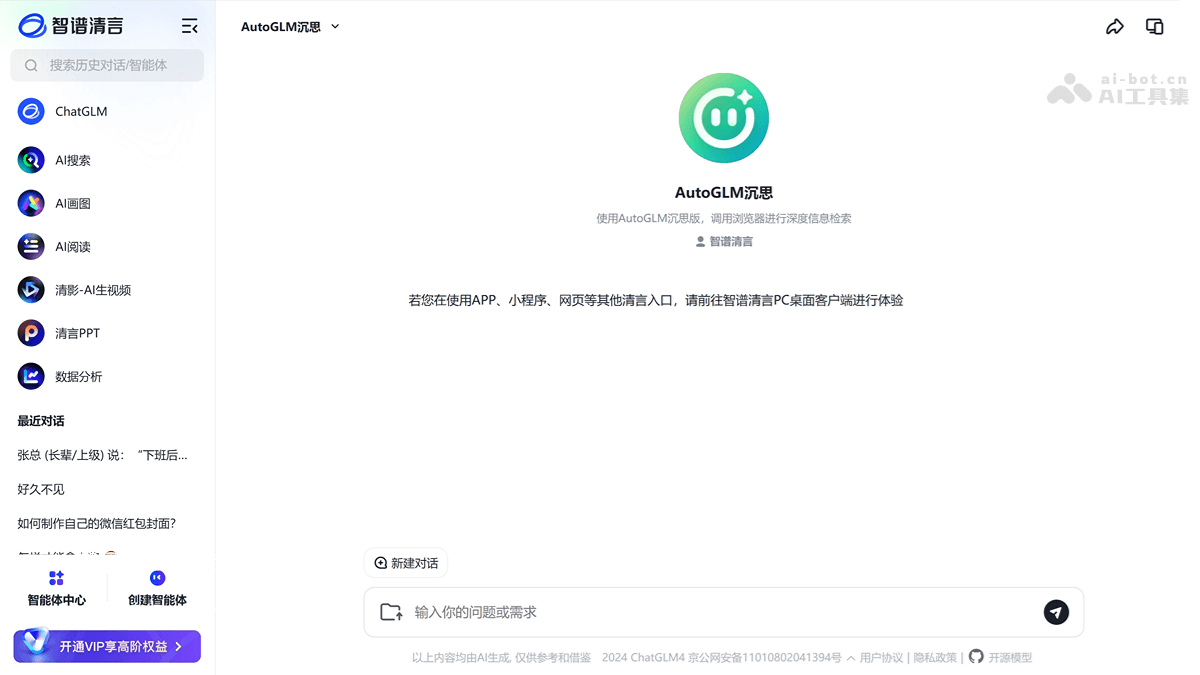
AutoGLM Ruminationis a free AI agent launched by Zhipu AI. It breakthroughly integrates deep research capabilities with practical operation capabilities, achieving a leap for AI from passive response to proactive execution. The agent can simulate the human thought process and complete the entire workflow from data retrieval and analysis to report generation. The desktop client or browser extension can be downloaded from the Zhipu Qingyan official website. After entering a question or task instruction, AutoGLM Rumination will automatically execute the task and generate a detailed report.
🚀Feature highlights
-
Both deep research and operation: Can autonomously plan tasks, call a browser to visit webpages, and complete complex processes such as data retrieval, analysis, and report generation.
-
Multimodal interaction: Supports mixed processing of text and images, simulating human GUI operations (such as clicking and inputting). It can recognize and extract text information from images, which is especially important when handling complex tasks.
-
Strong technical support:Based on Zhipu's independently developed full-stack large model technology, it integrates the general capabilities of GLM-4, the reflection capabilities of GLM-Z1, the rumination capabilities of GLM-Z1-Rumination, and the automatic execution capabilities of AutoGLM.
-
Free and unlimited: Currently free to use through the Zhipu Qingyan client or browser extension.
-
Breaking through data silos: Can access data silos such as Xiaohongshu and WeChat Official Accounts to obtain more comprehensive information.
🌐Supported browsers
-
Chrome browser: Users can search for "Qingyan extension" in the Chrome Web Store and install it.
-
Edge browser: Users can search for "Qingyan extension" in the Edge Add-ons Store and install it.
3. Immersive Translate
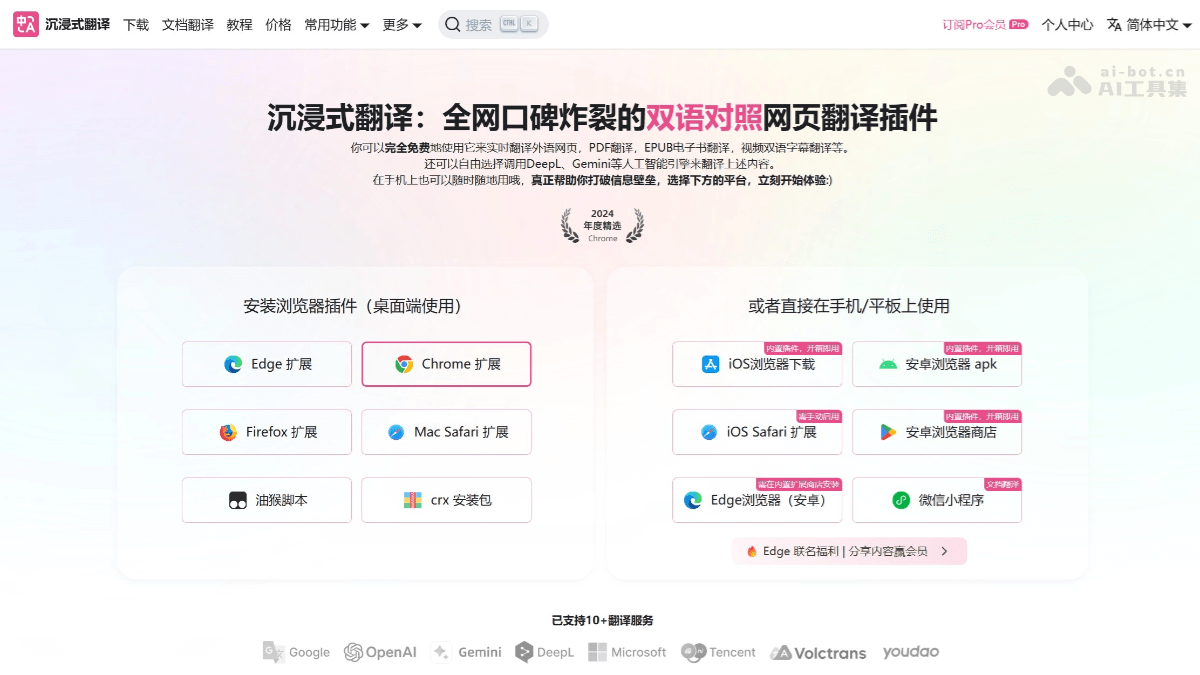
Immersive Translateis an innovative webpage translation extension that gives users a more natural and fluent experience when reading foreign-language content. Through intelligent context translation technology, it optimizes translation results based on context, avoiding the stiff literal translation problems common in traditional translation tools. It features a bilingual comparison mode, allowing users to see both the original text and the translation at the same time, making comparison-based learning and understanding convenient. The Immersive Translate tool supports real-time text selection translation and full-page webpage translation. Users only need to select or hover over text to get an instant translation result without leaving the current page. It supports multiple translation engines, such as Google and DeepL. Users can choose different engines according to their needs, adapting to different translation scenarios and requirements for translation quality.
🚀Feature Highlights
-
Bilingual Side-by-Side Translation: While preserving the original text formatting, the translation is displayed below the original text, achieving a truly "immersive" translation experience. One paragraph of original text, one paragraph of translation, with the translation layout consistent with the original, making it convenient for users to verify translation accuracy and improve reading efficiency.
-
Smart Contextual Translation: Based on advanced AI algorithms such as BERT and Transformer, translation results better fit the context, avoiding rigid word-for-word translation. For technical terms, slang, or culturally contextual content, it can provide more appropriate expressions.
-
Multiple Display Modes: Offers multiple display modes such as paragraph comparison, mouse hover, translation only, and input box translation. Users can choose according to different reading and interaction needs.
-
Multi-format Document Translation: Supports translating web pages, PDF documents, e-books (EPUB format), and subtitle files. When translating PDF and EPUB documents, it will try its best to preserve the original format and layout of the document. After translation is complete, users can choose to download the result as a bilingual side-by-side version retaining both the original text and the translation, or as a translation-only version containing only the translation.
-
Rich Selection of Translation Engines: Supports more than a dozen translation services, including Google, DeepL, OpenAI (ChatGPT), and many Chinese domestic engines. Users can choose different translation engines according to their needs, adapting to different translation scenarios and requirements for translation quality.
-
Cross-platform Support: Covers mainstream desktop browsers and some mobile browsers, such as Chrome, Firefox, Edge, Safari, etc., as well as iOS and Android devices and desktop operating systems such as macOS and Windows, with a wide range of use scenarios.
-
Personalized Settings: Users can customize the translation language, font size, display mode, etc. Provides a "key translation" feature, allowing users to choose to translate only specific paragraphs or areas.
-
Offline Mode and API Support: Basic translation features support offline use (language packs need to be downloaded in advance). Advanced users can connect to third-party APIs such as DeepL and Google Translate to enhance translation quality.
🌐Supported Browsers
-
Google Chrome: Users can search for "Immersive Translate" in the Chrome Web Store, click the "Add to Chrome" button, and follow the prompts to complete installation.
-
Microsoft Edge: Visit the Edge browser extension store, click the "Get" button, and follow the prompts to complete installation.
-
Safari: For macOS users, it needs to be installed from the Apple App Store. After the first installation, you need to enable the Immersive Translate extension in Safari's "Manage Extensions" and grant it the permission to "Always Allow Access to All Websites".
4. Monica
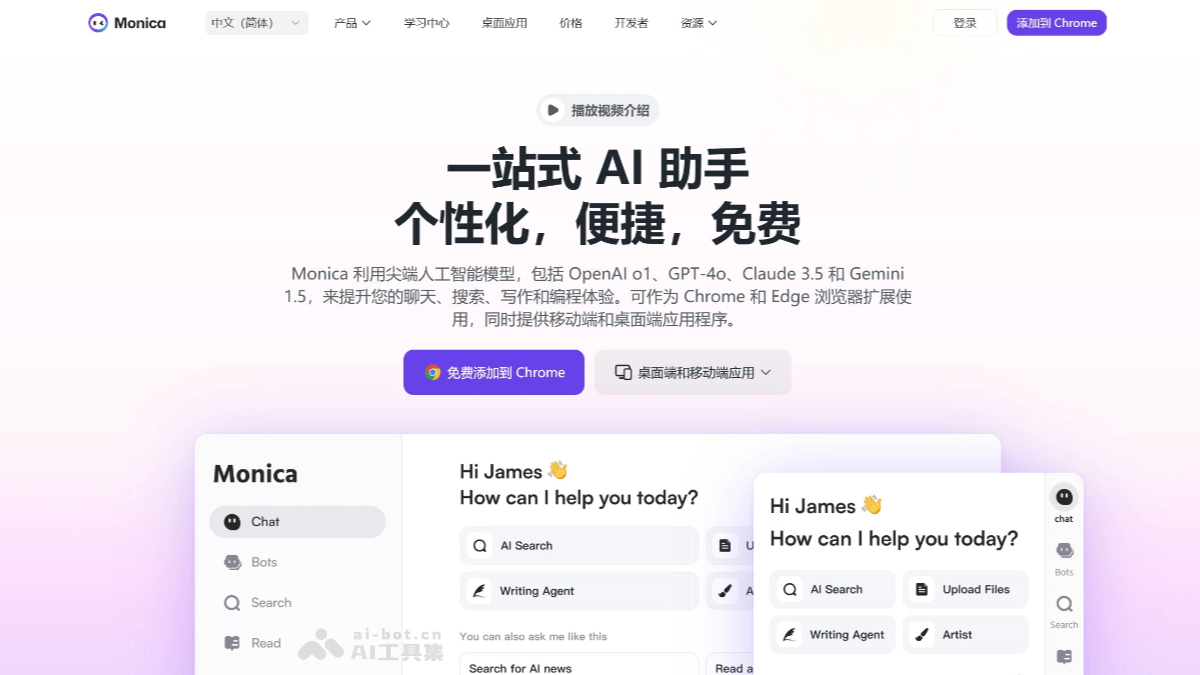
Monica is a multifunctional AI assistant based on advanced AI models (such as GPT-4, Claude, etc.). The browser extension version supports Chrome and Edge browsers. After installing the extension, Monica can be quickly awakened through shortcut keys (such as Ctrl+M), supporting functions such as chatting, writing, translation, and web content processing. Monica can translate, rewrite, and summarize text on web pages, and can provide summaries and translations for PDF files.
🚀Feature Highlights
-
Personalized Memory: Monica adjusts its services according to the user's background and usage habits, and supports automatic learning and memory suggestions, making responses better fit user needs.
-
Writing Assistance: Offers over 80 writing templates, supports multiple formats and tone options, can generate business plans, academic papers, emails, etc., and can polish and rewrite content.
-
Translation Function: Supports multilingual text and PDF translation, covers multiple languages, and ensures accurate professional terminology.
-
Web Content Processing: Can quickly translate and rewrite web page text, extract the main content of long articles, and help users obtain information efficiently.
-
PDF Tools: Features text recognition, PDF to PNG/WORD/PPT conversion, and can scan resumes and analyze problems.
- Chart Generation: Can generate mind maps, flowcharts, etc. according to user requirements, and supports online search and file upload.
- Image Processing: Supports AI drawing, provides image operations such as background removal and object removal, and is easy to use.
- Multilingual and Voice Interaction: Supports 22 language versions, covers minor languages, and can convert speech to text and translate it.
- Data Analysis: Can analyze Excel data, generate statistical reports, and create various visualization charts.
- Document Analysis: Supports uploading files in multiple formats, conducting intelligent Q&A, and quickly extracting key information.
🌐 Supported Browsers
-
Chrome Browser: Users can search for "Monica" in the Chrome extension store and install it.
-
Edge Browser: Users can search for "Monica" in the Edge extension store and install it.
-
Safari Browser: Users can download the extension package from the Monica official website and install it manually.
5. Spark Plugin
Spark Pluginis a browser extension tool launched by iFLYTEK based on the Spark large model. With minimal memory usage, it is compatible with mainstream browsers such as Chrome and Edge, and integrates multiple practical functions such as AI text selection, translation, read-aloud, intelligent theme switching, one-click bookmarking, and global summarization. Users can quickly obtain information through functions such as text selection search, translation, and explanation, and can bookmark content of interest with one click to the Spark personal space for convenient subsequent organization and management.
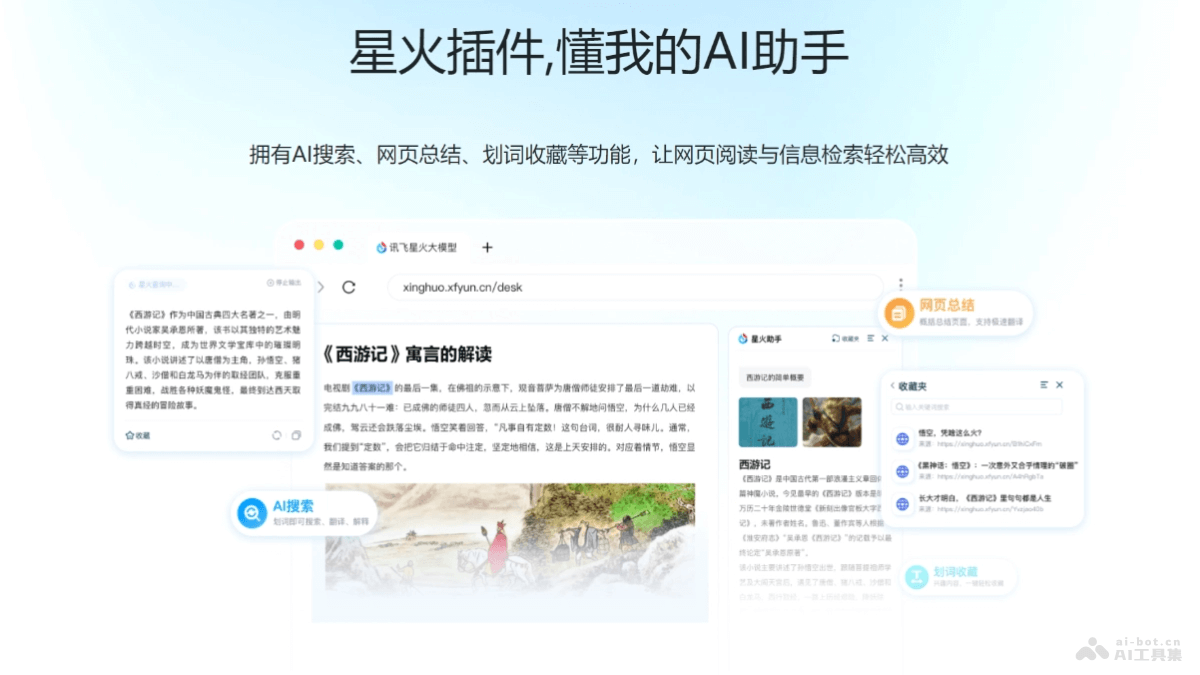
🚀 Feature Highlights
-
Text Selection Search and Translation: Users can select text on a web page, and the plugin can immediately provide search results, translations, and explanations, supporting multiple languages to help users quickly understand the content.
-
Web Page Content Summarization: Can analyze the content of an entire web page and generate an accurate article summary to help users quickly grasp the core of the article.
-
Continue Asking: After obtaining preliminary information, users can click "Continue Asking" to further communicate with the plugin and obtain more detailed and accurate answers.
-
One-Click Bookmarking: Supports users in bookmarking content of interest with one click and syncing it to the Spark personal space, facilitating subsequent organization and creation and building a personal knowledge base.
-
One-Click Read-Aloud: Supports read-aloud services in multiple languages, allowing users to listen while reading, improving reading efficiency and language learning results.
🌐 Supported Browsers
-
Chrome Browser: Users can search for "iFlytek Spark" in the Chrome browser extension store for one-click installation.
-
Edge Browser: It is also compatible with the Edge browser, providing users with an efficient web reading and information retrieval experience.
6. Kimi Browser Extension
Kimi Browser Extensionis an AI tool launched by Moonshot AI, enhancing users' web browsing experience. Users can select text on a webpage, and the extension will provide context-based explanations to help users better understand terms, names, or sentences. It helps users quickly summarize the full content of a page, while also supporting further Q&A and discussion. Users can quickly summon Kimi through shortcuts (Command + K on Mac, Alt + K on Windows) for instant interaction. Visit the Kimi official website or the browser extension store, and search to download the Kimi Browser Extension.
🚀Feature Highlights
-
Smart Text Explanation: Users can select text on a webpage, and the extension will provide context-based explanations to help users better understand terms, names, or sentences.
-
Full-text Content Summary: By clicking the extension icon, Kimi can quickly summarize the full content of a webpage, saving users' reading time and improving information acquisition efficiency.
-
Floating Button Conversation: A floating button is provided. By clicking this button, users can converse with Kimi at any time to obtain information or solve problems.
-
Sidebar Mode: When writing documents or creating content, the Kimi extension can exist in the form of a sidebar, supporting continuous conversation and searching while writing, improving creation efficiency.
-
Shortcut Summoning: Users can quickly summon Kimi through shortcuts (Command + K on Mac, Alt + K on Windows) for instant interaction.
🌐Supported Browsers
- Chrome Browser: Visit the Kimi official website, click the "Download Kimi Browser Assistant" button, then click "Install Now" and follow the prompts.
- Edge Browser: Visit the Kimi official website and click "Install Now". You will be automatically redirected to the Microsoft Store. Click "Install" to proceed.
7. YouTube Dubbing
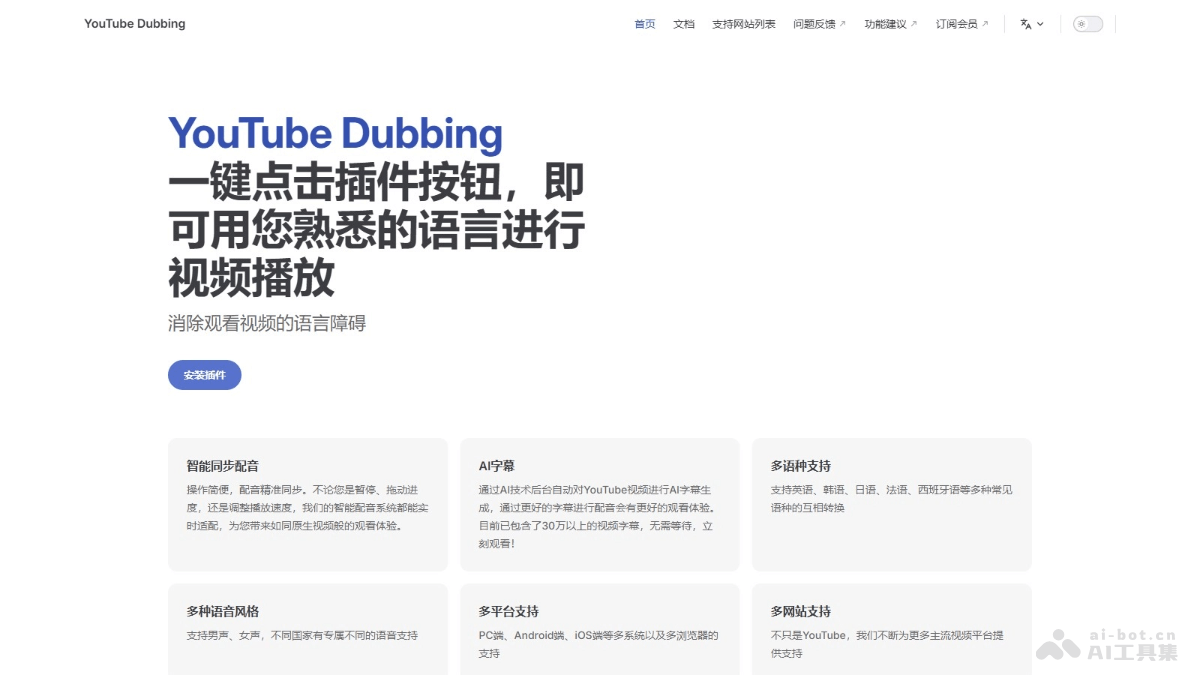
YouTube Dubbing is an AI browser extension that helps users watch foreign-language videos without barriers. Through intelligent synchronized dubbing and AI subtitle technology, it translates video content into a language familiar to the user and plays it directly, eliminating language barriers. The extension supports one-click translation and playback, is compatible with multiple browsers and multiple devices, supports mutual conversion among multiple languages such as English, Korean, and Japanese, and provides a variety of voice style options.
🚀Feature Highlights
-
Smart Dubbing: Accurate and synchronized throughout, allowing pause, speed adjustment, or progress bar dragging at any time. The system adapts instantly, providing a viewing experience close to that of a native language.
-
AI Subtitles: Subtitles are generated and cached through AI. If a video is in a subtitle library of more than 400,000 entries, it can be watched instantly.
-
Global Language Support: From widely used international languages to regional dialects, it strives to cover almost all languages.
-
Multiple Voice Options: Supports male voices, female voices, and multiple regional accents, with dedicated voice support for different countries.
-
Speaker Recognition (Membership Feature): Automatically recognizes multiple speakers in a video, allowing different voices to be manually assigned to different speakers in the extension interface, creating a more immersive viewing experience.
-
Preserve Background Audio (Membership Feature): While dubbing, the original background sound is also preserved, providing a more realistic and immersive audiovisual atmosphere.
-
Webpage Text-to-Speech: Converts selected text from webpages into speech playback, freeing your eyes anytime and anywhere to access information freely.
🌐Supported Browsers
-
Chrome-based Browsers: Includes Chrome, Edge, etc.
-
Safari(including iOS version).
8. Tongyi Browser Extension
Tongyi Browser Extensionis an all-in-one office and learning AI assistant launched by Alibaba Tongyi. It features real-time speech recognition, subtitle translation, intelligent summarization, and more. It can quickly convert speech to text and generate key point summaries, suitable for meetings, online courses, and other scenarios. It supports quick summarization of webpage and PDF content, word-selection translation and interpretation, helping users efficiently organize information.

🚀Feature Highlights
-
Real-time Speech Recognition: Quickly converts speech into text, suitable for meetings, online courses, and other scenarios that require recording spoken content, allowing users to promptly capture and organize information.
-
AI Subtitle Translation: Provides real-time translated subtitles for video or audio content, supports multiple languages, helping users overcome language barriers and better understand the content.
-
Intelligent Summarization: Automatically extracts key information and generates content summaries, enabling users to quickly grasp the main points and save time and effort.
-
Webpage and PDF Content Summarization: Quickly extracts and summarizes the main content of webpages or PDF documents, helping users understand the core information of documents in a short time.
-
Selection Interpretation: Users can select text passages in webpages or PDFs, and the extension provides translation, interpretation, dialogue, and other functions, making it convenient for users to gain deeper understanding of specific content.
-
Translation Q&A: Translates selected text and answers related questions, enhancing users' understanding of the content.
🌐Supported Browsers
-
Chrome Browser: Install by visiting the Chrome Web Store or the link provided on the Tongyi official website.
-
Edge Browser: You can find and install this extension on the Edge website.
9. Flow
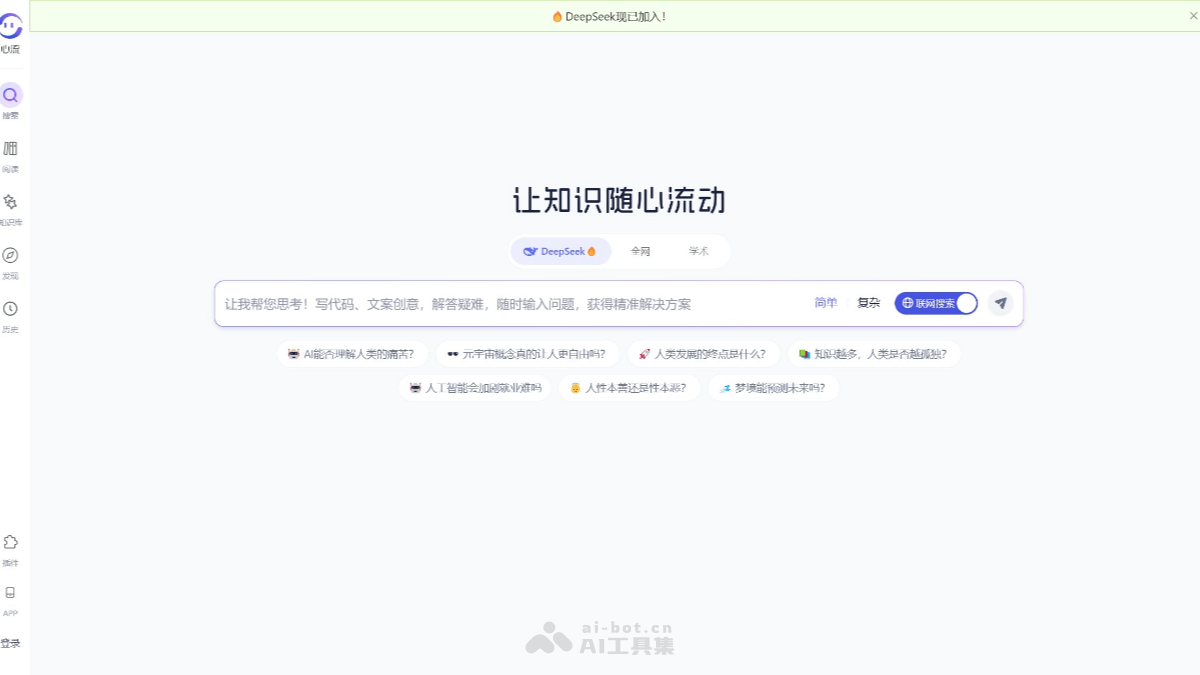
Flowis an AI search assistant launched by Alibaba, based on the Xingchen large model, enhancing users' knowledge acquisition efficiency through intelligent technology. The Flow extension resides in the browser sidebar, allowing users to wake it up at any time to answer questions, summarize webpage content, or get creative inspiration. For example, when reading a long article, users can quickly have Flow summarize the key points, saving reading time. It supports general Q&A, academic Q&A, long text analysis, and other functions. The academic Q&A feature integrates nearly 30 million academic paper resources, covering authoritative journals such as Nature, IEEE, ArXiv, etc., helping researchers and students quickly understand and analyze paper content.
🚀Feature Highlights
-
Real-time Question Answering: When users encounter questions while browsing webpages, they can wake up the Flow extension at any time, ask questions in natural language, and quickly get accurate, clear answers.
-
Webpage Content Summarization: Quickly summarizes the long article currently being browsed, extracts key information, helping users quickly grasp the core content of the article.
-
Multi-mode Search: Supports switching between normal mode and academic mode. In academic mode, it can precisely retrieve academic papers and other long text materials, meeting search needs in different scenarios.
-
In-depth and Extensive Reading of Long Texts: Supports two modes for long texts: extensive reading and in-depth reading. The extensive reading mode helps users quickly grasp the general idea of an article, while the in-depth reading mode focuses on detailed comprehension, ensuring comprehensive information absorption.
-
Paper Outline Organization: Can automatically organize paper outlines, providing paragraph summaries, intelligent translation, terminology explanations, and other functions to help users quickly grasp the core viewpoints and structural framework of a paper.
-
Writing Inspiration and Suggestions: Provides users with writing inspiration and suggestions, including writing framework suggestions, intelligent text content filling, automatic reference citation, etc., reducing the writing burden and improving creation efficiency.
-
Content Creation Assistance: Supports generating podcast content, converting text answers into two-person dialogue podcasts, making the content more vivid and suitable for users who do not want to read text.
-
Personalized Recommendations: Based on the user's search history, reading habits, and preferences, intelligently recommends the latest research developments, popular papers, professional books, and other resources in related fields.
🌐Supported Browsers
-
Google Chrome: Supports the Chrome browser and can be downloaded and installed through the Chrome Web Store.
-
Microsoft Edge: Supports the Microsoft Edge browser. The Flow plugin can be found and installed in the Edge Addons store.
10. TwinMind
TwinMind is an AI-driven intelligent sidebar assistant. Its main functions include real-time audio transcription, understanding browser tab content, and writing assistance. It can understand what users see and hear in the browser, supports cross-tab information integration, and can compare information from multiple tabs and generate summaries. TwinMind provides context-based writing assistance, automatically generating emails, messages, reports, etc., and inserting them into browser text fields with one click.
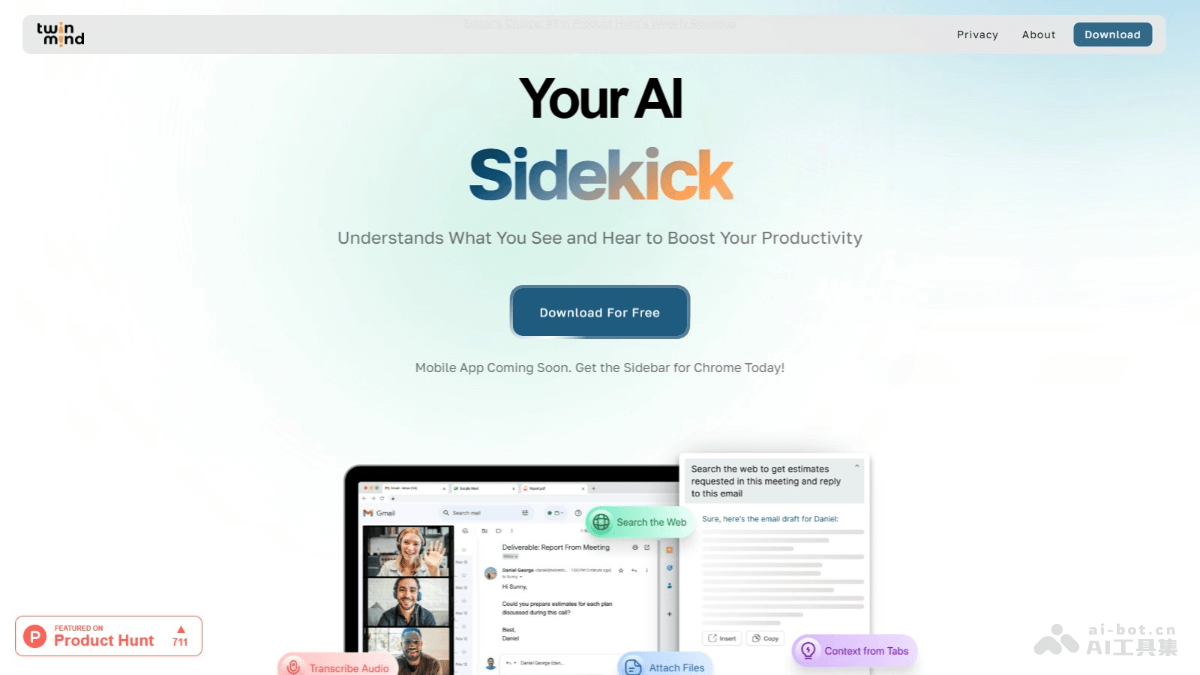
🚀Feature Highlights
-
Real-time Transcription: Transcribes audio in real time during meetings and conversations, providing instant notes and action items. During meetings, it provides suggestions for what to say next and instant answers to discussion questions.
-
Multi-tab Analysis: Can understand the content of multiple browser tabs, PDFs, and YouTube videos, and users can ask questions to get instant contextual answers.
-
Cross-tab Comparison: Ask about website information across all browser tabs, compare information from multiple tabs, and summarize YouTube videos, websites, or PDF files.
-
Search and Add Context: Users can search the web from browser tabs, add context, and get personalized answers from the latest AI models.
-
Intelligent Text Generation: Automatically generates text content such as emails, messages, and reports based on context. The generated text can be inserted into any text field in the browser with one click.
🌐Supported Browsers
- Mainly supportsthe Chrome browser.
11. 有挂
有挂is an AI browser plugin that supports users in programming and customizing web pages through natural language conversations. Users do not need a programming background; they only need to enter simple instructions, such as "change the background color to blue" or "simulate fireworks on the page," and the plugin will automatically call AI models to modify the web page in real time.

yougua
🚀Feature Highlights
- Natural Language Instructions: Users can instruct the plugin on how to modify web page content through simple natural language input.
-
Personalized Customization: Users can personalize web pages in various ways according to their preferences, such as changing the background color, adding images, adjusting font styles, etc.
-
Cross-platform adjustments: Supports personalized settings for different types of websites, not limited to a single web page.
-
Automated tasks: Automatically performs certain web page adjustment operations according to user instructions, without requiring manual intervention each time.
🌐Supported browsers
-
Chrome browser: Users can search for and install the extension in the Chrome Web Store.
-
Edge browser: Supports installation and use.
-
Arc browser: Supports the extension.