
What is Spark Plugin
Spark Plugin is a browser extension tool launched by iFlytek, based on the Spark large model, integratingiFlytek Spark V4.0AI capabilities, compatible with mainstream browsers with minimal memory usage. The plugin allows users to perform text selection search, translation, and explanation, generate webpage content summaries, and one-click save interesting information, syncing it to personal space to build a knowledge base. It aims to improve users' efficiency in information retrieval, reading, and knowledge management, supports personalized settings, and meets the usage habits of different users. iFlytek Spark has been launched on multiple platforms, including Web pages, desktop versions, iOS and Android applications, etc., comprehensively covering users' productivity needs.
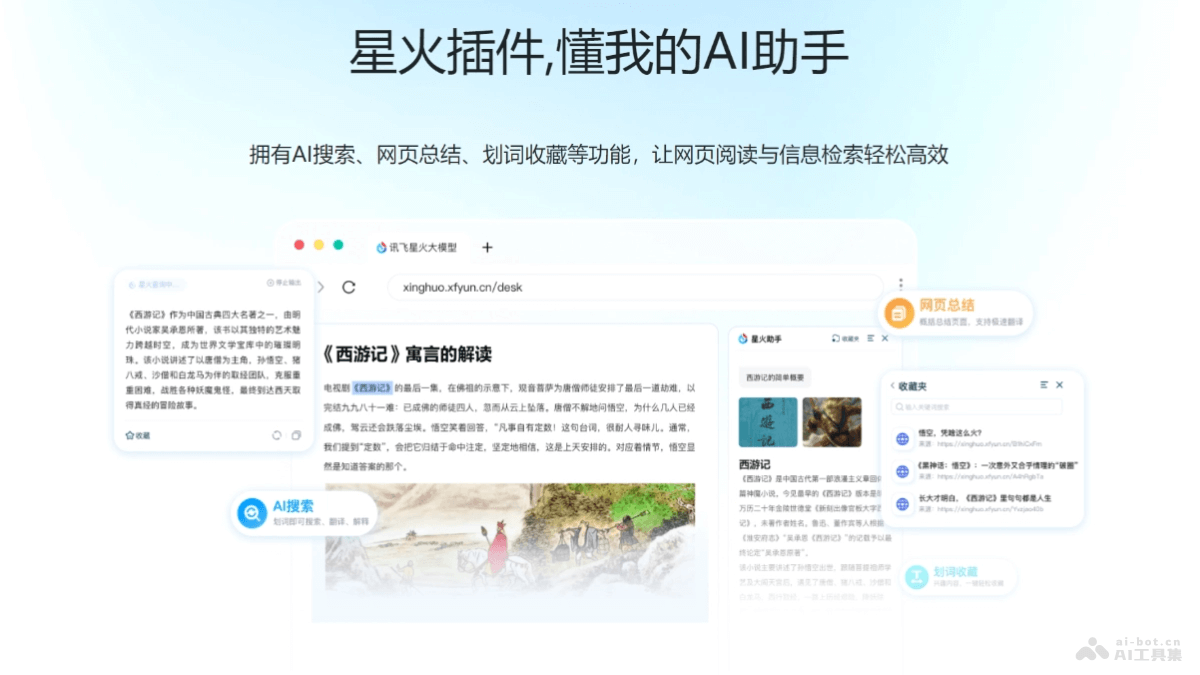
Main features of Spark Plugin
- Text selection search and translation: Users select text on a webpage, and the plugin provides instant search results, translation, and explanations, supporting multiple languages.
- Webpage content summary: It can analyze the entire webpage content and generate accurate article summaries, helping users quickly grasp the core of the article.
- AI text selection bookmarking: Supports users in one-click saving of interesting content, syncing it to Spark personal space, facilitating subsequent organization and creation.
- Personalized settings: Users can adjust plugin settings according to personal preferences, such as text broadcast voice and whether to display floating windows, etc.
- Cross-platform use: Spark Plugin supports multiple operating systems and devices, including Web pages, desktop versions, iOS App, Android App, HarmonyOS version, and browser plugins.
How to use Spark Plugin
- Install the plugin: VisitiFlytek Spark official website, and follow the prompts to complete the installation process. For more features, try Spark desktop version 。
- Log in to your account: Complete registration and login by following the operation steps.
- Use the plugin while browsing webpages: While browsing webpages, directly use the plugin's features. For example, use text selection to search, translate, or explain text.
- Personalized settings: Adjust plugin settings according to personal preferences, such as choosing the voice for text broadcast and whether to always display the floating window, etc.
- Text selection search and translation: When reading foreign language articles or encountering unfamiliar vocabulary, select the text and use the text selection search function to get explanations or translations.
- Generate webpage summary: For long articles or complex content, click the plugin icon, select the "Summary" function, and the plugin can generate a summary of the webpage content.
- Content bookmarking and management: When encountering valuable information, use the text selection bookmarking function to save the content to Spark personal space for later reference and use.
- Cross-platform sync: Use Spark's multi-platform services, and bookmarks and settings can be synced across different devices.
Application scenarios of Spark Plugin
- Academic research: Researchers and scholars use Spark Plugin to quickly translate and explain professional terminology and obtain the latest research progress in related fields.
- Technical document reading: Developers and IT professionals use the text selection search function to quickly look up unfamiliar terms or concepts in technical documents.
- Multilingual content understanding: When users read foreign language content, they use the Spark plugin for instant translation to help understand foreign language articles or reports.
- Information filtering and summarization: Reporters, editors, and content creators use the Spark plugin's webpage content summarization feature to quickly extract key information from articles and improve writing efficiency.
- Personal knowledge management: Students and lifelong learners use the AI text selection bookmarking feature to save valuable information to their personal space and build a personal knowledge base.