
What is iFlytek Spark PC Version
iFlytek Spark PC Version is a computer-based AI dialogue product launched by iFlytek, featuring powerful cross-domain knowledge understanding and language processing capabilities. Through natural conversation, users can perform various tasks such as writing, searching, Q&A, and translation. The latest version,iFlytek Spark4.0 Turbo, has achieved significant improvements in core capabilities, adding AI deep search and multimodal interaction features, making content creation more efficient. Users can quickly invoke the client via keyboard shortcuts, enjoying a concise and intuitive interface and convenient intelligent services. The iFlytek Spark computer client currently supports free download, installation, and use on Windows and Mac.
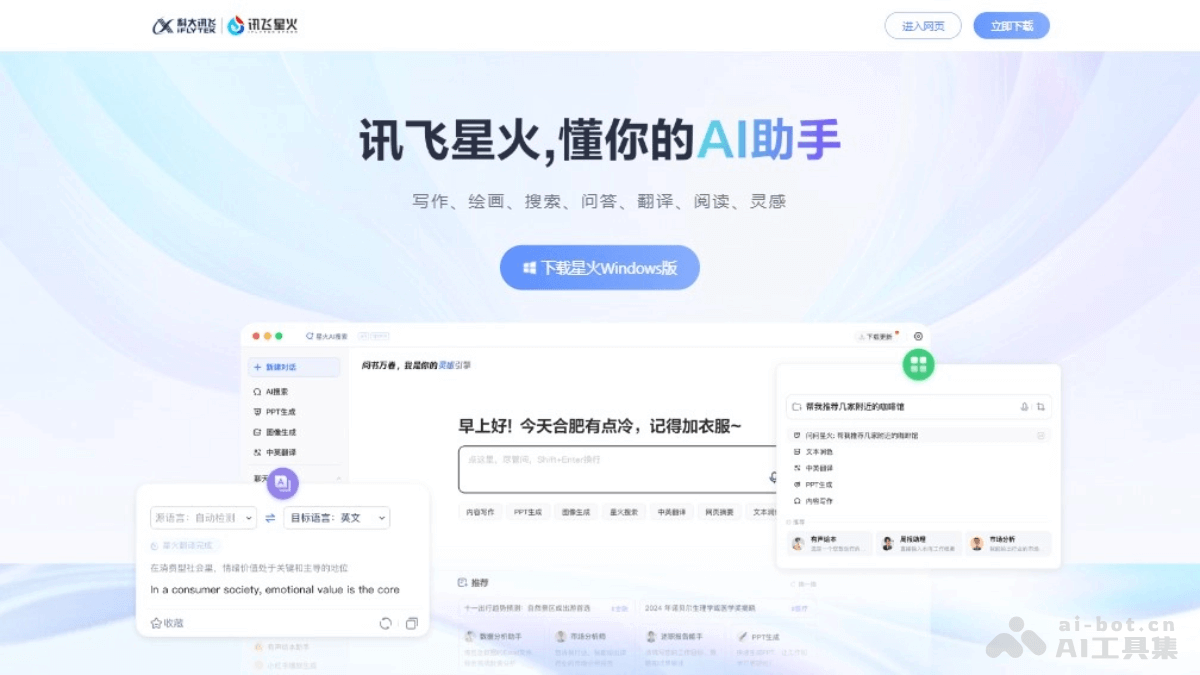
Main Features of iFlytek Spark PC Version
Main Features:
- AI Search: iFlytek Spark PC Version provides accurate information and official materials quickly through online search, helping users efficiently obtain the answers they need.
- PPT Generation: Users can upload documents, select templates, and iFlytek Spark generates PPTs with one click, simplifying the slide creation process.
- Image Generation: Based on the user's text description, iFlytek Spark can generate corresponding images, meeting users' needs in creativity and design.
- Screenshot Q&A: Users can take screenshots and ask questions; iFlytek Spark will attempt to understand the screenshot content and provide answers, suitable for complex scenarios that cannot be directly described in text.
- Multimodal Interaction: It combines multiple interaction methods such as voice, text, and images, enhancing the richness and convenience of the user experience.
Latest Features:
-
Problem Solving and Q&A: It is divided into Q&A mode and problem-solving mode. Q&A mode guides users to think independently through heuristic dialogue, transforming abstract concepts into easy-to-understand scenarios; problem-solving mode displays detailed and standardized solution steps and complete answers, helping users quickly verify the correctness of answers and improve learning efficiency, suitable for university students facing complex concepts and difficult problems.
-
Deep Research: The "Deep Research" feature is launched; users only need to ask a question in one sentence, and the system can automatically build a research framework, outputting a professional research report with clear logic, detailed data, reliable citations, and downloadable and reusable content, providing strong support for research-oriented tasks such as university students' final course assignments, helping them efficiently complete high-quality research reports.
- AI Writing: The upgraded AI writing feature covers 60+ scenarios, including business copy, video scripts, speeches, etc., turning writing into a simple "fill-in-the-blank" task. After users input a topic, articles can be quickly generated, and the AI writing assistant can be used for secondary modification and polishing of content.
- AI Reading: It has the "AI Reading" feature, which can summarize web pages or documents with one click, quickly grasp the core content, automatically generate clearly structured mind maps, helping users filter valuable information from massive literature and extract unique ideas.
- On-device Version Support: iFlytek Spark has launched a PC version, including support for macOS Apple chips, making it convenient for users to use on different devices.
- Shortcut Invocation: Users can quickly invoke the iFlytek Spark client via keyboard shortcuts, improving usage efficiency.
- Deep Search: In addition to providing search results, iFlytek Spark also offers a deep search feature that can extract answers from more information sources and provide more comprehensive information.
How to use the iFlytek Spark PC version
- Download and install:VisitiFlytek Sparkofficial website,select the corresponding version (Windows or macOS) according to your operating system and download it.After the download is complete, run the installer and follow the prompts to finish the installation.
- Launch the app:After the installation is complete, click the desktop icon or use a shortcut key (such as Option+V) to launch the iFlytek Spark PC client.
- Use the main features:
- AI Search: Enter the question you want to query in the search box, and iFlytek Spark will quickly search for relevant information on the internet and provide an answer.
- PPT generation: Upload the document you want to convert into a PPT, choose your preferred template, and then click "One-click Generate PPT" to create a presentation.
- Image generation: Enter descriptive text, and iFlytek Spark will generate the corresponding image based on the description.
- Screenshot Q&A: Use the screenshot function to select a portion of the content on the screen, and iFlytek Spark will try to understand the screenshot content and provide a relevant answer or information.
- Multimodal interaction:Based on the multimodal interaction capabilities of iFlytek Spark, you can interact with the AI by combining voice, text, images, and other methods.
Application scenarios of the iFlytek Spark PC version
- Office automation:Use AI Search to quickly obtain industry news, market data, and professional reports to improve work efficiency.Use the PPT generation feature to automatically create presentations and save time preparing for meetings and reports.
- Education and training:Provide an interactive learning experience for teachers and students, such as automatically generating course PPTs and answering academic questions.As an auxiliary tool, it helps with language learning and programming teaching.
- Content creation:Writers and bloggers can use the text generation capabilities of iFlytek Spark to draft articles, stories, and blog posts.Designers can use the image generation feature to gain creative inspiration or quickly generate design sketches.
- Customer service:Enterprises can deploy iFlytek Spark as a chatbot to provide 24/7 customer consultation services.By automatically understanding and answering user questions, it reduces the workload of the customer service team.
- Technical development:Developers can use iFlytek Spark for code review, error troubleshooting, and documentation writing to accelerate the development process.Use the AI Search feature to quickly find answers and solutions to technical problems.
- Language translation and learning:Provide users with real-time language translation services to help with cross-language communication.As a language learning tool, it helps users practice pronunciation, grammar, and vocabulary.