

What is Taste Skill?
Taste Skill is an open-source Agent skill file library that can upgrade the quality of AI-built interfaces. Taste Skill constrains AI output through structured design rules, replacing boilerplate UI in layout, typography, motion, and spacing, while also providing image generation skills for design reference boards. Taste Skill supports one-click installation and is compatible with Cursor、Claude Code、Codex、Gemini CLI、v0、Lovable and other mainstream AI coding tools.
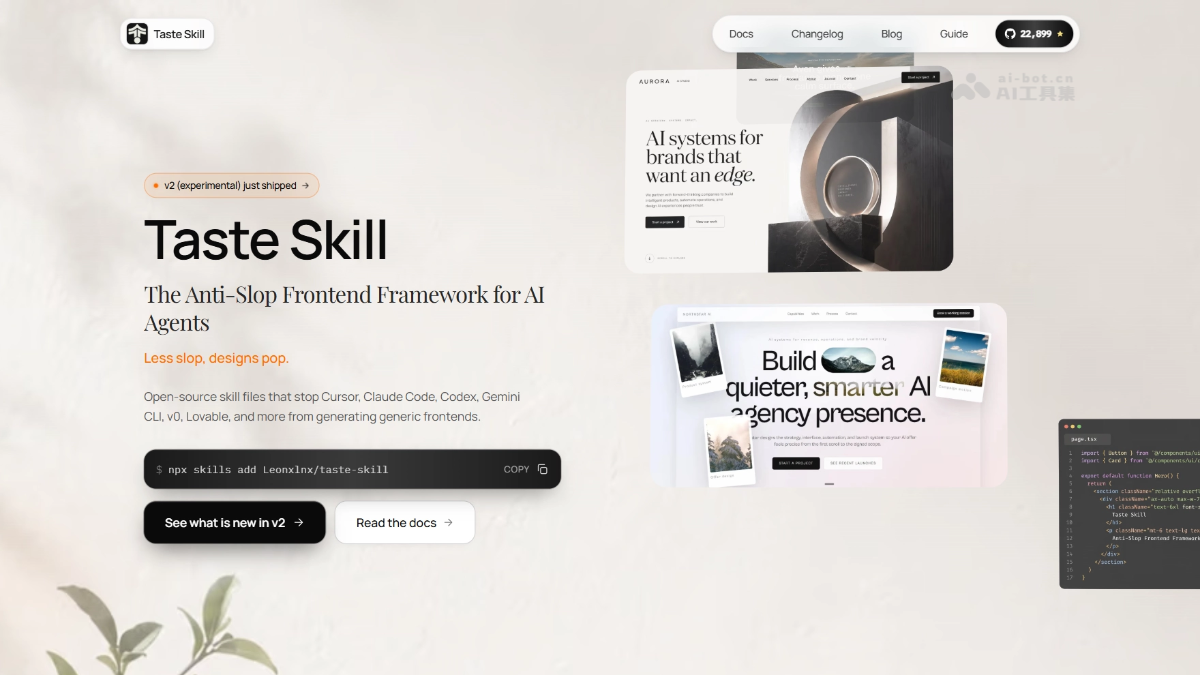
Main Features of Taste Skill
-
Multi-style design skill library: Provides taste skill (, gpt-taste, soft-skill, minimalist-skill, brutalist-skill, and other visual style skills, adapting to the tone of different projects.
-
Image generation skills: imagegen-frontend-web (web design mockups), imagegen-frontend-mobile (mobile interfaces), brandkit (brand identity board), which can be used with ChatGPT Images or Codex image mode to generate reference images.
-
Image-to-code workflow: image-to-code-skill supports first generating a design reference image, then deeply analyzing it before precisely implementing front-end code.
-
Existing project refactoring: redesign-skill provides audit-first UI diagnosis and modernization plans.
-
Output completeness assurance: output-skill prevents AI from outputting half-finished products, placeholders, or truncated content.
-
Three adjustable parameters: Provides DESIGN_VARIANCE, MOTION_INTENSITY, and VISUAL_DENSITY for fine-grained control of the output style.
How to Use Taste Skill
- Install: Run the installation command in the terminal
npx skills add https://github.com/Leonxlnx/taste-skillto deploy the skill library with one click. - Choose a skill: Choose a skill according to the project type, such as
design-taste-frontendfor general projects,image-to-codefor image-to-code,high-end-visual-designfor a premium feel. - Generate with AI: Describe your interface requirements in AI tools such as Cursor, Claude Code, or Codex, and the AI will automatically generate high-quality code according to the skill rules.
- Adjust the style: If you need to adjust the style, simply modify the three parameters DESIGN_VARIANCE, MOTION_INTENSITY, and VISUAL_DENSITY at the top of SKILL.md.
Core Advantages of Taste Skill
-
Anti-Slop positioning: Directly addresses the pain point of the cheap template feel in current AI-generated interfaces, resisting mediocre output at the rule level.
-
Install once, compatible with all tools: The same set of skill files can be seamlessly reused across tools such as Cursor, Claude Code, Codex, Gemini CLI, v0, Lovable, and OpenCode.
-
Fine-grained style control: Through three parameters and multiple style skills, it achieves precise coverage from minimalist editorial style to hardcore brutalist style.
-
Image-code closed loop: A unique workflow of generating reference images → analysis → coding, bridging the semantic gap between design and implementation.
Taste Skill Project Address
- Project official website:https://www.tasteskill.dev/
- GitHub repository:https://github.com/Leonxlnx/taste-skill
Comparison of Taste Skill with Similar Competitors
| Comparison dimension | Taste Skill | Cursor Rules |
|---|---|---|
| Core objective | Solves the 'cheap template feel' of AI-generated interfaces and injects design taste. | Solves the problem of unified code standards, constraining coding style and framework conventions. |
| Intervention depth | Go deep into the visual layer: typography, motion, spacing, color, design system choices. | Stay at the engineering layer: naming conventions, file structure, framework best practices. |
| Impact on front-end appearance | Directly determines whether the interface looks "expensive." | Barely intervenes in visual design, output may still be cookie-cutter. |
| Cross-tool compatibility | Supports Cursor, Claude Code, Codex, Gemini CLI, v0, Lovable, etc. | Limited to the Cursor ecosystem (.mdc format). |
| Anti-Slop mechanism | Core positioning, with adjustable parameters and a hard pre-check checklist. | No dedicated mechanism, relies on users writing their own rules. |
| Image workflow | Native support for generating design mockups and then reproducing the code. | Not supported. |
| Essential difference | Isdesigner's role, checking visual quality for you. | Istech lead's role, checking code standards for you. |
Taste Skill use cases
-
High-quality brand website development: Provides Anti-Slop design rules for florists, design studios, luxury goods, and other websites that need a strong visual tone.
-
AI-assisted product prototyping: In the early product stage, quickly produce high-fidelity design mockups through image generation skills, then hand them to Codex/Cursor for precise reproduction.
-
Visual upgrades for existing projects: Use redesign-skill to conduct systematic UI audits and modernization overhauls of legacy projects.
-
Mobile app interfaces: Use the imagegen-frontend-mobile skill to generate consistent multi-screen iOS/Android design concepts.
-
Design system setup: Through brand kit skills and brand board generation, quickly establish implementable design standards.


