

What is v0.app
v0.app is an AI-assisted web development toollaunched by Vercel. v0.app combines generative AI and web technologies to help users quickly build various projects, from simple components to full-stack applications. v0.app supports AI Agent mode, with autonomous planning, coding, and debugging capabilities, and can generate complete applications based on user needs. Users describe their needs in natural language, and v0 can generate code, design interfaces, and provide technical support. The tool supports real-time collaboration, code editing, and one-click deployment, making it suitable for various users such as product managers, marketers, and engineers, greatly improving development efficiency and user experience.
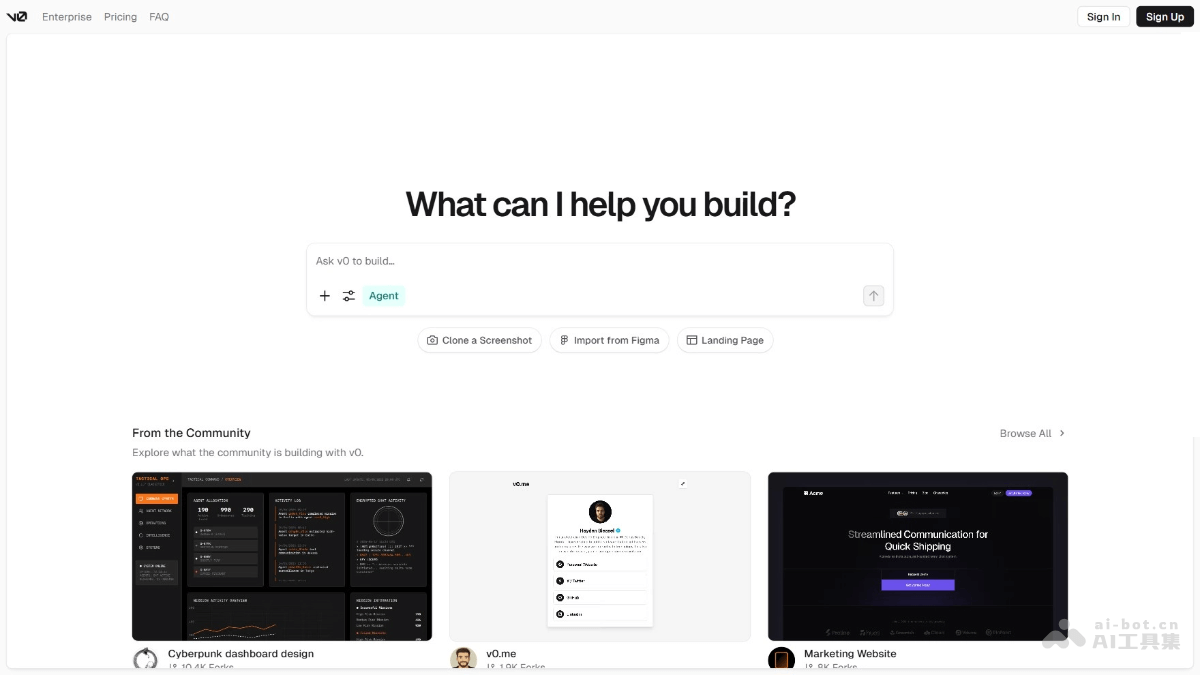
Main features of v0.app
- Full-stack application development: Supports the building of everything from simple components to complex full-stack applications, covering frontend, backend, databases, and external API integration.
- AI Agent: Has autonomous planning, coding, and debugging capabilities, and can generate complete applications based on user needs.
- Natural language interaction: Users describe their needs in natural language without coding knowledge, and v0 automatically handles the technical details.
- Real-time collaboration and editing: Supports team collaboration, allows users to directly edit generated code in the tool, and supports two-way Git sync.
- One-click deployment: Based on Vercel's enterprise-grade infrastructure, users can quickly deploy applications online without complex configuration.
- Multilingual support: Users can describe their needs in multiple languages, and v0 automatically translates and generates code.
- Design and code generation: Supports directly converting design images (such as Figma) into runnable code, achieving pixel-perfect reproduction.
How to use v0.app
- Register and log in: Visit the official website:https://v0.app/,完成账号注册和登录。
- Create a project: Choose to start a new project from scratch, or select a preset template (such as a marketing website, dashboard, login page, etc.). Give the project a name and describe the project content.
- Describe requirements: Describe your needs in natural language in the chat box. If you have design images, sketches, or documents, upload the files, and v0 will generate code based on the files.
- Wait for generation: v0 generates code and design based on the description.
- Preview and edit: After generation is complete, preview the generated code and design. If changes are needed, edit the code directly in v0, or describe the requirements again to have v0 regenerate it.
- Real-time collaboration (team users): If you are using a team plan, you can invite team members to join the project. Team members can collaborate in real time in v0 and jointly edit code and design.
- Export code: Export the generated code locally and use a local development environment for further development.
- Git sync: v0 supports two-way Git sync, allowing you to push local code to v0 or pull code from v0 to local.
- Deploy the application: In v0, click the "Share" button, then select the "Publish" tab to deploy the application to Vercel's platform.
Application scenarios of v0.app
- Rapid prototyping: Product managers and designers describe requirements in natural language, and v0 quickly generates interactive prototypes, supporting real-time feedback and iterative optimization.
- Full-Stack Application Development: v0 supports full-stack development from frontend to backend, including code generation, database integration, and external API calls, making it suitable for developing complex systems.
- Marketing and Landing Pages: Quickly generate marketing pages and campaign landing pages, with support for dynamic content display and form submission, improving marketing efficiency.
- Data Visualization Tools: v0 can generate real-time data dashboards and reporting tools, with support for visualization components such as charts and maps, helping users better display and analyze data.

