

What is Claude Code
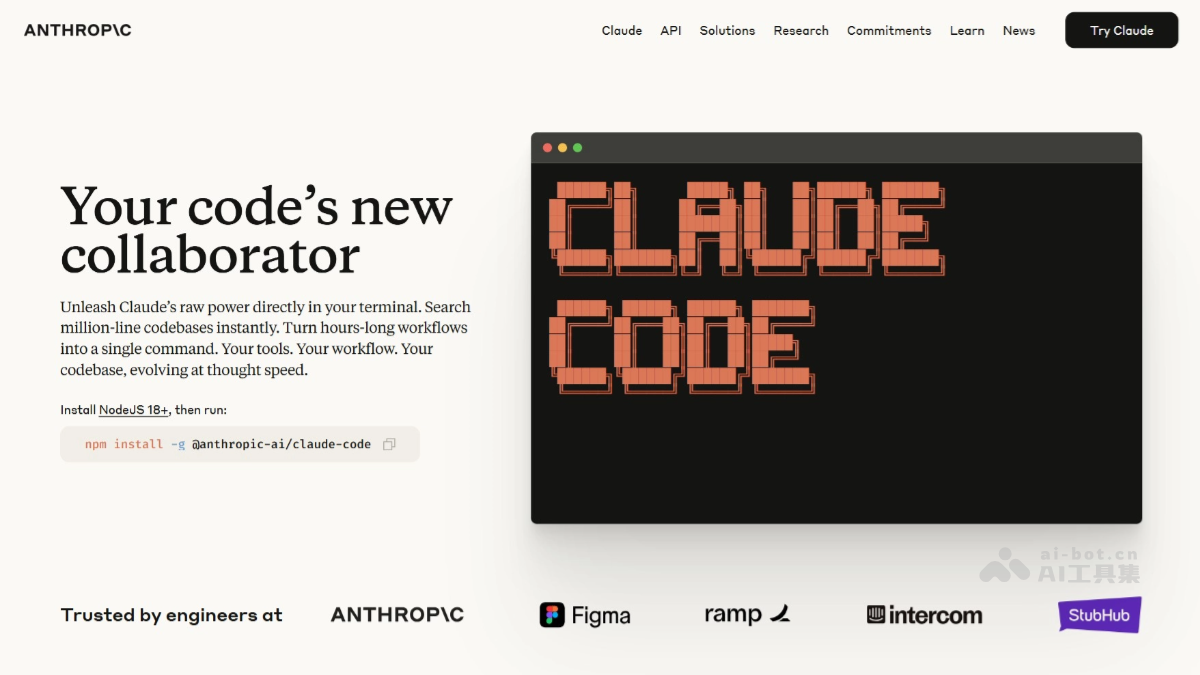
Claude Code is a command-line-based AI programming toollaunched by Anthropic. Claude Code integrates the advanced Claude Opus 4 language model, can understand natural language instructions, automatically generate, modify, and debug code, and deeply integrates with mainstream IDEs such as VS Code and JetBrains. Claude Code supports a 200K ultra-long context and can quickly index the entire codebase and understand complex dependencies. Claude Code has features such as file operations, code search, web browsing, and Git workflow management, significantly improving development efficiency. Claude Code helps developers quickly generate high-quality code, can directly execute commands in the development environment, avoids frequent interface switching, and greatly optimizes the development process. The latest version introduces an automatic security review feature that catches vulnerabilities before they are published. Claude Code's new Opus planning mode supports efficient and intelligent development planning. Users can formulate high-quality development plans in complex projects with the powerful analysis capabilities of the Opus 4.1 model, then switch to the Sonnet model during the execution phase to achieve efficient, low-cost code generation.
Main features of Claude Code
- Deep codebase understanding: Based on intelligent search technology, it quickly understands the structure and dependencies of the entire codebase without manually selecting context files.
- Multi-file collaborative modification: It can make coordinated and consistent code modifications across multiple files, ensuring the integrity and consistency of code logic.
- Code generation and optimization: Specifically optimized for code understanding and generation, it can quickly generate high-quality code snippets and test cases and fix problems in code.
- Terminal integration: Runs directly in the developer's terminal without switching tools, reducing the hassle of context switching.
- Integration with mainstream IDEs: Supports mainstream development tools such as VS Code and JetBrains, providing code suggestions and modifications directly in the IDE, seamlessly integrating into existing development workflows.
- Workflow integration: Integrates with tools such as GitHub and GitLab, supporting the entire process from reading issues, writing code, running tests, to submitting PRs.
- Intelligent editing: Based on understanding of the codebase and dependencies, performs powerful multi-file editing to ensure the effectiveness and reliability of code modifications.
- User control and customization: It will not modify files without explicit approval, adapts to the developer's coding standards and patterns, and supports customized configuration through SDK or GitHub Actions.
-
Terminal-run
/security-reviewcommand: Supports users entering this command in the terminal. Claude Code will automatically check for security risks such as SQL injection and XSS in the code and can directly fix discovered vulnerabilities. -
GitHub Actions integration: After configuring the relevant files in a GitHub repository, each time a new PR is submitted, a security review is automatically triggered. After detecting vulnerabilities, it adds inline comments on the code lines, explains the problem, and provides fix suggestions.
- Opus planning mode: In the planning phase, it invokes the powerful Claude 4.1 Opus model to formulate high-quality development plans. When executing tasks, it uses the efficient and low-cost Claude 4 Sonnet model, achieving a combination of intelligence and efficiency.
- Agent View: Lets developers schedule, monitor, and manage multiple parallel AI sessions simultaneously within a single terminal interface, with no need to open multiple windows, allowing real-time viewing of each task's status and quick switching to intervene or unblock.
- Artifacts: Supports generating the AI work process in real time as a shareable interactive web page, making it convenient for teams to view and collaborate synchronously.
- Mod: User-defined extended functionality, using JavaScript/TypeScript code attached to session events, to implement custom interfaces and observe, rewrite, or intercept and take over Claude tool calls.
How to use Claude Code
-
Install Node.js: Ensure Node.js 18 or later is installed on the system.
- Install the CLI: Run the following command in the terminal to install the Claude Code command-line tool:
npm install -g @anthropic/claude-cli-
Log in and initialize:
-
Log in: Run
claude loginand follow the prompts to enter the API key (obtained from the Anthropic website). -
Initialize: Run
claude initto connect to the codebase.
-
-
Get started:
- Generate code: Describe the requirement in English, for example:
claude -p "Create a function to calculate the sum of two numbers in Python"-
- Fix bugs: Describe the bug or paste the error message, for example:
claude -p "Fix this error: TypeError: Cannot read properties of null (reading 'length')"-
- Automate tasks: Run commands to handle tedious tasks, for example:
claude -p "Resolve merge conflicts in the current branch"- Integrate into the development environment:
-
Terminal: Use it directly in the terminal.
-
IDE: Install the VS Code or JetBrains plugin to use it in the IDE.
-
Claude Code product pricing
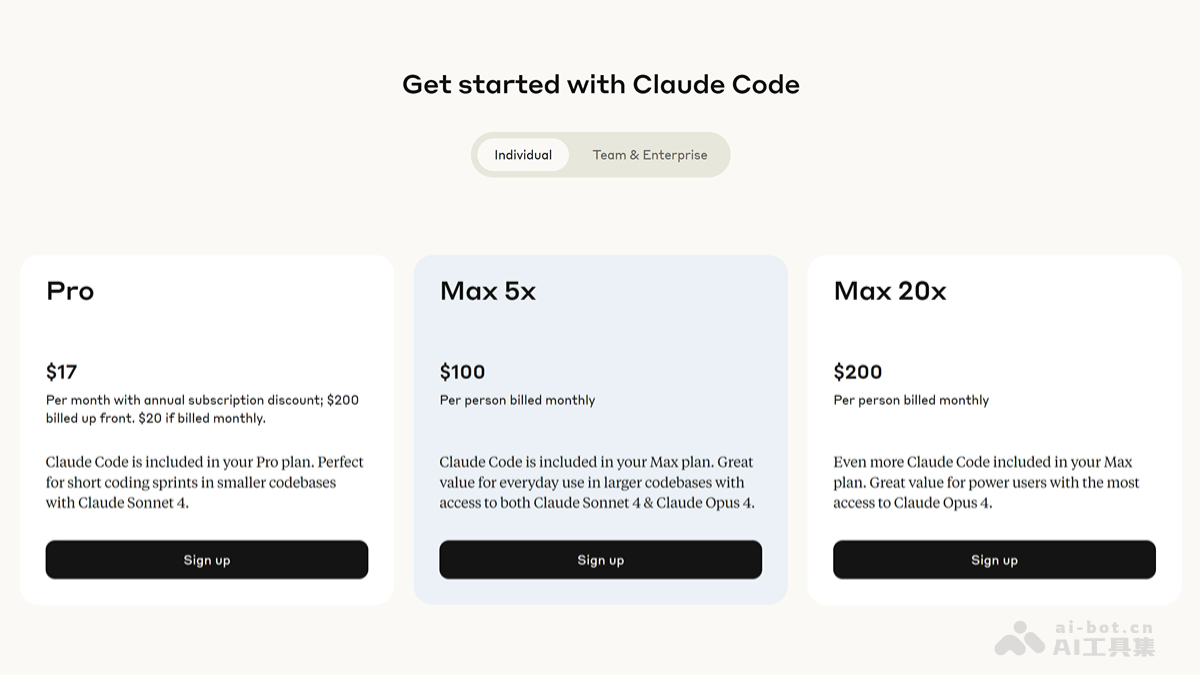
- Pro plan: $17/month billed annually, $20/month billed monthly.
- Max 5x plan: $100 per person per month.
- Max 20x plan: $200 per person per month.
Claude Code application scenarios
- Code understanding: Quickly explain the functionality and logic of complex code, helping developers rapidly understand the project structure.
- Code modification: Automatically fix errors or vulnerabilities in code, quickly locate problems, and provide solutions.
- Code testing: Automatically generate unit tests or integration tests for code to ensure code reliability and stability.
- Version control: Supports completing Git commits, branch management, and other operations using natural language, simplifying the version control process and making Git operations more convenient and efficient.
- Feature implementation and extension: Quickly implement new features or extend existing functionality, accelerating development progress and helping developers complete tasks efficiently.

