What is Manus
Manus is the world's first autonomous general AI Agentlaunched by Butterfly Effect Company, supporting task completion and deliverable output through autonomous action. Manus runs in a sandbox environment with internet access, a persistent file system, and software installation capabilities, can work independently, and remembers the context of long-term tasks. Manus offers a variety of features, including Design View, Wide Research, data analysis and visualization, and media processing. The latest version, Manus 1.6, introduces the more powerful Max Agent, optimizes spreadsheet processing and web development capabilities, and adds mobile development features. Manus can seamlessly collaborate with external tools through a cloud browser and integrations, helping users efficiently complete complex tasks.
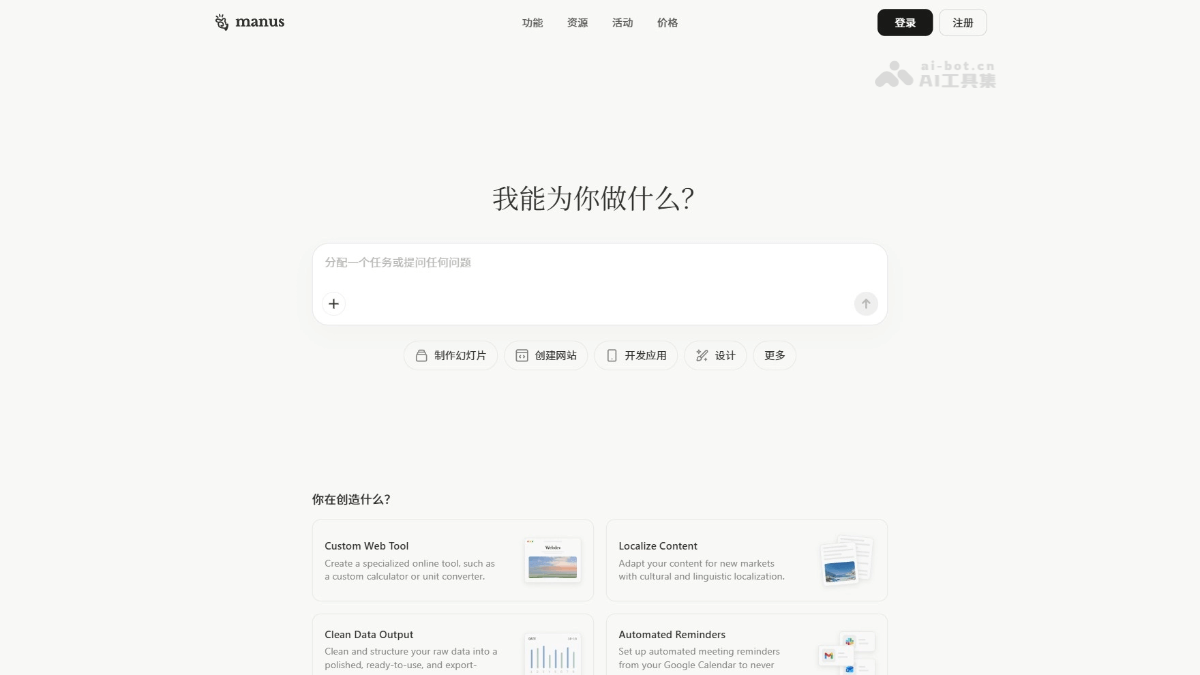
Manus's main features
- Design View: supports complex visual workflows, and users can precisely edit images with marking tools, suitable for designing posters, mood boards, and optimizing product photos.
- Wide Research: handles large-scale tasks through a parallel multi-agent system, solving the context limitations of traditional AI, suitable for market research, academic research, and competitive intelligence.
- Data analysis and visualization: converts raw data into visual insights, supports generating slides, reports, and dashboards, and helps users quickly extract data patterns.
- Media processing: supports image generation, video analysis, voice output, and speech-to-text, seamlessly combining multiple media types to meet different work needs.
- Cloud browser: Manus can operate a browser like a real person, log into accounts, extract data, and support multi-step task automation.
- Integrations and automation: through MCP connectors, custom servers, and Zapier integrations, it connects commonly used tools to automate cross-platform tasks.
- Manus Slides: quickly generates complete presentations based on descriptions, including content development, visual design, and speaker notes.
- Scheduled tasks: supports automating repetitive work, and users can set tasks to run on a schedule without manual intervention.
- Mail Manus: triggers tasks via email, so users do not need to switch to the Manus app, and results are returned directly by email.
- Manus Collab: supports real-time team collaboration on tasks, avoids version confusion, provides a single source of truth, and makes it convenient for team members to edit and interact together.
-
Mobile development: supports building mobile applications for the first time; users only need to describe their requirements, and Manus supports handling the end-to-end development process.
-
Manus 1.6 Max: the latest flagship Agent, which significantly improves task success rates, user satisfaction, and spreadsheet processing capabilities through a more advanced planning and problem-solving architecture.
- My Computer: a new feature on Manus desktop that allows the AI Agent to directly operate local files, run terminal commands, and launch applications, achieving a leap from cloud to local.
- Manus 2.0:
-
Cascade framework: equipped with a self-developed next-generation Agent foundation, with capabilities loaded on demand; official tests show that token consumption, completion time, and operating costs all dropped significantly.
-
Cloud Computer: a resident runtime environment that can be purchased separately, providing computing power for projects that need to be online 24 hours a day, such as multiplayer games and automated workflows.
-
Automations: Tasks are triggered by events such as new emails, calendar events, and data fluctuations. With just one sentence, Manus can set up and run an entire workflow.
-
Video Editor: A visual timeline editing tool for 30-60 second short videos, with independently replaceable assets. It also supports Alchemy mode, where Manus takes full control of the creative direction.
-
Game Dev: Build games by invoking video, image, and programming models. You can modify code and assets while it runs. With a few clicks, you can enable multiplayer and publish it as a web game.
-
Remote Computer Control: Based on Computer Use, on your phone, let Manus find files, send materials, and test applications in your authorized computer workspace, with full visibility and control throughout.
-
How to Use Manus
- Register and Log In: Visit the Manus official website https://manus.im/ to complete registration and log in.
- Choose a Feature Module: Choose a feature module based on your needs, such as Design View, Broad Research, Data Analysis, etc.
- Enter a Task Description: In the selected feature module, enter a task description.
- Execute the Task: After clicking the execute button, Manus starts the task based on the description. For complex tasks, Manus will prompt for further confirmation or provide more information.
- View the Results: After the task is completed, Manus will display the results on the interface. Users can download, save, or further edit the results as needed.
- Optimize and Iterate: If the results need adjustment, directly modify the task description or parameters in the interface, and Manus will re-execute the task to update the results.
- Use Integration Features (Optional): If you need to integrate Manus with other tools (such as Gmail, Notion, Slack, etc.), you can connect the relevant accounts in Settings and operate these tools directly through Manus.
- Team Collaboration (Optional): If you are using the Team edition, you can invite team members to participate in tasks together through the Manus Collab feature, with real-time collaboration and editing.
Manus Usage Examples
Image Generation
A photorealistic interior shot of a bright, airy living room in a Japandi style. The room has light oak wood floors, a large window with soft natural light, and a low-profile beige sofa.A photorealistic Japandi-style living room interior photo. The room has light oak floors, a large window letting in soft natural light, and a low-profile beige sofa.

Wide Research
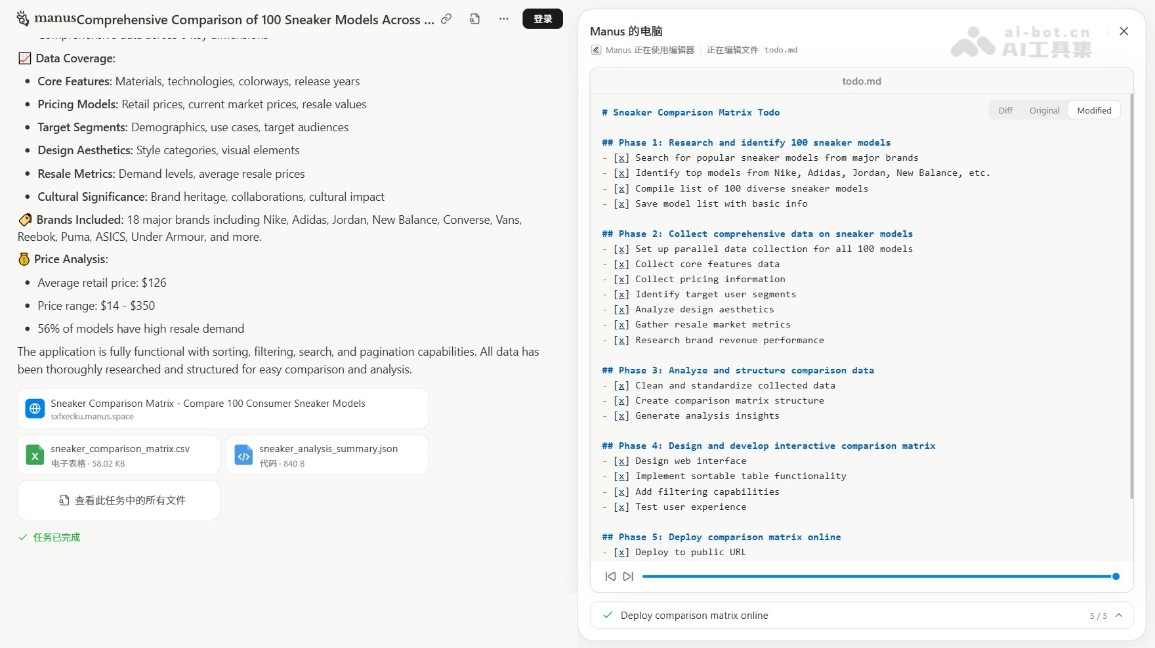
Compare 100 consumer sneaker models across multiple dimensions—core features, pricing models, target user segments, design aesthetics, resale market metrics, and brand revenue performance—and publish a comprehensive sortable comparison matrix online."Analyze 100 consumer sneaker models. Extract the brand, price range, key features, target audience, and average rating. Create a comparison table sorted by price."
Manus Product Pricing
-
Plan 1: $20/month, basic monthly usage, including 300 daily refresh credits, 4,000 monthly credits, deep research for daily tasks, standard output for professional websites, analytical slides for regular content, task extension support for broad research, early access to Beta features, 20 concurrent tasks, and 20 scheduled tasks.
-
Plan 2: $40/month, customizable monthly usage, includes 300 daily refresh credits, 8,000 monthly credits, custom usage of deep research, professional websites that respond to changing needs, analytically stable slides for creation, extensive research based on your chosen plan, early access to Beta features, 20 concurrent tasks, 20 scheduled tasks.
-
Plan Three: $200/month, usage that can boost productivity, includes 300 daily refresh credits, 40,000 monthly credits, deep research for large-scale tasks, professional websites with data analysis, analytically batch-produced slides, sustained extensive research under high load, early access to Beta features, 20 concurrent tasks, 20 scheduled tasks.
Manus application scenarios
-
Design and Creativity: Used to generate high-quality images, edit visual content, such as designing posters, creating mood boards, or optimizing product photos, improving creative work efficiency.
-
Market Research: The feature can analyze large numbers of products, competitors, or market trends, generate detailed reports and data tables, helping enterprises gain insight into market dynamics.
-
Academic Research: Used to review multiple papers, analyze research trends, extract key information to generate visualizations, supporting academic analysis and research.
-
Content Creation: Batch-generate blog posts, social media posts, speeches, etc., supporting multiple content formats, improving content output efficiency.
-
Data Processing: The tool can scrape web data, extract structured information, create databases or reports, simplifying the data organization process.