
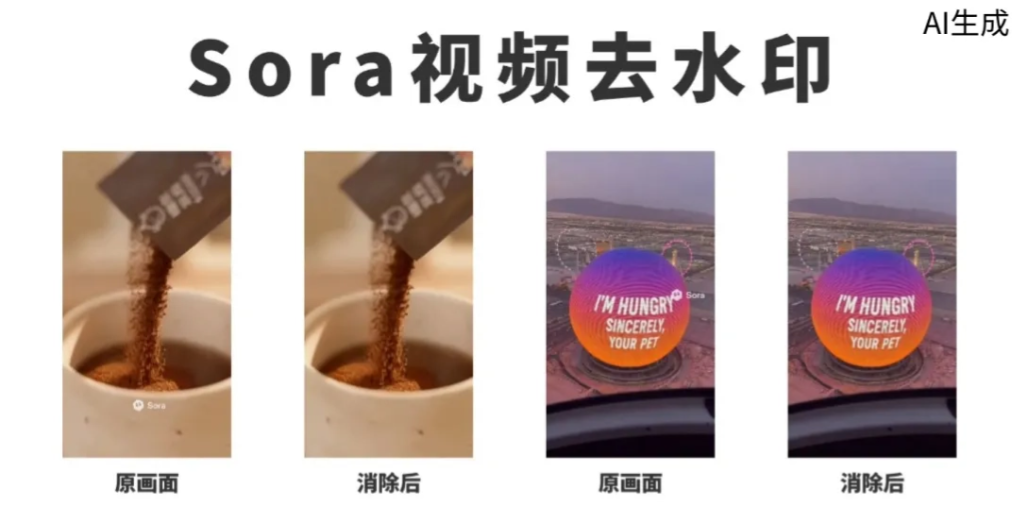
Recently, the question I've received the most from friends is about AI video watermark removal.

The quality of AI videos is getting higher and higher, with fast speed and low cost. Many friends use Sora2 to make ads, anime, short dramas... The video images are realistic, and the content quality is quite good.
But the problem is also obvious: there is always a watermark jumping around in the video, which ruins the overall texture and makes the final video impossible to use directly for commercial purposes.
Currently mainstreamwatermark removal tools, most do not support the S video platform, or cannot recognize this kind of dynamic, multi-location watermark. If you want to process it cleanly, you often have to process it several times, which is time-consuming and troublesome.
I recently tried quite a few tools and selected these with relatively stable results:Some can download online without watermark, some can upload videos to remove watermarks with one click, and some support box selection of areas and targeted cleaning.Everyone can choose according to their own needs.
01. Video Watermark Removal Tool
SoundView
SoundView is an AI short video intelligent creation platform under iFlytek, supportingvideo translation, dubbing,lip sync, and so on. Its functions are very comprehensive.

Experience address:https://soundviewai.com/
The method of use is very simple. We click into the video workbench in the homepage navigation bar, and select Smart Erase among the recommended tools.

Smart Erasecan easily handle Sora watermarks, and also supportsbatch processing of up to 10 videos of 5 minutes each at a time。
We directly upload the video and click next.
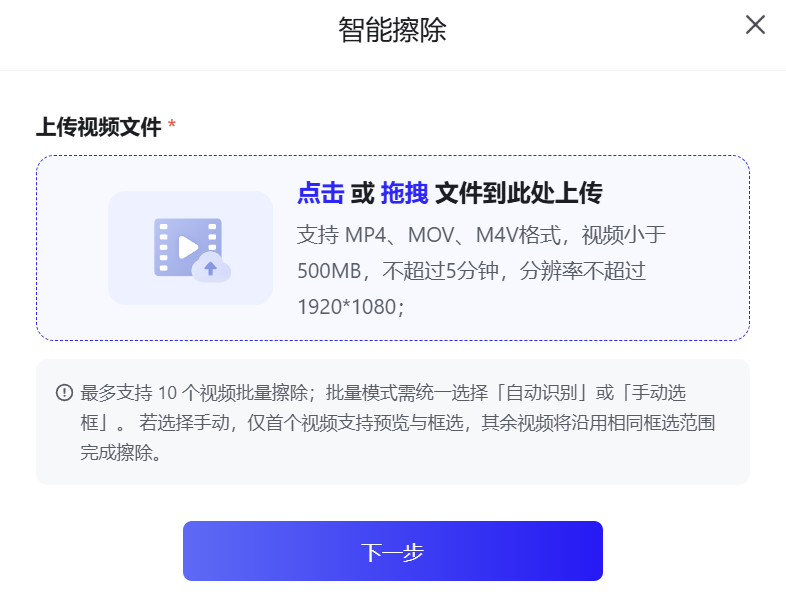
Select automatic recognition mode and start erasing. (Although manual box selection can accurately remove watermarks, there is only 1 selection box, so it is not very suitable for handling watermarks in multiple positions like on the S video platform.)

SoundView processes watermarks very quickly. A 10-second video takes about one minute. Let's take a look at the processing effect together:
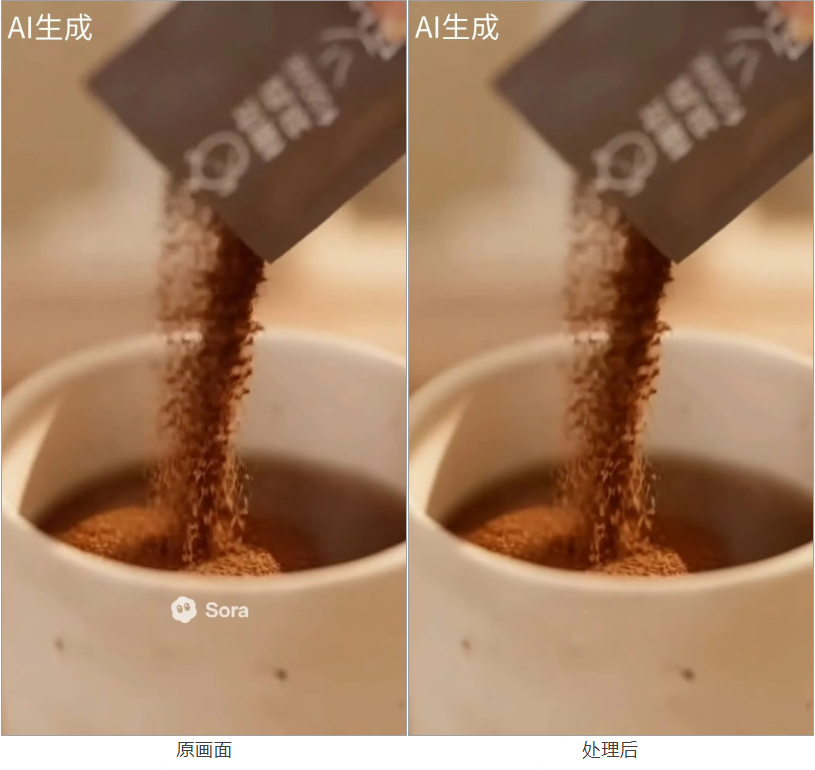

The watermark is removed very cleanly, and it is not simple blurring. SoundView automatically recognizes the watermark area and completes the image details. The downside is that large subtitles or relatively obvious non-watermark text appearing in the picture may also be erased.
SoundView uses a points system. New users have 150 points, and each minute of video consumes about 50 points. If exceeded, you need to recharge points yourself.
WatermarkRemoverSora
WatermarkRemoverSora is a website for free online removal of Sora watermarks.
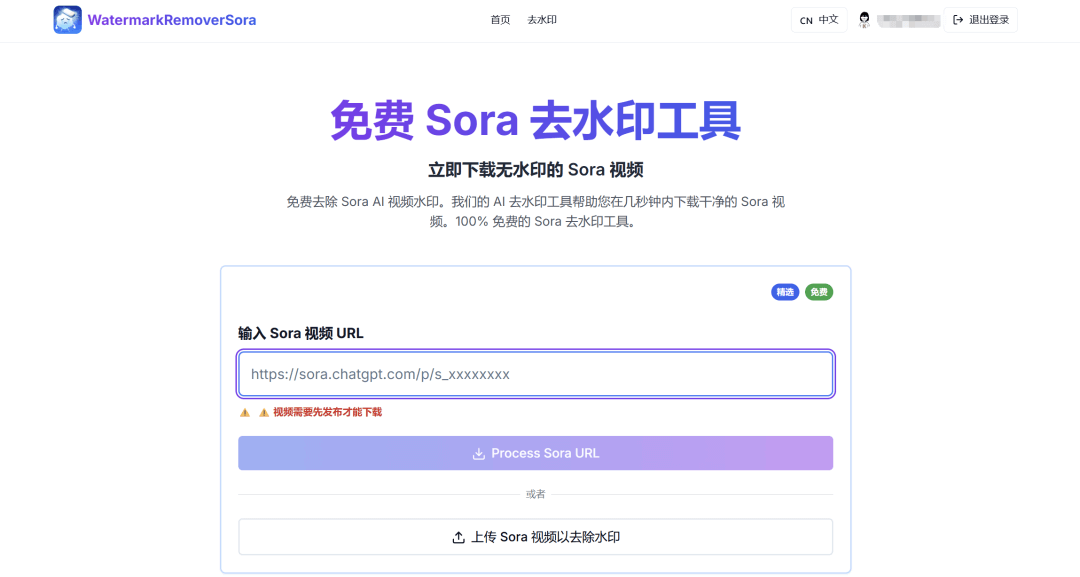
Experience address:https://watermarkremoversora.com/
We upload a video or directly enter the video link, and see the processing effect:
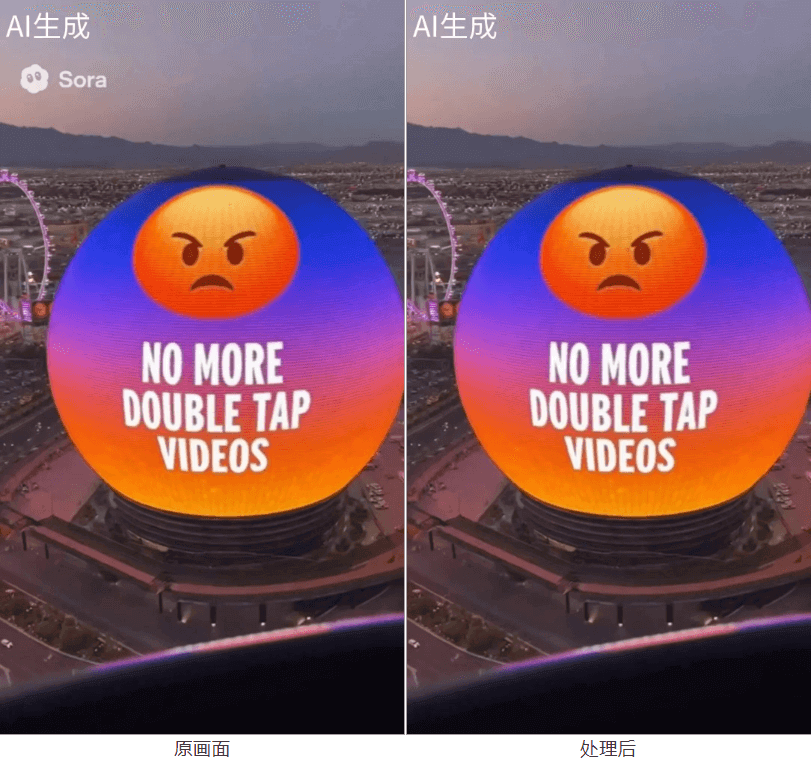
WatermarkRemoverSora is completely free. Removing the watermark from a 10-second video takes about less than 10 seconds,and the watermark is removed very cleanly. You can upload videos within 100MB at a time, but batch processing is not yet supported for the time being.
Aigei
The Aigei video editor also has quite a lot of functions. It can cut videos, extract audio, convert video and GIF to each other, and so on.
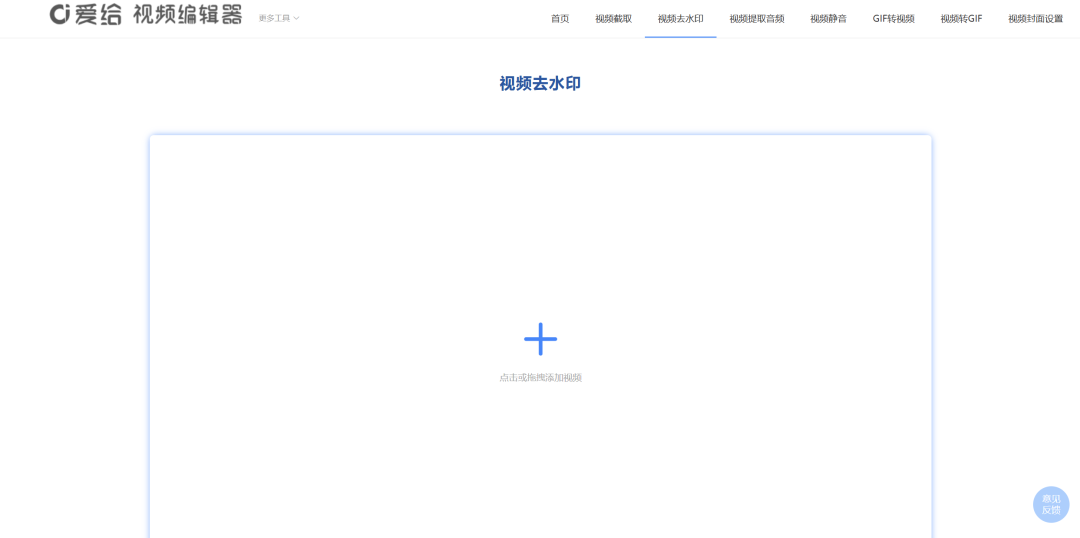
Experience address:https://www.aigei.com/tool/video/watermark
After we import the video, each video can separately add the watermark position and time period. Each video can select 5 watermark areas for removal.
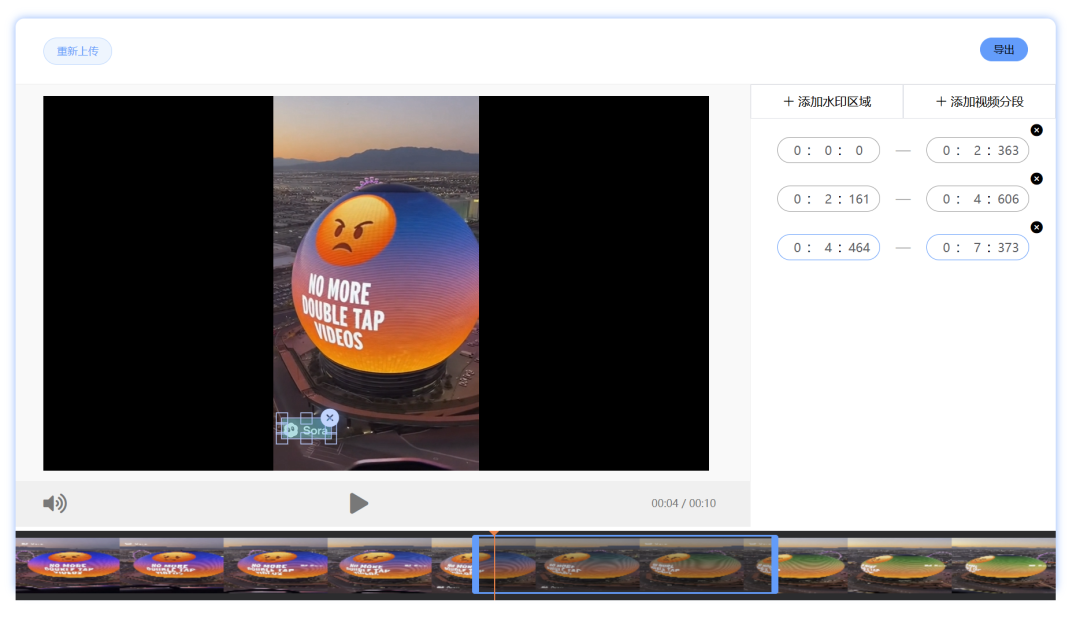
Let's take a look at the processing effect together:
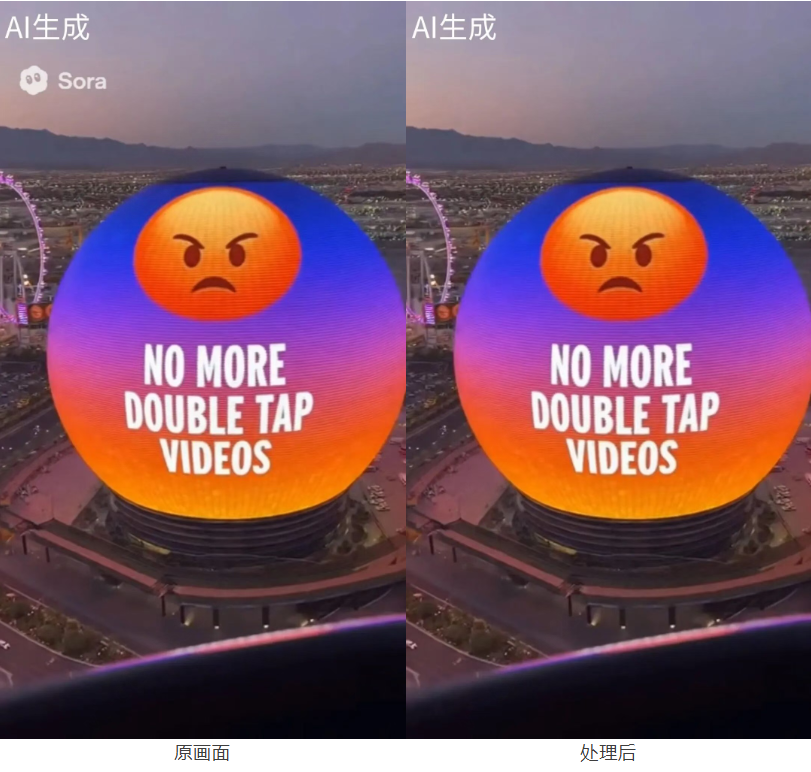
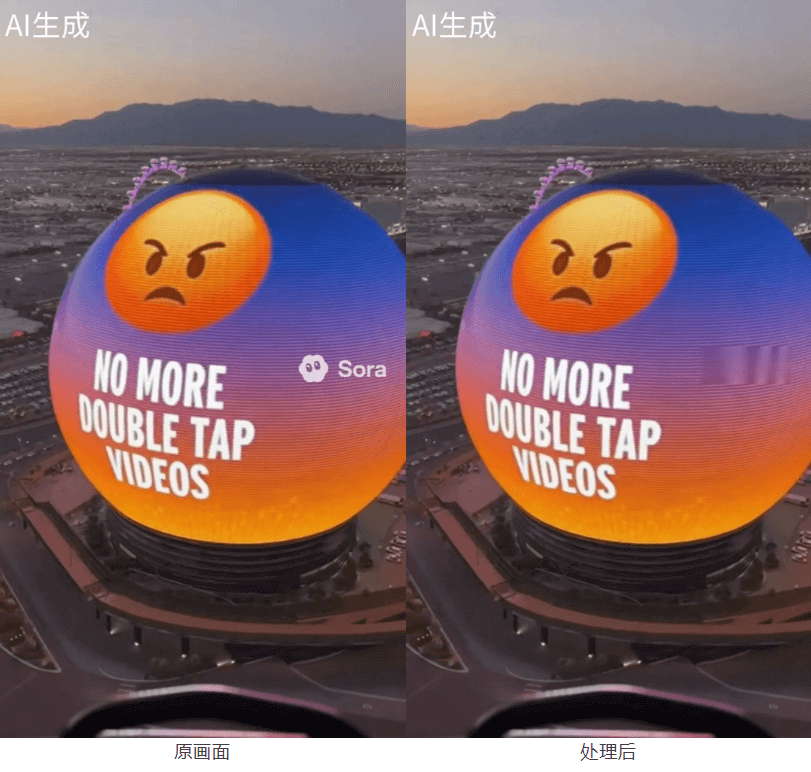
Aigei is free to use, and the processing speed is also quite fast. A 10-second video takes about a few seconds to process.
Although you can select the watermark position and time range for removal, the watermark removal effect is not particularly good. Simple scenes are handled well, but for slightly more complex scenes, obvious removal traces are left behind.
Long videos can be uploaded, but only up to 5 watermarks can be selected for removal per session, and batch processing is not supported.
GhostCut
GhostCutis a platform that integrates a variety of video editing tools.

Experience address:https://cn.jollytoday.com
We select the video erasure feature on the homepage.

After uploading a video, GhostCut will first perform preprocessing. A 10-second video takes about a few seconds to preprocess. After that, you can add erasure areas and time ranges on the timeline.
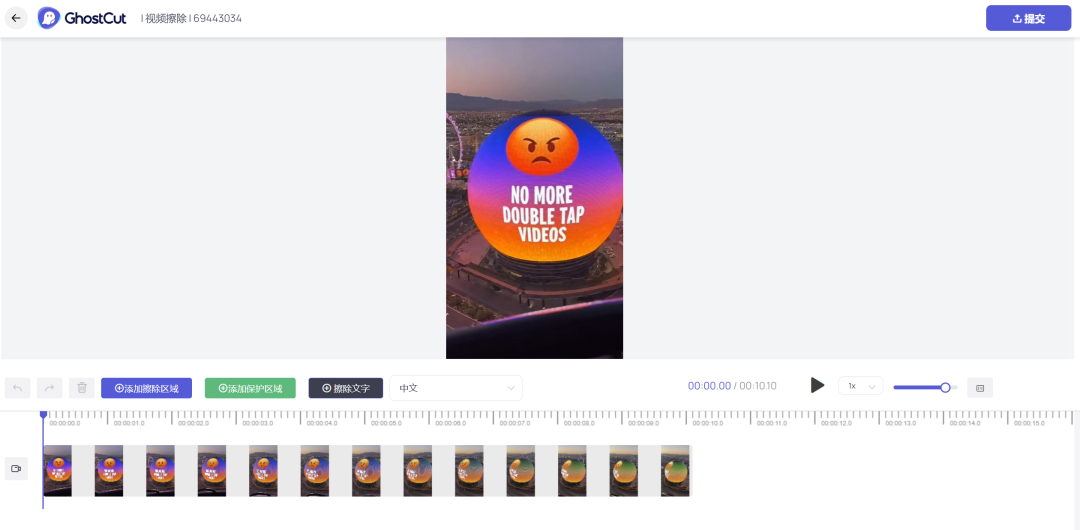
The result can be exported in just a few seconds. Let's take a look at the processing effect:
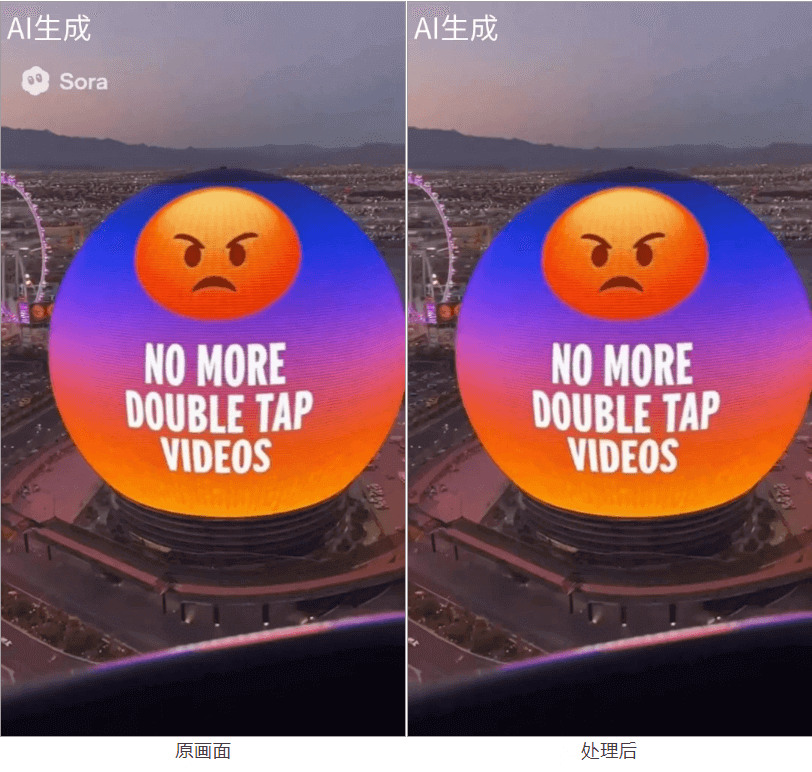
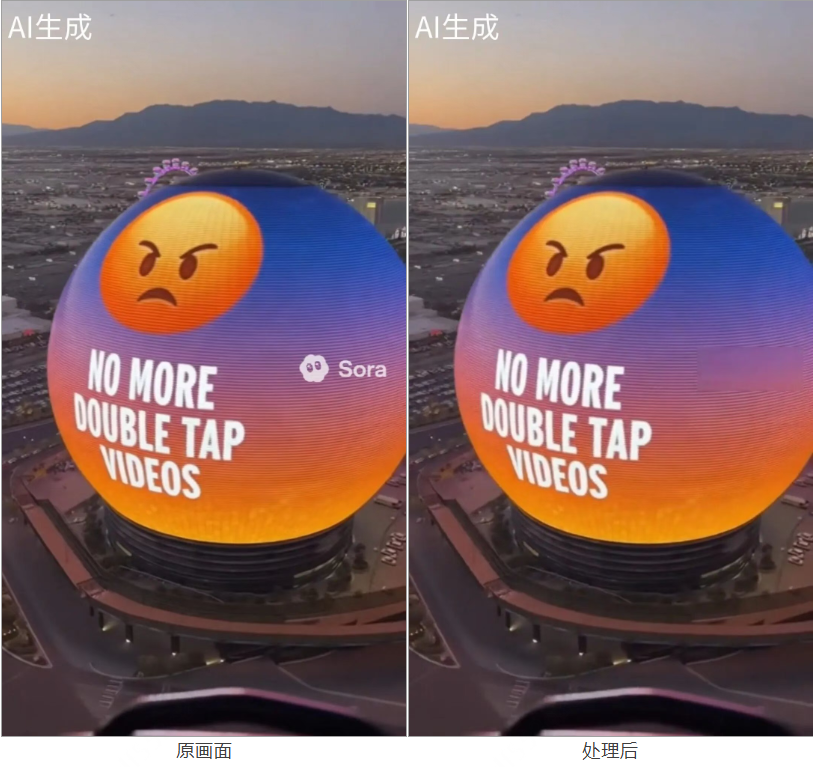
When the scene is relatively simple, GhostCut's watermark removal effect is quite good. When the scene is complex, a not very obvious frosted block will be left at the original watermark location.
For non-members, GhostCut only supports videos within 15 seconds per session. New users receive 6 credits upon registration, and 4 credits are deducted every 30 seconds (in practice, only 1 credit was deducted for a 10-second video). Members can get points and are supported in processing long videos, with a maximum of 15 minutes per session. Batch processing is not supported.
WinkStudio
WinkStudio is an AI video editing tool launched by Meitu, supporting features such as video beautification and image quality restoration.

Experience address:https://wink.cn/editor/remove-watermark
We select watermark removal in the left navigation bar, upload a video, and a 10-second video takes a few seconds to preprocess.
Select the automatic watermark removal feature, and it can be removed in just a few seconds. Let's take a look at the processing effect:
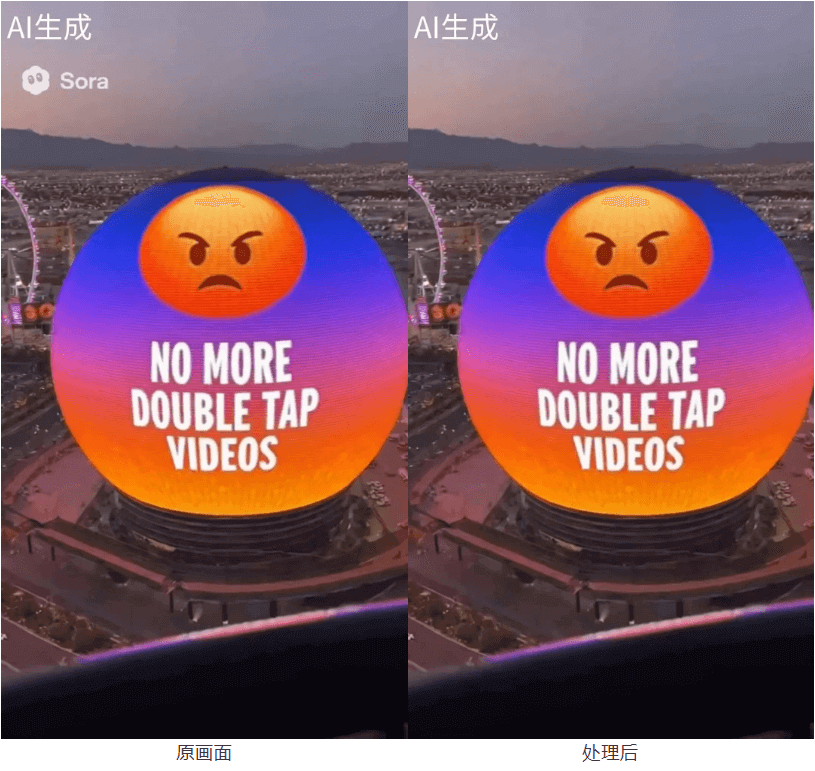
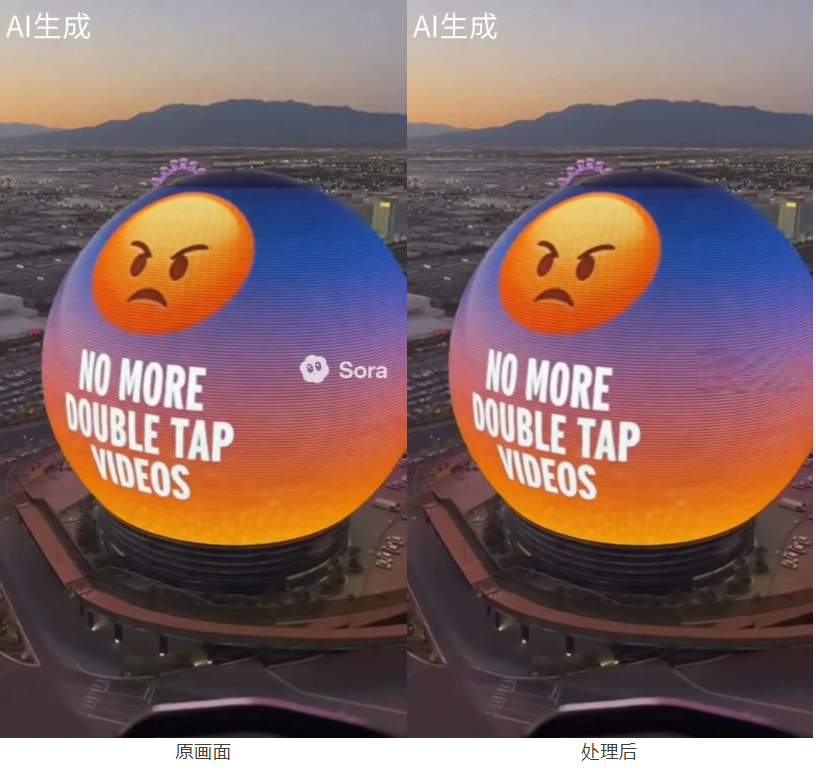
The watermark recognition is quite accurate, and it did not mistakenly process the text in the scene. However, when the background is slightly complex, mosaic traces will appear after removal.
WinkStudio gives new users 100 credits, can process 1-minute videos per session, and consumes 12 credits each time.Members support batch processing, with a maximum of 20 videos per session, and it is free for a limited time!
The Wink APP also supports video watermark removal, so mobile users can choose it first~
SORA2 Watermark Remover
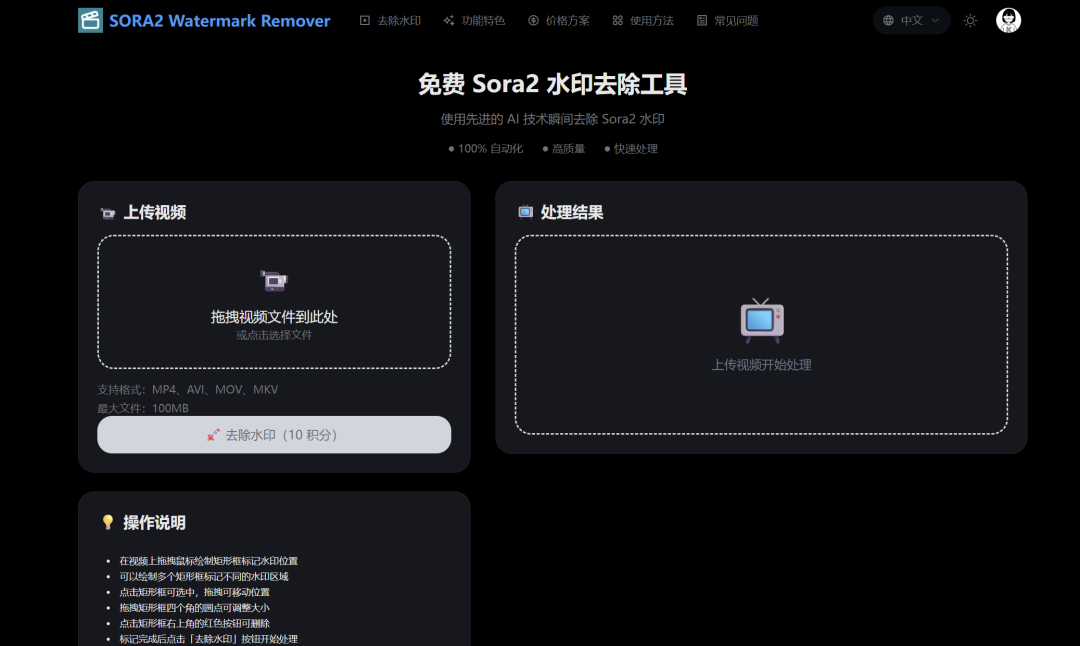
Experience address:https://sora2watermarkremover.net
After uploading a video, we manually mark the positions where the watermark appears in the scene (multiple positions can be marked), and click to remove the watermark.
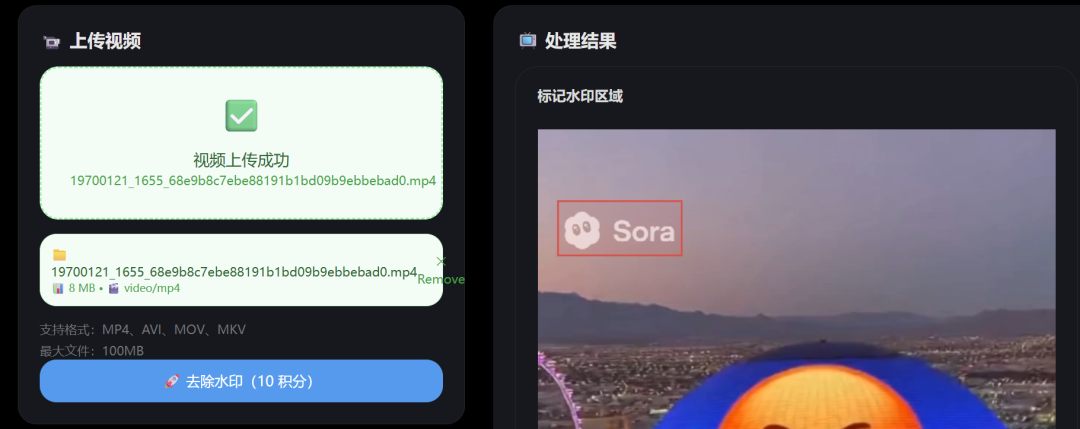
A 10-second video took ten minutes to process... Let's take a look at the processing effect:
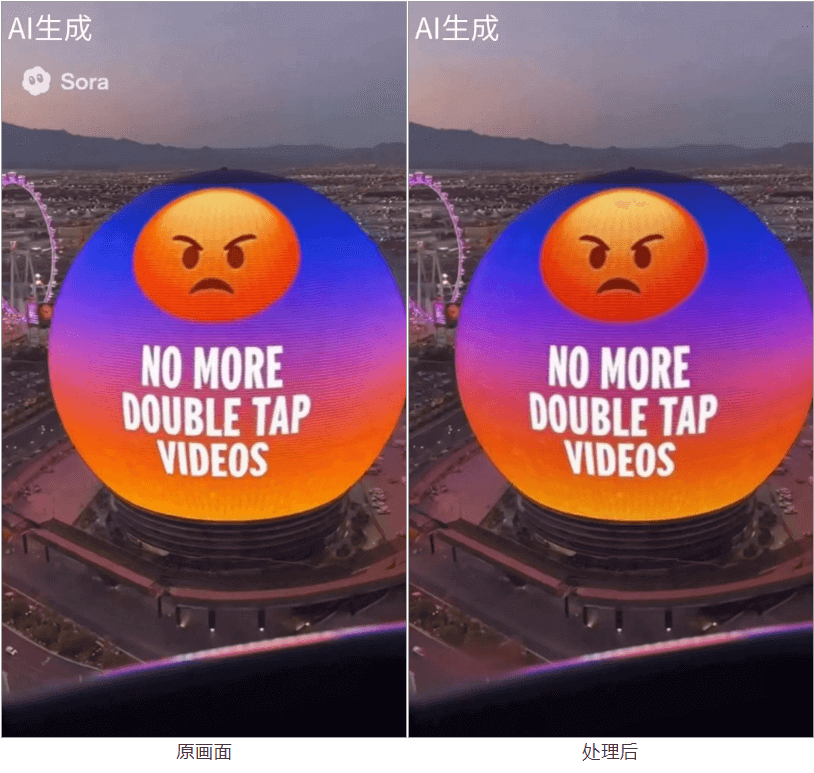
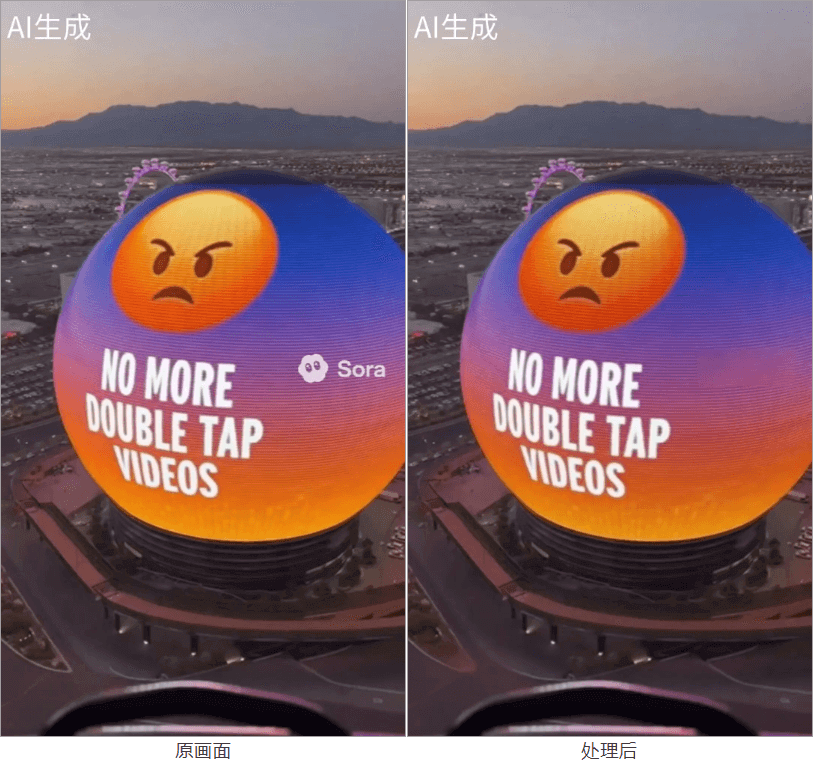
The processed video will have traces of local mosaics. New users have 50 credits, and each use consumes 10 credits. Batch processing is not currently supported.
NanoPhoto.AI

Experience address:https://nanophoto.ai
It supports removing Sora2 video watermarks via a link. Let's take a look at the processing effect together:
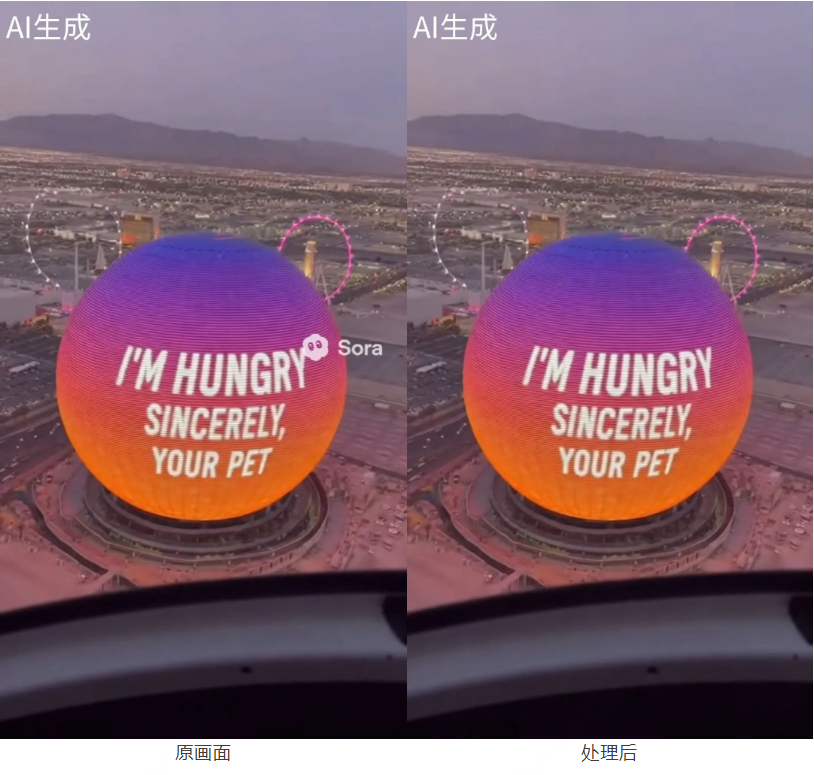
NanoPhoto.AI can process a 10-second video in about a few seconds. The removal is very clean, and it automatically completes the scene details, which is very good.
New users receive 10 credits, and each use consumes 1 credit. Local upload and batch processing are not supported.
02. Test Summary
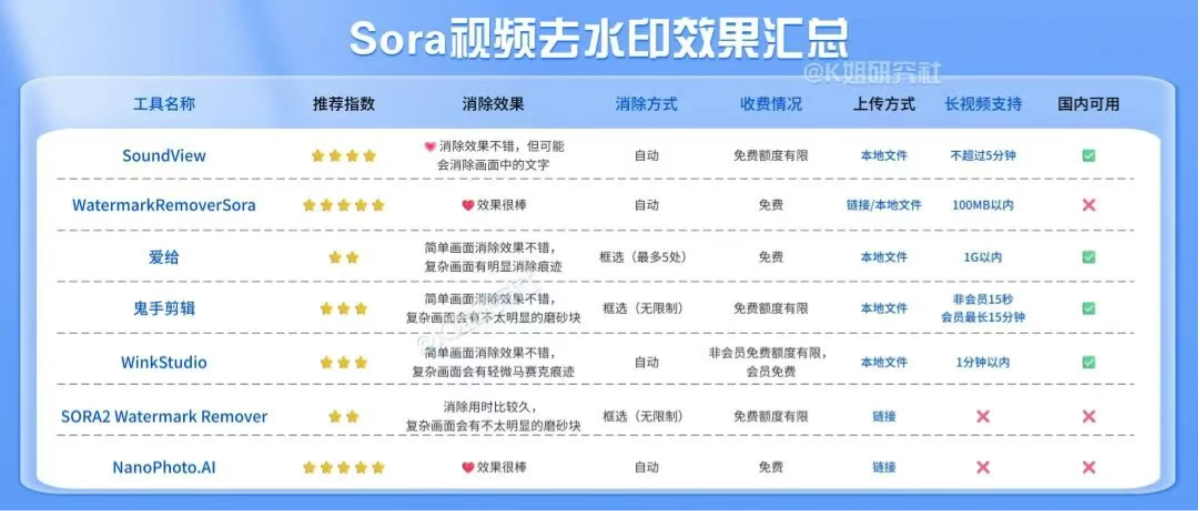
In terms of removal effect,SoundView , WatermarkRemoverSora and NanoPhoto.AI have the best results, with more natural scene filling and no obvious color blocks.
SoundView 、GhostCut、WinkStudio supports long videos, among which SoundView and WinkStudio support batch processing,For friends with high processing needs, you can prioritize。
Looking at cost-effectiveness again, WatermarkRemoverSora and Aige are completely free, and WinkStudio membership is free for a limited time. Other tools have free quotas, but they are all limited.
Summary in one image:
Friends, do you now know how to choose a watermark removal tool that suits you?
03. Some sharing
As AI generation becomes faster and higher in quality, small needs like watermark removal have also become a new necessity.
In the past, watermark removal methods were either directly cropping out the image or directly grabbing the video source file.
With watermarks like those in Sora2 distributed randomly, non-continuous, and non-fixed, traditional algorithms are almost powerless.
At the same time, a new generation of watermark removal tools is also evolving. They can not only recognize dynamic watermarks, but also use AI algorithms for intelligent filling, allowing obscured areas to recover details again with almost no visible traces.
Watermark removal is no longer just erasing information, but an intelligent restoration process.
From an industry perspective, this is precisely a signal that the AI ecosystem chain is extending.
Generation is only the starting point; post-production is the real industry. Watermark removal, image quality enhancement, frame interpolation... these stages are also being restructured by AI.
When the cost of content generation approaches zero, whoever can make AI finished videos faster, cleaner, and more usable stands at the entrance to a new round of content productivity.
Original link:I tested 7 Sora video watermark removal tools, and I found this one works best