

What is SoundView
SoundView (声动视界) is iFLYTEK's AI shortvideo intelligent creation platform, focusing on video overseas localization. The platform integrates intelligent erasure, multilingualtranslation, emotional dubbing,voice cloning、lip sync, videoface swapand other core capabilities, covering the entire translation and production workflow including subtitle extraction, translation, proofreading, dubbing, and rendering. The platform supports 100+ languages and scenario-based native voices, with accuracy as high as 95%. It is fully processed online without downloading, and is widely used in cross-border e-commerce, short drama overseas expansion, and the global distribution of educational content.
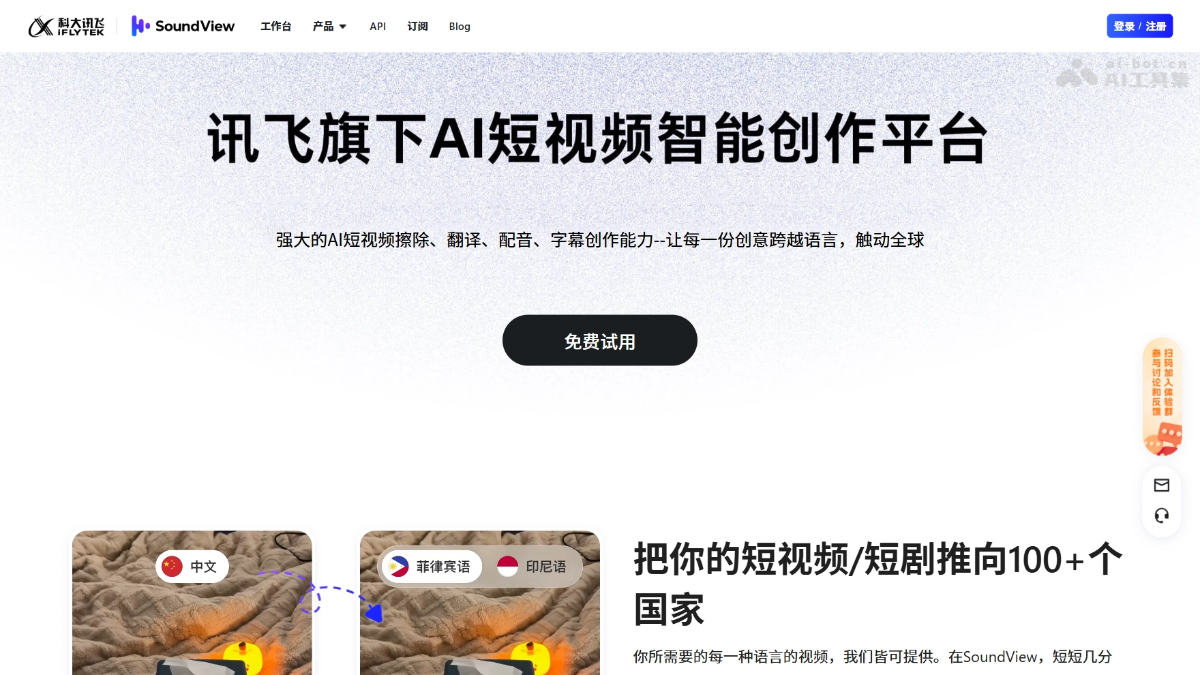
SoundView's main features
-
Video translation: Supports mutual translation in 100+ languages, with translation accuracy as high as 95%, suitable for placement needs on overseas platforms such as TikTok and YouTube.
-
Intelligent erasure: Automatically identifies and seamlessly erases subtitles, watermarks, and text overlays in videos, and supports manual box selection and moving watermark processing.
-
AI dubbing: Provides a rich library of scenario-based native voices, covering styles such as sales pitch tone, broadcast tone, and short drama narration, and supports emotional expression.
-
Voice cloning: Clones an exclusive voice with only a small number of samples, creating a unique voice IP for an individual or brand.
-
Lip sync: Achieves precise matching between translated speech and character lip movements, improving the naturalness of localized videos.
-
Video face swap: Supports face replacement for people, adapting to the character image needs of different markets.
-
Full subtitle workflow: Integrates subtitle extraction, timing, generation, translation, proofreading, and style editing, and supports Chinese comparison and automatic alignment of audio and subtitles.
-
Background audio processing: Supports background audio separation and re-scoring, replacing voices while preserving the original video atmosphere.
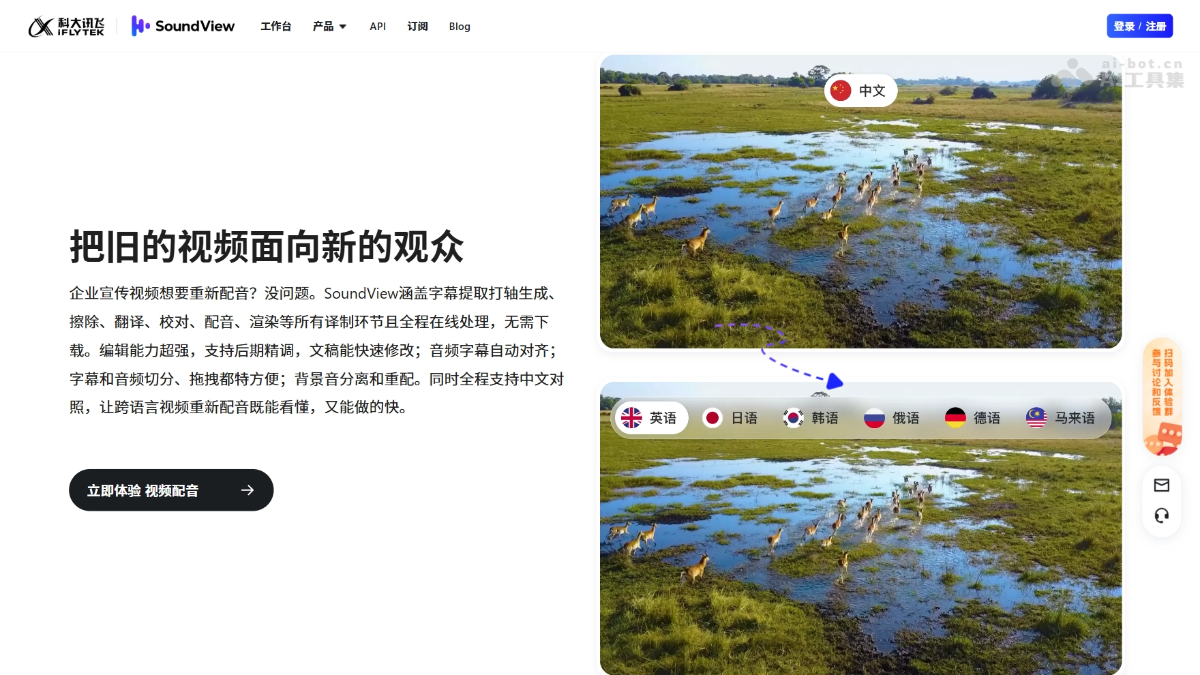
How to use SoundView
- Visit the website: Visitthe SoundView official website, and complete registration and login according to the prompts.
-
Upload video: Upload the short video or short drama to be processed to the platform; common video formats are supported.
-
Select features: According to your needs, select functional modules such as intelligent erasure, video translation, AI dubbing, or voice cloning.
-
Configure parameters: Select the target language and voice style (such as sales pitch tone or broadcast tone), and enable lip sync or face swap options.
-
Online editing: Fine-tune the subtitle script in the editor, adjust audio segmentation and alignment, and confirm the translated content.
-
Generate and render: After submitting the task, wait for ultra-fast cloud processing, then download the finished video and place it on overseas platforms.
SoundView's core advantages
-
iFLYTEK AI underlying capabilities: Relying on iFLYTEK's technical accumulation in speech recognition, speech synthesis, and NLP, the quality of translation and dubbing is guaranteed.
-
Fully online workflow: From erasure and translation to dubbing and rendering, all steps are completed in the cloud, with no need to install professional software locally.
-
Ultra-fast batch processing: Supports batch traceless erasure and multilingual generation for short videos/short dramas, greatly improving content going-global efficiency.
-
Localized voice ecosystem: Builds a voice library around scenarios such as marketing, promotion, and content creation, covering mainstream languages as well as niche languages such as Southeast Asian and Nordic languages.
-
Post-production fine-tuning friendly: Scripts can be modified quickly, and subtitles and audio support splitting and drag-and-drop adjustment, meeting refined production needs.
Comparison of SoundView with similar competitors
| Dimension | SoundView | MOKI | HeyGen |
|---|---|---|---|
| Provider | iFLYTEK | Meitu, Inc. | HeyGen Inc. |
| Core positioning | AI short video going-global localization and translation/dubbing | AI short film and marketing video creation | AI digital human video translation and creation |
| Product direction | Multilingual transformation of existing videos | Generate new videos from 0 to 1 | Digital human video generation + multilingual translation |
| Video translation | ✅ 100+ languages, 95% accuracy | ❌ Non-core function | ✅ Supports translation in 40+ languages |
| Smart erasure | ✅ Erases subtitles/watermarks/character flowers/moving watermarks | ❌ Not supported | ❌ Not supported |
| AI dubbing/voice cloning | ✅ Scenario-based localized voice library + voice cloning | ⚠️ AI music and sound effects, weak dubbing capability | ✅ Digital human voice cloning + multi-style voices |
| Lip sync | ✅ Supported | ❌ Non-core function | ✅ Supported |
| Video face swap | ✅ Supported | ❌ Not supported | ❌ Not supported (provides digital human avatars as alternatives) |
| Video generation mode | ❌ Does not generate new videos | ✅ Text-to-video/image-to-video/video-to-video | ✅ Digital human video generation |
| Script and storyboard | ❌ Not involved | ✅ AI script + intelligent storyboard + local redrawing | ⚠️ Generates from input script, no complex storyboard system |
| Digital human/virtual human | ❌ Not involved | ❌ Not involved | ✅ Core function, massive digital human avatar library |
| Marketing advertising templates | ❌ Not involved | ✅ Massive trending templates, one-click reuse of viral frameworks | ✅ Rich marketing/training video templates |
| Product image generation ads | ❌ Not supported | ✅ Upload product images to generate marketing videos in one click | ❌ Not supported |
| Number of integrated models | iFLYTEK self-developed speech/translation models | 3 (Meitu Qixiang, VIDU, Kling) | Self-developed digital human + translation engine |
| Output resolution | Adapted to short video platforms | Up to 4K | Up to 1080P/4K (depending on plan) |
| Typical scenarios | Cross-border e-commerce, short drama going global, education going global | E-commerce advertising, social media marketing, animated short films | Marketing videos, training videos, personalized sales videos |
| Usage threshold | Upload video → select language/voice → process online | Upload materials/select template → one-click generation | Select digital human → enter script → generate multilingual video |
SoundView application scenarios
-
Cross-border e-commerce: Batch translate Chinese sales videos into multilingual versions, and use passionate sales voices to increase overseas conversion rates.
-
Short drama going global: Complete subtitle erasure, multilingual dubbing, and lip sync for short dramas, and quickly release them to global streaming platforms.
-
Education going global: Translate Chinese course videos into English, Arabic, and more, adapting to the learning needs of students in different countries.
-
Corporate promotion: Re-dub brand promotional videos, using a steady broadcast voice to strengthen brand trust in international markets.
-
Content creators: Clone personal voices to enable one person to produce content in multiple languages and build a global IP matrix.
SoundView FAQs
Q: How many languages are supported for translation and synthesis??
- Supports dubbing in more than 30 languages, including Chinese, English, Japanese, Korean, Russian, German, French, Italian, Arabic, Spanish, Portuguese, Malay, Filipino, Vietnamese, Dutch, Indonesian, Thai, and more.
Q: Compared with others, what are the product advantages of SoundView?
- Leveraging iFLYTEK's industry-leading multilingual translation, speech synthesis, speech recognition, image processing, large model, and other technologies, SoundView provides high-quality speech recognition and multilingual translation, making translations more natural and accurate. Speech synthesis uses a passage to imitate a voice, and the synthesized voice is basically consistent with the original voice; it provides a massive voice library, so videos in different scenarios and products of different types can all find matching voices.
Q: How do I translate a Chinese video into an English video?
- Step 1: Select video translation and upload your video; Step 2: Select your source language as Chinese and the translation language as English, then choose a suitable voice; Step 3: Click translate and wait a few minutes, and your video will be translated. If no modifications are needed, download and use it directly. If fine editing is needed, we provide powerful video editing capabilities.
Q: What is the difference between AI dubbing and human dubbing?
- Human dubbing is more malleable and can also produce high-quality audio, but it is expensive, time-consuming, and labor-intensive; AI dubbing supports voice imitation and can be similar to a real person's voice, and AI dubbing is simple to operate, inexpensive, and highly effective.
Q: Is SoundView's AI video translation and dubbing free? Is there a free trial?
- Yes, SoundView provides a free trial quota, allowing you to experience the core video translation and AI dubbing features. We also support free use with watermark-free downloads.


