
With the rapid advancement of technology, AI applications are everywhere. AI face swap technology is especially eye-catching, as it allows users to replace a person's face in a video with another person's face through simple software tools. This article introduces 10 free AI face swap tools and software that support photos and videos, and even real-time live face swapping. AI face swap technology not only plays an important role in film production and game design, but also provides users with a brand-new form of entertainment.
DeepSwapper
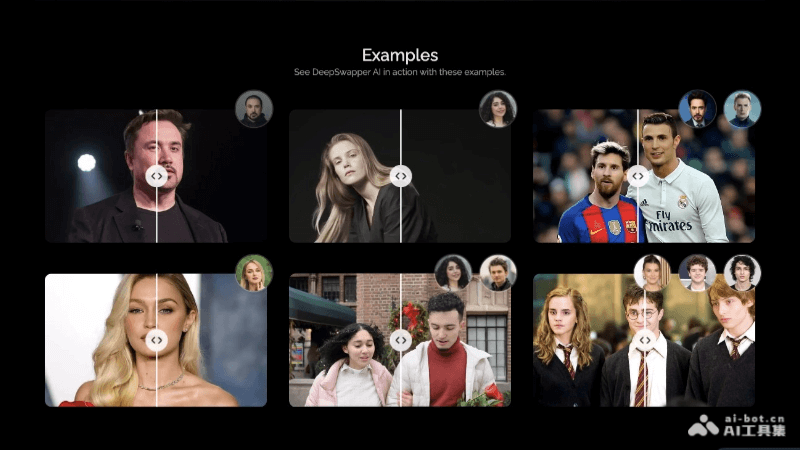
DeepSwapperIt is a free online AI face swap tool that allows users to upload images or videos and use AI technology to achieve fast and realistic face swapping effects. The tool supports multiple file formats, including JPEG, PNG, WEBP, GIF, MP4, etc. Single-person or multi-person face swapping can provide natural and high-quality results, with output free of watermarks.
🚀Tool Features
- AI Face Swap Technology: Based on advanced artificial intelligence algorithms, DeepSwapper can achieve high-quality face swapping effects that are natural and realistic.
- Multiple Format Support: Supports multiple image and video formats, including JPEG, PNG, WEBP, GIF, MP4, WEBM, MOV, etc., meeting the needs of different users.
- Watermark-Free Output: The face swap works generated by users are high-definition and watermark-free, ensuring the cleanliness and professionalism of the final result.
- Unlimited Free Use: Free users can enjoy unlimited image face swap experiences, with no limit on the number of uses.
- Fast Generation: Face swapping is fast, usually completed within 15-30 seconds, suitable for scenarios requiring rapid creation.
- Multi-Person Face Swap: It can process multiple faces simultaneously in the same video or image, suitable for group or multi-person scenes.
💰Product Pricing
- Basic Features Are Free: Provides free image face swap services. Users can use the basic features unlimited times, and the generated face swap works are high-definition and watermark-free.
- Video Face Swap and Advanced Feature Subscription: For users who need video face swapping or other advanced features, DeepSwapper offers different subscription plans:
- Basic Version: $10 per month, including 400 credits.
- Standard Version: $20 per month, including 2,000 credits.
- Premium Version: $50 per month, including 6,000 credits.
👨🏻💻Operation Process
- Visit the Website: Visit the official website of DeepSwapper.
- Upload Images or Videos: Upload the original image or video you want to face swap, and the face image you want to replace it with.
- Start Face Swapping: Click the "Swap Face" button to start the face swap process.
- AI Processing Completes the Face Swap: Wait for AI processing, then preview the face swap effect.
Facefusion
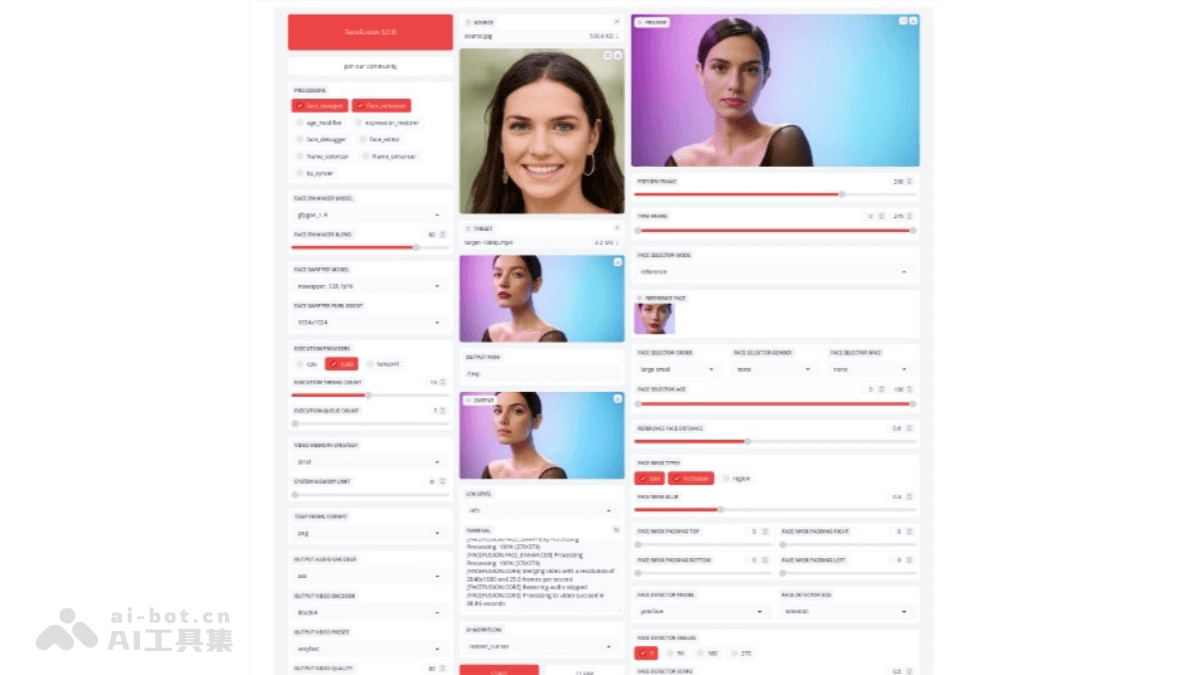
FaceFusionIt is an open-source AI face swap tool that supports image and video processing. It has multiple face swapping and enhancement models, can process high-definition content, and solves occlusion problems. FaceFusion is compatible with NVIDIA and AMD graphics cards and provides audio-to-video lip synchronization. Users can freely use and customize it, making it suitable for multiple application scenarios such as film special effects, virtual anchors, and entertainment videos.
🚀Tool Features
- Multi-Model Support: Provides a variety of face swapping and enhancement models, such as InSwapper and GFPGAN, to suit different application scenarios and needs.
- High-definition processing capability: FaceFusion supports high-resolution image and video processing, ensuring that the output has high-quality visual effects.
- Occlusion and region masking handling: It can handle facial occlusion issues and supports users in controlling the processed facial regions through fine region masks.
- Lip sync: FaceFusion can achieve precise synchronization of audio with the lip movements of people in videos.
- Age adjustment: Provides an age adjustment function that can make faces look younger or older.
- Multi-platform compatibility: FaceFusion supports a variety of hardware platforms, including NVIDIA, AMD GPUs, and CPUs, meeting the hardware configurations of different users.
💰Product Pricing
- Free and open-source AI tool
👨🏻💻Operation Process
- Environment preparation:Ensure that the computer has the hardware configuration required to run FaceFusion, such as a GPU with sufficient VRAM.Install the Python environment and necessary libraries, such as a conda environment.
- Install FaceFusion:Clone the FaceFusion code repository from GitHub to your local machine.Install all dependencies.
- Configure the environment:Configure the Execution Provider according to the GPU type (such as NVIDIA, AMD, or CPU-only).Set the maximum number of threads and the maximum queue number to optimize performance.
- Run FaceFusion:Execute the main program, run the Python script, and start the local FaceFusion server.
- Access the Web interface:Enter the provided local URL in a web browser to access the FaceFusion Web interface.
- Upload materials:In the Web interface, upload the source image or video for face swapping (containing the face to be replaced).Upload the target image or video (the content whose face is to be replaced).
- Select processors and models:Select the corresponding processors as needed (such as face_swapper, face_enhancer, etc.).Choose a suitable model for face swapping or enhancement.
- Adjust parameters:Adjust various parameters as needed, such as the face detector, age and gender filters, etc.
- Start processing:Click the "Start" button, and FaceFusion will process the materials and generate the face-swapped content.
- View and save results:After processing is complete, you can preview the results in the Web interface.You can save the results to the specified output path.
Deep-Live-Cam
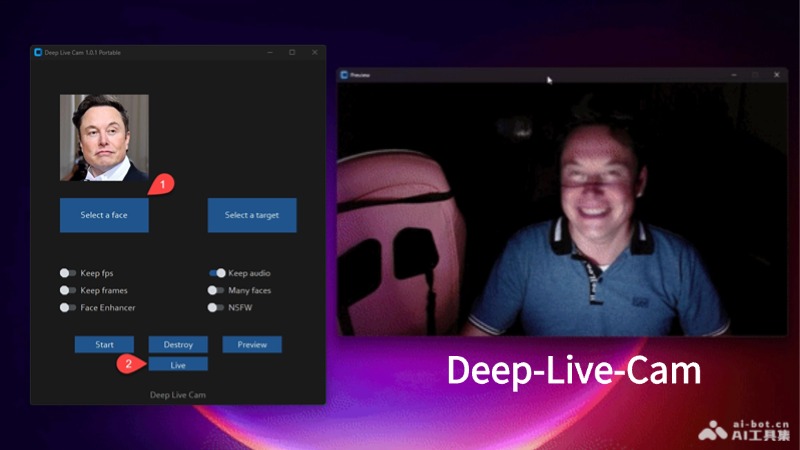
Deep-Live-CamIt is an open-source real-time face swapping tool that can replace faces in videos or images based on a single image. It supports one-click operation and requires no complex technical background. It is compatible with a variety of hardware platforms, including CPU, NVIDIA CUDA, Apple Silicon, and DirectML, ensuring smooth video processing. Deep-Live-Cam has a built-in anti-abuse mechanism to prevent the processing of inappropriate content and ensure the correct use of the technology. Users can freely use and customize this tool, and it has a wide range of applications in fields such as video production and animation creation.
🚀Tool Features
- Real-time performance: Deep-Live-Cam can achieve millisecond-level face swapping effects, meeting the needs of live streaming and real-time video conferencing.
- Multi-platform compatibility: Supports mainstream operating systems and hardware platforms, including CPU, NVIDIA CUDA, Apple Silicon, Core ML, etc.
- Anti-abuse mechanism: Built-in content moderation mechanism to prevent the technology from being used in inappropriate scenarios.
- Technical principles: Involves multiple steps such as facial recognition, feature extraction, and facial blending, based on deep learning models such as GFPGANv1.4 and inswapper_128_fp16.onnx, precisely identifying facial features in the source image and target video, performing pixel-level blending, and generating realistic face-swapping effects.
- Efficient processing: Quickly implements face replacement and video deepfakes.
- Security protection: Built-in inspection mechanisms ensure legality and compliance during use.
💰Product pricing
- Deep-Live-Cam is completely open source, and users can freely use and customize it.
👨🏻💻Operation process
- Environment preparation: Ensure that Python and the necessary dependency libraries are installed on the computer.
- Obtain the code: Clone the Deep-Live-Cam code repository locally via Git.
- Download models: Download the required AI model files and place them in the specified directory.
- Install dependencies: Use pip to install all dependencies required by the project.
- Launch the program: Run the Python script to launch Deep-Live-Cam.
- Select materials: Select an image containing the target face and a video or real-time camera stream.
- Start face swapping: Click the start button, and Deep-Live-Cam will automatically process the video stream to implement face replacement.
- View the results: After face swapping is complete, you can view or save the generated video.
Faceswpper.ai
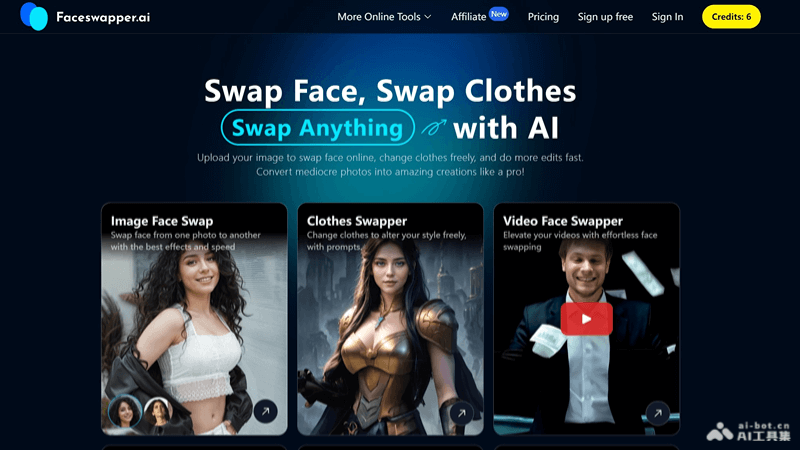
Faceswapper.ai is an AI-based online face-swapping tool that uses deep learning algorithms to achieve face swapping in photos and videos. Users can easily replace faces in different images or videos to create interesting or professional new content. The platform has a user-friendly interface and a commitment to privacy, and all uploaded images are automatically deleted within 24 hours. Main features include face swapping, outfit swapping, video face swapping, multi-person face swapping, and magic avatar generation, etc.
🚀Tool features
- One-click face swap: Can replace faces in different images or videos to create interesting or professional new content.
- AI outfit swap: By describing the desired clothing, instantly change outfits in photos, supporting users in trying on virtual clothes.
- Magic avatar: Generate unique, realistic AI avatars and profile pictures from a single photo, with multiple styles, clothing, and backgrounds.
- Face cutout: Automatically detects and cuts out the face from a portrait or selfie, creating personalized oversized-head silhouettes.
- AI photo editing: Use text prompts to edit photos, remove distractions, or add new elements, enhancing creative control.
- Video face swap: Supports swapping faces in videos, providing more possibilities for video content creation.
- Multi-person face swap: In group photos, AI can detect all faces, allowing users to choose which faces to replace.
💰Product pricing
- Free plan:Provides 10 credits per day;Includes image face swap feature only;No subscription fee.
- Starter Plan:$29 per year;Provides 499 credits per month;Includes image face swap and AI outfit change features;Credits are renewed monthly.
- Premium Plan:$49 per year;Provides 999 credits per month;Includes image face swap, video face swap, and AI outfit change features;Provides email support;Ad-free experience;Credits are renewed monthly.
- Premium Plan:$69 per year;Provides unlimited image face swap service;Provides an additional 2999 credits per month for video face swap and AI outfit change;Provides email support;Ad-free experience. Credits are renewed monthly.
👨🏻💻How It Works
- Visit the Website:Visit the official FaceSwapper.ai website.
- Upload an Image or Video:Choose the option to upload an image or video according to your needs.Drag and drop the image or video containing the face you want to swap into the designated area.
- Select the Replacement Face:Choose a face from the provided preset face list for the swap, or upload your own photo as the replacement face.
- Perform the Face Swap:Click the button to start the face swap, and the AI will process it.For video face swaps, you need to wait for a period of time.
Reface
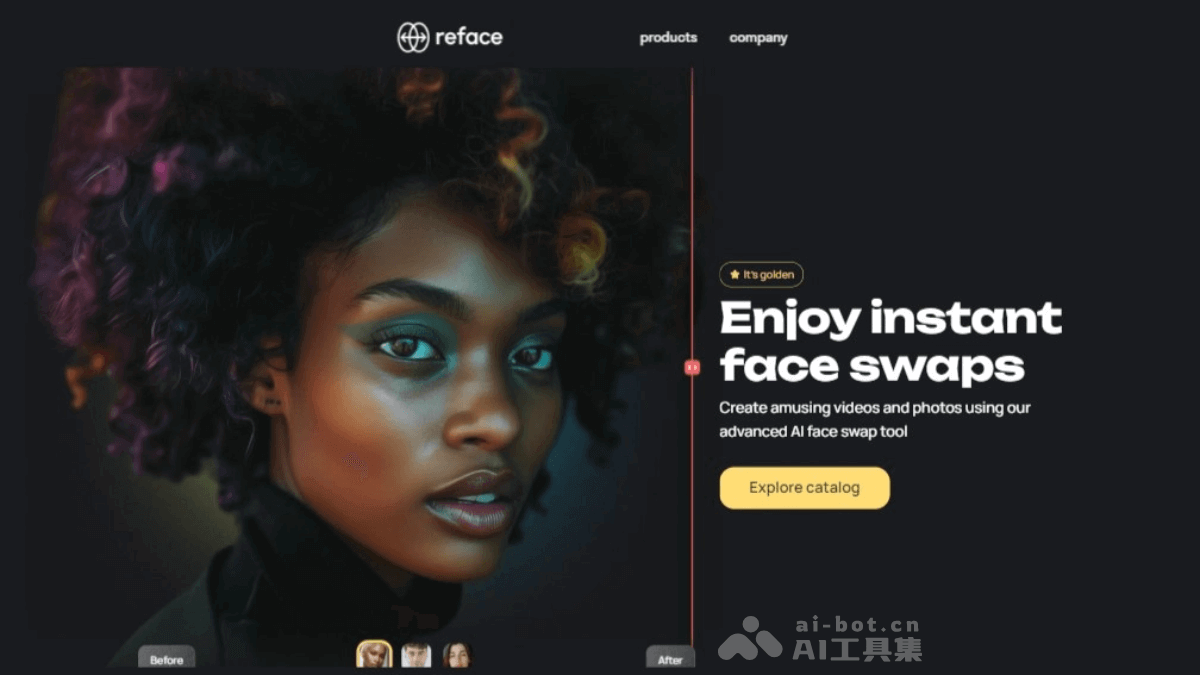
Refaceis an AI-powered face swap application that allows users to replace the faces of people in videos, GIFs, and images by uploading selfies. The technology is based on deep learning and facial recognition algorithms, and can create realistic face swap effects. Users can easily see their own face in various scenarios through Reface, such as in classic movie scenes or in funny videos to share with friends. Reface offers features such as animation creation and image and video style transfer, making users' creations more diverse.
🚀Tool Features
- Face Swap: Users can replace their own face with a character in a video, GIF, or image, creating realistic face swap effects.
- Animation Creation: Bring static images to life and add dynamic elements to images, such as singing or talking expressions.
- Style Transfer: Provides a variety of artistic styles, allowing users to transform images into different styles, such as cartoon, cyberpunk, and more.
- Content Creation Tools: In addition to face swap, Reface also provides other tools, such as turning photos into animations or comics, further enriching the content creation experience.
💰Product Pricing
- Free: Provides basic features.
- Subscription: More advanced features such as the AI avatar feature require purchasing style packs. Each style pack costs $5.99 and can generate 48 finished original artworks.
👨🏻💻How It Works
- Open the App: After installation is complete, open the Reface app.
- Take or Upload a Photo: You can take a new photo or select an existing photo from your album to use as the source image for the face swap.
- Choose a Template: Reface offers a variety of face swap templates, including movies, TV shows, music videos, and more. Choose the video or image template you want to face swap with.
- Perform Face Swap: After selecting a template, you will be asked to upload or take a photo, and it will use AI technology to replace the face onto the character's face in the selected template.
- Adjust and Edit: After the face swap is completed, you can preview the result and make some adjustments and edits to ensure the face swap effect is as natural as possible.
Magicam
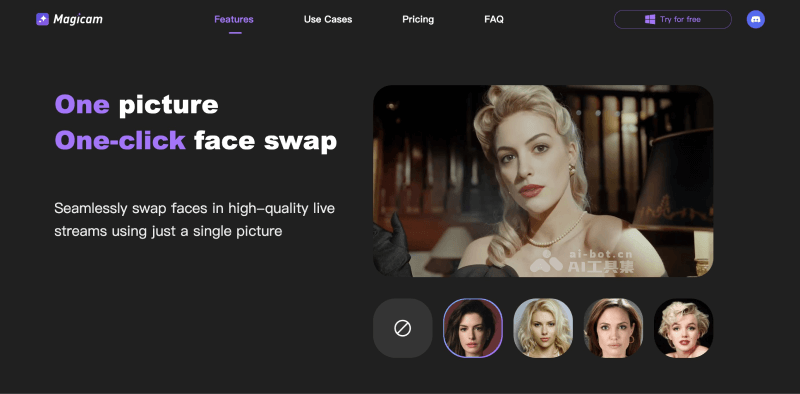
Magicamis a real-time AI face swap tool that allows users to seamlessly replace faces during live streaming using a single photo. The tool is suitable for content creators, helping them enhance their live streaming content through innovative and dynamic visual effects. Magicam uses machine learning technology to achieve real-time operation, ensuring smooth and high-quality output while expanding creative possibilities. It is compatible with popular platforms such as Zoom or Twitch, making it easy to integrate into existing live streaming environments. Users can enjoy basic face swap features, including real-time face swap, video face swap, enhanced face swap quality, unlimited face uploads, and unlimited face swap duration. The Pro version offers additional advanced features, such as advanced mode and no watermark.
🚀Tool Features
- Real-Time Face Swap: Use a single photo to achieve real-time face replacement during live streaming.
- Video Face Swap: Supports face swapping in recorded video content.
- Enhanced Face Swap Quality: Provides high-quality face swap effects, ensuring the visual effect of live streams or video content.
- Unlimited Face Uploads: Users can upload an unlimited number of face images for swapping.
- Unlimited Face Swap Duration: No limit on the usage time of face swapping, suitable for long live streams.
💰Product Pricing
- Free Version: Real-time face swap; video face swap; enhanced face swap quality; unlimited face uploads; unlimited face swap duration; can be embedded and used in Zoom or Twitch.
- Pro Version: Monthly subscription fee is $8.99; includes all features of the free version; provides advanced mode; output content has no watermark.
👨🏻💻Operation Process
- Register and Log In: Open the software, register a Magicam account, and log in using the registered account.
- Upload Photo: After logging in, click the "Upload Photo" button and select the photo you want to use for face swapping.
- Adjust Details: Adjust the details of the face swap as needed, such as eye size, nose shape, mouth position, etc., to ensure the face swap effect looks natural.
- Start Live Streaming or Recording Video: After adjustments are complete, click the "Start Live Streaming" or "Record Video" button, and Magicam will automatically replace your face with the face in the photo.
- Real-Time Face Swap: During live streaming or video recording, Magicam will process the face swap in real time, and you can see your own face replaced with the face from the uploaded photo.
Roop
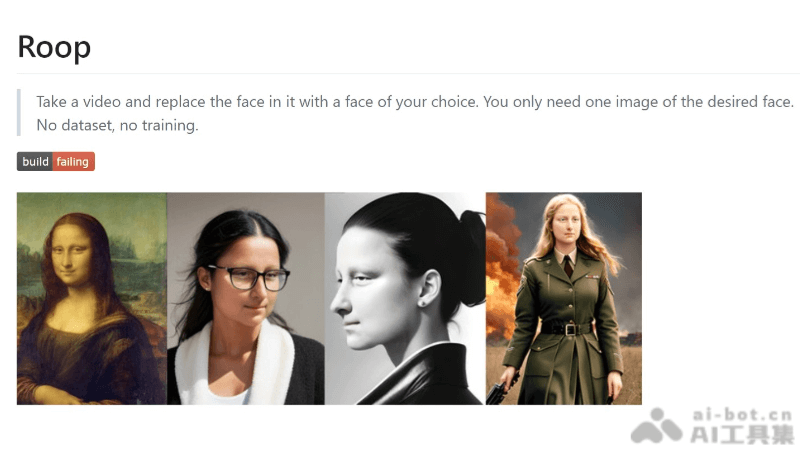
RoopIt is an open-source AI video face-swapping tool that allows users to replace faces in a video with a single image. It is simple to use and requires no complex dataset or training process. It supports one-click face swapping, command-line operation, multi-parameter configuration, performance acceleration, and face alignment, making it suitable for users with some technical background. Roop's technical principles include face detection, facial feature extraction, generative adversarial networks (GANs), and face blending to achieve seamless face-swapping effects. Roop supports CPU and GPU acceleration, improving video processing speed.
🚀Tool Features
- One-click face swapping: Users can automatically replace faces in a video by uploading an image of the target face.
- No training required: Face-swapping can be performed without pre-training a deep learning model or preparing a large dataset.
- Command-line operation: Provides a command-line interface where users can customize the face-swapping process through parameters.
- Multi-parameter configuration: Supports various parameter settings, such as output path, frame processing, video encoder, etc.
- Performance acceleration: Supports CPU and GPU acceleration, improving video processing speed.
- Face alignment: Automatically detects and aligns faces in the video to ensure a natural face-swapping effect.
💰Product Price
- Free and open-source AI tool
👨🏻💻Workflow
- Prepare materials: Prepare a clear image of the target face and a video that needs face swapping.
- Install Roop: Ensure that Python and the necessary dependency libraries are installed on the computer, then download Roop's code repository.
- Configure the environment: According to Roop's documentation, install the required software and libraries, such as ffmpeg, etc.
- Run Roop: Use the command-line tool and enter the corresponding command to start the face-swapping process.
- Select parameters: As needed, choose whether to use face enhancement, set the number of threads, and other parameters to optimize the face-swapping effect and processing speed.
- Start processing: After executing the command, Roop will automatically process the video and perform face swapping.
FaceSwap
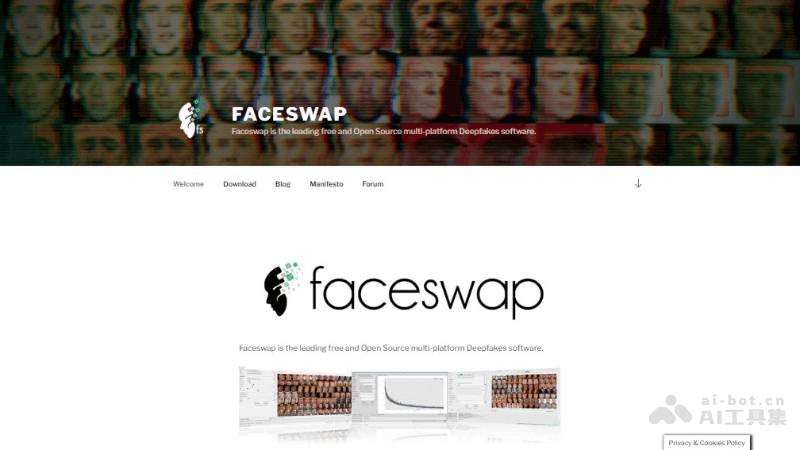
FaceSwapIt is an open-source AI face-swapping tool based on deep learning that can achieve high-quality face replacement in images and videos. The tool supports multiple platforms, including Windows, macOS, and Linux, and can run on CPU or GPU. FaceSwap uses deep learning frameworks such as Tensorflow and Keras, with Python as its main development language. It has powerful face recognition and replacement capabilities, as well as good scalability and community support. Its application scenarios include movie special effects, education and training, entertainment creation, artistic creation, privacy protection, and virtual makeup try-on, etc.
🚀Tool Features
- Multi-platform support: FaceSwap can run on mainstream operating systems such as Windows, macOS, and Linux.
- Deep learning-driven: Based on deep learning frameworks such as Tensorflow and Keras, with Python as its main development language, it has powerful face recognition and replacement capabilities.
- User-friendly: Provides an intuitive graphical user interface (GUI), making it easy for users to operate, and it can be used without programming experience.
- Model training: Users can train dedicated face-swapping models based on extracted face data to improve the accuracy and naturalness of face swapping.
- Face Detection and Extraction: The software can detect and extract faces from videos or images.
💰Product Pricing
- Free and open-source AI tool
👨🏻💻Workflow
- Prepare Data: Collect images or videos containing the source face (the face you want to replace) and the target face (the face you want to replace it with).
- Install Software: Download and install FaceSwap, ensuring the system meets all hardware and software requirements, such as the Python environment, deep learning frameworks, etc.
- Extract Faces: Use FaceSwap's extraction function to automatically identify and extract faces from the prepared data.
- Train Model: Train the face-swapping model based on the extracted face data. The process takes time.
- Perform Conversion: Use the trained model to replace faces in the target image or video.
Rope
Ropeis an open-source AI face-swapping tool based on insightface's inswapper_128 model. It provides a graphical user interface and supports fast face-swapping operations. It features facial occlusion handling, super-resolution algorithms, and parameter adjustment functions to improve the realism of the face-swapping effect. Rope provides a variety of masking functions to precisely control the face-swapping area.
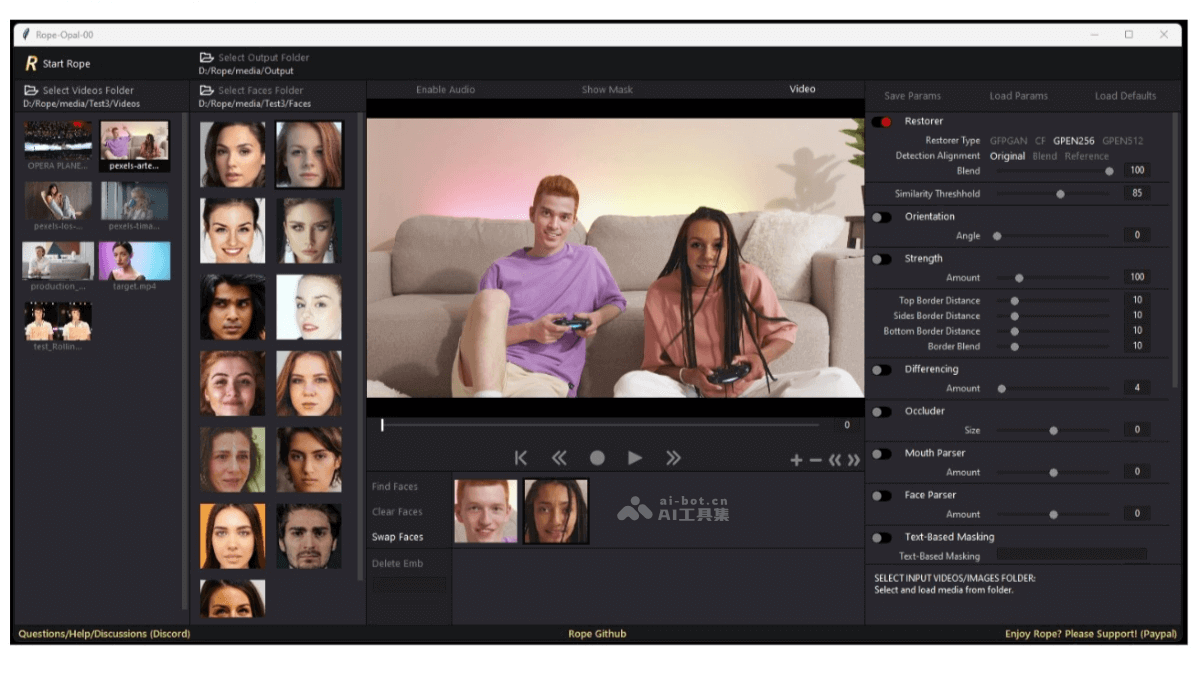
🚀Tool Features
- Fast Face Swapping: Supports uploading images or videos and can complete the face-swapping operation within seconds.
- Super-Resolution Algorithms: Integrates multiple super-resolution algorithms to improve the clarity of the image or video after face swapping.
- Parameter Adjustment: Supports users in adjusting facial similarity, orientation, color, etc., to optimize the face-swapping effect.
- Facial Occlusion Handling: Increases the realism after face swapping through facial occlusion technology.
- Masking Functions: Provides edge masks, difference masks, automatic occlusion, face parsing, and text occlusion, etc., to precisely control the face-swapping area.
- Face Detection and Feature Extraction: Accurately detects and extracts key facial feature points before face swapping.
- Facial Feature Alignment: Ensures consistency in the spatial positions of the source facial features and the target facial features.
💰Product Pricing
- Free open-source AI software
👨🏻💻Workflow
- Download and Install: First, you need to download the Rope software from GitHub or another provided platform, and complete the installation according to the guide.
- Import Media: After starting Rope, you need to import the image or video file you want to face-swap.
- Select Model: According to the desired face-swapping effect, you can select a preset deep learning model.
- Adjust Parameters: You can adjust parameters such as facial similarity, orientation, color, etc., as needed to optimize the face-swapping effect.
- Create Mask: Using the masking tools provided by Rope, you can precisely select the area to face-swap.
- Facial Feature Alignment: The software will automatically perform facial feature detection and alignment to ensure the naturalness of the face swap.
- Perform Face Swap: After confirming the preview effect, the user can perform the face-swapping operation, and the software will process and generate a new facial image.