

What is DeepSwapper
DeepSwapper is a free onlineAI face swap tool, users can easily upload images or videos to achieve fast and realistic face swap effects. DeepSwapper supports multiple formats such as JPEG, PNG, WEBP, GIF, MP4, etc. Whether it is single-person or multi-person face swapping, it can provide natural and high-quality results with watermark-free output. DeepSwapper also provides commercial API services, suitable for a wider range of application scenarios, such as social media, film production, virtual reality, etc.
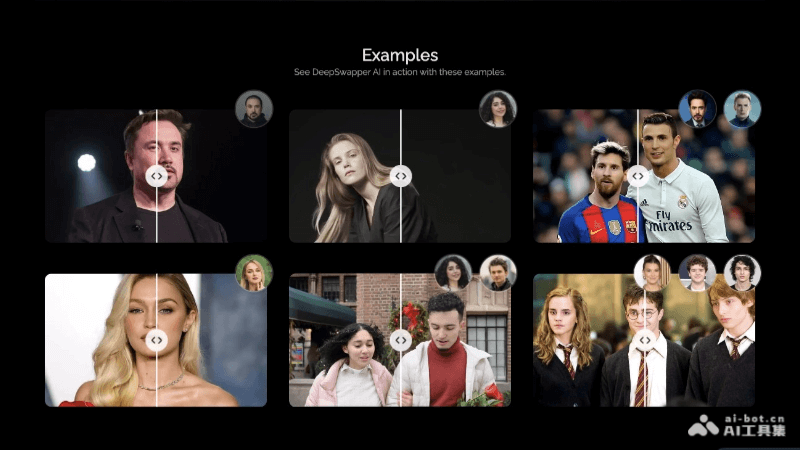
Main features of DeepSwapper
- AI face swap technology: Using advanced AI algorithms, DeepSwapper can achieve high-quality face swap effects.
- Multiple format support: Supports multiple image and video formats such as JPEG, PNG, WEBP, GIF, MP4, WEBM, MOV, etc.
- Watermark-free output: The face swap works generated by users are high-definition and watermark-free, ensuring the cleanliness of the final result.
- Unlimited free use: Free users can enjoy unlimited image face swap experiences without worrying about usage limits.
- Fast generation: Face swapping is fast, usually completed within 15-30 seconds, suitable for rapid creation.
- Multi-person face swap: Can process multiple faces simultaneously in the same video or image, suitable for group or multi-person scenarios.
How to use DeepSwapper
- Visit the website: Visit DeepSwapper's official website deepswapper.com 。
- Select an image or video: Select "Select base image" to upload the original image or video you want to face swap. Then select "Select face image" to upload the face image you want to replace with.
- Start face swapping: After uploading is complete, click the "Swap Face" button to start the face swap process.
- Wait for processing: DeepSwapper's AI will automatically process your image or video and perform face swapping. Processing time is usually very fast, about 15-30 seconds.
- View the result: After face swapping is complete, you can preview the face swap effect on the website. If you are satisfied, you can proceed to the next step.
- Download the work: Click the download button to save your face swap work. If you are a free user, you can only download the standard-definition version; the high-definition version requires payment.
- Choose advanced features: For video face swapping or other advanced features, you need to purchase DeepSwapper's subscription service.
Who DeepSwapper is for
- Social media users: Users who want to share interesting or creative content on social platforms.
- Video editors: Professionals or enthusiasts who need to perform face replacement in video production.
- Creative designers: Professionals engaged in advertising, graphic design, or other visual creative fields.
- Entertainment industry practitioners: Film and television production personnel who use face swap technology for character replacement or special effects production.


