
What is QwenPaw
QwenPaw (formerly CoPaw) is a personal AI agentworkbench open-sourced by Alibaba's AgentScope team, using a local-first architecture where data belongs entirely to the user. QwenPaw features the ReMe self-evolving memory system, supports full-channel integration with DingTalk, Feishu, WeChat, and more, and a single instance can host multiple agents with independent memories. QwenPaw includes a five-layer security sandbox, supports the QwenPaw-Flash local model and 14+ cloud providers, and extends capabilities through Skills and MCP to enable automated workflows such as code development, scheduled tasks, and document processing.
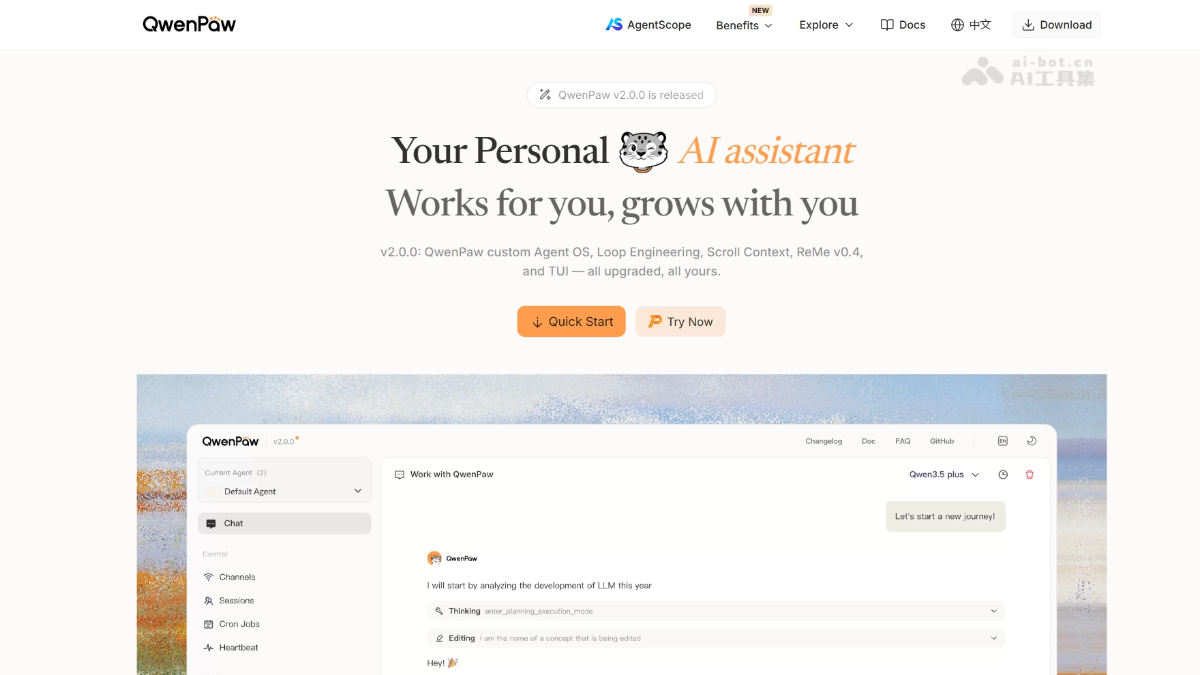
QwenPaw's main features
-
Multi-model support: Compatible with the self-developed QwenPaw-Flash local small model and 14+ cloud large models, and can run fully offline.
-
ReMe memory: A three-layer self-evolving memory system that automatically extracts notes, periodically summarizes, and supports manual editing of Markdown files.
-
Full-channel integration: A single instance connects to 7 major platforms including DingTalk, Feishu, WeChat, and Discord simultaneously, with globally unified memory.
-
Skill extension: Built-in skills such as scheduled tasks, document processing, and browser operation, with support for connecting external tools via the MCP protocol.
-
Multi-agent collaboration: A single instance hosts multiple independent Agents, orchestrating complex tasks across systems via the ACP protocol.
-
Security sandbox: A five-layer defense system that automatically intercepts dangerous commands before execution, with allow/deny/ask three-level approval.
-
Flexible deployment: Supports local
pipinstallation, a free cloud sandbox experience, and one-click deployment on Alibaba Cloud Compute Nest.
How to use QwenPaw
-
Visit the official website: Visit the QwenPaw official website https://qwenpaw.agentscope.io/ to browse the project introduction.
-
Download the source code: Click Download or go to GitHub to clone the repository locally.
-
Install the program: Run
pip install qwenpawor install the main program from source. -
Initialize the workspace: Run
qwenpaw init --defaultsto generate the default configuration and directory structure. -
Configure the model: In
~/.qwenpaw/, set the local model path or fill in the cloud API Key. -
Start the service: Run
qwenpaw appto start the Web console, or runqwenpawto enter the TUI terminal. -
Connect channels: Add bot credentials for platforms such as DingTalk, Feishu, and WeChat in the configuration to achieve multi-end unification.
-
Create an agent: Create a new Agent through the interface or configuration file, and assign it an independent memory space and skill permissions.
-
Invoke skills: Trigger built-in skills with natural language instructions, or install MCP plugins to extend external tool capabilities.
-
Manage memory: In the
memory/directory, directly view and edit Markdown memory files, and the system automatically completes indexing and evolution.
QwenPaw's core advantages
-
Data sovereignty: Local-first architecture, all conversations, memories, and files are stored locally by default, supports fully offline operation, and data belongs entirely to the user.
-
Self-evolving memory: The ReMe three-layer memory system (real-time context + complete history + Markdown knowledge base) automatically extracts notes and periodically summarizes, and memory files can be manually edited at any time.
-
Enterprise-grade security: A five-layer defense system includes kernel sandbox → command review → file protection → skill scanning → access policy, automatically intercepting dangerous operations before execution.
-
Unified across all channels: One instance connects simultaneously to 7 major platforms including DingTalk, Feishu, WeChat, Discord, and Telegram, and all channels share the same set of memories and skills.
-
Multi-agent collaboration: A single instance can host multiple Agents with independent memories and orchestrate complex tasks across systems through the ACP protocol.
-
Flexible models: Built-in QwenPaw-Flash (2B/4B/9B) supports fully offline operation, and is also compatible with Ollama, LM Studio, and 14+ cloud providers.
QwenPaw project address
- Project official website:https://qwenpaw.agentscope.io/
- GitHub repository:https://github.com/agentscope-ai/QwenPaw
QwenPaw usage examples
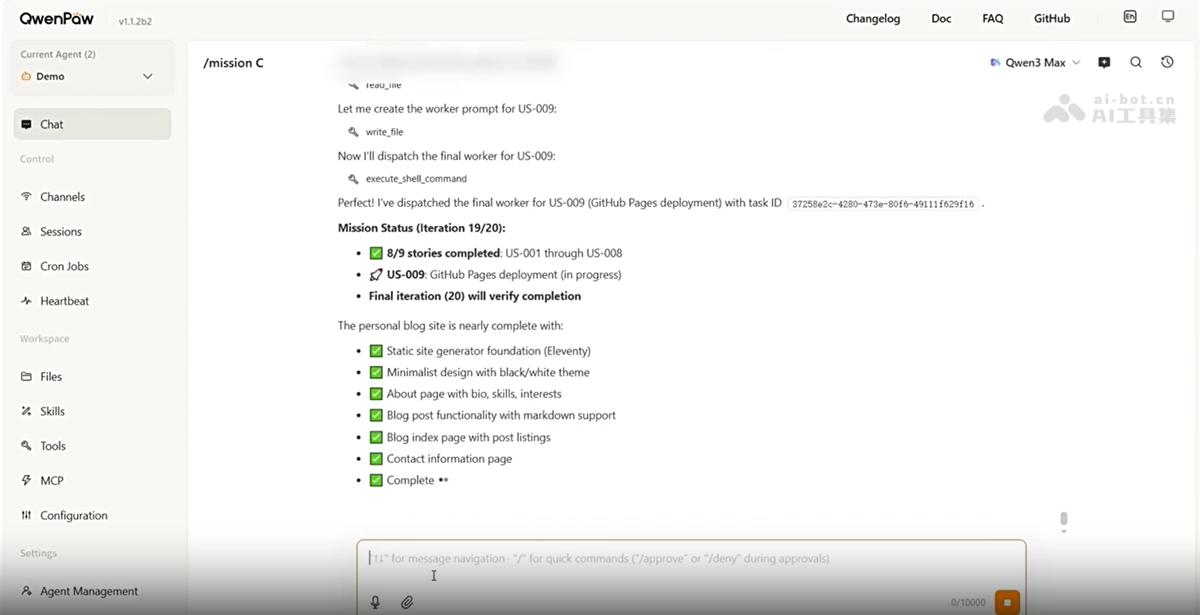
Mission mode: autonomously execute complex tasks
Prompt: /mission Create a personal blog site about me with a minimalist style. (/mission Create a minimalist-style personal blog website.)
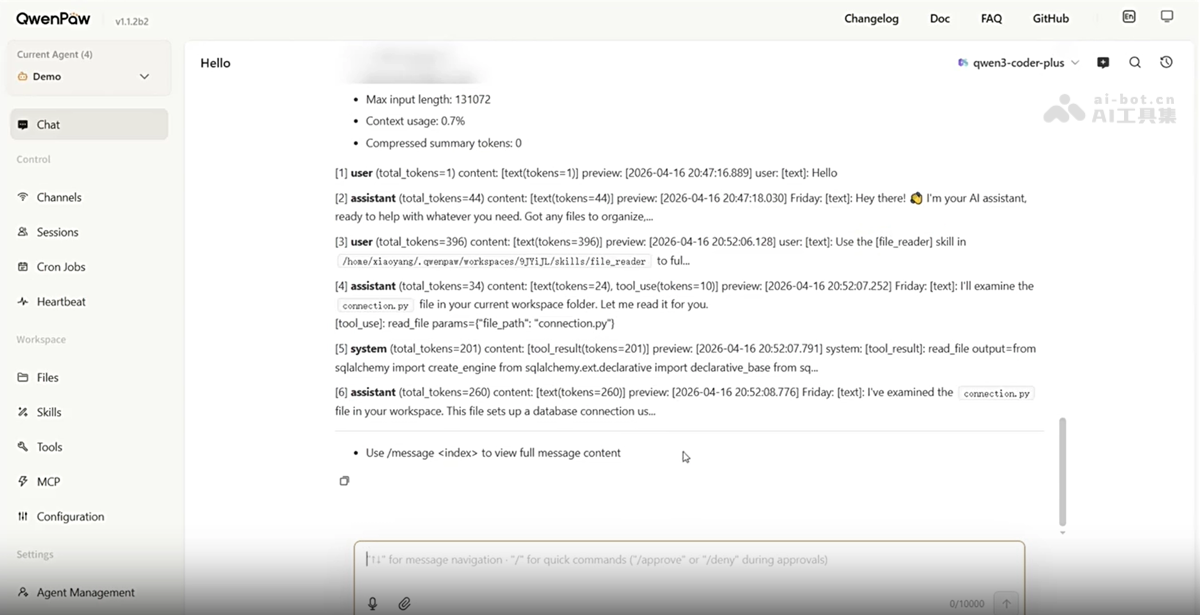
/skills: on-demand agent skill invocation
Comparison of QwenPaw with similar competitors
| Comparison dimension | QwenPaw | WorkBuddy | OpenClaw |
|---|---|---|---|
| Developer | Alibaba AgentScope team | Tencent CodeBuddy team | Community open-source project |
| Open-source license | ✅ Apache 2.0 | ❌ Closed-source commercial | ✅ Open source |
| Core positioning | Personal AI agent workstation | All-scenario workplace AI office workbench | Plugin-based general-purpose AI Agent |
| Target users | Individual users, small teams, geeks | Workplace users in all roles (non-technical first) | Developers, technical users |
| Deployment method | Local / cloud / desktop | Desktop (Mac/Win/HarmonyOS) + App + mini program | Local / VPS / hosted |
| Data sovereignty | Fully local-first, data belongs to the user | Local execution + Tencent Cloud sync | Local-first |
| Model support | Deeply bound to Qwen + 14+ providers | Hunyuan / DeepSeek / GLM / Kimi / MiniMax, etc. | Model-agnostic, flexible switching |
| Memory system | ReMe three-layer self-evolving (real-time + history + knowledge base) | Conversation memory + task context | Long-term + short-term + dream three levels |
| Multi-agent | Native support for the ACP protocol | Multi-Agent parallel collaboration | Sub-agent orchestration |
| Channel access | DingTalk/Feishu/WeChat/Discord/Telegram/QQ/iMessage | WeCom/QQ/Feishu/DingTalk/WeChat | Multi-message platform |
QwenPaw application scenarios
-
Personal productivity automation: Cron periodically fetches news RSS, combines it with ReMe interests to generate a daily briefing, and automatically pushes it to DingTalk/Feishu/WeChat.
-
Team collaboration hub: A single instance connects to WeCom, DingTalk, and Discord at the same time, uniformly replying to customer inquiries, with cross-platform memory synchronization that does not lose context.
-
Development assistance: In Coding Mode, read PRs, compare code, and generate review comments, with support for real-time Diff preview in the three-panel Web IDE.
-
Content creation and operations: After writing an article, automatically adapt the format and distribute it to multiple platforms such as WeChat Official Accounts, Discord, and Telegram with one click.
-
Security-sensitive scenarios: Run the QwenPaw-Flash local model fully offline to process sensitive documents and personal data, keeping data local to meet compliance requirements.
QwenPaw frequently asked questions
Q1: What is the difference between QwenPaw and ordinary chatbots (such as ChatGPT)?
A1:ChatGPT is a cloud-based conversation tool, while QwenPaw is a personal agent workstation that resides locally and has self-evolving memory, a five-layer security sandbox, all-channel access, and multi-agent collaboration capabilities.
Q2: Will my data be uploaded to the cloud?
A2:No. QwenPaw uses a local-first architecture. All conversations, memories, and files are stored on the local device by default, supports fully offline operation, and the data belongs entirely to you.
Q3: Can I use it without a programming background? Is installation complicated?
A3:Yes. Just run pip install qwenpaw and qwenpaw init –defaults to start it. It provides a Web console and desktop application, and can be configured with zero code.
Q4: Which platforms does QwenPaw support? Can it connect to WeChat/DingTalk?
A4:Yes. A single instance can connect to 7 major platforms at the same time, including DingTalk, Feishu, WeChat, QQ, Discord, Telegram, and iMessage, and all channels share the same memory.
Q5: Can I use it without internet or without wanting to spend money on an API?
A5: Yes. It has built-in QwenPaw-Flash (2B/4B/9B) local models and can run fully offline without an API Key, and it can run smoothly on an ordinary laptop.


