

What is WorkBuddy
WorkBuddy is an AI-native desktop agent workbench launched by Tencent, and is Tencent's version of "Crayfish" (OpenClaw). WorkBuddy is fully compatible with OpenClaw skills, eliminates complicated deployment steps, and is ready to use after download and installation. Users only need to describe their needs in natural language, and WorkBuddy can autonomously plan, break down, and execute multi-step tasks like a colleague, directly delivering verifiable results. WorkBuddy supports remote control via WeCom, QQ, Feishu, and DingTalk, comes with 20+ skill packs and the MCP protocol, and supports multiple Agents working in parallel. Unlike traditional AI, which can only provide conversational suggestions, WorkBuddy emphasizes "execution is delivery," making "completing complex office tasks in one sentence" a reality and reshaping workplace efficiency standards.
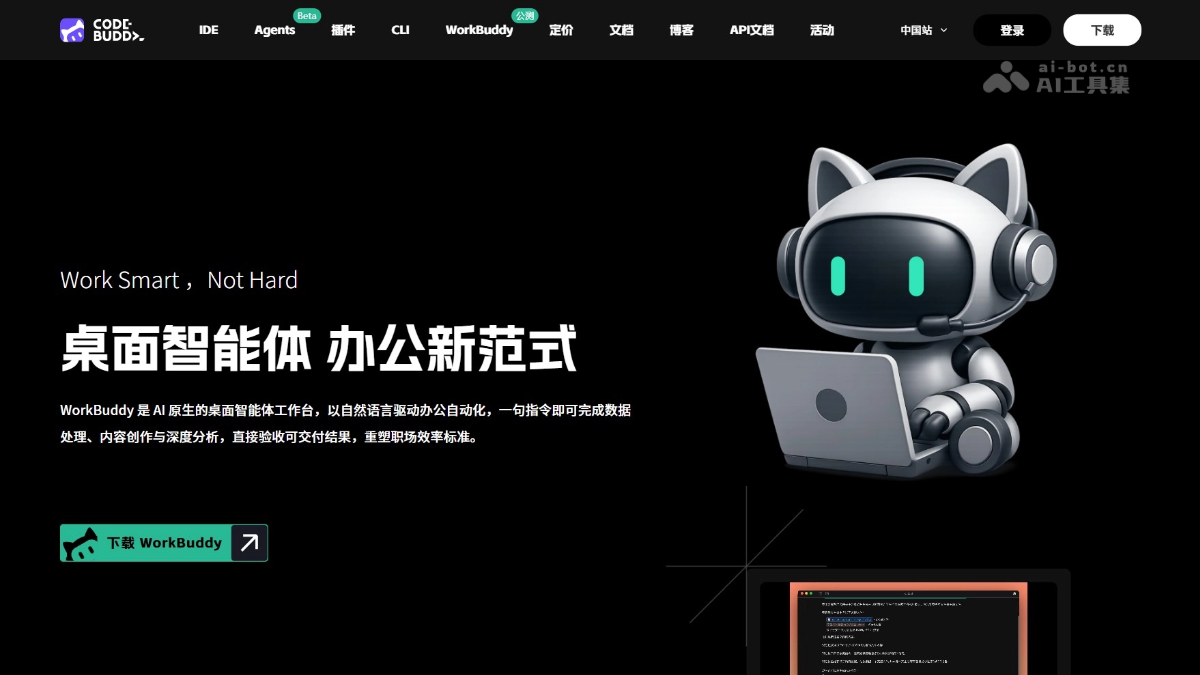
Main features of WorkBuddy
- Intelligent document creation: Users only need to describe their needs in one sentence, and WorkBuddy can automatically generate work reports, technical documents, meeting minutes, emails, weekly reports, and various other office documents that are ready to use.
- Data analysis and visualization: After uploading data files such as Excel, WorkBuddy automatically completes data cleaning, classification and statistics, and cross-sheet integration, and exports visual charts and analysis conclusions with one click.
- PPT and report generation: Based on the topic or template provided by the user, WorkBuddy automatically collects online information and generates structurally complete, well-designed, presentation-ready PPT documents and research reports.
- Batch file processing: After authorization, WorkBuddy can automatically read local folders and complete repetitive batch operations such as file organization, renaming, format conversion, and information extraction.
- In-depth information research: For complex issues, WorkBuddy automatically conducts online research, information integration, and logical organization, ultimately outputting in-depth analysis reports with clear structure and sufficient evidence.
- Remote control office work: Supports sending voice or text commands via WeCom, QQ, Feishu, and DingTalk on mobile, remotely driving the office computer to automatically search for information and write documents, enabling office work anytime and anywhere.
- Free switching between multiple models: WorkBuddy supports mainstream AI models such as Hunyuan, DeepSeek, GLM, Kimi, and MiniMax, and users can independently choose the optimal model based on the task type.
- Skills skill pack expansion: Built in with over 20 Skills skill packs, supports one-click import for poster generation, automated reports, and more, and allows zero-code creation of custom skills for unlimited capability expansion.
- MCP protocol access: Connects external tools and data sources through the MCP protocol, breaking capability boundaries and enabling WorkBuddy to adapt to more professional office scenarios.
- Multi-Agent parallel collaboration: WorkBuddy can dynamically break down complex tasks into multiple subtasks and schedule multiple AI agents to work simultaneously, greatly shortening overall execution time.
- Enterprise-grade security management: Based on Tencent CodeBuddy architecture, providing a unified account system, billing management, and comprehensive security audit capabilities.
- WorkBuddy WeChat Mini Program: Supports remotely controlling a computer or cloud AI from a mobile phone to execute tasks (document processing, video generation, etc.), and outputs can be downloaded and forwarded with one click.
- Human-machine dual writing: Supports users and AI selecting and editing in the same document with real-time collaborative editing.
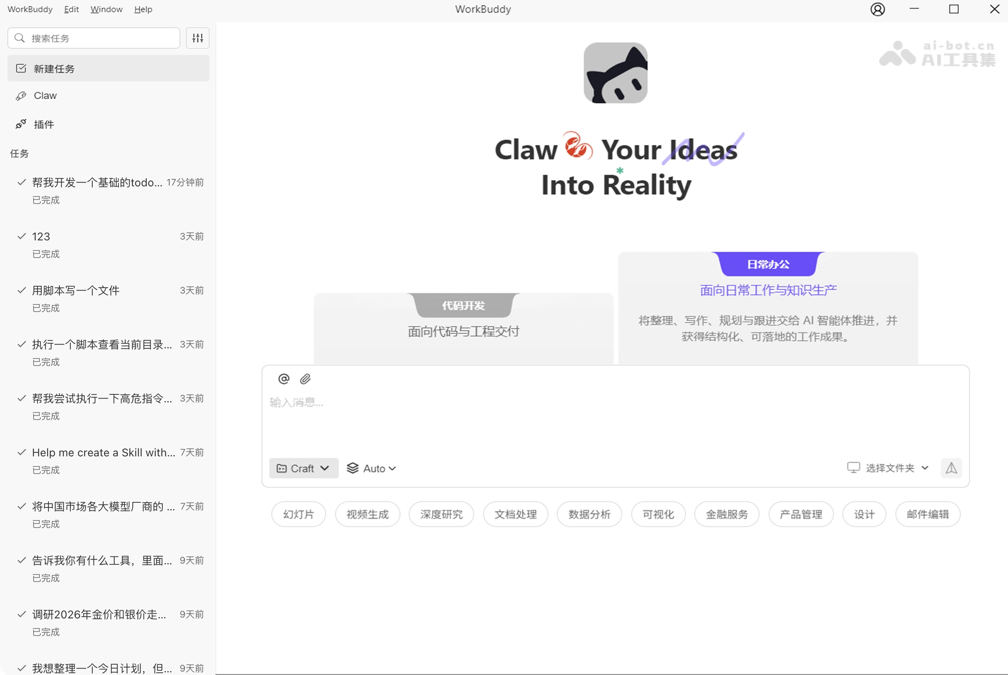
How to use WorkBuddy
- Download and install: Visit the WorkBuddy official website https://www.codebuddy.cn/work/ , download and complete the installation.
- Open the app: Double-click the desktop icon to launch WorkBuddy, and wait for the program to load and enter the main interface.
- Log in to your account: Click the login button and follow the prompts to complete account registration and login.
- Describe the requirement: In the input box, clearly describe the work requirement in one sentence, explaining the task goal you want to accomplish.
- Select a model: Choose the appropriate AI model based on the task type; different models are good at handling different scenarios.
- Start the task: Click the send button or press Enter, and WorkBuddy will immediately begin autonomously planning and executing the task.
- View the conversation: Observe the task execution process in the conversation area, and continue interacting with WorkBuddy to add information or adjust direction.
- Review the results: Check the generated documents, spreadsheets, PPTs, and other deliverables in the right-side panel to confirm whether they meet your needs.
- Manage multiple tasks: Switch between different tasks via the sidebar, allowing multiple tasks to proceed in parallel and improving work efficiency.
- File authorization: If you need to operate on local files, follow the prompts to authorize WorkBuddy to access the specified folder permissions.
- Save the results: Save the generated result files locally or export them directly for use, completing the entire workflow.
WorkBuddy's core advantages
- No deployment, ready to use out of the box: It eliminates the complex cloud deployment steps. After downloading and installing from the official website, you can use it by directly entering instructions, truly achieving "playable by anyone."
- Remote control office work: It seamlessly connects to WeCom, QQ, Feishu, and DingTalk. You can send voice or text instructions from your phone to remotely drive your office computer to automatically execute tasks, so you can work efficiently even while out and commuting.
- Free switching between multiple models: It supports mainstream domestic AI models such as Hunyuan, DeepSeek, GLM, Kimi, and MiniMax. Users can independently choose the optimal model based on the task type, flexibly adapting to the needs of different scenarios.
- Direct operation on local files: As a desktop agent, it can directly read authorized folders and automatically complete operations such as batch organization, data extraction, and format conversion, delivering ready-to-use documents, spreadsheets, PPTs, and other results.
- Multiple Agents working in parallel for efficiency: It supports dynamically breaking down complex tasks into multiple subtasks and scheduling multiple AI agents to start simultaneously, greatly shortening execution time compared with single-threaded processing.
- Enterprise-grade security assurance: Based on the same-origin architecture as Tencent CodeBuddy, it connects a unified account and billing system, has comprehensive security audit capabilities, and fills in the enterprise-grade management loop that open-source tools most lack.
WorkBuddy's application scenarios
- Sales data analysis: Upload a monthly sales Excel spreadsheet, and WorkBuddy can automatically clean messy data, generate performance trend charts, analyze regional sales differences, and output a complete analysis report with optimization suggestions.
- Meeting minutes and weekly report generation: Import meeting recordings or scattered notes, and WorkBuddy can automatically extract key decisions, action items, and responsible persons, directly generating standardized meeting minutes or weekly report documents.
- Competitor research report: Enter "analyze the main competitors in the new energy vehicle market", and WorkBuddy can automatically collect online information, compare product specifications and pricing strategies, and generate a PPT research report that includes a SWOT analysis.
- Invoice reimbursement organization: Batch import invoices in PDF and image formats from a folder, and WorkBuddy can automatically extract information such as amount, date, and invoice code, and generate a summary reimbursement detail sheet that can be submitted directly to finance.


