

What is Azure skills
Azure Skills is an Agent plugin officially released by Microsoft, providing coding Agents with professional skills and MCP Server configurations for Azure scenarios. The tool packages Azure professional knowledge with 200+ structured tools, enabling GitHub Copilot、Claude Code、Cursor、Codex and other compatible Agents to perform real Azure resource management, deployment, monitoring, and optimization work.
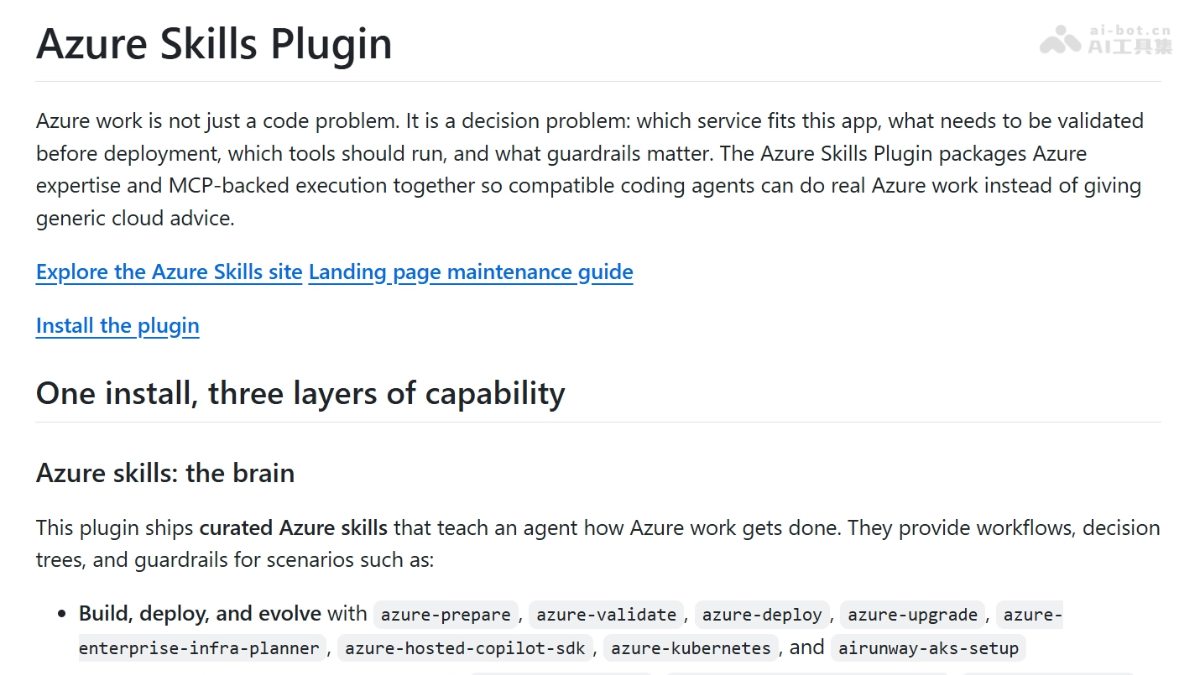
Main features of Azure skills
-
Build and deploy: provides skills such as
azure-prepare、azure-validate、azure-deploy、azure-upgrade, covering the full application lifecycle. -
Troubleshooting and governance: integrates
azure-diagnostics、appinsights-instrumentation、azure-compliance, supporting production issue troubleshooting and compliance auditing. -
Cost and architecture optimization: uses
azure-cost、azure-compute、azure-resource-visualizerto achieve cost analysis and architecture visualization. -
Cross-service integration: supports
azure-ai、azure-storage、azure-kusto、azure-messaging、azure-rbacand 40+ Azure services. -
Foundry workflows: built-in Foundry MCP, supporting model discovery, deployment, and Agent workflow orchestration.
How to use Azure skills
-
Prepare the environment: ensure you have an Azure subscription, Node.js 18+, Azure CLI (with
az login) and Azure Developer CLI (azd auth login)。 -
Choose an installation method: one-click installation via APM (
apm install microsoft/azure-skills) or installation according to the target platform (Copilot CLI, VS Code, Claude Code, Cursor, Codex, Gemini CLI, IntelliJ IDEA). -
VS Code users: install the Azure MCP Extension from the Marketplace, which automatically configures the MCP Server and Skills layer.
-
Claude Code users: run
/plugin install azure@claude-plugins-officialor search for "azure" to install. -
Codex users: run
codex plugin marketplace add microsoft/azure-skills, then browse and install via/plugins.azure。 -
Enable skills: run in Codex
/skillsto select and enable or disable specific Azure skills. -
Verify the installation: enter in Copilot Chat
/skill:azureto view the list of available skills.
Core advantages of Azure skills
-
Real execution, not suggestions: unlike a prompt pack, it provides actionable MCP tools that directly control Azure resources.
-
Three-layer alignment: the Skills guidance layer and the MCP execution layer are packaged in the same plugin, avoiding the gap of knowing what to do but being unable to do it.
-
Multi-host coverage: one plugin set simultaneously supports mainstream coding environments such as Copilot, Claude Code, Cursor, Codex, Gemini, and IntelliJ.
-
200+ tool breadth: covers 40+ Azure services, from VMs to AI services, from cost monitoring to compliance auditing.
-
Sovereign cloud support: can be configured for sovereign cloud environments such as Azure China Cloud and Azure US Government.
Project address of Azure skills
- GitHub repository:https://github.com/microsoft/azure-skills
Comparison of Azure skills with similar competing products
| Comparison dimension | Azure Skills | browser-act |
|---|---|---|
| Core positioning | Cloud infrastructure management Agent plugin | Browser automation Skill library |
| Target scenarios | Azure resource deployment, monitoring, cost governance, compliance auditing | Web browsing, DOM manipulation, form filling, data scraping |
| Protocol Standard | MCP (Model Context Protocol) open protocol | Private Skill registration mechanism (or based on the nuxt-skills framework) |
| Execution Target | Azure REST API / Azure CLI / resource graph | Browser engine (Chromium/WebDriver) / DOM API |
| Tool Type | 200+ structured tools (resource inventory, pricing queries, log diagnostics, RBAC configuration) | About 15-20 browser actions (click, type, scroll, screenshot, navigate) |
| Agent Binding | Multi-Harness(Copilot / Claude / Cursor / Codex / Gemini / IntelliJ) | Usually bound to Claude or a specific Agent environment |
| Decision Layer | Curated workflows + decision trees + guardrails(when to deploy, what risks to avoid) | Action sequence orchestration (execute browsing tasks step by step) |
| Real-time Operation Target | Live Azure cloud resources (VM, AKS, Storage, AI services) | Live web pages (dynamically rendered, JavaScript-interactive pages) |
| Data Output | Resource status JSON, cost reports, compliance scan results | Web page screenshots, HTML content, form submission results |
| Official Status | Microsoft first-party official maintenance | Community / third-party open source (benchmarked against browser-use) |
| Installation Method | One-click APM installation / plugin marketplaces for various platforms | Manual Skill file import or npm installation |
| Cross-platform Reuse | Install once, reuse across multiple Agent environments | Skill registration must be configured separately for each Agent |
| Security Boundary | Built-in Azure RBAC / compliance guardrails / cost alerts | Depends on browser sandbox and Agent permission control |
Application scenarios of Azure skills
-
Cloud-native Development: Developers can have the Agent directly create AKS clusters, configure Azure AI Gateway, and deploy applications while coding.
-
Cost Governance: Finance teams use the Agent to query historical costs, forecast spending, and identify resource waste.
-
Compliance Audit: The security team runs
azure-complianceto automatically check Key Vault expiration, RBAC configuration, and best practices. -
Cross-cloud Migration: Evaluate cross-cloud workload migration solutions such as AWS Lambda→Azure Functions.
-
AI Infrastructure: Data scientists use Foundry MCP to automatically discover models, deploy endpoints, and manage Agent workflows.


