

What is Tencent Marvis
Tencent Marvis is an operating-system-level AI assistant launched by the Tencent App Store team, positioned as an "AI butler that understands you better." Tencent Marvis breaks out of the traditional application layer and takes root directly in the system's底层. Through six built-in AI Agents (PM, File Manager, System Operations, App Specialist, Search Expert, Web Interaction Expert), it achieves automatic task decomposition and parallel execution. Tencent Marvis supports an efficiency mode and a privacy mode, and can link across multiple devices such as phones and computers, allowing users to complete complex tasks such as system settings, file organization, and app operations with a single sentence.
Main features of Tencent Marvis
-
Multi-Agent collaborative office work: Built-in six roles: PM (Project Manager), File Agent (File Manager), Computer Agent (System Operations), APP Agent (App Specialist), Search Agent (Search Expert), and Browser Agent (Web Interaction Expert). The PM automatically decomposes tasks and distributes them to the corresponding Agents for parallel execution.
-
System-level deep control: Can directly modify system settings (such as mouse sensitivity, dark mode), query hardware configuration, clean the C drive, generate battery health reports, troubleshoot network issues, etc., with operations reaching directly to the underlying operating system.
-
Intelligent file management: Supports local file/image content search, text recognition in images, AI gallery and AI document library construction, document format conversion, resume generation as a web page, contract review, etc.
-
Cross-device remote control: A phone can connect to a computer at any time, view the task execution screen in real time, and take over operations; supports cloud phone collaboration for seamless multi-device task handoff.
-
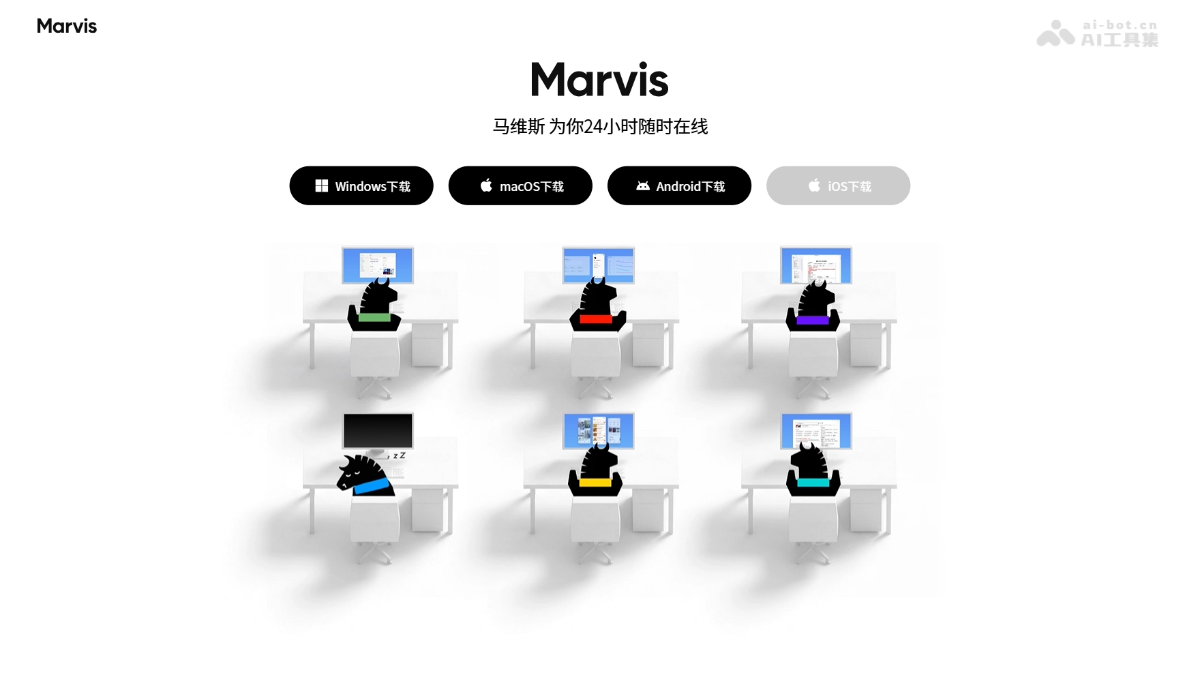
Visualized office: Provides a "Marvis Office" interface that uses fun animations to show the working status of each Agent in real time.
-
Dual-mode privacy protection: Efficiency mode combines on-device response with cloud computing power; privacy mode processes all data locally, with zero file uploads.
How to use Tencent Marvis
-
Download and install: Visit the Tencent Marvis official website https://marvis.qq.com/ , and download the client according to your operating system.
-
Choose a mode: Choose "Efficiency Mode" or "Privacy Mode" according to your needs.
-
Issue commands: Enter a natural language task in the dialog box, and the PM Agent will automatically decompose it and distribute it to the corresponding Agent.
-
View progress: Click "Expand sidebar" on the right side of the conversation to view work logs, outputs, and task previews, or enter "Office" to view the real-time working status of each Agent.
-
Cross-device linkage: Log in with the same account on the mobile app to remotely view the computer task screen and issue new commands.
Core advantages of Tencent Marvis
-
Ready to use out of the box, zero configuration threshold: No need to manually set up a runtime environment like tools such as OpenClaw; download and install to directly operate the system's underlying layer.
-
System-level permissions, deeper operations: Unlike ordinary AI chat tools, Marvis can directly call system commands, modify the registry, scan disks, and generate battery reports.
-
Fun visualized interaction: The office scenario-based design visualizes the multi-Agent collaboration process, reducing users' distrust of black-box AI.
-
Privacy controllable: The dual-mode design lets users choose between efficiency and security on their own, and sensitive files can be processed entirely locally.
-
Strong ecosystem integration: Backed by the Tencent App Store team, it has inherent advantages in app recognition, cross-device collaboration, and software ecosystem connectivity.
Usage examples of Tencent Marvis
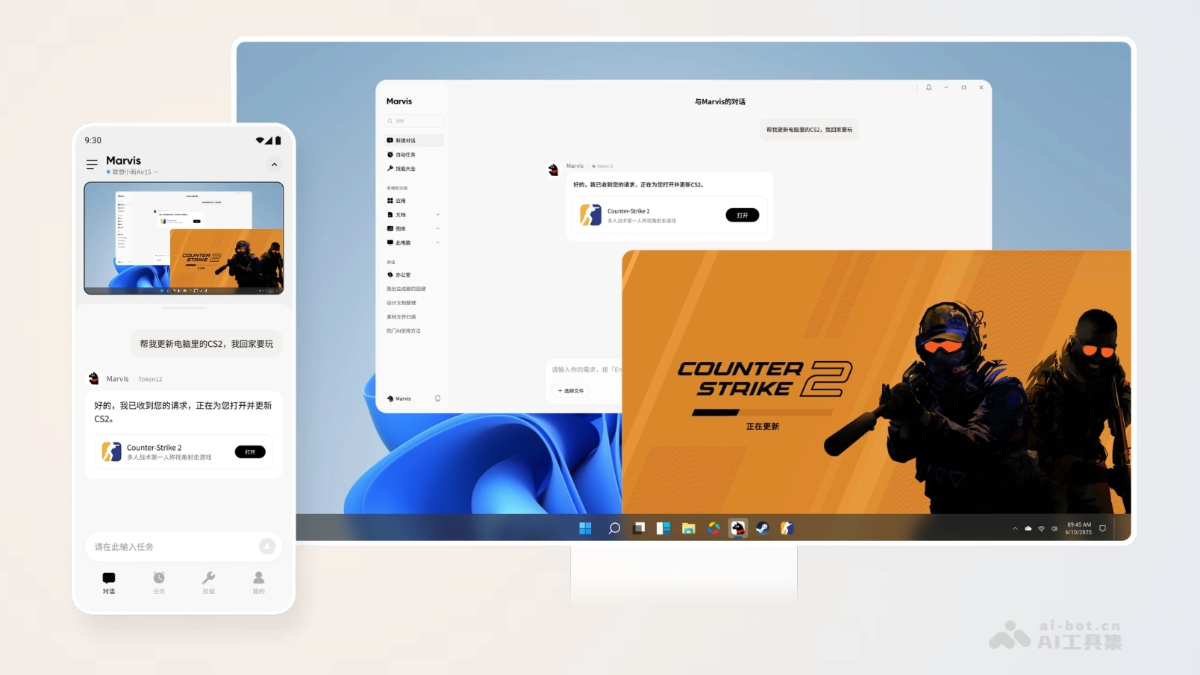
Control your computer from your phone anytime
Help me update CS2 on my computer, I want to play when I get home
Complete computer settings in one sentence
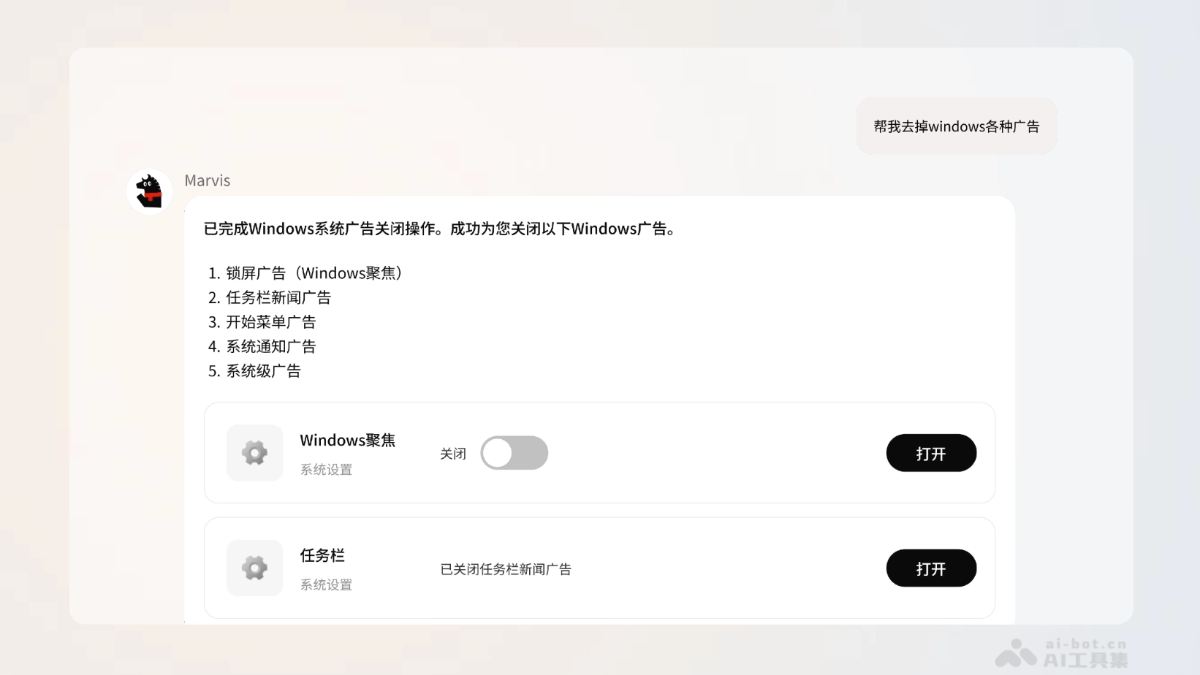
Help me remove all kinds of ads in Windows
Comparison of Tencent Marvis with similar competitors
| Dimension | Tencent Marvis | OpenClaw(Open-source framework) | QClaw |
|---|---|---|---|
| Positioning | OS-level personal AI assistant | Open-source runtime environment for AI Agents | Minimalist wrapper tool based on OpenClaw |
| Usage barrier | Out-of-the-box, no configuration required | Requires setting up the environment and writing prompts yourself | Requires installation and configuration, interacts via WeChat Mini Program |
| Agent architecture | Built-in 6 major professional Agents with automatic scheduling | Relies on user-defined Agents | Wrapped based on OpenClaw, relatively limited functionality |
| System depth | System-level MCP, can directly modify system settings | Depends on user configuration, varies in depth | Mainly focuses on remote control and file operations |
| Visualization | Office scenario, real-time viewing of Agent status | No native visual interface | View task screen within WeChat Mini Program |
| Privacy mode | Supports purely local models, zero file upload | Can be deployed locally, but requires self-configuration | Data uploaded to the cloud for processing |
| Cross-device capabilities | Two-way remote control between phone and PC | Requires additional configuration | Remote control of PC from phone |
Application scenarios of Tencent Marvis
-
System operations and maintenance: C drive cleanup, battery health check, network fault repair, hardware configuration query, system settings modification.
-
Office productivity: Resume to web page conversion, document format conversion, contract review, operational data analysis, reference organization.
-
File management: AI photo gallery classification, image content search, local knowledge base construction, duplicate file cleanup.
-
Cross-device collaboration: Use your phone while out to remotely update games on your home computer, download files, and launch applications.
-
Information monitoring: Automatically monitors free-for-a-limited-time games across the internet, major company intelligence, and social news and pushes summaries.


