

What is iFlow CLI
iFlow CLI is a free terminal AI agent launched by the AlibabaiFlow AIteam, and can be called the domestic version of "Claude Code". It supports natural language interaction, so users do not need to memorize complex commands and can simply issue instructions in everyday language to complete tasks. iFlow CLI has powerful multi-model support and can freely call top models such as Qwen3 MAX、Kimi K2 with no traffic limits. It performs excellently in multiple performance evaluations, especially showing clear advantages in Chinese processing and localized experience, and supports searching domestic and international information, multimodal understanding, and more. iFlow CLI provides rich extension features, such as Agent SDK, an agent marketplace, and a developer forum, making it convenient for users to customize and communicate according to their needs. It is suitable for scenarios such as data organization and analysis, project development assistance, and code review.
iFlow CLI has ceased maintenance as of March 20, 2026, and was officially shut down on April 17. Users can migrate to theQoder CLIplatform to use related services.
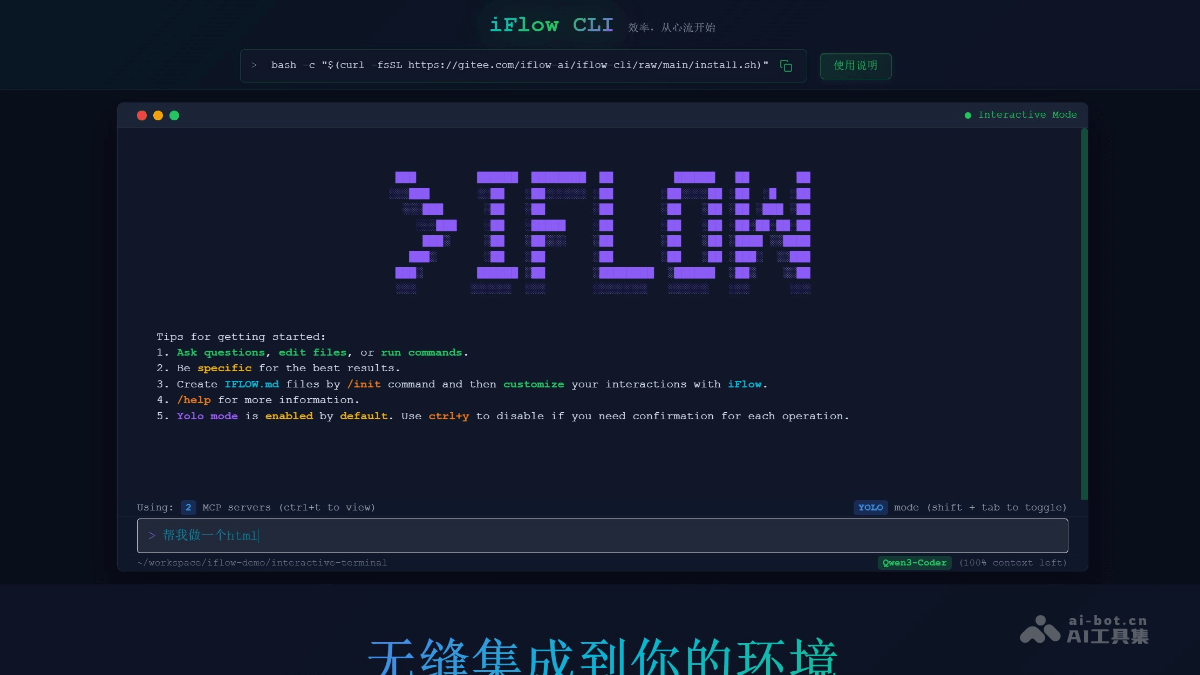
Main features of iFlow CLI
-
Natural language interaction: Supports issuing instructions in natural language without memorizing complex commands, allowing users to interact with it as if talking to a person and easily complete various tasks.
-
Multi-model support: Supports a variety of mainstream domestic large models, such as Qwen3 Coder, Kimi K2, DeepSeek V3.2, etc., and users can choose different models according to their needs.
-
Permanently free: Permanently free for individual users, with no limit on usage count or traffic, allowing users to use the latest cutting-edge models at zero cost.
-
Automated task execution: Can automatically analyze user needs and execute tasks, such as data analysis, code generation, file organization, etc., greatly improving work efficiency.
-
Deep engineering features: Provides deep engineering features such as code review, project development assistance, and workflow management, supporting full-process automation from code analysis to deployment.
-
Strong extensibility: Supports extending functionality by installing SubAgents and MCP tools, allowing users to customize intelligent agents according to their own needs.
-
Localized experience: Tailored for domestic users, supports Chinese display switching, and provides localized search capabilities, multimodal understanding, etc., better fitting the usage habits of domestic users.
-
Cross-platform installation: Supports multiple operating systems such as macOS, Linux, and Windows, allowing users to conveniently install and use it on different platforms.
-
Developer-friendly: Provides Agent SDK, supports multiple programming languages, and makes it convenient for developers to integrate iFlow CLI into their own projects and quickly gain AI capabilities.
Highlights of iFlow CLI's advantages
-
Executing tasks via natural language: Runs directly in the terminal through natural language command lines, with fully automated processes.
-
Permanently free: Users can call the latest cutting-edge models such as Qwen3 MAX, Kimi K2, DeepSeek V3.2, and GLM4.6 at zero cost, available at any time without time limits.
-
Model adaptation: The iFlow research team follows mainstream domestic large models for adaptation; for example, after DeepSeekV3.2 and GLM4.6 were released, iFlow CLI was quickly updated.
-
Search capability: Supports searching the latest domestic and international information, and has built-in multimodal understanding capabilities that can recognize images.
-
Localized Experience: Tailored for domestic users, such as Chinese display switching, Spec development, agent marketplace, developer forum, etc.
-
Agent SDK: Supports Android SDK, Node.js, Java, Python, enabling businesses to quickly integrate the CLI and gain AI capabilities at the fastest speed.
iFlow CLI official website address
- Official Website:https://cli.iflow.cn/
- GitHub Repository:https://github.com/iflow-ai/iflow-cli/
- iFlow Open Platform:https://platform.iflow.cn/
How to Use iFlow CLI
-
Installation: Choose the installation method based on your operating system. macOS/Linux users can use the one-click installation script or the npm installation command; Windows users need to install Node.js first, then run the npm installation command. After installation is complete, run
iflow --versionto verify whether the installation was successful. -
First-time Setup: Run
iflowto start the CLI, then choose a login method. It is recommended to use "Login with iFlow" to enjoy the full feature experience; you can also choose "iFlow API Key" login or "OpenAI Compatible API" login. After logging in successfully, select a large model. -
Run Your First Task: Enter the project directory and run
/initto analyze the project structure and functionality; or directly enter a simple task instruction, such as "Create a Python script to calculate the first 10 terms of the Fibonacci sequence"; you can also use Shell commands as assistance, such as "!ls -la", and let iFlow CLI analyze the directory structure. -
Automatic Update: iFlow CLI automatically detects and updates on startup. If the automatic update fails, you need to manually run
npm i -g @iflow-ai/iflow-clito update; if the manual update also fails, you need to uninstall and reinstall. -
Common Commands Quick Reference:
/helpto view help;/initto analyze the project structure;/clearto clear the conversation history;/exitto exit the CLI;!命令to execute system commands. -
Troubleshooting: If you encounter installation issues, check the Node.js version and network connection; for authentication issues, make sure the API key is correct and the network is working properly, and you can regenerate the key; if commands do not respond, use
Ctrl+Cto interrupt the operation, run/clearor restart the CLI.
Tips for Using iFlow CLI
-
File Operations: Enter
@to select a file. -
Emergency Interruption: Press Esc to stop immediately.
-
How to Exit: Double-click Ctrl+C, or simply close the window.
-
Long Text Input: Press Ctrl+X to open the notepad, which supports multi-line input and automatically syncs after saving.
-
Feature Quick Reference: In English input mode, press
/to view all features.
Application Scenarios of iFlow CLI
-
Project Analysis: Run
/initin the code project directory, and iFlow CLI can analyze the project's structure and main functions, helping developers quickly understand the project layout. -
Code Generation and Optimization: Users can instruct iFlow CLI to create code for specific functions, such as "Create a Python script to calculate the first 10 terms of the Fibonacci sequence", and it can automatically generate and optimize the code.
-
File Operations and Organization: With the assistance of Shell commands, such as
!ls -la, iFlow CLI can analyze directory structures and provide suggestions to help users organize files. -
Data Analysis and Reporting: Users can upload data files and have iFlow CLI analyze them and generate reports, such as "generate an analysis report based on the data."
-
Code Review: After installing the code review expert subagent, iFlow CLI can review code and generate review reports to help developers identify potential issues.
-
Task Automation: Leveraging the automation capabilities of iFlow CLI, users can set up task chains to automate the entire process from code analysis and development to testing and deployment.
-
Multimodal Tasks: It supports multimodal features such as image understanding, allowing users to upload images and have iFlow CLI analyze them or generate descriptions.

