
What is Qoder CLI
Qoder CLI is an Qoder AI-driven command-line tool launched by the team, providing developers with an efficient and intelligent coding experience. The tool integrates topprogrammingmodels, has powerful code generation and understanding capabilities, and supports tasks such as code generation, debugging, and deployment. It has a built-in lightweight Agent framework with low memory consumption and fast response speed. The tool supports custom instructions and a sub-agent mechanism, and can scale from small scripts to complex multi-agent systems. Core features include zero-configuration startup, concise terminal interaction, precise context awareness, and built-in Quest and CodeReview capabilities. Qoder CLI supports "headless mode" and can be invoked by CI/CD pipelines or other automation scripts, enabling seamless ecosystem integration. It is deeply integrated with Qoder IDE, sharing the account system, cloud service quota, and configuration information, providing developers with an ultimate experience.
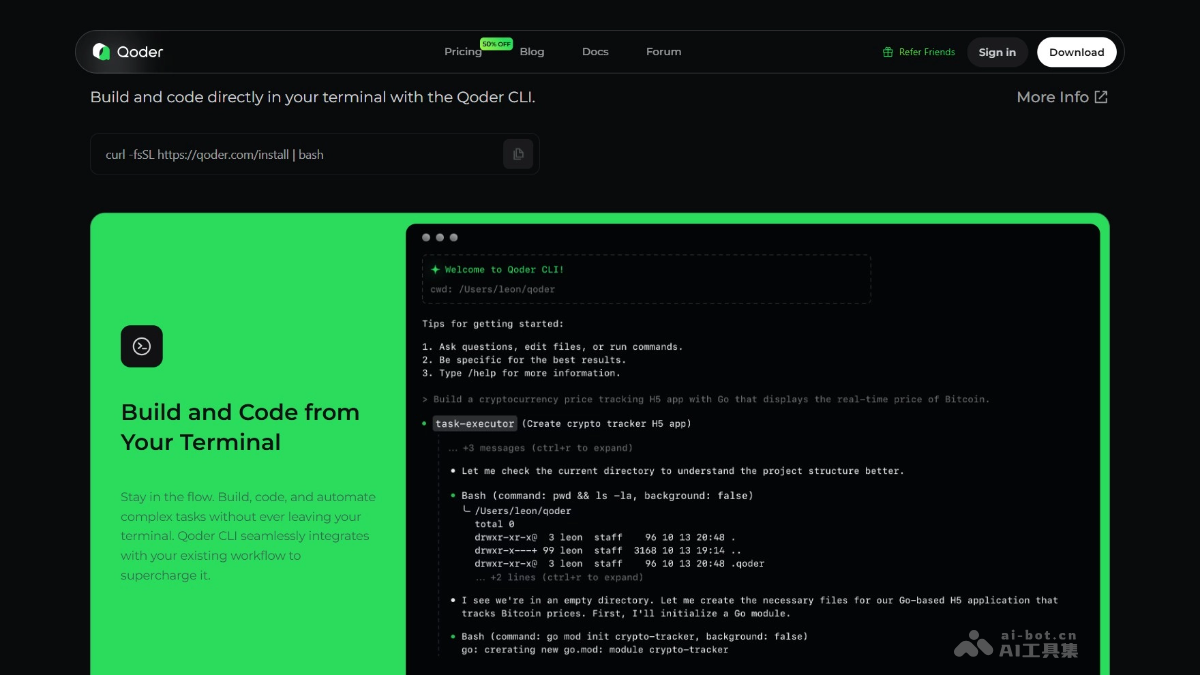
Main features of Qoder CLI
-
Lightweight startup and fast response: Fast startup, low resource consumption, and response times of less than 200 milliseconds for common commands, almost imperceptible.
-
Concise interaction and precise awareness: Designed specifically for the terminal, with concise input and precise context awareness, requiring no complex configuration.
-
Powerful built-in features: Provides Quest and CodeReview capabilities, supporting Spec-driven task delegation and code review.
-
Seamless ecosystem integration: Deeply integrated with Qoder IDE, sharing the account system, cloud service quota, and configuration information; supports "headless mode" and can be invoked by CI/CD pipelines or other automation scripts.
-
Tool integration and extension: Supports operations such as file editing, command execution, and commit creation, and can be flexibly extended or custom-developed through MCP.
How to use Qoder CLI
-
Installation: Install viaQoder the official installation package or command provided.
-
Configuration: On first use, perform simple configuration as prompted, such as logging in to an account and setting preferences.
-
Startup: Enter the startup command in the terminal to quickly enter the Qoder CLI environment.
-
Enter instructions: Enter natural language instructions directly in the terminal, such as "generate a Python script" or "review this code."
-
Interactive feedback: Qoder CLI will generate code, provide solutions, or perform corresponding operations based on the instructions, and display the results in the terminal.
-
Custom instructions: Users can create custom instructions according to their needs to extend the tool's functionality.
-
Integrated use: Invoke Qoder CLI in CI/CD pipelines or other automation scripts to implement automated task processing.
-
Exit: After completing operations, enter the exit command to leave the Qoder CLI environment.
Application scenarios of Qoder CLI
-
Rapid code generation: Quickly generate code snippets or scripts, saving time on manual writing.
-
Code review: Quickly review code and provide improvement suggestions.
-
Automated task processing: Integrate into CI/CD pipelines to automatically execute tasks such as code generation and review.
-
Remote collaboration: Quickly verify code or handle tasks in a remote environment to improve collaboration efficiency.
-
Multi-IDE Environment Collaboration: Use with different IDEs as a lightweight interactive tool to quickly complete tasks.
-
Script Automation: Handle daily repetitive script tasks to improve work efficiency.