

What is Qoder
Qoder is an AI Agentic programming toollaunched by Alibaba. Users describe their goals in natural language, and the AI can complete tasks such as development and data processing. The platform has built-inQwen3.8-Maxand other cutting-edge models, supports more than 40 connectors and over 20,000 skills, and offers dual modes for programming and general use, with Plan planning, Goal objective management, and voice interaction. The product family covers IDE, CLI, and digital employeesQoderWake, and has served 6 million users and 100,000 enterprises worldwide. Currently, users on all platforms—Windows, macOS, and Linux—can download and try it.
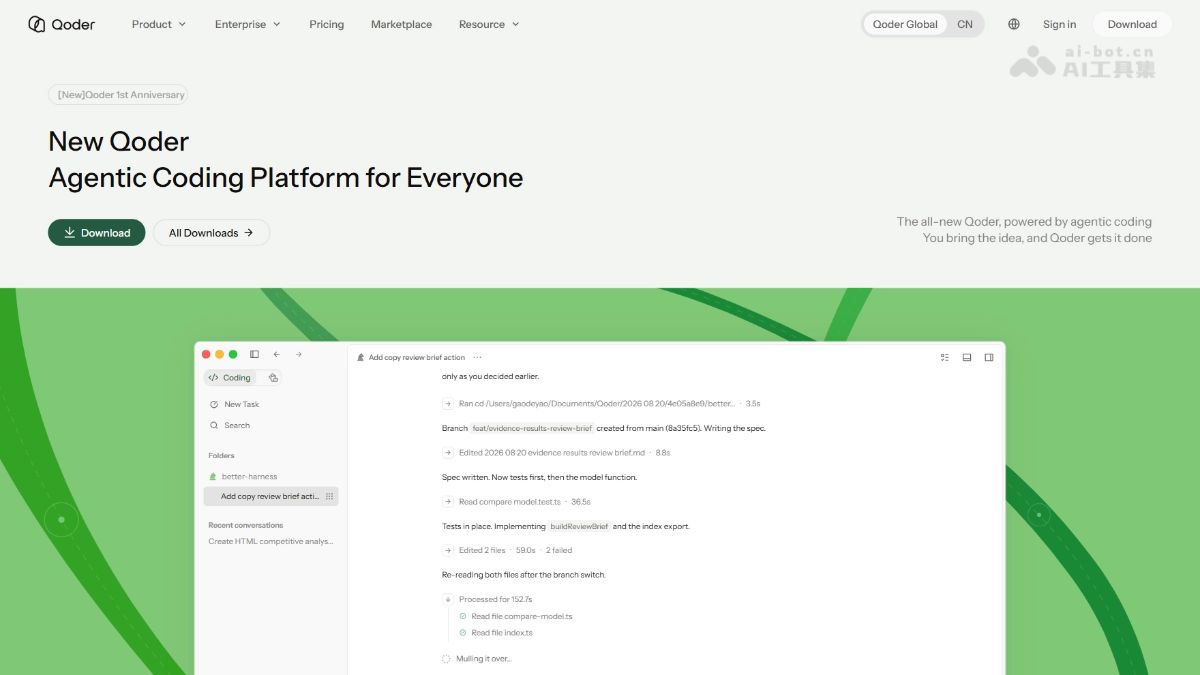
Qoder's main features
-
Natural language driven: Describe goals in everyday language, and the AI automatically invokes programming and tool capabilities to complete tasks.
-
Dual-mode adaptation: Programming mode is for developers, while general mode lets non-technical users operate with zero code.
-
Intelligent model scheduling: Built-in cutting-edge models such as Qwen3.8-Max; Auto mode automatically balances effectiveness, speed, and cost.
-
Rich tool ecosystem: Supports 40+ connectors, 70+ plugins, and 20,000+ skills, seamlessly connecting to code repositories, project management, and cloud services.
-
Long-horizon task management: Plan lays out solution steps, Goal continuously executes and verifies around the objective, and side tasks handle derived issues without interrupting the main line.
-
Voice and interaction innovation: Supports initiating tasks via real-time voice, desktop pet interaction, and communication methods such as scratchpad and recording minutes.
-
Deep context understanding: Builds persistent context based on code, knowledge, rules, and the working environment, enabling the agent to accurately understand real tasks.
-
Goal-oriented closed loop: Starting from the goal, it goes through planning, execution, verification, and iteration until the deliverable is complete.
-
Full-scenario product matrix: Covers IDE, CLI, JetBrains plugin, mobile, Cloud Agents, and the digital employee QoderWake.
-
Enterprise-grade governance: Provides enterprise control capabilities such as centralized procurement, member management, identity policies, knowledge base, and auditing.
- Built-in Sonus model: Focuses on ultra-long autonomous tasks and computer operation. With desktop version 0.2.3, it can directly control computers and professional software to complete complex tasks such as programming, financial modeling, scientific research, and spreadsheets.
- Qoder Sites: With one sentence, you can publish a web application with a backend database and integrable cloud Agents, with data permanently saved and status continuously updated.
How to use Qoder
- Visit the official website: Visit the Qoder official website https://qoder.com/,根据系统下载对应版本。
- Register an account: Complete account registration and login as prompted.
- Download the corresponding product: Choose and install as needed: desktop Qoder (main workbench), Qoder IDE (dedicated development environment), CLI (terminal tool), or JetBrains plugin.
- Connect work context: Connect code repositories, project management tools, cloud services, etc. to Qoder.
- Choose a work mode: Switch between programming mode and general mode.
- Describe goals in natural language: State your requirements directly in the input box, with support for text or real-time voice input.
- Review the plan generated by AI: Qoder automatically organizes requirements and generates a Plan, displaying the steps and approach.
- Automatic execution and process monitoring: After confirmation, the AI calls models and tools to execute autonomously. You can view progress in real time on desktop or mobile, and adjust by voice or take over manually at any time.
- Verify results and iterate: Qoder continuously verifies output around the Goal. After reviewing the results, you provide modification suggestions, and the AI iterates and optimizes until delivery meets standards.
- Get the final results: After the task is completed, you directly receive usable code, documents, or data results, and you can choose to save, export, or continue creating a new task.
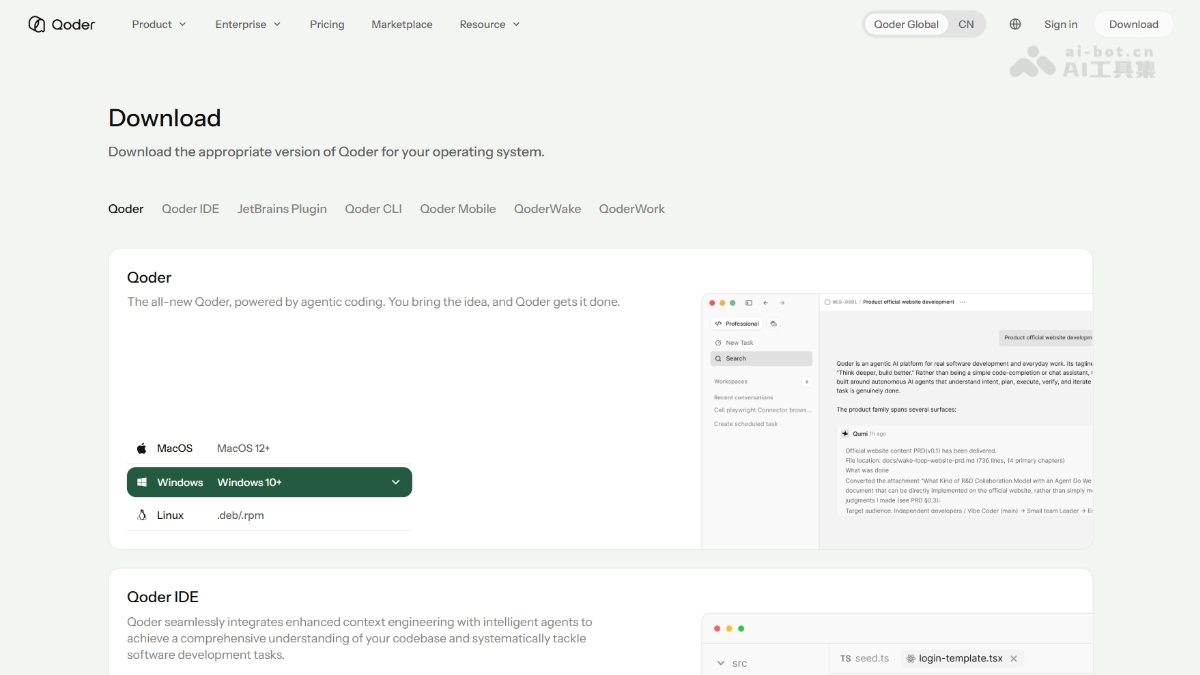
Qoder's core advantages and differentiators
Traditional programming tools only help you "write code," while Qoder is like a senior colleague who "has read all your code, remembers all your habits, and can work across systems on your behalf."
-
Panoramic context: Traditional programming tools only look at the few dozen lines near the cursor. Qoder reads the entire repository, historical commits, images, documents, and external API documentation into the context window in milliseconds, truly achieving "code as a knowledge graph."
-
Memory that grows: Traditional tool settings reset to zero on every restart. Qoder's Memory continuously accumulates personal style, team standards, and business rules, and can sync instantly even when switching projects or computers.
-
Quest asynchronous agent: Traditional plugins can only complete synchronously. Qoder's Quest Mode delegates tasks such as "upgrading dependencies, batch refactoring, running tests, and submitting PRs" that span hours or even days to the background, and pushes the results when completed.
-
Unlimited MCP add-ons: Traditional extensions rely on slow updates from plugin marketplaces. Through the open MCP protocol, Qoder can instantly connect to databases, Jira, Docker, and cloud resources just like installing extensions in a browser, with capabilities available as soon as they are connected.
-
Zero-decision model routing: Traditional programming tools require manually selecting GPT-3.5/4. Qoder automatically selects the most suitable model based on language, task complexity, and cost budget, so developers do not need to care about "which AI to use."
-
Inline means full functionality: Traditional refactoring requires jumping between windows and running scripts. Qoder can complete explanations, generate unit tests, perform performance profiling, and apply patches with one click directly through conversation in the editor, all without leaving the IDE.
Qoder's application scenarios
-
Large-scale code migration: Launch Quest with one click and let the AI complete cross-repository dependency upgrades in the background (such as Axios v0 -> v1, Python 2 -> 3, Spring Boot 2 -> 3), while generating compatibility layers, fixing breaking changes, and submitting PRs.
-
Architecture decay governance: Use panoramic dependency graphs and "wikified" reports to automatically identify circular dependencies, outdated modules, and duplicate implementations; Quest then refactors according to layered standards and continuously remembers the team's newly established architectural principles.
-
Legacy system reverse engineering & documentation completion: Throw a million-line old project without documentation to Qoder, and it generates an interactive architecture knowledge graph + API manual in 5 minutes; afterward, any newcomer asking "how does this business run" can get a link-level answer directly in inline chat.
-
Shift-left testing & coverage completion: Select a module -> Inline Chat "generate unit tests for all public methods and achieve 80% line coverage" -> Quest automatically writes tests, runs CI, and marks failed test cases as issues to be fixed.
-
Collaborative development of multi-language microservices: In a mono-repo containing Go, TypeScript, and Python, Qoder automatically switches to the best model and uses MCP to invoke their respective linter / formatter / Docker build, ensuring cross-service interface consistency and version synchronization.
-
Requirements ↔ Code bidirectional traceability: The product manager pastes a Figma prototype screenshot + Jira requirements into Quest, and Qoder automatically generates the corresponding frontend component, completes the routing, fills in mock data, and binds an API draft through visual understanding + requirement text.
-
Security and compliance automated auditing: With the OWASP MCP Server integrated, Quest automatically runs SAST and license scanning after every commit, and upon discovering a CVE immediately submits a PR with a patch and updates the SBOM; Memory solidifies the company's compliance rules to prevent recurrence.

