
What is OpenViking
OpenViking is an AI Agent context database open-sourced by ByteDance's Volcano Engine. OpenViking unifies an Agent's memory, knowledge RAG, and skills within a custom viking virtual file system, allowing the Agent to browse and retrieve context using ls/tree/find/grep just like operating on files. It adopts three-tier progressive loading with L0 summaries, L1 overviews, and L2 details, supports directory-level semantic retrieval, and significantly reduces token consumption.
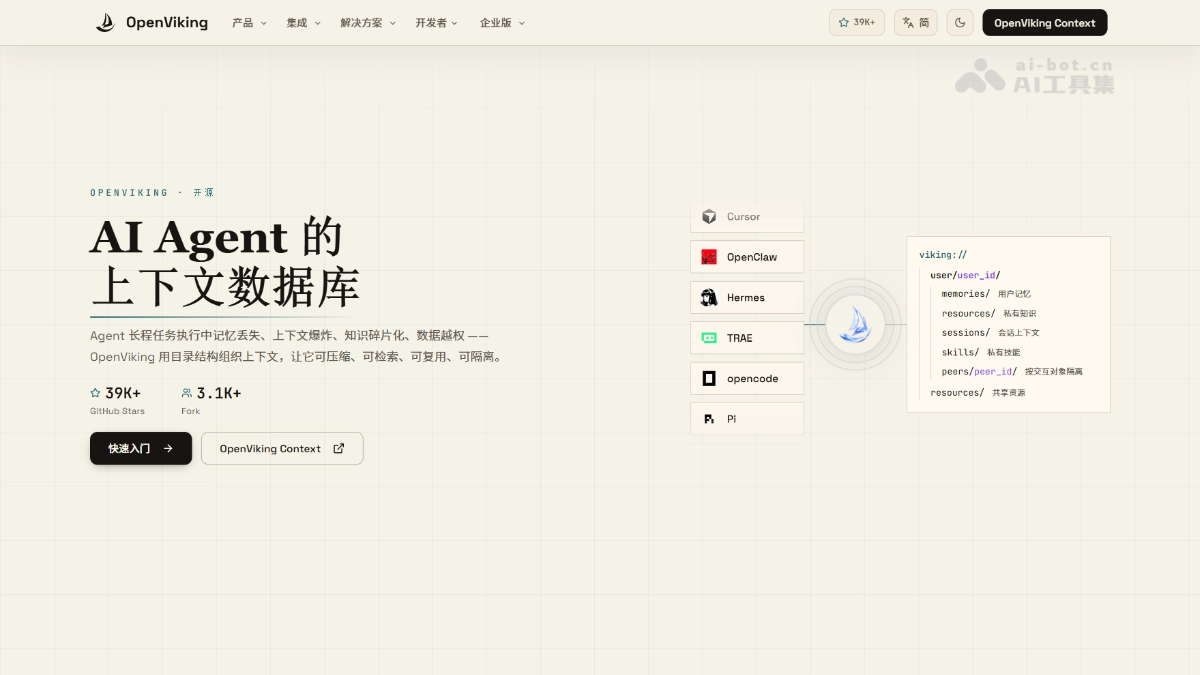
Main features of OpenViking
-
Unified context file system: Uses a custom
viking://protocol to uniformly organize memory, knowledge resources, and skills as virtual files; the Agent can usels/tree/read/grepand other commands to directly browse and edit. -
Three-tier progressive loading: Each directory automatically generates an L0 summary, L1 overview, and L2 full content. The Agent first looks at the summary to judge relevance and loads on demand, greatly reducing token consumption.
-
Directory-level semantic retrieval: Supports
findandsearch, allowing the retrieval scope to be limited to a project or memory subtree rather than scanning the entire database. -
Sessions persisted as files: After a session is submitted, the conversation is automatically archived and memories are extracted as inspectable, editable Markdown; VikingBot can also compile materials into wikis, knowledge graphs, or reports.
-
Multi-Agent integration: Native integration with Claude Code、Codex、Cursor、OpenClawand other mainstream Agents, while also providing MCP, Agent Plugin 1.0 standard plugins, and Python/Go/TS SDKs.
-
Studio visualization: Provides browser-side OpenViking Studio and a self-hosted Web version for visually browsing context and trying semantic search online.
-
Multi-user and permission isolation: The server supports multiple accounts, user-level isolation, and optional resource ACL access control, suitable for team deployment.

Follow WeChat and reply "open source" to join theAI open-source project community group
How to use OpenViking
-
Install: Run
pip install openviking --upgradeto install the main package. -
Initialize: Run
openviking-server initto configure the model provider. -
Check environment: Run
openviking-server doctorto verify configuration and model connectivity. -
Start service: Run
openviking-serverto start the local server. -
Import resources: Use
ov add-resource <url或路径>to import GitHub repositories or documents, and useov task statusto wait for indexing to complete. -
Browse and retrieve: Use
ov ls、ov treeto browse the directory structure, useov find "问题"for semantic retrieval, and useov grepfor text matching. -
Try conversation: If you need the built-in Agent, run
pip install "openviking[bot]"and then runopenviking-server --with-bot, then useov chatto converse.
OpenViking's core advantages
- White-box context: Memory, knowledge, and skills are unified in the
viking://file system. You can open directories at any time to view and edit what the Agent "knows", saying goodbye to the "text in, embeddings out" black box. - Directory-level precise retrieval: Restricts semantic search to a project or memory subtree, avoiding the noise caused by full-database scans.
- Extreme token efficiency: The three-tier progressive loading of L0/L1/L2 lets the Agent read the summary first and then the full text. In the LoCoMo evaluation, input tokens dropped by 34%–91% and latency decreased by 58%–66%.
- Significant performance improvement: After integration, the long-term memory accuracy of all three foundations—Claude Code, Hermes, and OpenClaw—rose from 24–57% to 80%+.
- Memory can be accumulated and reused: Sessions can be submitted and archived as Markdown, with memory automatically extracted, and
ov compilematerials can also be organized into wikis, knowledge graphs, or reports. - Broad ecosystem integration: Natively covers more than a dozen mainstream Agents including Claude Code, Codex, Cursor, OpenClaw, and Hermes, and provides the MCP and Agent Plugin 1.0 common standards.
OpenViking project address
- Project website:https://openviking.ai/
- GitHub repository:https://github.com/volcengine/OpenViking
Comparison of OpenViking with similar competing products
| Comparison dimension | OpenViking (ByteDance Volcano Engine) | MemOS |
|---|---|---|
| Core positioning | Context database: unified memory, knowledge RAG, skills | Agent memory system (2.0+ extends knowledge base and multimodality) |
| Data organization method | viking:// Virtual file system, directory tree structure |
Structured memory graph + Memory Cube space isolation |
| Core abstraction | Everything is a file: resources/memories/skills/sessions/peers | Memory Cube: isolates memory spaces by project/user/Agent |
| Context loading | Three-tier progressive loading: L0 summary/L1 overview/L2 details | Memory nodes + asynchronous reorganization to supplement relationships and hierarchy |
| Retrieval mechanism | Directory-level vector retrieval + find/search semantic retrieval + grep text matching + Rerank | Graph retrieval + vector retrieval + BM25 keyword parallel recall + Rerank |
| Retrieval scope control | Can be limited to a directory/subtree (TrieHI index, backed by an ICDE paper) | Through Cube isolation + TaskGoalParser task parsing |
| Conflict handling | Session submission and archiving, memory can be edited and merged | LLM determines conflicts/redundancy, merges and retains the lineage traceability chain |
| Visualization | OpenViking Studio browser online demo + desktop app (Beta) | WebUI cloud service |
| Agent integration | 10+ native integrations including Claude Code/Codex/Cursor/OpenClaw/Hermes/pi + MCP + Agent Plugin 1.0 | Plugins support OpenClaw/Hermes/DSH + REST API |
| API/SDK | Python/Go/TypeScript SDK + HTTP API | Unified REST API |
OpenViking application scenarios
-
Intelligent coding assistant: Imports code repositories and documents into
viking://resources/, and the Agent retrieves by directory and remembers the developer's coding habits, continuously following up on the project across sessions. -
Multi-Agent collaboration: Isolates the context of different interaction targets through the peers directory, shares resources to accumulate team knowledge, and allows multiple Agents to work collaboratively on the same file system.
-
Sales and customer service: Accumulate customer preferences and historical communication records in the user memory directory, so the sales Agent can recall customer information across sessions and improve the success rate of multi-turn business tasks.
-
Video and Content Creation: Organize storyboard scripts, asset libraries, and brand guidelines as context resources, so the Agent can retrieve assets by project and remember the creator's style, supporting long-term coherent creation.
-
Recommendation System Diagnosis: Import strategy documents, badcase records, and experiment logs, so the diagnosis Agent can retrieve the evidence chain by directory scope, locate issues with fewer tokens, and generate analysis reports.