
What Is ChatGPT Images 2.5
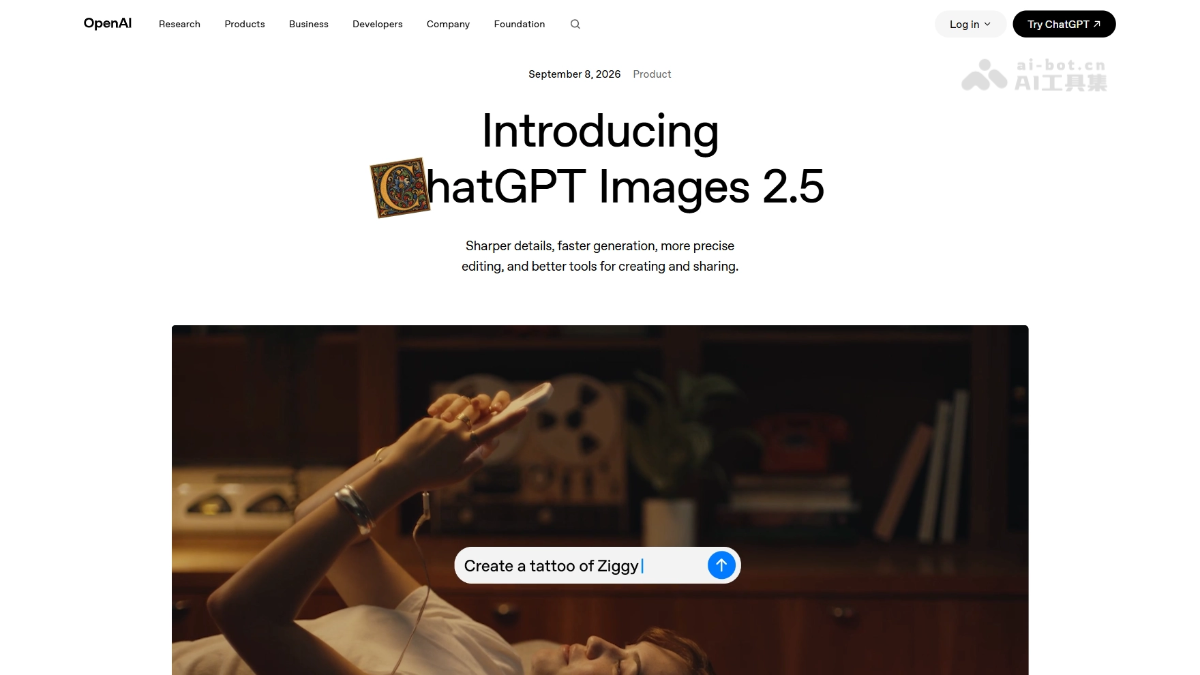
ChatGPT Images 2.5 is OpenAI's new generationimage generationmodel, available to ChatGPT、ChatGPT Work and Codex users across all tiers. Model generation latency is reduced by up to 50%, editing is more precise, multi-turn modification consistency is stronger, and fidelity of people in reference photos is higher. New features include Sketch hand-drawn references, templates, image comment editing, and prompt sharing; on the API side, two models, Flare and Sunburst, are introduced.
Main Features of ChatGPT Images 2.5
-
Precise local editing: Modify only specified elements such as products, backgrounds, or text, while the rest of the composition and style remain unchanged.
-
Multi-turn editing consistency: Repeatedly modify the same image in a long conversation, with earlier results no longer drifting and image quality not degrading.
-
Reference image fidelity: When generating new scenes and styles based on real-person photos or pet photos, key features of the subject can be better preserved.
-
Sketch hand-drawn input: Enter @Sketch in the chat box to draw a sketch, and the AI generates a complete image based on the sketch composition.
-
Creation templates: Provide high-frequency format templates such as posters and product images; fill in the information to generate an image, eliminating the need to write prompts.
-
Image comment editing: Directly circle and leave comments on the image (similar to Figma), and the AI changes only the annotated area.
-
Prompt sharing: When sharing an image, include the generation prompt so others can reproduce the same creative idea with their own photos.
Technical Principles of ChatGPT Images 2.5
- 50% latency reduction:Inference-side acceleration such as improved visual token compression rates, parallel/speculative decoding, and quantization and caching optimizations; on the API side, Flare (fast) and Sunburst (precise) tiers are split out, essentially turning the precision-speed budget into a product knob so developers can purchase waiting time as needed.
- Precise editing and multi-turn consistency: During multi-turn modifications, early results remain stable and image quality does not degrade with each turn; the model "understands what should not be changed." The specific training methods (instruction fine-tuning/RLHF/region regeneration strategies) have not been publicly disclosed by the official source; it can only be determined that at the capability level, targeted optimization has been made for "local modifications not destroying the whole."
How to Use ChatGPT Images 2.5
-
Direct conversation generation: In ChatGPT(desktop/mobile/web), describe your needs in natural language to generate an image; available to all tiers above the free version.
-
Upload reference image: Send a photo and ask the model to change the scene, change the style, or create a derivative work while preserving the subject's features.
-
Multi-turn conversation refinement: Continuously add modification instructions to the generated result; the model changes only the specified parts and keeps the remaining elements unchanged.
-
Image comment editing: Directly circle a position on the image and leave a comment (such as "change this to blue") without rewriting the prompt.
-
Sketch hand-drawing: Enter @Sketch in the chat box to open the drawing board, draw a sketch and add a text description, and the AI generates a finished product based on the sketch composition.
-
Start with a template: Select a template such as a poster or product image, fill in the information and style requirements to convey, and quickly generate an image.
-
Share prompts: When sharing an image, check the option to include the Prompt, so others can import their own photos to reproduce the same creative idea.
-
API Calls: Developers can integrate their own products through the Images API by choosing GPT-Image-2.5 Flare (fast batch) or Sunburst (high-precision refinement).
Core Advantages of ChatGPT Images 2.5
-
Fast: Generation latency is reduced by up to 50% compared with the previous generation, and Flare's measured image output speed can reach 2~4 times that of GPT-Image-2.
-
Precise Editing: It can modify only specified elements such as products, backgrounds, or text, while keeping the rest of the composition, lighting, and style unchanged—"precise targeting."
-
Stable Across Multiple Rounds: When repeatedly modifying the same image in a long conversation, early editing results do not drift, and image quality does not degrade with each round.
-
Strong Fidelity: When generating based on reference photos, key features of subjects such as people and pets are better preserved, and faces no longer "change identity."
-
Accurate Text: Outstanding Chinese rendering capability; text content on posters, invitations, and more no longer becomes garbled, and it can also handle complex layouts such as transparent backgrounds.
-
New Interactions: Supports visual creation methods such as Sketch hand-drawn drafts, image circle-and-comment, and template starters, no longer relying only on typing prompts.
Comparison of ChatGPT Images 2.5 with Similar Competitors
| Comparison Dimension | ChatGPT Images 2.5 | Nano Banana Pro |
|---|---|---|
| Architecture Route | Autoregressive generation (iteration on the same architecture as GPT-Image 2) | Gemini 3 Pro multimodal + "Thinking" reasoning |
| Generation Speed | Latency reduced by 50% compared with 2.0; Flare measured at 2~4 times GPT-Image-2 | About 8~15 seconds per image (15~20 seconds for 4K), about 3 seconds for the basic version |
| Resolution | Up to about 1536×1024 (1.57MP) | Native maximum 4K (3840×2160, about 8.3MP) |
| Reference Image Capability | Subject fidelity from reference photos is greatly improved, with no drift across multiple editing rounds | Can fuse up to 14 reference images at once and maintain consistency for up to 5 characters |
| Text Rendering | Chinese garbled text disappears; poster/invitation text is accurate | Industry-leading text rendering (supports detection and translation in 10 languages), with small text clear at 4K |
| Editing Precision | Circle-and-comment precise local editing; multi-round consistency is a strength ("understands what should not be changed") | Single-instruction editing is precise, but multi-step editing easily causes "ripple effects" that ruin other parts |
| Style Tendency | Stronger artistic style and diverse styles (officially described as "closer to your artistic vision") | More realistic and cinematically refined, with more accurate complex spatial logic |
| Interaction Innovation | Sketch hand-drawing, image comments, templates, prompt sharing | Conventional conversational editing, no hand-drawing entry point |
| API Tiers | Flare (fast) / Sunburst (precise) dual-tier layering | minimal / high (Thinking) two tiers |
Application Scenarios of ChatGPT Images 2.5
-
E-commerce and Marketing Design : Perform local replacements on product images (background, copy, color scheme) without reshooting, so one person can complete rapid iteration of new product materials.
-
Social Media Content Creation : Use templates to mass-produce posters and cover images, and leverage a prompt-sharing mechanism to replicate viral visual styles at low cost.
-
Personal Imaging and Commemorative Creation: Restore old photos to high-definition digital versions, or turn family photos into retro portraits or artistic portraits while keeping the person's features unchanged.
-
Film and Advertising Previsualization: Composite concept images such as "behind-the-scenes selfies" and character posters based on reference photos, with stable character poses and composition, suitable for early-stage pitches.
-
UI/Presentations and Infographics: Generate presentation pages, infographics, and transparent-background assets with accurate text layout, and embed them into design collaboration workflows via API (Flare/Sunburst).