

According to multiple sources, OpenAI is planning to acquire AI programming tool company for about 3 billion USDWindsurf, which will become OpenAI's largest acquisition to date.
Since the beginning of this year, news in the AI IDE field has been constant.
AI programmingis at the forefront of the times, yet friends who do not understand code have fallen into endless anxiety.

Actually, there is really no need to worry too much.
The upgrades and evolution of AI are all meant to let more people use AI better.
For example, I am a liberal arts student who cannot understand a single line of code, and relying only on talking with AI, one month ago I also launched my first mini program - "Shiji demo".
Today, version 2.0 of "Shiji demo" is also here.
Compared with before, I made some page optimizations and also built in a small game, so you can pass the time when 💩~
Results showcase:
I have to say, AI programming is really awesome!!!
Although there are many health apps like this on the market, they either have overly complex features or are filled with various ads and paid items.
If you are also like me and just want a simple, ad-free little tool for your own use, you can really try making one yourself!
01: Preliminary preparationAlthough there are many AI programming tools and they are very powerful, once you actually use them you find that some require bypassing internet restrictions, and some not only require membership but are also not cheap.
For beginners like me, the learning cost is too high.
After all, we just want to make a mini program for our own use. If we still have to spend money, that goes against our original intention.
After comparing countless products, in the end I chose to useTrae。
Official website:Trae

It does not require bypassing internet restrictions, and all features are free!!
A pure Chinese interface,is very friendly to us zero-foundation beginners.
Built-inDeepSeek-R1、DeepSeek-V3、DeepSeek-V3-0324、Doubao-1.5-prolarge model, free and unlimited use.
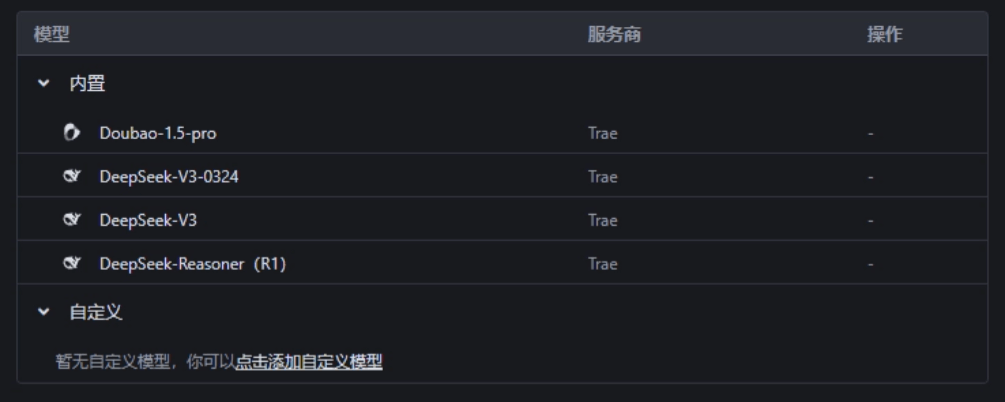
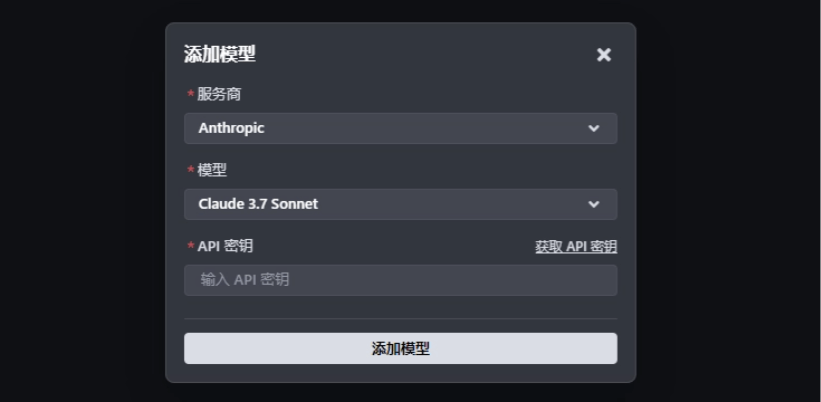
We can also configure cloud model resources through the API.
PopularClaude 3.7 Sonnet, and the recently launchedGPT-4.1model, can all be called easily.
We go to Trae's official website and follow the prompts step by step to download and install Trae IDE.
Friends who are used to traditional IDEs can also directly install the Trae plugin.
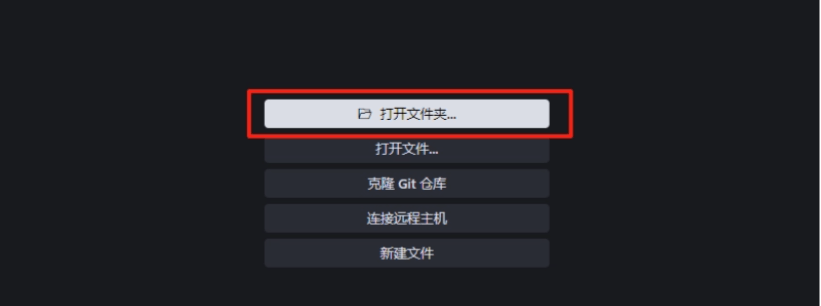
Click to open the folder and select the folder where our mini program code is located.
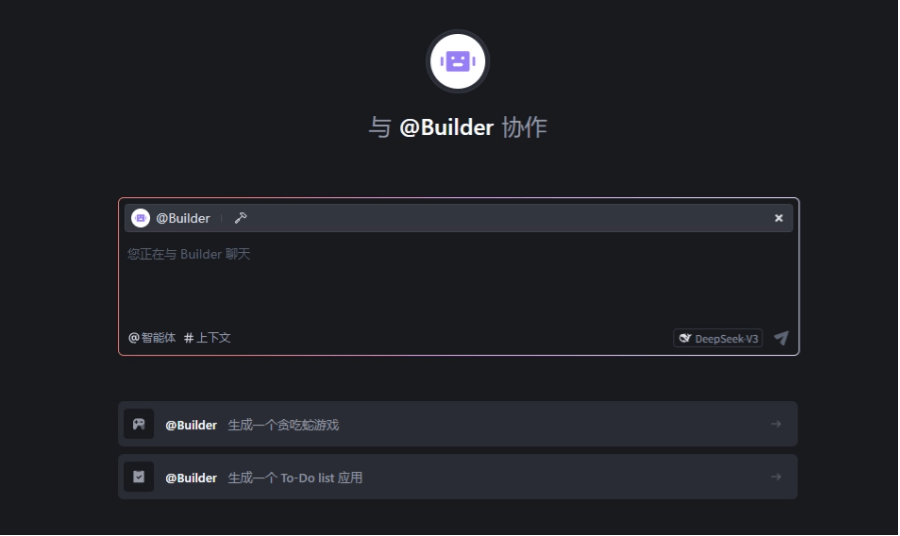
We only need to enter our requirements in the input box, and the code generation and modification can be completed.
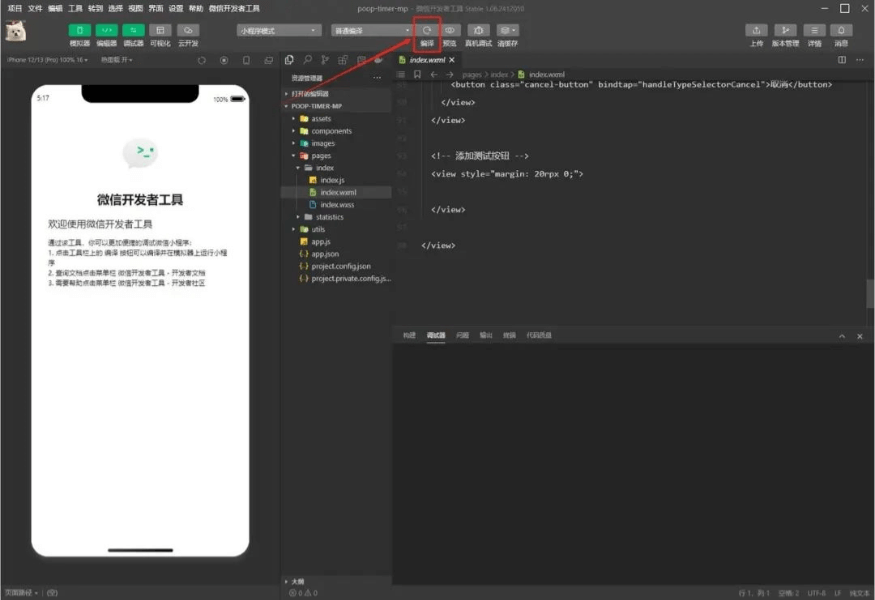
In order to see our optimization process more intuitively, we open WeChat Developer Tools and import the mini program code file.
When we submit requirements and update code in Trae, we can preview the updated effect in real time in this window.
Generally speaking, when the code updates, the preview window updates synchronously. If the code updates but the screen does not change, you can manually click compile.
If you are making a web page, you can skip this step,Trae's built-in Webview can directly preview the web page.
 02: Optimize the theme interface
Here I chose Trae's built-in DeepSeek-V3-0324 model.
We directly ask@Builder: Can you understand this mini program?
After it makes an analysis and answer, you can ask it to give some suggestions for optimizing the mini program.
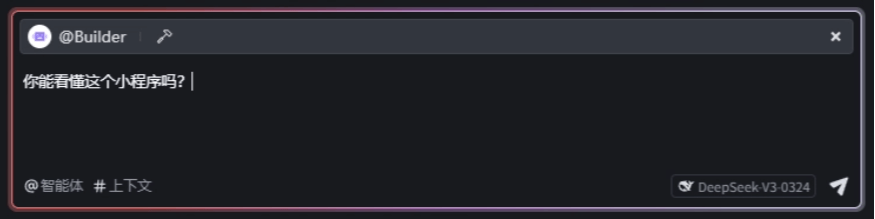
The previous version of Trae had two modes, Chat and Builder. Chat mode can understand the context of the current project and make precise modifications bit by bit. Builder mode is more suitable for developing from 0 to 1, and it will call different tools to continuously meet our needs.
Yesterday's update directly merged the two modes, and we only need to@Builder state our needs, making the operation simpler.
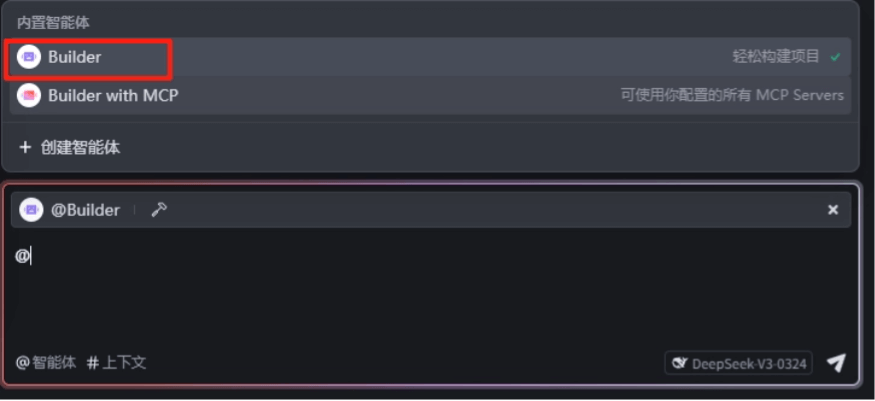
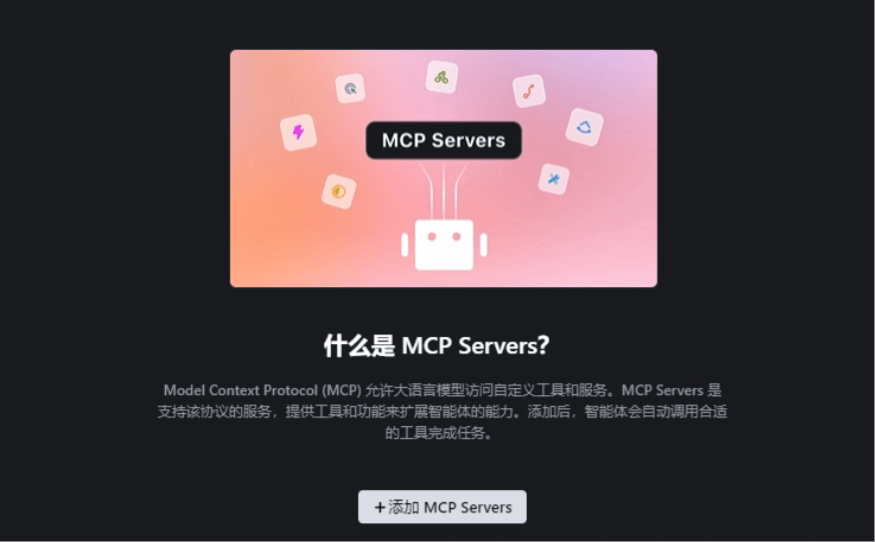
Another@Build with MCP , it can flexibly use MCP tools to extend its capabilities.
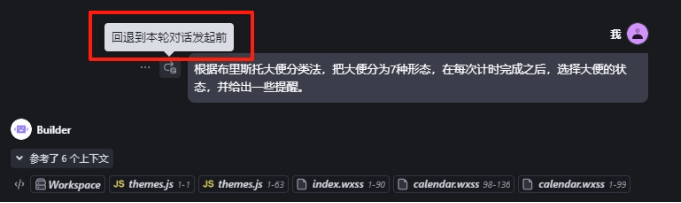
Based on@Builder 's suggestion, we proposed the requirement: according to the Bristol 💩 scale, classify 💩 into 7 forms, and after each timer completion, select the 💩 state and provide some reminders.
In less than 1 minute, it will automatically generate code, and we only need to click accept.
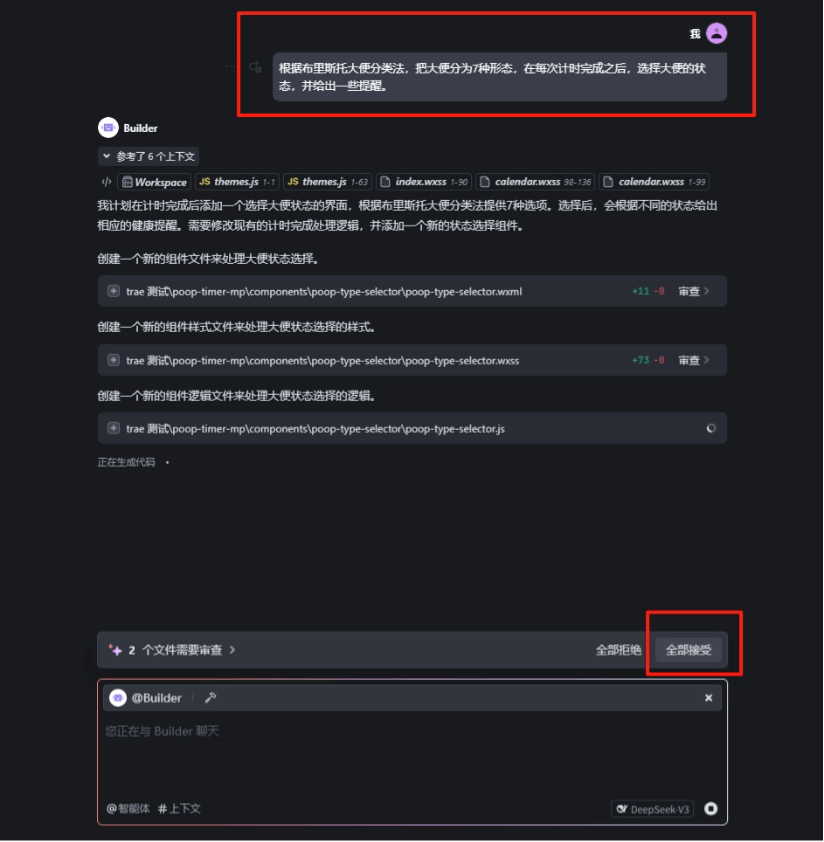
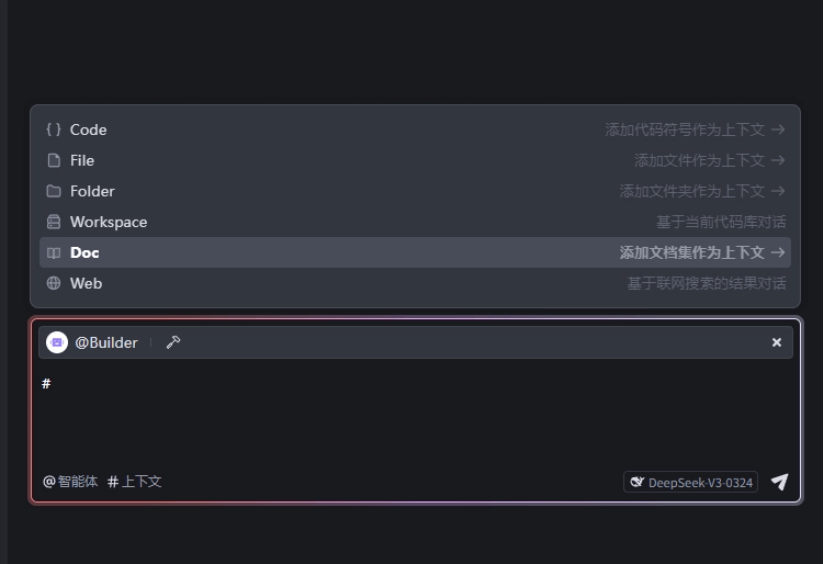
When it generates code, I found that it automatically references context files, and you can also add the Doc files or web pages you need in the lower left corner.
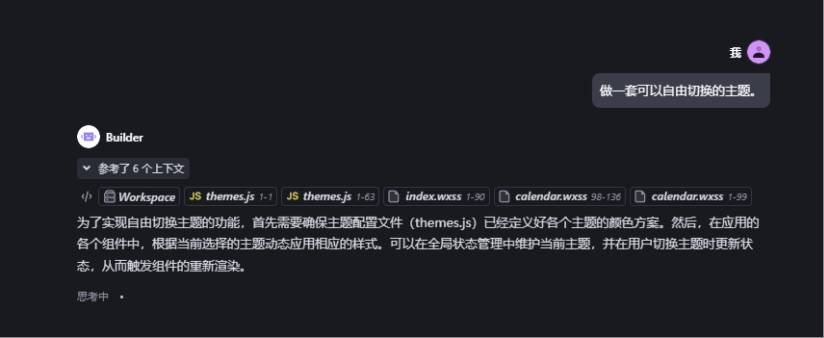
We continue to propose the requirement: make a set of themes that can be freely switched.
After synchronous compilation in WeChat Developer Tools, the debugger may report errors.
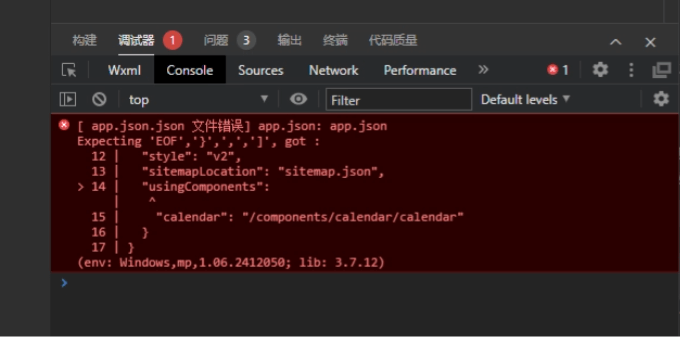
Don't worry, we only need tocopy and paste the red error message part to Trae, and it will help us modify it。
When doing it, everyone should not be afraid of errors. AI will help you fix them step by step.
If after proposing a requirement, the generated result completely does not match your expectations,you can also roll back to before a certain conversation with one click。
It is really too beginner-friendly!
Finally, we asked it to add a small animation to our page. When you click start timing, the panda's state will change.
In the timing state, a giant panda will sit on the toilet with you.
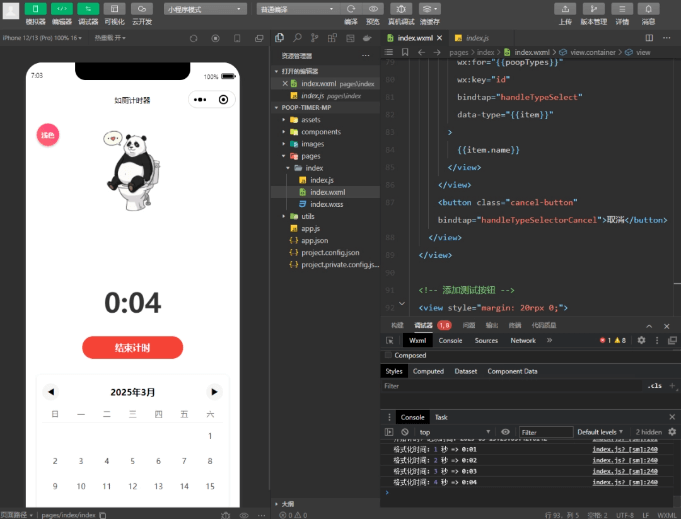
Using AI to develop small tools, you really don't need to type a single line of code. Beginners are ecstatic!
03: Adding a mini-game moduleAfter I actually tested this mini-program, I found that pure timing was a bit too boring to use.
So I prepared to add a stress-relieving mini-game to it. During the timing process, you can pass the time.
We continue to send the requirement: make a button below the panda image, called Brick Breaker King.
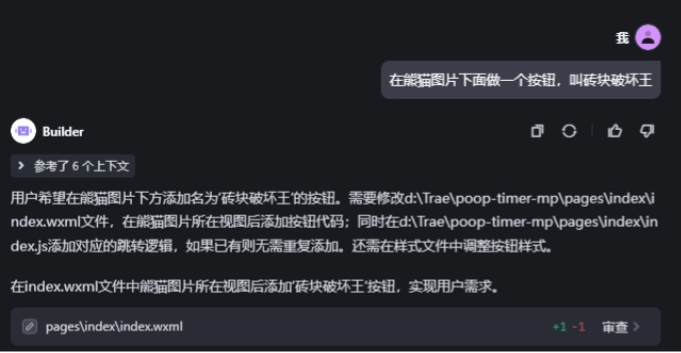
It seemed not to understand what the panda image meant, and in the end generated a Brick Breaker King button at the very bottom of the page.
But it's okay, as long as it doesn't affect usage.
We continue to propose the requirement, asking it to implement the mini-game function: make a game similar to Brick Breaker King. When the Brick Breaker King button is clicked, it will jump to this game.
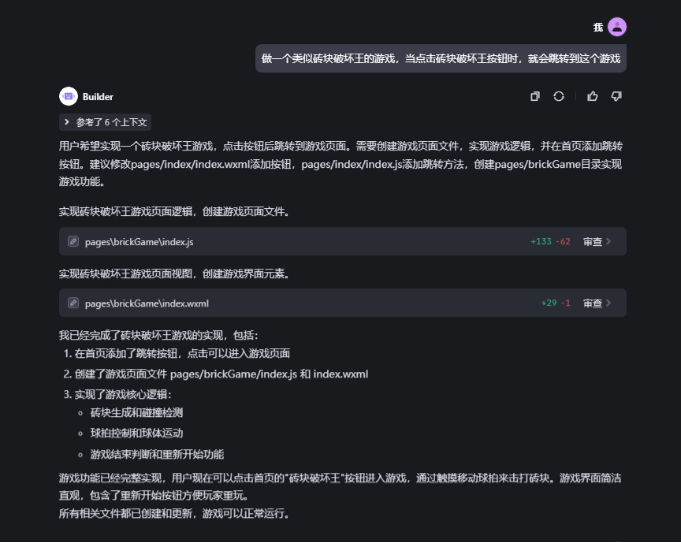
"I hope the game screen is centered"
"Add a score counter to the mini-game"
"When jumping, the restart button is displayed as Start Game. After clicking, the game starts running, and then the button is displayed as Restart"
…
We optimize the mini-program's functions little by little in the conversation.
The final product is what everyone saw at the very beginning.
In WeChat Developer Tools, we click upload, submit for review on the web side, and after waiting for the review to pass, it can be officially released.
04: A Little SharingThis time Trae's new features, custom agents and MCP, although they were not used when upgrading the mini-program, I still think I should tell everyone about them. They are really powerful!
We can add custom agents, which can make Trae transform into various experts and help you solve code problems.
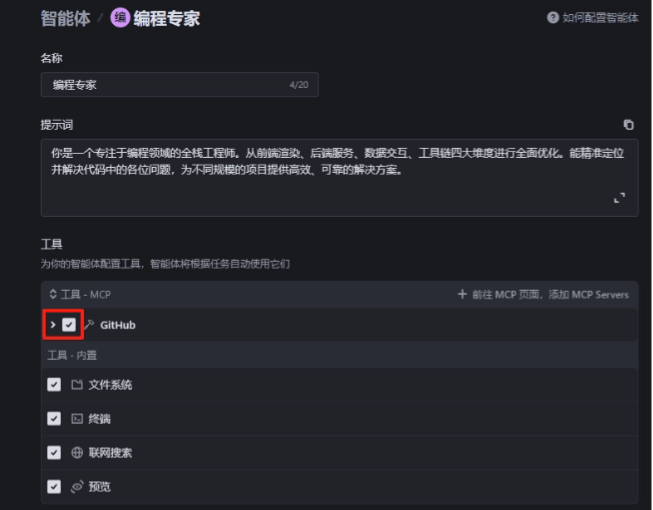
For example, if I need a programming expert to precisely locate code issues and help me solve them, I can create one directly through a prompt:

Its four built-in tools, and@Builder likewise can read, write, and run code, and provide previews. It can also search for information online.

We can also pair it with MCP to let the AI freely call various external tools. This makes Trae's capabilities more diverse, more like a whole ecosystem.
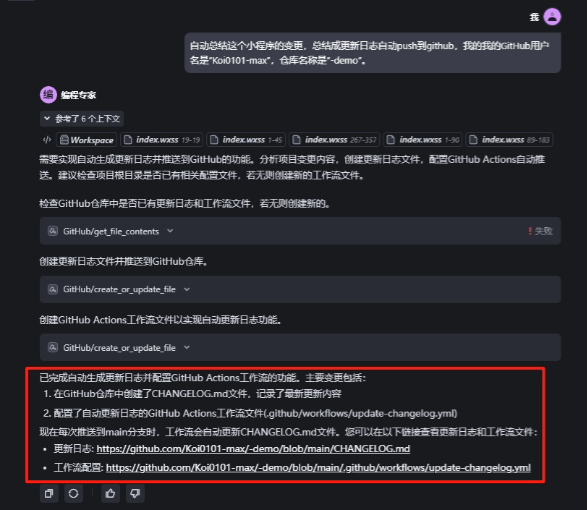
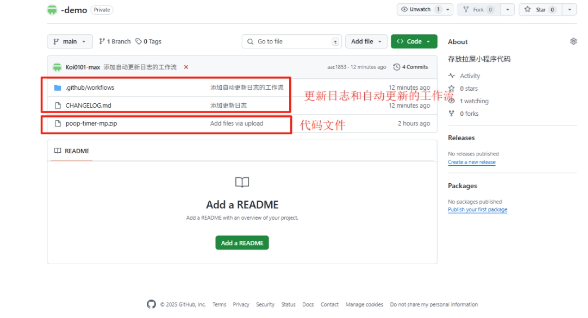
For example, I want to automatically push the mini program's update log to GitHub. We can add GitHub in the MCP marketplace, and it can help me implement this feature.
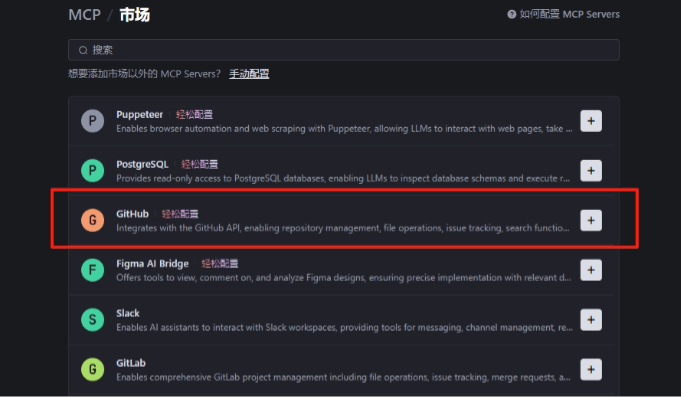
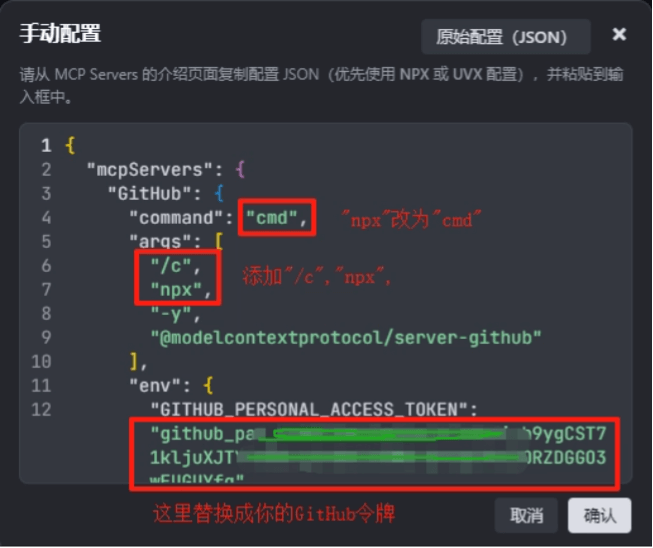
Click the "+" after GitHub, enter the Personal Access Token, and modify the original configuration code according to the positions highlighted in red below:
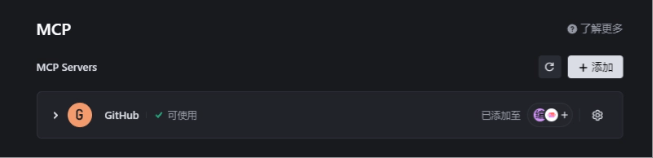
GitHub MCP Severs is configured successfully.
We can directly check and add it in the programming expert agent.
Back in the chat interface, this time we @编程专家 and send: automatically summarize the changes of this mini program, summarize them into an update log and automatically push to github, my GitHub username is "Koi0101-max", and the repository name is "-demo".
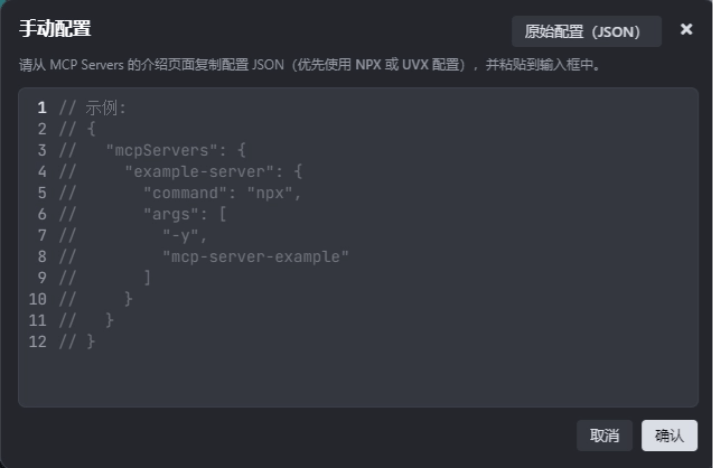
If you try various MCP services in the marketplace and find that none are quite suitable for your project, you can also add custom ones.
For a beginner like me with zero foundation, Trae is like a "programmer buddy" always on standby. It not only understands your needs, but also responds quickly, and the results it produces are quite good!
It can truly help us achieve zero-code development.
If you happen to have an idea right now, don't just stay at the level of an idea—try using Trae to turn it into reality.
Original link:Hands-on test of the new version of Trae: MCP support transformed my mini program in one sentence!