
What is Warp Agent CLI
Warp Agent CLI is a standalone command-line coding tool launched by Warp , and can run in any environment such as Ghostty, iTerm 2, VS Code, and built-in system terminals. The tool is built on Warp terminal infrastructure, has a built-in multiplexer that natively manages pty connections, and supports maintaining Agent context across directories and SSH sessions. The tool can drive full-screen interactive applications such as sqlite and python, supports the MCP protocol, and can automatically orchestrate local and cloud sub-Agent tasks, including delegating to Claude Code or Codex。
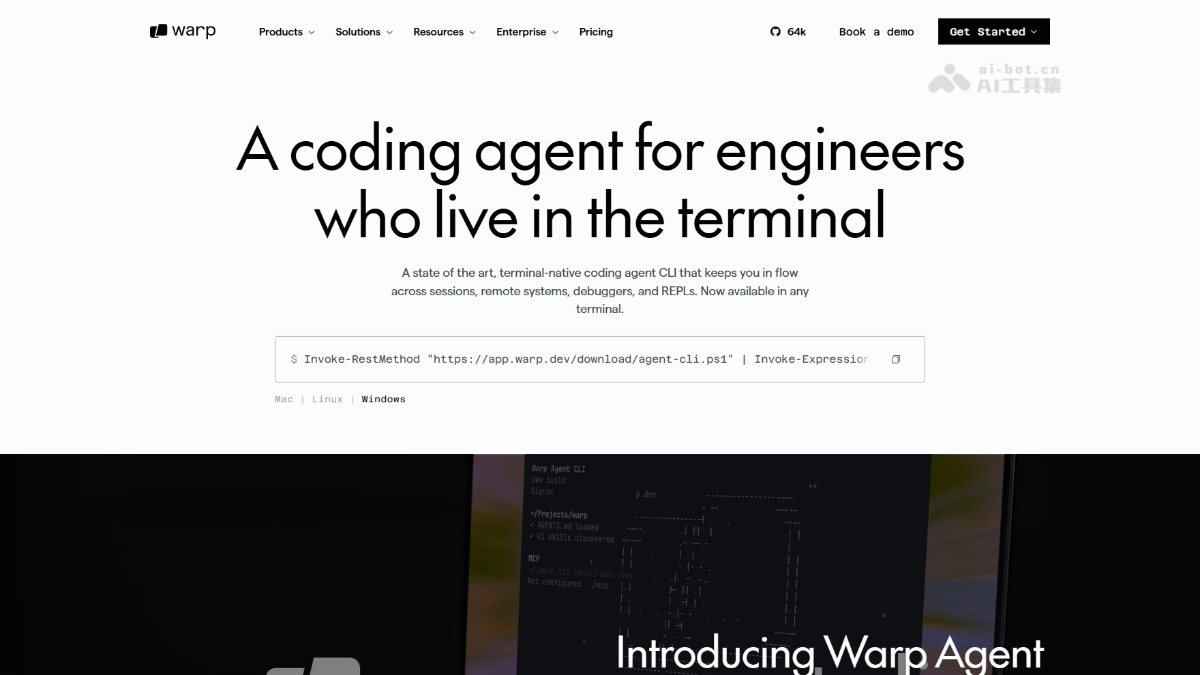
Main features of Warp Agent CLI
- Terminal-native Agent: Runs as a standalone command-line tool, supports Ghostty, iTerm 2, VS Code terminal, and built-in Windows/Mac system terminals, with no need to bind to the Warp terminal itself.
- Built-in multiplexer: Natively manages pty connections, and automatically maintains Agent session context when switching working directories or SSH remote hosts, with no need to rebuild session state.
- Interactive TUI driving: Can control full-screen interactive applications such as sqlite and python, read and write code in real time, execute queries, and interactively debug in a REPL environment.
- Natural language task execution: Enter a natural language description to generate and run commands, supports
?shortcut commands,/command invocation,!Shell mode, and theCtrl+Grich text editor for writing complex prompts. - MCP protocol integration: Configure MCP servers through
~/.warp_cli-local/.mcp.jsonto extend external tool invocation capabilities such as file systems, databases, and APIs. - Project-level context awareness: Automatically loads the
AGENTS.mdfile in the project root directory, recognizes project rules and skills, and achieves deep understanding at the codebase level.
How to use Warp Agent CLI
-
One-click installation: On Mac/Linux, run
curl -fsSL https://app.warp.dev/download/agent-cli.sh | bash, and on Windows, runInvoke-RestMethod "https://app.warp.dev/download/agent-cli.ps1" | Invoke-Expressionto complete installation. -
Start a session: Enter
warp-agentin any terminal to enter an Agent session, supporting Ghostty, iTerm 2, VS Code terminal, and native system terminals. -
Interactive commands: Enter a natural language description of the task to execute it; press
?to view shortcut commands,/to invoke commands,!to switch to Shell mode to execute native commands, andCtrl+Gto open the rich text editor to write complex prompts. -
Configure MCP: Configure MCP servers through
~/.warp_cli-local/.mcp.jsonto extend Agent tool capabilities. -
Load project rules: Place the
AGENTS.mdfile in the project root directory, and the Agent will automatically load it and discover skills, achieving project-level context awareness.
Core advantages of Warp Agent CLI
- Terminal-native multiplexing: Built-in pty connection management automatically maintains Agent context when switching directories or SSH remote hosts, with no need to rebuild the session.
- Multi-Agent orchestration hub: As a scheduling layer, it simultaneously hosts sub-Agents such as Claude Code, Codex, and Gemini CLI, enabling multi-model collaboration and task delegation.
- Zero dependencies in any terminal: Completely independent of the Warp terminal itself; Ghostty, iTerm 2, VS Code terminal, and native system terminals can all run it directly, breaking tool lock-in.
- Full-screen TUI native driving: Can directly control interactive full-screen applications such as sqlite and python and read/write in real time in the REPL; other CLI Agents only support limited interaction.
- Flexible model routing: Built-in cost-optimizing router, supports automatic switching between Claude/GPT/Gemini and BYOK access; users can freely configure according to task complexity rather than being bound to a single vendor.
Project address of Warp Agent CLI
- Project official website:https://www.warp.dev/agent-cli
Comparison of Warp Agent CLI with similar competitors
| Dimension | Warp Agent CLI | Claude Code | Codex CLI |
|---|---|---|---|
| Positioning | Terminal-native Agent orchestration layer | Deep coding Agent | Lightweight coding Agent |
| Model selection | Claude/GPT/Gemini/Auto routing | Claude series only | OpenAI series only |
| Terminal dependency | Can run in any terminal | Can run in any terminal | Can run in any terminal |
| Multiplexing | Built-in pty multiplexing, maintains context across directories/SSH | No built-in multiplexing | No built-in multiplexing |
| Interactive TUI | Native support for full-screen applications such as sqlite and python | Limited support | Limited support |
| Sub-Agent delegation | Supports delegation to Claude Code, Codex, Gemini CLI | Supports sub-Agents | Not supported |
| Pricing | Free 75–150 credits/month; Build $20/month; Max $200/month | Pro from $20/month; Max $100–$200/month | API usage-based billing |
Application scenarios of Warp Agent CLI
-
Cross-directory code refactoring: Switch between multiple sub-project directories in a large monorepo while the Agent maintains global context to continuously perform multi-file modifications.
-
Remote server operations: Connect to a remote host via SSH; the Agent continues running in the session, automatically troubleshooting logs, modifying configurations, and restarting services.
-
Interactive database management: Drive full-screen TUI tools such as sqlite; the Agent automatically writes and executes SQL queries based on natural language instructions.
-
Multi-Agent collaborative development: Run Warp Agent, Claude Code, and Codex simultaneously in different tabs, compare output results, and integrate the optimal solution.
-
Background automation orchestration: Combine with the Oz cloud platform and set Slack, Linear, or GitHub Actions triggers to implement scheduled or event-driven background Agent tasks.