

What is Warp
Warp is a modern development environment tool that boosts development efficiency by integrating an AI assistant. It supports the entire process from code writing to production, helping developers save time. It generates code through natural language instructions and provides code review and optimization suggestions. From code writing, review, and deployment to production monitoring, Warp covers the entire software lifecycle. Through codebase embedding and a knowledge base, Warp can understand code context and provide more precise suggestions. It offers Zero Data Retention (ZDR) and Bring Your Own LLM (BYO LLM) options to ensure data security. It supports team collaboration, SAML single sign-on, and customized AI requests to meet enterprise-level needs.
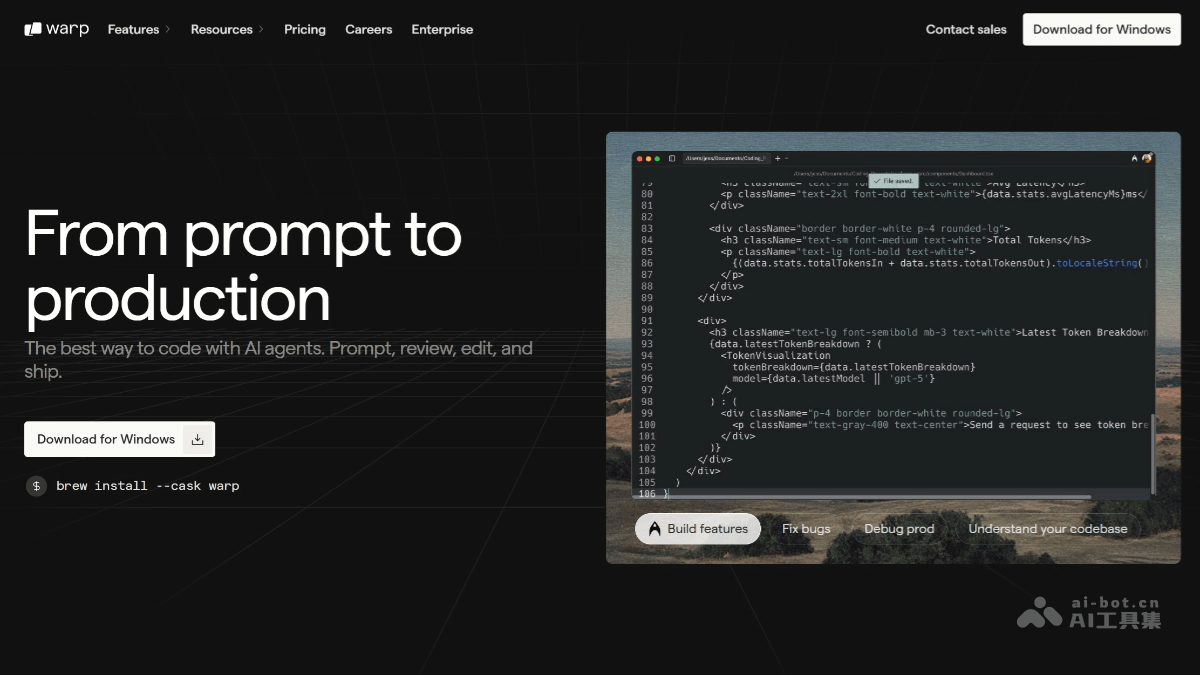
Warp's main features
-
AI assistant integration: Warp integrates a powerful AI assistant that can generate code, fix errors, and debug issues based on natural language instructions entered by users. It supports multiple AI models, such as OpenAI, Anthropic, and Google models, providing better performance through a hybrid model approach.
-
Full-process development support: From code writing, review, and deployment to production monitoring, Warp covers the entire software development lifecycle. Developers can complete all tasks in one application without frequently switching tools.
-
Context-aware programming: Through codebase embedding and a built-in knowledge base, Warp provides developers with context-aware code suggestions and optimization. It can understand code context and generate code that better fits project needs.
-
Powerful feedback loop: Warp provides a tight feedback loop, allowing developers to monitor AI-generated code in real time and make adjustments and optimizations when necessary.
-
Security and privacy protection: Warp offers Zero Data Retention (ZDR) and Bring Your Own LLM (BYO LLM) options to ensure the security and privacy of user data. Enterprise users can fully control the use and storage of data.
-
Enterprise-level features: Warp supports team collaboration and provides SAML single sign-on, customized AI requests, and enterprise-level support to meet the needs of large teams and enterprises.
-
Multi-platform support: Warp supports macOS, Linux, and Windows systems, ensuring a consistent development experience across different operating systems.
How to use Warp
-
Installation: Download the installation package suitable for your system from the official website. For example, macOS users can download it from the official website and double-click to install; Linux users can visit the Warp official download page and select
.debAfter downloading the installation package, run the relevant commands in the terminal to install. -
Log in: After starting Warp for the first time, if you have an account, you can click "Sign in" to log in; if you do not have an account, click "Sign up" to register. It supports authorized login via email, Github, Google, SSO, and other methods.
-
Mode switching: Warp offers three modes: Terminal, Agent Mode, and Auto Detection, which can be quickly switched using the shortcut [Ctrl/Cmd+I]. Terminal mode supports command-line instructions and autocomplete, without AI features; Agent Mode can perform tasks such as inquiries and coding through natural language; Auto Detection mode automatically detects natural language during input.
-
Block-based input system: Warp organizes command input and output into "blocks." Each command and its output form an independent visual unit, making it easy to trace back and understand. You can use
⌘+KClear the current terminal view. Click any block to copy its contents, or right-click a block to share or save it. -
Smart command input: When entering commands, Warp provides features such as autocomplete, parameter hints, and historical command suggestions. For example, entering
git push origin ma[Tab]can be automatically completed to "main". -
Workflows: Commonly used command combinations can be saved as workflows to execute complex operations with one click. After entering a command sequence, click "Save as Workflow", name and save it, and then quickly call it by name later.
-
AI-assisted features: Built-in AI assistant. You can add
??before a command to invoke AI help, such as entering?? 如何递归删除所有.node_modules目录, and the AI will provide suggested commands. -
Team collaboration: Supports real-time terminal sharing, suitable for remote collaboration and teaching. Click the "Share" button in the upper right corner, select permissions (read-only or editable), generate a link, and send it to collaborators.
Warp's project address
- Project official website:https://www.warp.dev/
- GitHub repository:https://github.com/warpdotdev/warp
Warp's application scenarios
-
Software development: Its block-based input system, smart command input, and other features can optimize command input, debugging, and code management during development. For example, when handling Git workflows, the block structure and history features can make Git operations more intuitive.
-
Team collaboration: Supports real-time terminal sharing, suitable for remote collaboration and teaching. Warp Drive provides personal and team workspaces, can save commonly used commands and workflows, supports real-time synchronization and sharing, and enhances team collaboration.
-
Operations management: For system administrators, Warp provides a powerful remote server management experience, including log analysis, configuration management, monitoring commands, and more. In server operations and cloud environments, Warp can provide an intuitive and efficient way to access them.
-
Learning and practice: For command-line beginners, Warp's AI-assisted features can help them become familiar with and master terminal operations more quickly, lowering the learning threshold.
-
High-performance computing: NVIDIA Warp, as a Python framework for high-performance GPU simulation and graphics computing, is suitable for fields such as physics simulation, computer graphics, robotics, machine learning, scientific computing, and game development.

