

What is Kimi Code
Kimi Code is Kimi's dedicated offering for developers: anAI programmingtool built on Kimi K3the latest flagship models. Through a CLI command-line tool and a VS Code extension, it provides AI-assisted capabilities such as code reading, file editing, command execution, and web search. Kimi Code also supports API Key access to Claude Code and other third-party tools, is compatible with the OpenAI and Anthropic protocols, and helps developers complete programming tasks efficiently. Kimi Code now covers desktop, CLI, and IDE extensions, easily compatible with various development workflows, responding to requests faster and more reliably, and completing programming tasks efficiently.
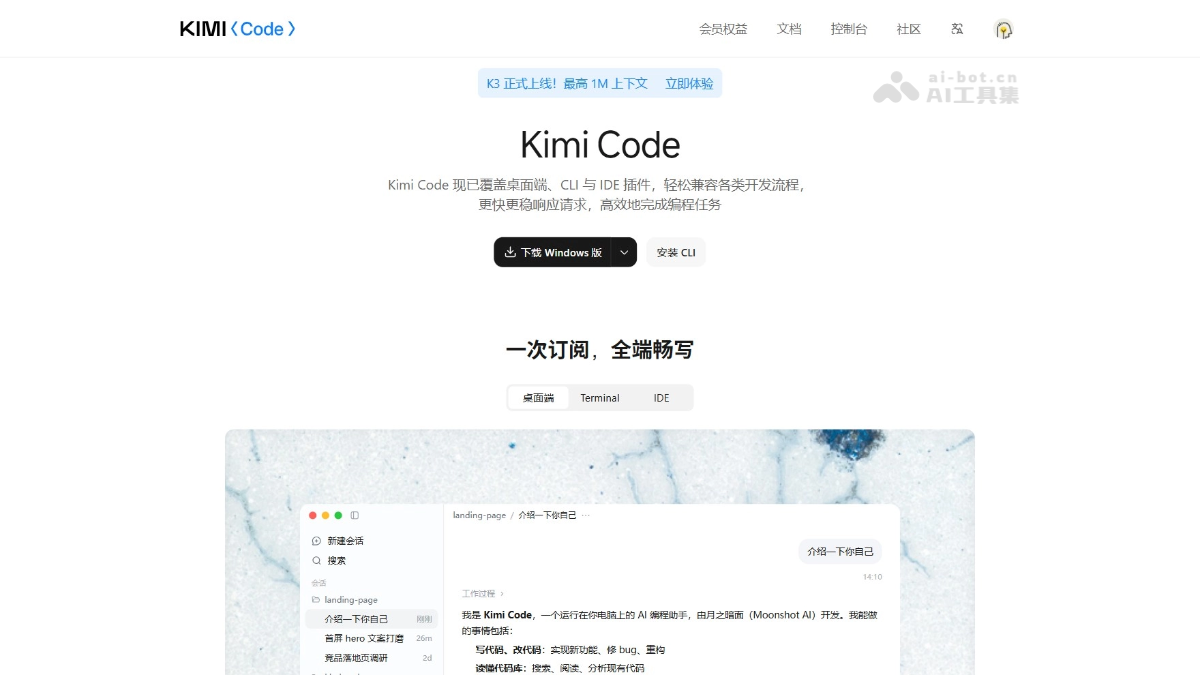
Kimi Code's main features
-
Intelligent code reading: Deeply understands codebase structure, logic, and dependencies based on flagship large models.
-
File editing and refactoring: Supports multi-file batch modifications, code refactoring, and intelligent completion.
-
Command-line execution: Directly invokes AI in the terminal to execute Shell commands and automate development workflows.
-
Web information retrieval: Supports real-time searching of online documentation and materials to assist in solving programming problems.
-
CLI terminal interaction: Converse with AI via the command line, completing development tasks without leaving the terminal.
-
Deep VS Code integration: Embedded into the IDE as an extension, providing immersive programming assistance.
-
Third-party tool access: Compatible with mainstream development tools such as Claude Code and OpenCode via API Key.
-
Flexible multi-model switching: Offers K3 (million-token context),K2.7 Code and other models to choose from as needed.
-
Dual-tier speed adjustment: Supports free switching between standard and high-speed versions, with response speeds of up to 100 Tokens/s.
- Kimi CodeDesktop version: Natively adapted for macOS and Windows, with the flagship model Kimi K3 built in, and also supports access to third-party models.
How to use Kimi Code
-
Visit the official website: Visit the Kimi Code official website https://www.kimi.com/code 。
-
Install the CLI: Choose the curl (macOS/Linux) or PowerShell (Windows) command based on your system to complete installation in one step.
-
Launch the tool: Run the
kimicommand in the terminal to launch the client. -
Log in to your account: Enter the
/logincommand to log in by scanning a QR code, with no need to manually configure an API Key. -
Start developing: Directly enter natural language requirements and let the AI read code, edit files, or execute terminal commands.
-
Install the VS Code extension: Search for and install the Kimi Code extension in the extension marketplace, then log in to use it within the IDE.
-
Create an API Key: Generate an API Key in the official website console (up to 5) for access to third-party tools.
-
Configure third-party tools: Fill in the Base URL and API Key into the environment variables of tools such as Claude Code and Trae.
-
Select a model: Choose according to the task scenario
k3(large projects),k3-256k(daily development), or the high-speed model.
Core advantages of Kimi Code
-
Continuously upgraded underlying model: Keeps up with Kimi's latest flagship models, continuously gaining cutting-edge code understanding, reasoning, and generation capabilities.
-
Freely switch between two speed tiers: The same model offers a standard version and a high-speed version; the high-speed version outputs about 5–6 times faster than the standard version, selectable with one click according to the task pace.
-
Broad compatibility: Perfectly adapts to various development tools such as Kimi Code CLI, VS Code, and Claude Code.
-
Ultra-fast response: Maximum output speed can reach 100 Tokens/s.
-
High-frequency concurrency: Supports approximately 300–1200 requests every 5 hours, with a maximum concurrency of 30.
Comparison of Kimi Code with similar competitors
| Comparison item | Kimi Code | Cursor |
|---|---|---|
| Underlying model | Based on Kimi's latest flagship models (K3 / K2.7 Code), continuously upgraded | Based on third-party models such as Claude and GPT-4o, freely switchable |
| Product form | CLI + VS Code extension + API access, covering terminal and IDE | A deeply customized AI-native IDE, with the editor as the core |
| Speed tiers | Provides switchable standard and high-speed tiers, up to 100 Tokens/s | Depends on the model's own speed, with no official dual-tier speed mechanism |
| Context window | K3 supports up to a 1 million token context, suitable for large codebases | Typically supports around 200,000 tokens, with limited long-context capability |
| Protocol compatibility | Compatible with both OpenAI and Anthropic protocols, making it easy to integrate third-party tools | Mainly based on proprietary protocols, with weak external API support |
| Billing method | Kimi membership subscription, paid monthly/yearly, with rate limits | Subscription + pay-as-you-go, Pro version $20/month |
| Best scenarios | Terminal Agent programming, multi-file engineering tasks, cross-tool integration | AI-native code editing, real-time completion, full-project refactoring |
Application scenarios of Kimi Code
-
Large codebase analysis: Leverage K3's million-level context capability to quickly understand complex project structures and dependency relationships.
-
Multi-file refactoring: Through natural language instructions, let AI autonomously complete cross-file code refactoring and batch modifications.
-
Daily feature development: With the terminal CLI or VS Code plugin, achieve code completion, function generation, and bug fixing.
-
Terminal automation: Directly call AI from the command line to execute Shell commands, automating development processes such as deployment and testing.
-
Third-party tool integration: Connect to tools such as Claude Code and Trae via API Key to unify AI programming workflows.
-
Technical issue troubleshooting: Combined with web search capabilities, retrieve documentation and materials in real time to assist in solving difficult programming problems

