

What is KroWork
KroWork is a desktop general-purpose AI agentlaunched by Kuaishou. Users describe their needs in natural language, and KroWork can autonomously break down tasks, invoke skills, write and execute code, and ultimately deliver directly runnable local applications or documents. KroWork supports solidifying workflows into reusable lightweight applications. The domestic version has integrated Qwen/Kimi/DeepSeek, while the international version supports OpenAI/Anthropic.
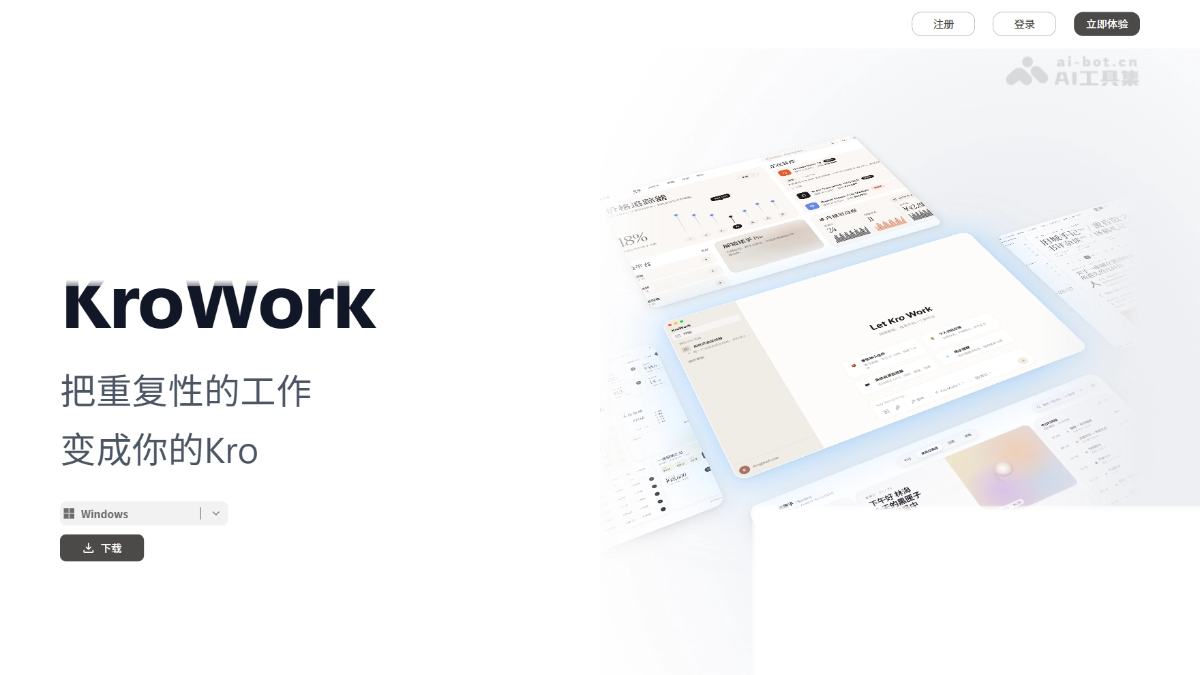
KroWork's main features
- Natural language app generation: Describe your needs in plain language, and the AI automatically writes code and deploys it as a runnable desktop application (such as a Pomodoro timer, system monitor, or meeting room booking assistant).
- Complex task execution: Autonomously break down subtasks and invoke skills such as deep search, browser, and data analysis to complete PPT generation, codebase monitoring, and more.
- Workflow solidification: Save repetitive tasks as lightweight applications and run them with one click, avoiding repeated credit consumption.
- Local device operation: Directly operate files, browsers, and the system environment, with support for automatically installing missing components.
- Three execution modes: Default (dangerous operations require manual approval), Automatic (AI approves on your behalf), and Fully Permissive (execute directly except for destructive operations).
- Multi-model support: The domestic version supports Qwen, Kimi, and DeepSeek; the international version supports OpenAI and Anthropic.
How to use KroWork
- Download and install: Visit the KroWork official website https://krowork.com/ to download the client, and choose the domestic or international version to complete installation.
- Describe your needs: Enter the task goal in natural language in the chat interface (such as "make a floating Pomodoro timer").
- Confirm the plan: Review the task breakdown and execution plan generated by the AI, and start after confirmation.
- Choose a mode: Based on the task risk, choose the Default, Automatic, or Fully Permissive execution mode.
- View and iterate: View the running results in the sandbox, and have the AI fix issues based on log feedback.
- Solidify the application: Save a satisfactory workflow as a lightweight application and add a desktop shortcut.
KroWork's core advantages
- Natural language app generation: Users describe their needs in plain language, and the AI automatically writes code and deploys it as a directly runnable desktop application.
- 100% local operation: All tasks are executed on the local device, and data never leaves the machine throughout the process, completely avoiding the risk of privacy leakage.
- Workflows can be solidified and reused: Save repetitive tasks as lightweight applications and run them with one click next time, with no need to repeatedly write prompts or consume AI credits.
- White-box transparency and traceability: You can view every specific step executed by the AI, with support for self-diagnosis and problem fixing based on local logs.
- Secure sandbox and tiered control: Each operation runs in an isolated environment, and three permission modes are provided—Default, Automatic, and Fully Permissive—balancing efficiency and security.
Comparison of KroWork with similar competitors
| Comparison dimension | KroWork | Tencent QClaw |
|---|---|---|
| Launched by | Kuaishou | Tencent |
| Product positioning | Desktop general-purpose AI agent | Desktop AI Agent (built on OpenClaw) |
| Core capabilities | Generate and deploy local applications using natural language | Remotely operate a computer via WeChat + preset tasks |
| How it runs | 100% local operation, data never leaves the device | Hybrid cloud + local, supports remote operation via WeChat |
| Interaction entry point | Native desktop client interface | WeChat Mini Program "QClaw Manager" + PC client |
| Target users | Non-programmer knowledge workers (HR/marketing/data analysis) | General users, emphasizing the WeChat ecosystem and lightweight operation |
| Workflow solidification | Supports saving as reusable lightweight applications | Supports "Inspiration Square" preset tasks and customization |
| Security mechanism | Local sandbox isolation + three-tier permission control | Agent sandbox security mechanism |
KroWork application scenarios
- Intelligent office automation: Automatically book meeting rooms, generate industry research PPTs, monitor code repository updates, and hand tedious repetitive office tasks entirely to AI.
- Desktop widget development: Quickly generate personalized floating components such as pomodoro timers and system resource monitors using natural language, and get custom tools without writing code.
- Information monitoring and aggregation: Regularly scan GitHub, news websites, or competitor updates, automatically capture changes, and generate structured daily reports, replacing manual monitoring.
- File and document processing: Automatically organize the Downloads folder, batch rename assets, and generate editable data reports, freeing up time from manual operations.
- Repetitive process solidification: Save processes such as fixed-format data processing, email sending, and report generation as one-click applications for long-term reuse without repeatedly consuming credits.


