
What is Lynote
Lynote is an AI learning assistant for students, researchers, and professionals, focused on solving the problem of information overload. Lynote can quickly summarize YouTube videos, PDFs, and articles, accurately detect AI-generated content, support one-click video downloads for offline learning, and transform mechanical AI text into natural, fluent expression. Lynote helps users compress hours of reading and watching into a few minutes of key points, greatly improving learning efficiency.

Lynote's main features
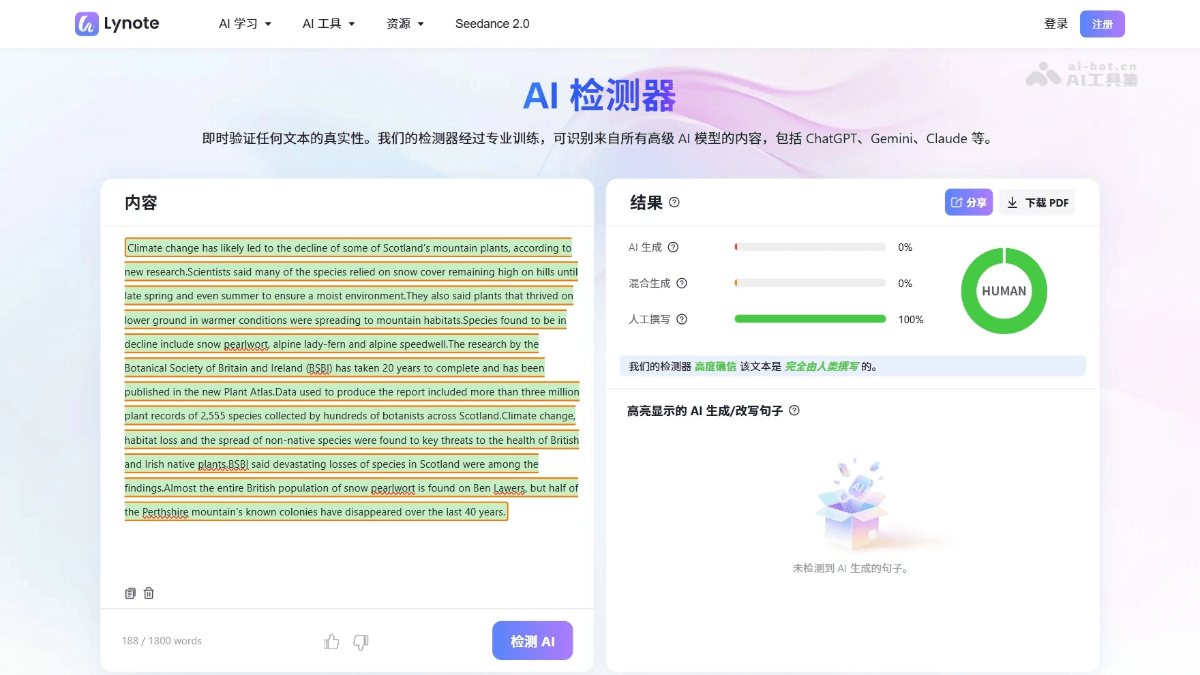
- AI Detector: Instantly verify the authenticity of text and accurately identify content generated by mainstream AI models such as ChatGPT, Gemini, Claude, and more.
- AI Humanizer: Transform AI-generated text into natural, fluent human expression, perfectly suited for the output of ChatGPT、Gemini、DeepSeek and Claude .
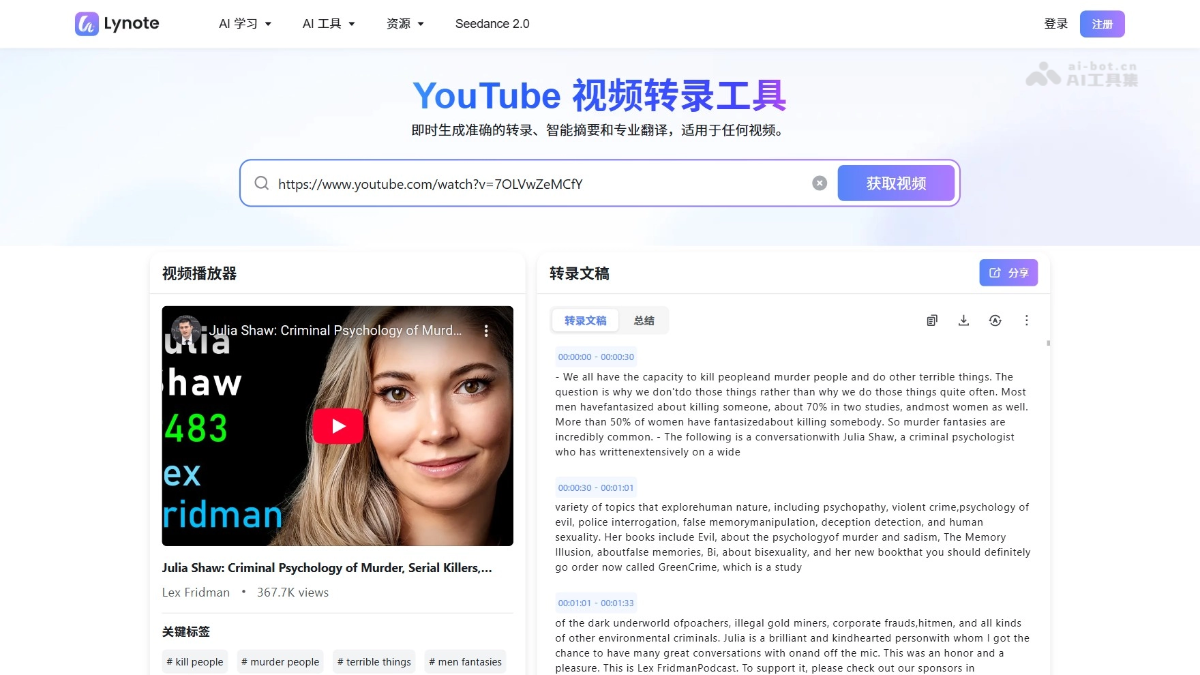
- YouTube Video Transcription Tool: Instantly generate accurate subtitles, smart summaries, and professional translations, with one-click processing for any video content.
- YouTube Video Summarizer: No login required. AI automatically generates visual summaries, action guides, timestamps, and Markdown notes.
- YouTube Video Downloader: Search or paste a link to quickly download any video, supporting MP4, MP3, and M4A formats, completely free.
- Online Document Translator: Instantly translate PDF, Word, and PowerPoint files, supporting more than 135 languages.
- AI Video Summary Tool: Automatically turn YouTube videos into timestamped visual study notes, helping users quickly grasp the core content.
How to use Lynote
- Visit the official website: Visit the Lynote official website https://lynote.ai/ and register or log in to your account.
- Access the feature: Choose the AI detection page, YouTube video transcription, or document translation feature. Take AI detection as an example.
- Enter content: Copy and paste the text to be detected into the text box, or click the upload button to select a document file.
- Start detection: Click the "Detect AI" button on the page to start the analysis process.
- View results: Lynote will display the AI generation probability of the text and mark suspected AI-written sentences in different colors.
- Export report: Save the detection results as a file or copy them to the clipboard for later use.
Examples of using Lynote
Video transcription
AI detection
Lynote use cases
- Student exam preparation: Compress hours of course videos into a few minutes of key points, use AI detection to ensure paper originality, and review efficiently with automatically generated flashcards.
- Teacher lesson preparation: Quickly summarize instructional videos and academic papers, detect whether student assignments were generated by AI, and maintain academic integrity in the classroom.
- Academic research: Grasp the core ideas of obscure papers within minutes, transcribe interview videos in batches, and accelerate the progress of literature reviews.
- Content creation: Verify the originality of content submitted by writers, rewrite AI drafts into natural, fluent final versions, and improve publishing efficiency.