

What is Tabbit
Tabbit is launched by the Meituan Guangnianzhiwai teamAI-native browser, it is not about adding an AI plugin to a traditional browser, but rebuilding the browsing experience from the ground up, positioned as an "intelligent work partner". Tabbit can automatically open web pages, extract information, fill out forms, and integrate data across platforms, silently completing dirty and tedious work such as cross-system workflows, daily affairs management, in-depth research, and data aggregation in independent tab groups. It also has built-in top domestic large models such as DeepSeek-V3.2, Kimi-K2.5, and Qwen3.5-Plus, free to use during the public beta. The original "Skill" feature can save high-frequency prompts and workflows as shortcut commands, invoked with one click by typing "/", allowing work experience to continuously accumulate; the zero-code "Script" feature supports customizing web pages with natural language to meet personalized needs such as page purification and resource extraction.
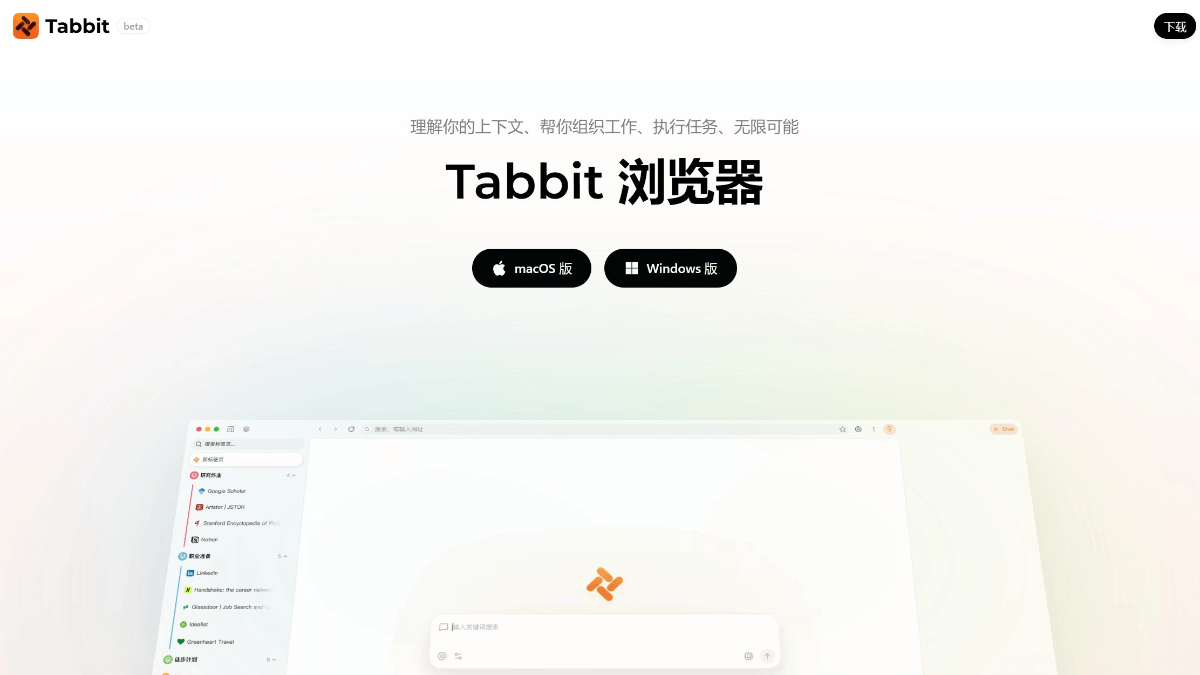
Tabbit's main features
-
Agent intelligent agent: automatically executes complex web page operations, including cross-system data workflows, form filling, ticket handling, in-depth research, data aggregation, etc. Tasks run in independent tab groups without interfering with daily browsing.
-
Multi-model aggregation: built-in top domestic large models such as DeepSeek-V3.2, Kimi-K2.5, Qwen3.5-Plus, GLM-5, and Doubao-Seed-1.8, free to switch and use during the public beta.
-
Skill: save high-frequency prompt templates and workflows as personalized shortcut commands, invoked with one click by typing "/", enabling the accumulation and reuse of work experience.
-
Script: zero-code web page customization, automatically generate scripts by describing requirements in natural language, supporting page purification, batch resource extraction, interface style transformation, etc.
-
Smart tab management: a vertical tab bar replaces traditional top tabs, automatically grouping intelligently by topic, creating independent workspaces, and solving the problem of tab clutter.
-
All-in-one input box: a unified entry point supports multiple operations such as search, AI conversation, skill invocation, and script execution, with no need to switch between different function modules.
-
One-click data migration: supports one-click import of all bookmarks, passwords, history, and other data from mainstream browsers such as Chrome, Safari, and Edge.
How to use Tabbit
-
Download and install: visit the Tabbit official website https://www.tabbit-ai.com/ , download the version for the corresponding system (macOS 12+/M1 chip and above, or Windows 10+), and complete the installation.
-
Data migration: on first launch, choose to import bookmarks, passwords, history, and other data from Chrome, Safari, or Edge with one click, or choose to start fresh.
-
Start a conversation: click the all-in-one input box below the address bar, directly enter a question or requirement, and the AI responds instantly.
-
Switch AI model: select different built-in large models (DeepSeek, Kimi, Qwen, etc.) next to the input box, and switch freely according to the scenario.
-
Use skills: type "/" to bring up the skill list, select a preset template (such as daily/weekly reports, topic planning, paper reading, etc.), and invoke the workflow with one click.
-
Create skills: save commonly used prompts and format specifications as personalized skills, continuously accumulating work experience.
-
Run scripts: Describe your needs in natural language (e.g., "clean up ads on this page"), and Tabbit automatically generates and executes scripts, with support for saving and reusing them.
-
Launch Agent Mode: Enter complex task instructions (e.g., "help me check competitors' price changes over the past week and compile them into a table"), and Tabbit automatically opens web pages, extracts information, and operates across platforms, completing everything in an independent tab group.
-
Manage Tabs: Use the vertical sidebar to view automatically categorized tab groups, create independent workspaces with one click, and keep the interface clean.
-
Reference Context: Drag web page text, screenshots, or files into the input box to serve as context for precise AI answers.
-
View Task Progress: When the Agent executes a task, you can view real-time progress in an independent tab group and receive a result notification upon completion.
Tabbit's Application Scenarios
-
Cross-System Data Entry: Automatically fill in forms, enter data, and execute processes across multiple SaaS systems or internal platforms, breaking down system barriers and eliminating manual transfer.
-
Daily Affairs Management: Automatically handle routine matters such as ticket routing, approval submission, and regular checks, executing according to preset rules to ensure nothing is missed.
-
In-Depth Research and Analysis: Search massive numbers of web pages across the internet, automatically read and filter them, extract core viewpoints and data, and generate structured research reports, saving hours of manual organization.
-
Multi-Platform Content Publishing: With one click, automatically adapt content to the specifications of major self-media platforms, automatically fill in titles and body text, and submit for publishing, improving operational efficiency.
-
Data Report Aggregation: Automatically traverse multiple business backends, clean and aggregate scattered data metrics, and generate reports in a unified format, eliminating repeated switching and pasting.
-
Academic Research and Learning: When reading papers, extract key points, explain concepts, and generate notes with one click; when encountering difficult problems, take a screenshot and ask questions to quickly get answers.


