

What is WorkAny
WorkAny is an open-source AI desktop agent that supports local operation. Based on natural language interaction, it can understand user instructions and execute various tasks. Through intelligent algorithms, WorkAny can locally generateslides、Excel、Word、code, websites, and other content, greatly improving work efficiency. WorkAny uses sandbox technology to ensure the security of code execution and supports multiple AI models and external tool extensions. WorkAny can help users achieve efficiency and convenience in any work and is an important boost for future productivity improvement. The version on GitHub is currently a development version, and you need to compile the executable file yourself, relying on the local Node.js environment.
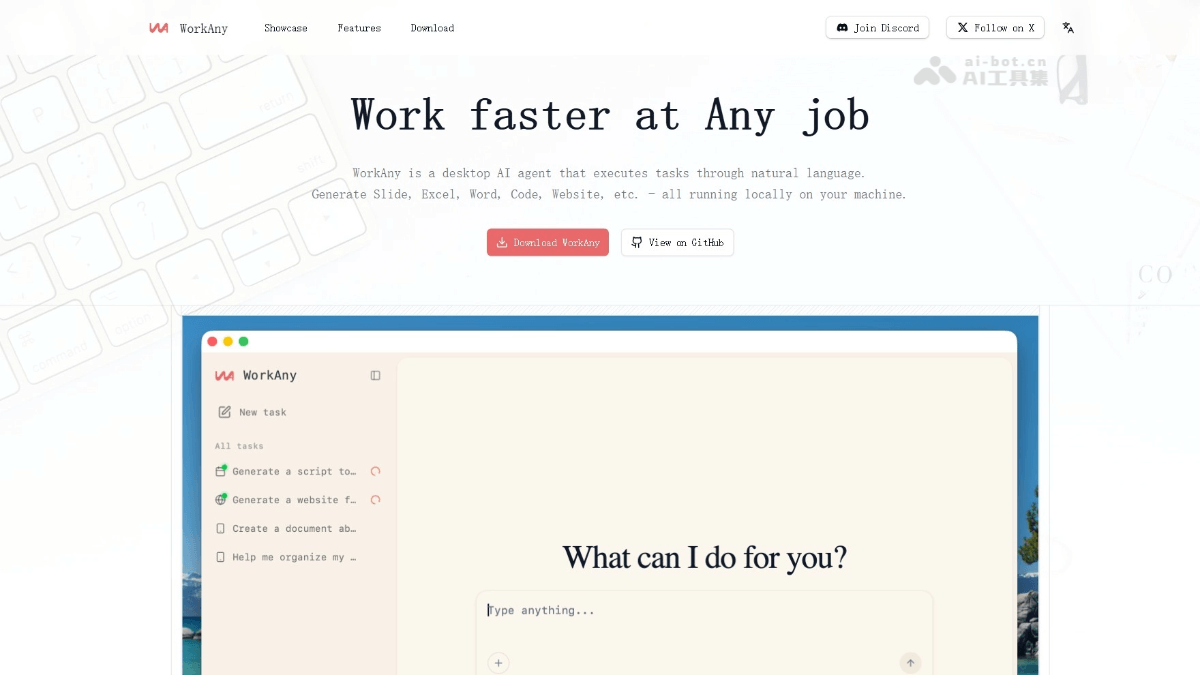
Main features of WorkAny
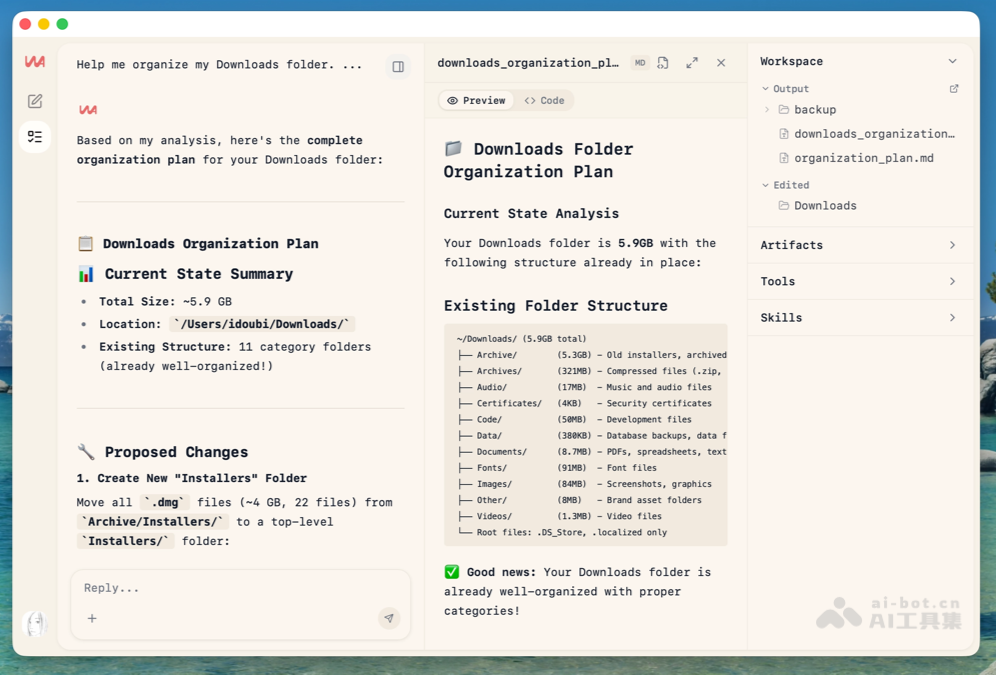
- File organization and content generation: Supports intelligent file organization and generates websites, documents, spreadsheets, and slides according to user needs, supports multiple formats and real-time preview, and meets daily office and development needs.
- Natural language task execution: Users describe their needs, and WorkAny can understand the context and execute complex multi-step workflows.
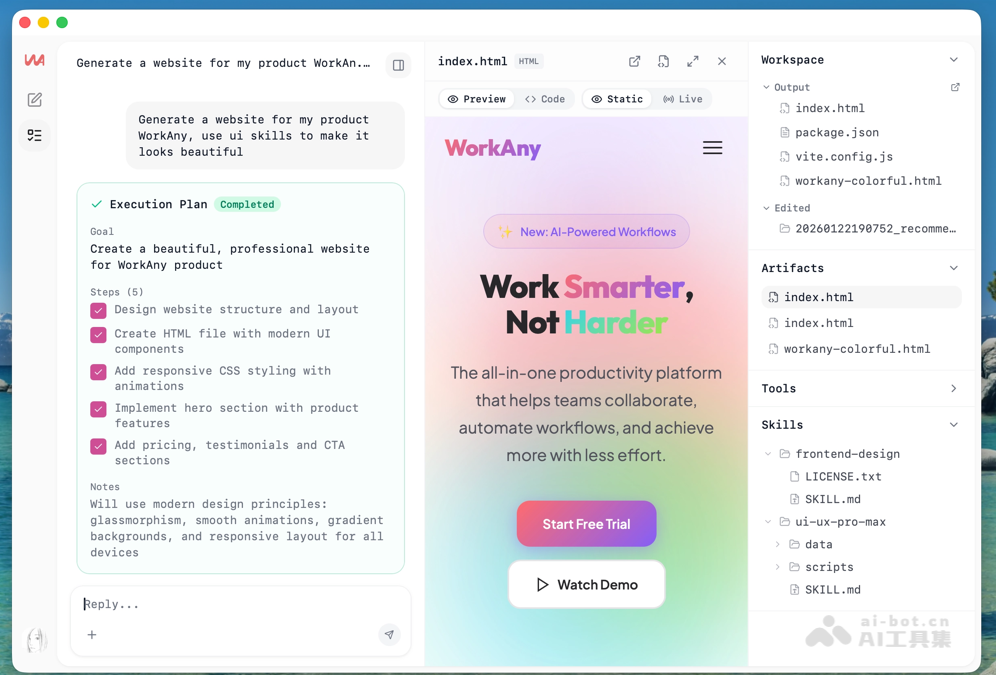
- Real-time preview: During the generation of code, websites, and documents, effects are displayed in real time, and users can view and make edits and adjustments immediately.
- Sandbox execution: All code runs in an isolated sandbox environment driven by Codex CLI, ensuring the execution process is safe and controllable and avoiding potential risks.
- MCP integration: Connects external tools and services through the Model Context Protocol (MCP), infinitely expanding WorkAny's functions and application scenarios.
- Custom skills: Users can create and share custom Agent skills and build personalized workflows that meet specific needs.
- Multi-provider support: Compatible with mainstream AI providers such as OpenRouter, Anthropic, and OpenAI, allowing users to freely choose and switch between their preferred AI models.
- Local subscription reuse: Supports directly reusing localClaude Codesubscription plans, saving usage costs.
- Parallel task processing: Supports running multiple tasks at the same time, and users can asynchronously view the execution results of each task, improving work efficiency.
- Multi-theme support: Provides a variety of theme styles for users to choose from, with a beautiful interface that can be customized according to personal preferences.
How to use WorkAny
-
Choose how to obtain it:
-
Download from the official website: Visit the WorkAny official website https://workany.ai/ , and choose the appropriate installation package to download according to your system (Windows, MacOS, Linux).
-
Compile from open-source code: Go to WorkAny's GitHub repository, clone or download the code locally. Make sure the device has a Node.js environment installed, and run it in the project directory
npm installinstall dependencies, runnpm run buildcompile the code, and finally usenpm startstart the application.
-
-
Installation and configuration:
-
For the installation package downloaded from the official website, directly run the installer and follow the prompts to complete the installation.
-
For compilation from open-source code, additional environment configuration is required, such as setting API keys or connecting to a specific AI model.
-
-
Start the application:After installation is complete, start the WorkAny application.
-
Use natural language instructions:After opening WorkAny, enter your requirements in natural language, for example, "Organize my desktop files," "Generate a PPT about market analysis," or "Create a simple React website."
-
View results:WorkAny will execute the task according to the instructions and display the results in real time.
WorkAny's official website address
- Official website address:https://workany.ai/
- GitHub repository:https://github.com/workany-ai/workany
Examples generated by WorkAny
- Organize files
- Generate website
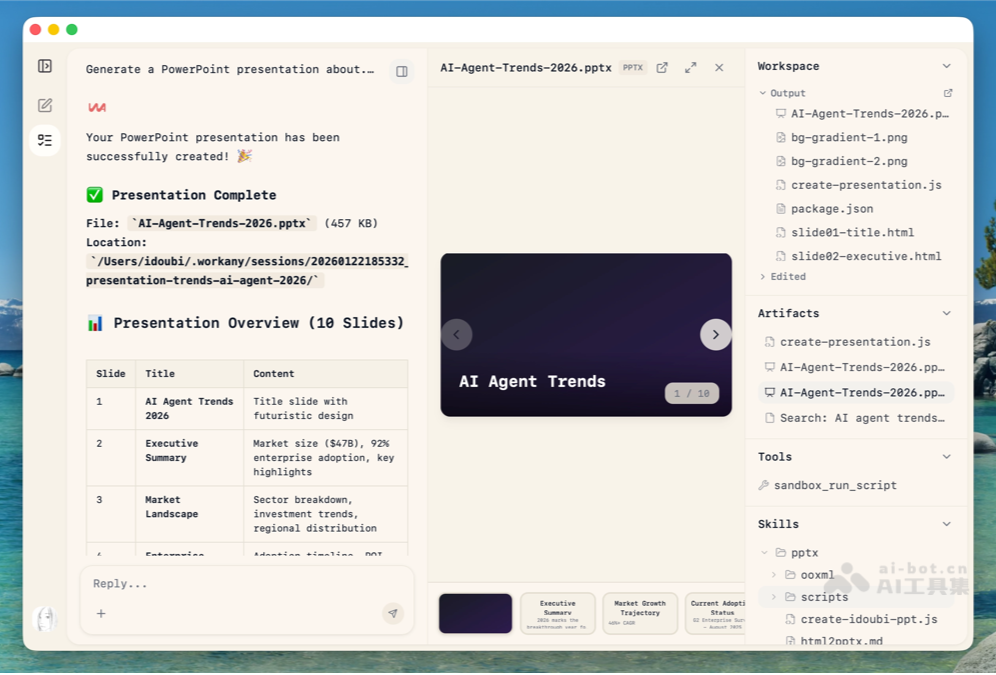
- Generate presentation
WorkAny's application scenarios
-
Office automation: WorkAny can automatically organize messy files, intelligently categorize them based on file type, content, and context, and quickly generate professional documents, reports, PPTs, and Excel spreadsheets, significantly improving office efficiency.
-
Software development: Developers use WorkAny to quickly generate code frameworks, debug code, and build complete front-end websites, accelerating the software development process.
-
Creativity and design: WorkAny can assist in generating creative copy, designing website prototypes, and producing visual content such as slides and posters, providing design suggestions and templates, and inspiring creative ideas.
-
Education and learning: WorkAny helps teachers quickly organize course materials, generate teaching PPTs and learning materials, and at the same time provides students with assignment templates and research frameworks, improving educational efficiency.
-
Personal life management: WorkAny can be used to generate personal schedules, travel plans, family budget sheets, and diary templates, helping users efficiently manage daily life affairs.


