

What is CatPaw
CatPaw is a full-scenario AI Agent platform launched by Meituan, integrating a personal AI collaboration workbench with enterprise-level Agent development and hosting. The platform supports real-time synchronization across four ends—macOS, Windows, iOS, and Android—as well as 7×24-hour cloud operation. Users only need to describe their goals, and the AI can autonomously plan and coordinate multiple Agents to execute collaboratively, directly delivering usable results. The platform deeply integrates Meituan's local life ecosystem, providing industry experts and skills that are ready to use upon installation. It also supports digital employees connecting to IM tools such as Feishu and WeCom, helping enterprises and individuals achieve intelligent upgrades.
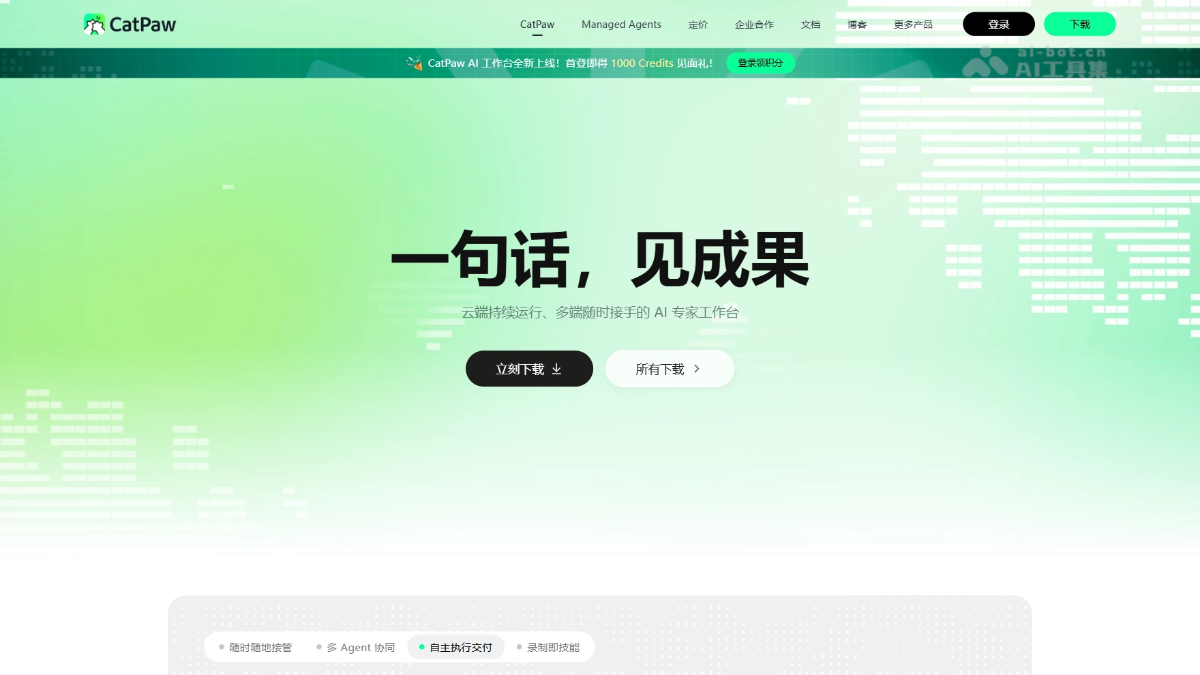
CatPaw's main features
-
Code completion (Tab): Provides real-time code suggestions during coding, helping developers quickly complete code writing.
-
Quick Q&A code generation (Agent): As a powerful AI assistant, it supports answering code questions and generating code snippets directly in the IDE, with no need to switch tools.
-
Built-in preview debugging (Browser): Supports instant preview and debugging of front-end code, and can send elements that need optimization directly to the AI conversation for intelligent modification.
-
Project-level analysis (Codebase): Through codebase indexing technology, the AI assistant can understand the context of the entire project and provide more accurate intelligent suggestions.
- Full-platform coverage, real-time multi-end synchronization: Supports real-time synchronization across macOS, Windows, iOS, and Android. Tasks initiated on a computer can be viewed on a phone at any time, and Cloud mode allows tasks to run entirely in the cloud.
- Persistent cross-session memory: The AI remembers users' preferences, habits, and work context across sessions, maintaining continuous understanding across devices.
- Conversation as delivery, autonomous multi-Agent collaboration: The AI has complete task execution capabilities, can access the file system, run terminal commands, and control the browser, autonomously plan steps, and directly deliver usable results such as Excel files, visualization reports, or code; complex tasks are automatically decomposed for concurrent processing by multiple Agents, with each Agent working independently without interference in its own environment.
- Experts and skills ready to use upon installation: Supports one-click installation of AI experts from the expert plaza, with each expert integrating multiple skills and sub-agents; a rich built-in skill library is ready to use out of the box, browser operations support one-click recording, and high-frequency processes are automatically generated into reusable Skills for team sharing and reuse.
- Multi-panel collaborative layout: The five major areas—sidebar, conversation area, preview panel, file panel, and terminal panel—can be freely adjusted to adapt to different work scenarios.
- Two-level sandbox security mechanism: Provides two sandbox modes: workspace write and full access, offering flexible security boundaries for AI operations, with high-risk operations requiring user confirmation.
- MCP extension support: Supports connecting to external tools and services through the MCP protocol, further expanding the boundaries of AI capabilities.
- Custom slash commands: Encapsulates commonly used prompt templates as slash commands, which can be quickly invoked by typing /, improving the efficiency of repetitive operations.
- Desktop pet companionship: A desktop pet accompanies users while tasks are running and holds up a sign to remind them when there are new messages, supporting dragging, scaling, and custom pet pack import.
How to use CatPaw
-
Download and install:
-
Visit the CatPaw official website https://catpaw.meituan.com/ to download the installation package suitable for your operating system.
-
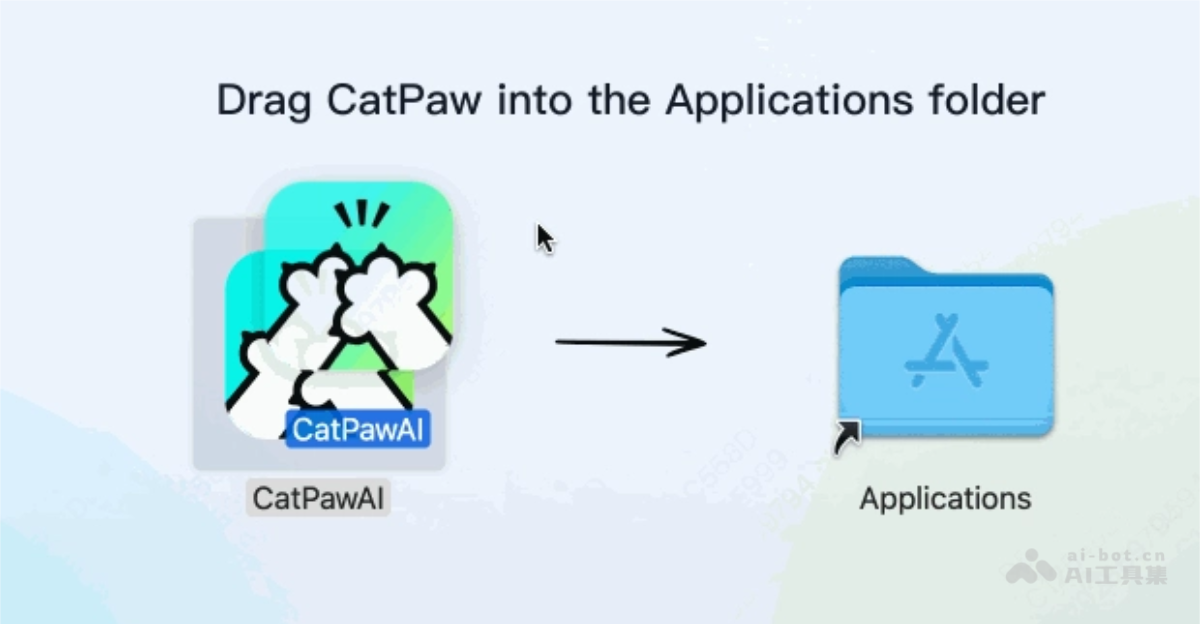
Double-click the downloaded
.dmgfile (for macOS) and follow the installation wizard instructions, dragging the application into the “Applications” folder to complete the installation.
-
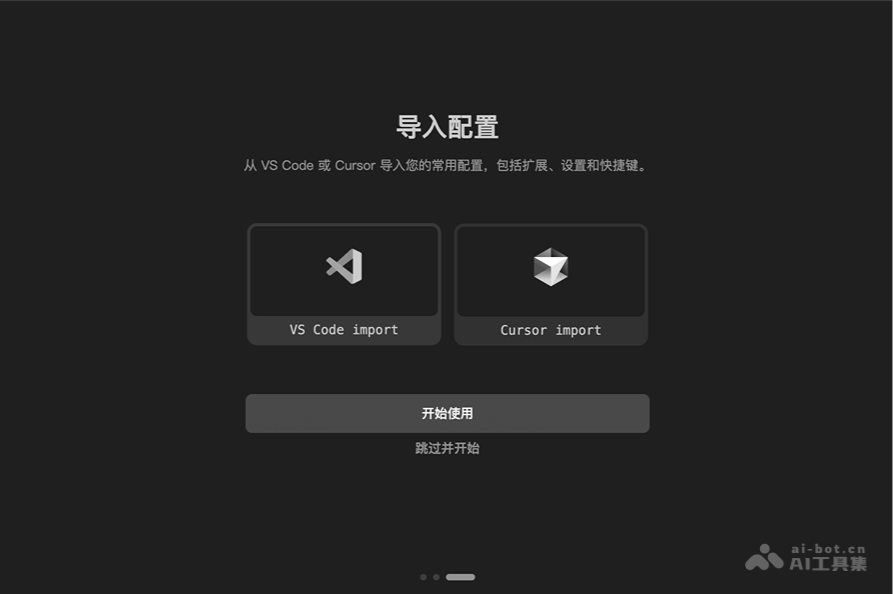
- First Launch Configuration:
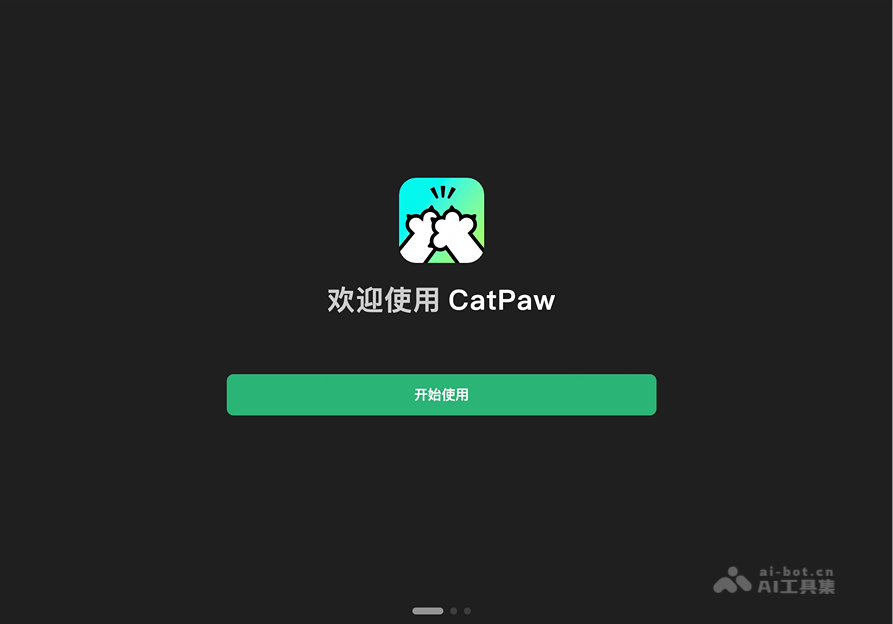
- Get Started: When launching CatPaw for the first time, click the “Get Started” button to begin the initial configuration process.
-
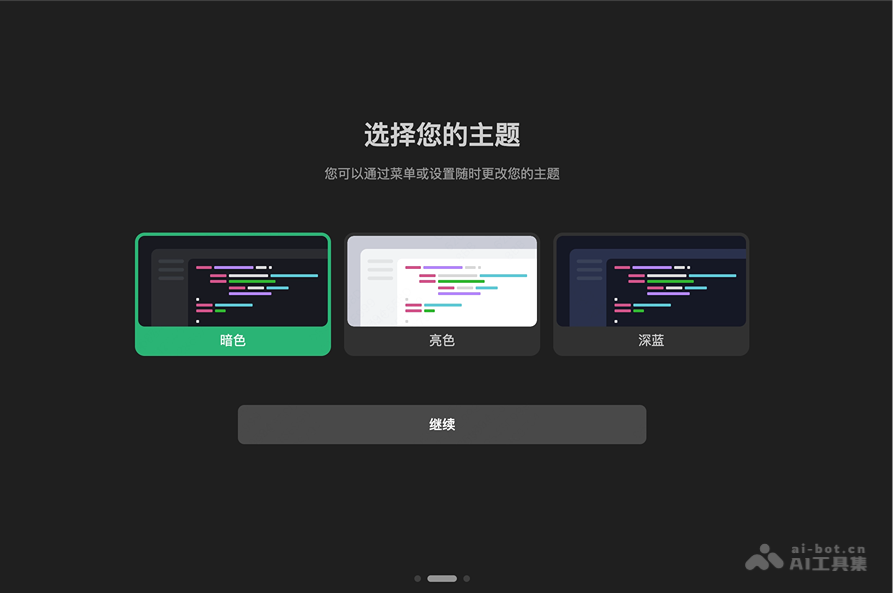
- Choose Interface Theme: Choose a suitable interface theme according to your usage habits.
-
Registration and Login: Register an account with your mobile phone number or email address. After logging in, you will receive an initial free quota of 500 conversations.
-
Code Completion (Tab): When entering code, press the Tab key to select a completion suggestion and quickly finish the code.
-
Quick Q&A Code Generation (Agent): Enter a question in the dialog box, and the AI generates a code snippet or answer.
-
Built-in Preview Debugging (Browser): Click the preview button to view the effect of the front-end code and modify elements directly.
-
Project-Level Analysis (Codebase): After opening a project, the AI automatically analyzes the context and provides precise suggestions.
-
Manage Quota: View your quota on the settings page, and submit a recharge request when the quota is insufficient.
-
Other Features: Improve efficiency with sidebar conversations, keyboard shortcuts, etc., and customize Agents to meet personalized needs.
CatPaw's Core Advantages
- Deep Integration with Meituan Ecosystem: Encapsulates more than ten years of accumulated local life industry experience into ready-to-use experts and skills, covering full-chain scenarios such as store operations, review management, marketing conversion, and fulfillment delivery. It is an intelligent partner that truly understands the local life business.
- Seamless Collaboration Across Scenarios and Devices: Supports real-time synchronization across macOS, Windows, iOS, and Android, and with a cloud-based 7×24 uninterrupted operation mode, local shutdown or network disconnection does not affect task execution, allowing you to control progress anytime and anywhere.
- Conversation as Delivery, Multi-Agent Autonomous Collaboration: Users only need to describe the final goal, and the system automatically plans the steps and schedules multiple Agents to execute concurrently in independent environments, directly delivering usable results such as Excel files, visualized reports, or code, without the need to manually break down tasks.
- Experts and Skills Ready to Use: The Expert Plaza provides one-click installation of AI experts, and each expert integrates multiple skills and sub-agents; it supports one-click recording of browser operations to generate exclusive Skills, and personal and team experience can be accumulated into reusable digital assets.
- Enterprise-Grade Security and Hosting: Agent runtime environments are strictly isolated, and data between tenants is invisible to each other; credentials are centrally hosted to ensure zero contact with sensitive assets; it supports hierarchical permission control and private deployment to meet compliance audit requirements.
- Digital Employees, Ready to Use by Scanning a QR Code: Virtual colleagues are integrated into IM tools such as Feishu and WeCom, and can be awakened with @; a variety of role templates and Meituan-exclusive templates are preset, and dedicated digital employees can be quickly generated through AI conversations, with fully automatic configuration and no manual setup required.
CatPaw's System Requirements and Supported Languages
- System Compatibility:
- macOS
- arm version: For Apple M-series chips (M1/M2/M3/M4), requires macOS 13 or later
- x64 version: For Intel chips, requires macOS 13 or later
- Windows
- x64 version: For Intel / AMD 64-bit processors, requires Windows 10 or later
- ARM chips are not currently supported (such as Windows devices equipped with Qualcomm Snapdragon)
- Mobile: Supports Android, iOS, iPad
- Cloud mode: No installation required, access via browser
- macOS
- Supported programming languages: Meituan CatPaw fully supports mainstream programming language ecosystems, including but not limited to Python, C++, Java, JavaScript, TypeScript, Go, Rust, etc., and can meet the needs of various development scenarios.
CatPaw product pricing
- Experience edition:¥0.00/month, suitable for individuals exploring and experiencing the AI working mode. Includes 200 Credits per month and supports multi-Agent collaborative invocation.
- Professional edition: ¥88.00/month, suitable for developers and productivity enthusiasts who frequently use AI to improve their efficiency. Includes 4,000 Credits per month (plus an extra 200 basic Credits).
Comparison of CatPaw with similar competing products
| Comparison dimension | CatPaw (Meituan) | Code Raccoon(SenseTime) | Codex(OpenAI) |
|---|---|---|---|
| Product positioning | Full-scenario AI Agent platform, personal workspace + enterprise-grade Agent development and hosting | AI code assistant focused on programming scenarios, a development efficiency tool | Professional programming Agent, "virtual software engineer" |
| Underlying model | Not disclosed (in-house + external large model capabilities) | SenseTime's in-house SenseNova large model system | GPT-5.6 series (Sol / Terra / Luna) |
| Core capabilities | Multi-Agent autonomous collaboration, delivery through conversation, cross-session persistent memory, browser/terminal control | Code completion, natural language code generation, code translation, refactoring and error correction, unit test/comment generation | Task-delegation autonomous execution: read code, modify files, run tests, fix bugs, open PRs; multiple Agents in parallel |
| Integration form | Standalone client (macOS/Windows/iOS/Android) + Cloud browser mode | IDE plugins (VS Code, the full JetBrains lineup, Android Studio) + web | Five platforms: Desktop App (macOS), CLI, IDE extension, Cloud, ChatGPT App |
| Agent capabilities | Strong: automatic task decomposition, multi-Agent concurrency, independent sandbox, 7×24 cloud operation | Relatively weak: mainly completion and conversational generation, Agent capabilities still iterating | Strong: continuous cloud task advancement, cross-device continuation, opens PRs after self-verification |
| Ecosystem binding | Meituan local life ecosystem, expert plaza, digital employees integrated with Feishu/WeCom | Optimized experience for domestic Chinese developers, friendly for enterprise private deployment | ChatGPT subscription ecosystem, GitHub PR integration, open Harness framework (Apache-2.0) |
| Long-task capabilities | Cloud mode runs in the cloud, unaffected by shutdown or network disconnection | Relies on in-IDE interaction, no cloud-based long-running task capability | Benchmark for cloud-based long-running tasks, keeps executing even after you close your laptop |
| Security mechanisms | Two-tier sandbox (workspace write/full access), high-risk operations require confirmation | Standard IDE permission boundaries | Default sandbox + network isolation, approval mode, Hooks interception |
| Open extensions | MCP protocol, skill recording, custom slash commands | Mainly IDE ecosystem plugins | MCP, AGENTS.md, Skills, sub-agents, Harness platform |
| Pricing | Trial version free (200 Credits/month); Pro version ¥88/month (4000 Credits) | Personal version completely free; enterprise version customized to business, supports private deployment | Includes ChatGPT subscription + API pay-as-you-go (e.g., Luna: input $0.20 / output $1.20 per million tokens) |
| Suitable audience | Individuals and teams needing full-scenario delivery + local life services business + domestic IM collaboration | Budget-sensitive developers who only want code completion/generation within the IDE | Engineering teams focused on complex engineering tasks and pursuing the strongest model automation |
CatPaw's application scenarios
-
Code writing and debugging: Quickly generate code snippets, auto-complete code, improve development efficiency, suitable for rapid development and solving complex programming problems.
-
Front-end development: Instantly view front-end code results through the built-in preview feature, directly modify page elements, optimize the front-end development process.
-
Project optimization: Based on project-dimension analysis, provides precise code suggestions, helping developers optimize existing code or refactor projects.
-
Beginner learning: Provides code explanations and examples for beginners, helping understand programming concepts and language features, accelerating the learning process.
-
Team collaboration: In team development, quickly generate code templates or solve common problems, improving the team's overall development efficiency.

