

Code Raccoon is a newly launched intelligentAI programming assistantand tool from SenseTime, powered by SenseTime's self-developed large model. It supports multiple programming languages and multiple task capabilities, bringing a brand-new programming experience to developers. Code Raccoon provides rich intelligent code generation and assistance features, and can be applied throughout various development processes, from software requirements analysis, architecture planning, and code generation to software testing, meeting programmers' diverse needs such as code writing, data analysis, and programming learning.
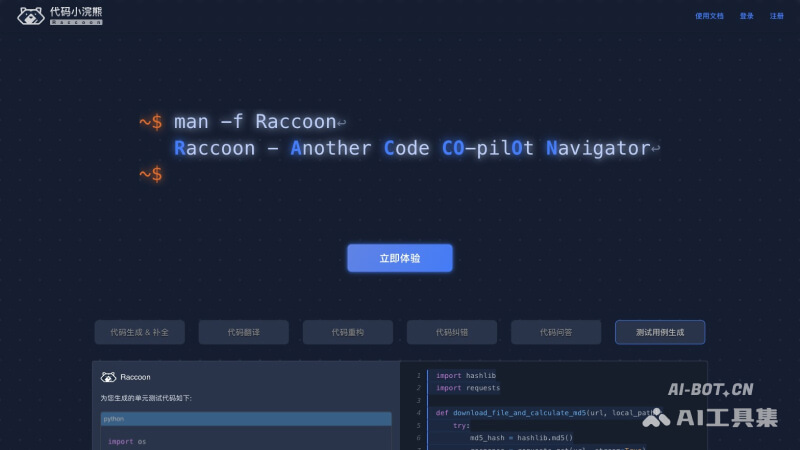
Main features of Code Raccoon
- Code generation and completion: Generate code from comments or provide intelligent code completion suggestions based on context
- Code translation: Supports code translation between different programming languages, such as Python to JavaScript
- Code refactoring: Improve code readability and maintainability, optimize code structure, and improve runtime efficiency
- Code error correction: Quickly identify various code errors and intelligently fix problematic code
- Code Q&A: Built-in code assistant that supports continuous conversation and answers questions encountered during programming
- Test case generation: Automatically generate test cases to ensure code is tested more comprehensively
Languages and IDEs supported by Code Raccoon
- Supports more than 30 mainstream programming languages, including Python, C#, C/C++, Java, Go, JavaScript, SQL, and more
- Compatible with Visual Studio Code, Android Studio, and JetBrains series IDEs; support for Eclipse, Xcode, and others will be opened later
How to use Code Raccoon
- Visit the official website of Code Raccoon (xiaohuanxiong.com/code), and click the Try Now button
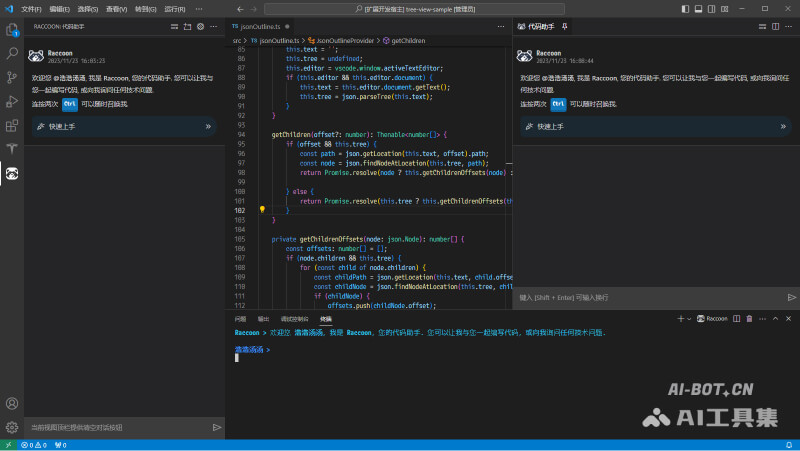
- Choose and download the corresponding IDE plugin. Taking VS Code as an example, you can go to the Visual Studio Marketplace page and click Install to launch desktop VS Code, or directly search for Raccoon in the software's extensions to install it
- After successful installation, click the Raccoon icon on the left to log in or register an account. After successful login, you can start using it
- In the code editor, use Alt + / to get code completion, or invoke the code assistant from the sidebar or terminal panel for conversation
FAQ
What does the word Raccoon in Code Raccoon mean?
Raccoon literally means raccoon, and here it refers toRaccoon – Another Code CO-pilOt Nthe abbreviation of avigator.
Is Code Raccoon free?
Code Raccoon is currently in free public beta, and users can use it for free.
What large model is Code Raccoon based on?
Code Raccoon is based on SenseTime's self-developed large language model.

