

What is SciMaster
SciMaster is a general-purpose scientific research Agent launched by SJTU in collaboration with DP Technology. By integrating a variety of scientific research tools and intelligent technologies, it provides researchers with efficient and convenient scientific research support. SciMaster supports a variety of application scenarios, including quantum computing bottleneck research, exoplanet detection methods and result analysis, molecular dynamics simulations in drug screening, agent collaborative learning, and the application of two-dimensional materials in electronics. SciMaster can generate detailed scientific research reports, helping researchers quickly understand research progress and results and improving research efficiency.
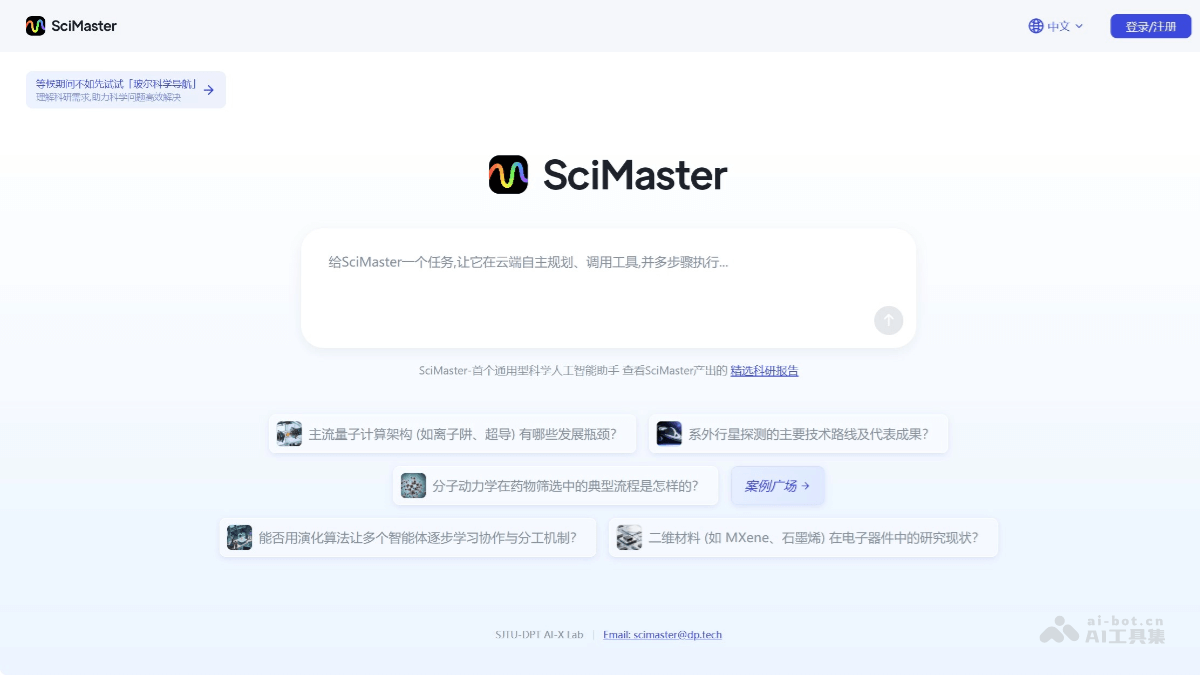
SciMaster's main features
-
Multimodal retrieval: SciMaster can retrieve information across the entire internet and massive scientific literature through three methods—WebSearch, WebParse, and PaperSearch—collecting relevant information, data, papers, patents, and other materials.
-
Expert-level reports: Based on the retrieved information, SciMaster can generate in-depth research reports, helping researchers quickly understand the current state and progress of a research field.
-
Tool library support: SciMaster integrates a variety of specialized scientific tools and supports both "active invocation" and "automatic invocation". Researchers can actively call the tools they need according to task requirements, or SciMaster can automatically screen and invoke relevant tools.
-
Chain-of-thought editing: Researchers can pause SciMaster's reasoning process at any time, view its reasoning logic, and make real-time adjustments to task decomposition, execution order, key directions, and more.
-
Experimental ecosystem construction: SciMaster can directly call the MCP services provided by Uni-Lab, seamlessly integrating various laboratory instruments, equipment, and software systems to build a complete "dry-wet closed loop" experimental ecosystem covering software, hardware, researchers, and scientific research data.
-
Detailed report generation: SciMaster can generate detailed scientific research reports, displaying all references with links for researchers to conduct further research.
-
Visualization support: Through charts and data visualization, it helps researchers understand complex information more intuitively.
How to use SciMaster
-
Visit the official website: Visit the SciMaster official website https://scimaster.bohrium.com/ 。
-
Register an account: Click the registration button, fill in your email and basic information, and then apply for an invitation code. After receiving the invitation code, enter the verification code to complete registration.
- Ask a question: Enter a specific scientific question in the platform's task input box, such as "What is the typical process of molecular dynamics in drug screening?". Questions should be as specific as possible, avoiding vague expressions.
-
Task decomposition: SciMaster will automatically decompose the question into multiple subtasks, such as retrieving literature and analyzing data. Users can view the decomposition details in the toolbar on the right.
-
Retrieval process: The system searches web information through WebSearch, parses webpage content through WebParse, and retrieves 170 million papers through PaperSearch. Retrieval progress is displayed in real time, and users can pause to view intermediate results.
-
Intervene in tasks: If you are not satisfied with the task decomposition logic, you can click "Pause" to enter the chain-of-thought editing interface and modify task priorities, search keywords, or delete irrelevant subtasks.
- View the report: After about 5–10 minutes, the system generates a report that includes cited literature, data, and charts. The report is available in a "General Assistant" mode (concise overview) and a "Deep Research" mode (detailed analysis); users can select a mode and export it as PDF or Word.
- Scientific Tool Invocation
-
Active Invocation: Enter an instruction in the task input box, such as "Use a molecular dynamics tool to simulate protein folding," and SciMaster will invoke the corresponding tool and display the results.
-
Automatic Invocation: After entering a question, SciMaster automatically selects tools based on the task requirements.
-
- Experimental Ecosystem Support: SciMaster can connect to laboratory equipment through Uni-Lab's MCP service. Users need to first register a laboratory account on theBohriumResearch Space Station and bind the equipment. After that, select the "Experiment Management" module in the SciMaster interface, upload the experiment requirements, and the system will generate an experimental plan and invoke laboratory instruments for execution; once the experiment is complete, a report will be generated.
SciMaster's Application Scenarios
-
Quantum Computing Bottlenecks: SciMaster may help researchers find solutions through data analysis and model optimization.
-
Exoplanet Detection: In astronomy, SciMaster may assist research by analyzing observational data and simulation results.
-
Molecular Dynamics in Drug Screening: In drug development, molecular dynamics simulation is key to understanding the interactions between drugs and biological targets. SciMaster may accelerate this process through efficient data processing and simulation optimization.
-
Agent Cooperative Learning: In the field of artificial intelligence, cooperation among agents is an important research direction. SciMaster may explore this problem by simulating and optimizing agent behavior.


