
What is Bohr
Bohrium is the world's first AI research platform covering "reading literature - performing computations - conducting experiments - multidisciplinary collaboration," launched by DP Technology in collaboration with the Beijing Academy of Artificial Intelligence for Science (AISI). With "Science Navigator" at its core, the platform provides powerful AI academic search, multimodal search capabilities, personalized recommendations, knowledge base management, and other functions to help researchers efficiently screen literature, organize data, and discover key issues. Bohr can restructure the research process, unleash research creativity, and make artificial intelligence a true participant in scientific discovery.
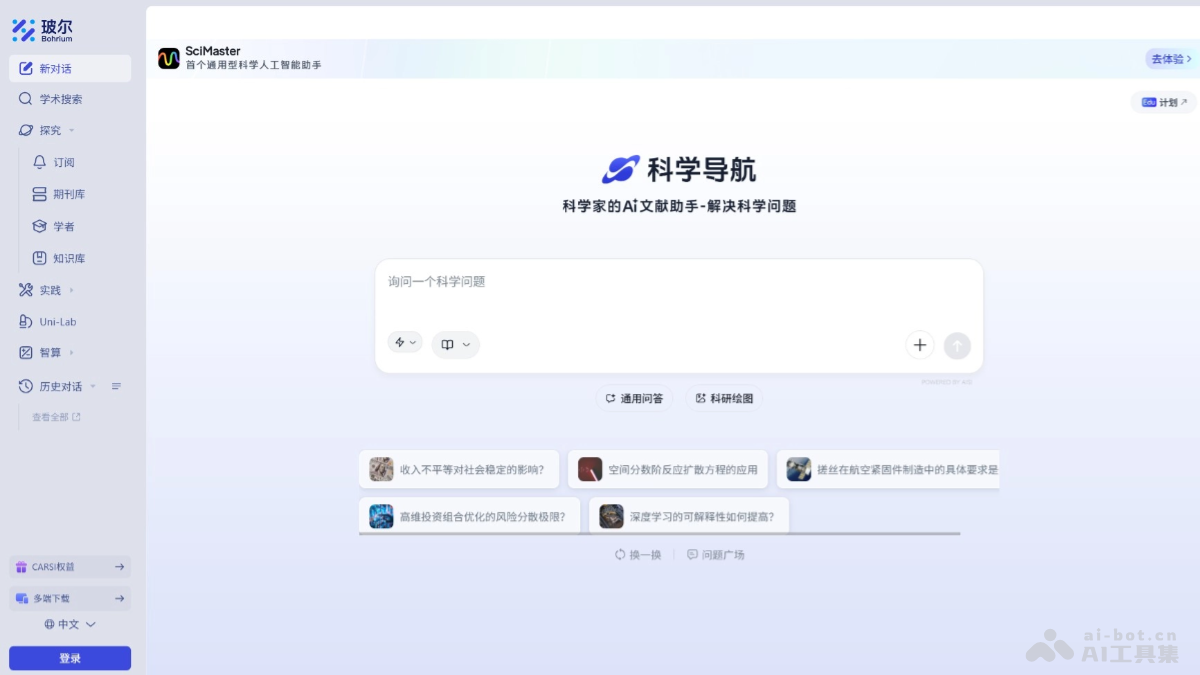
Bohr's main functions
- Science Navigator: Provides powerful AI academic search capabilities, supports multimodal search (text, charts, molecular structures, etc.), can automatically parse the intent of questions, quickly match the most relevant research results, and help researchers efficiently screen literature and data.
- Knowledge base and asset management: Bohr's knowledge base supports multimodal data fusion, including papers, patents, notes, etc., is based on a distributed storage architecture, and supports automatic metadata tagging and tree-structured folder management.
- Research App Store (Apps): The research app store integrates more than 200 research tools, covering scenarios such as literature research, data analysis, and research graphing, and provides developers with an application development and listing platform to meet diverse research needs.
- Personalized recommendations and resource links: Personalized recommendations suggest related papers and scholars based on users' research interests, and support linking to other resources within the site during the search process, helping users discover more valuable research information.
- Literature management and citation: Bohr supports batch saving of literature to the knowledge base, classified management by topic and tag, and provides one-click citation export, supports RIS format, and makes it convenient for users to quickly import into literature management tools such as EndNote and Zotero.
- Multi-device synchronization and global login: Supports multi-device synchronization across web, mobile, and desktop, making it convenient for users to access and manage research resources anytime and anywhere. Through CARSI access, it supports teachers and students from more than 1,000 universities nationwide to log in directly with campus network identities and obtain exclusive benefits.
- Education and training: Provides 60+ high-quality AI for Science premium courses, covering fields such as materials, chemistry, biomedicine, and artificial intelligence, and is equipped with interactive Notebook tools, supports research competitions, and helps research education and talent development.
- Research Acceleration Program (Edu): The Research Acceleration Program provides universities and research institutions with exclusive domains, high-speed campus network access, private database access, and support for self-developed scientific large models, helping research institutions carry out research work efficiently.
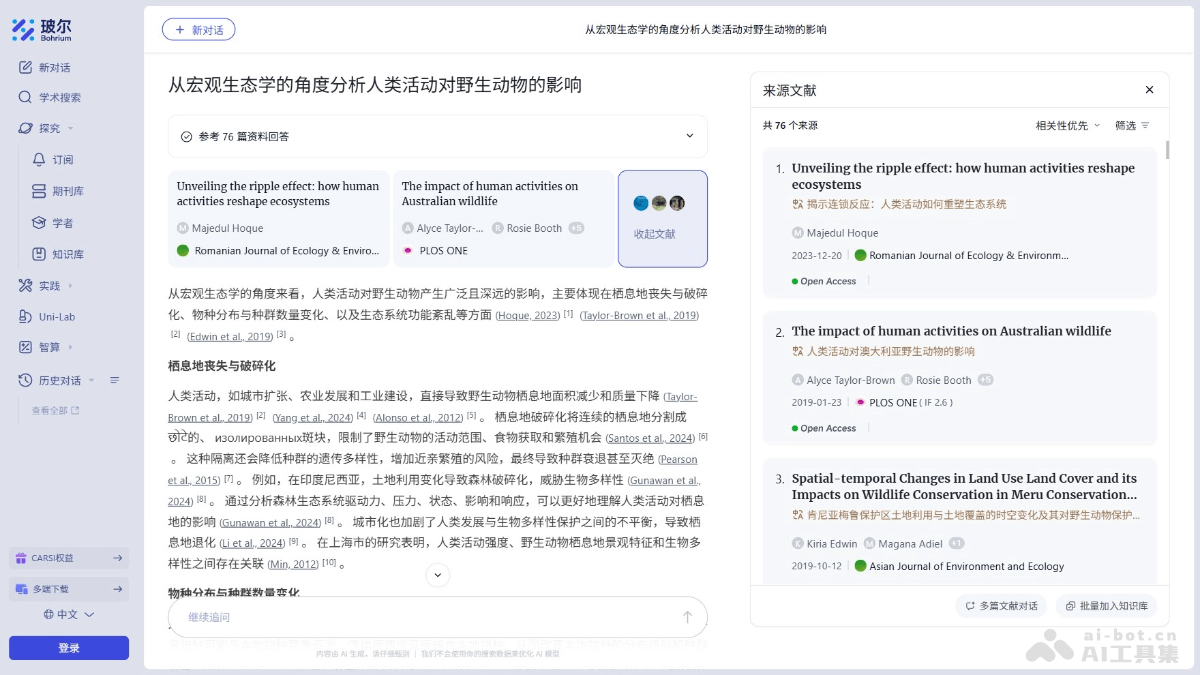
How to use Bohr
- Visit the official website: Visit Bohr's official website. For online experience, choose direct login or the client, and download the corresponding application according to the system type.
- Registration and login: Click "Sign Up" or "Register" and fill in the relevant information (such as email, password, etc.). If you are a university teacher or student, log in with CARSI and log in directly through your campus network identity.
- Use Science Navigator:
- Enter a question: After entering the platform, enter a research question or keywords in the search box.
- Select a model: Select an appropriate AI model (such as Auto, DeepSeek, Pro, etc.) based on your needs to obtain more precise search results.
- View Results: Scientific Navigation automatically parses the intent of the question, matches the most relevant research results, and generates precise answers. It supports one-click jumps to the original literature to obtain more in-depth research information.
- Build a Knowledge Base:
- Save Literature: In the search results, after finding valuable literature, click the "Save" button.
- Classification Management: In the knowledge base, classify and manage literature by topic and tags for easy later search and use.
- AI Close Reading: For saved literature, use the AI close reading feature to quickly extract key information and generate notes, improving reading efficiency.
- Use the Research App Store (Apps):
- Browse Tools: Find tools that suit your needs, such as data analysis tools, scientific research plotting tools, etc.
- Install and Use: Click the tool card to enter the details page, and install and use the tool according to the instructions.
- Literature Management and Citation:
- Batch Save: After finding valuable literature in Scientific Navigation, click the "Save" button to save the literature in batches to the knowledge base.
- One-Click Citation: In the knowledge base, select the literature you need to cite, click the "Cite" button, choose the RIS format, and export the citation information for easy import into literature management tools such as EndNote and Zotero.
Bohrium's Application Scenarios
- Literature Research: Through Scientific Navigation's AI academic search feature, quickly locate literature related to your research direction, saving literature retrieval time.
- Knowledge Management: Build a knowledge base, save multi-source data such as literature, notes, and patents, and support tree-structured folder management for easy classification and retrieval.
- Experimental Design: Combine multimodal information such as experimental methods and equipment parameters to quickly find relevant experimental data and optimization plans.
- Interdisciplinary Research: Support interdisciplinary literature search and knowledge integration, promoting connections and collaborative research between different disciplines.
- Scientific Writing and Paper Publication: One-click citation export quickly imports literature information into literature management tools to assist paper writing.