

What is Huawei Cloud CodeArts
Huawei Cloud CodeArts is launched by Huawei CloudAI programming tool, deeply integrating IDE, autonomous development mode, and code large models, supportingGLM-5.0、DeepSeek-V3.2and HarmonyOS exclusive models, providing project-level code generation, intelligent continuation, unit test generation, and other functions. Huawei Cloud CodeArts achieves precise code understanding through Codebase indexing, saving 30% Token consumption; the dual-mode development balances exploration efficiency and specification quality, providing a safe, compliant, and efficient intelligent coding experience for enterprise-level R&D. The Huawei Cloud CodeArts public beta is now available for free.
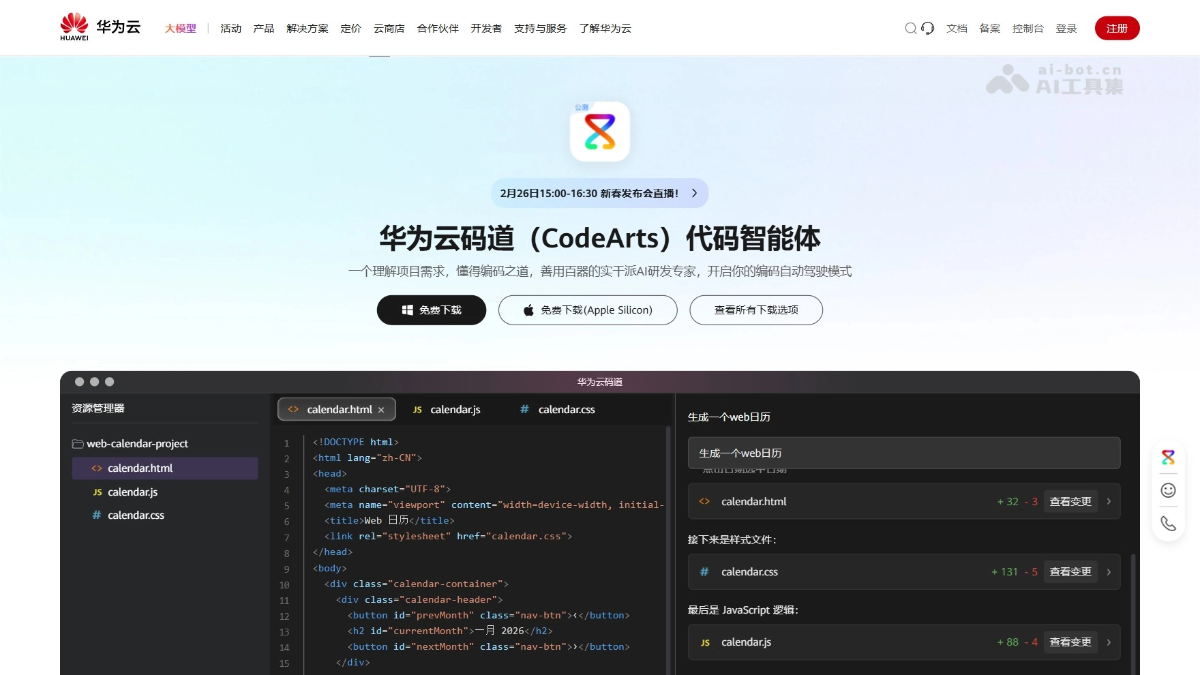
Main functions of Huawei Cloud CodeArts
-
Project-level code generation: Based on cross-file context, supports automatic code generation in 7 mainstream languages, understands intent based on comments, and efficiently completes code snippets.
-
Code continuation: Predicts coding intent based on context in the editor, supporting automatic triggering or keyboard shortcuts to generate code suggestions.
-
R&D knowledge Q&A: Supports intelligent Q&A for end-to-end R&D processes, can connect to private knowledge bases, and improves the accuracy of answers matching enterprise business.
-
Unit test case generation: Supports multiple testing frameworks, covering method-level and class-level case generation, safeguarding code quality.
-
Codebase indexing: Accurately parses and indexes code, greatly improving understanding and retrieval efficiency of code context.
-
Code explanation: Explains code in depth from four dimensions: function, purpose, usage scenarios, and main logic, accelerating knowledge transfer and team collaboration.
-
Code comments: Automatically analyzes code structure to generate comments, improving readability and allowing developers to focus more on core logic.
-
Code debugging: Analyzes the root cause based on stack error information, provides targeted fix solutions, and ensures stable project progress.
-
Code inspection: Supports inspection of mainstream languages, discovers coding defects and provides fix suggestions, improving code quality and security.
-
Skill: Empowers AI with the ability to proactively "execute tasks", achieving a closed loop from language information to physical actions.
How to use Huawei Cloud CodeArts
- Choose installation method: Choose one of the following three methods according to the development environment: download the standalone IDE, install the plugin in VS Code, or install the plugin in JetBrains series tools.
- Complete installation: Visit the Huawei Cloud official website https://www.huaweicloud.com/product/codearts/ai.html,选择对应系统版本(Windows x64 or Mac Apple Silicon) to download and install, or search for "CodeArts" in the IDE plugin marketplace to complete installation.
- Launch and log in: Open the installed Huawei Cloud CodeArts IDE and log in and authorize with a Huawei Cloud account.
- Code continuation: When writing code in the editor, the system automatically predicts intent based on context and generates continuation suggestions. Press Tab to accept or continue typing to ignore.
- Project-level generation: Based on cross-file context and function comments, automatically generates code snippets in 7 mainstream languages such as Java and Python.
- Intelligent Q&A: Enter R&D questions in the dialog box, support multi-turn conversations in requirements, coding, testing, release, and other stages, and can connect to private knowledge bases to improve matching accuracy.
- Quality Assurance: Select code to generate unit tests, automatically add comments, get error fix solutions, or perform real-time code checks.
- Skill Extension: Invoke built-in expert skills or custom skills to let AI proactively execute specific tasks.
Application Scenarios of Huawei Cloud CodeArts
- Rapid Startup of New Projects: Through project-level code generation, quickly build project frameworks based on requirement documents and comments, generate code structures across files in 7 mainstream languages, and shorten the project initialization cycle.
- Understanding Legacy Code: When facing historical codebases with tens of millions of lines, use the code explanation feature to quickly understand code from four dimensions: function, purpose, scenario, and logic, accelerating new members' onboarding and old system maintenance.
- Efficient Daily Coding: While writing code, use intelligent continuation to automatically complete code, accurately predict coding intent based on context, and maintain a state of development flow.
- Code Quality Assurance: Before submission, use code checks to discover potential defects, automatically generate unit tests to cover core logic, and ensure code complies with enterprise specifications and security standards.
- Rapid Problem Fixing: When encountering errors, enter the stack information into the dialog box, and the system automatically locates the root cause of the error and provides fix solutions, reducing debugging time costs and secondary risks.

