

What is Vidu
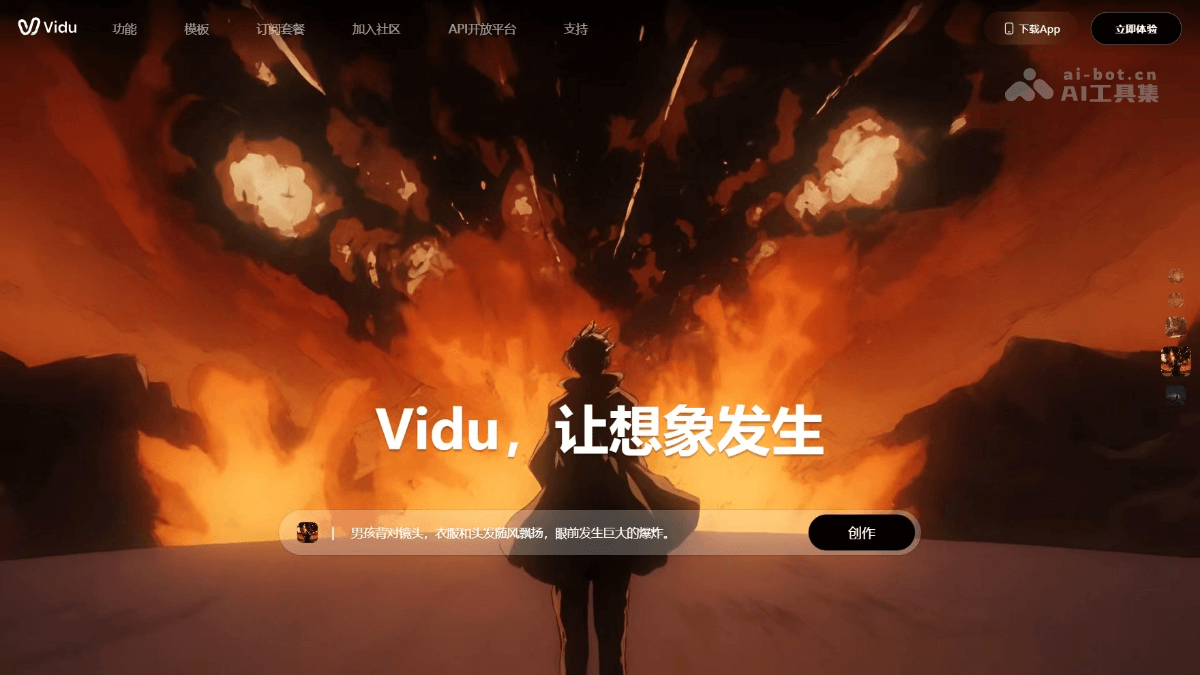
Vidu is launched by Shengshu TechnologyAI video generation platform, integratingVidu Q2、Vidu Q3and other advanced models, supporting image-to-video, text-to-video, and reference-to-video functions. Users can generate digital character videos with delicate expressions and vivid acting by uploading images, entering text, or referencing videos. Vidu Q3 enables the platform to simultaneously generate visuals, dialogue, ambient sound effects, and BGM in one go, without the need for post-production. The platform offers a professional mode that supports customizing video duration, resolution, and other parameters, and is equipped with a rich library of AI templates and sound effects. Vidu has a dedicated events section, allowing users to participate in events to win points and cash rewards, increasing interactivity and fun.
Main features of Vidu
- Text-to-video: Users only need to enter a text description, and Vidu can turn it into vivid video content.
- Image-to-video: After uploading a static image, Vidu can animate it and generate a video with animation effects.
- Reference video generation: Users upload a reference video or image, and Vidu can generate a consistent video based on its style and subject characteristics.
- Multi-subject consistency: Supports maintaining consistency of multiple subjects in a video, suitable for creation in complex scenes.
- High-quality video output: Can generate high-definition videos up to 16 seconds long and with a resolution of up to 1080P.
- Dynamic scene capture and physical simulation: Able to generate complex dynamic scenes and simulate real-world lighting effects and physical behavior of objects.
- Rich creative generation: Based on text descriptions, can create imaginative surreal scenes.
- Intelligent HD enhancement: Automatically repairs and improves the clarity of generated videos.
- Rich parameter configuration: Users can customize video style, duration, resolution, motion amplitude, and more.
- Multi-shot generation: Supports generating videos containing multiple shots such as long shots, close shots, medium shots, and close-ups, with rich perspectives and dynamic effects.
- Understanding of Chinese elements: Can understand and generate elements with Chinese characteristics, such as pandas and dragons, enriching cultural expression.
- Fast inference speed: In actual testing, generating a 4-second video clip takes only about 30 seconds, providing industry-leading generation speed.
- Diverse styles: Supports multiple video styles, including realistic and anime styles, meeting the needs of different users.
-
AI templates: Vidu's AI template feature provides users with a series of preset video templates, simplifying the video creation process and speeding up production efficiency.
-
AI sound effects: Vidu integrates an AI-generated sound effects library, allowing users to add suitable sound effects to videos and enhance the audiovisual effect.
-
Reference image generation: Upload reference images (supporting multi-image element references), letting AI generate new images based on these elements to achieve character consistency or style transfer.
-
Text-to-image: Directly enter a text description, and AI generates original images matching the description from scratch, without any reference material.
Technical principles of Vidu
- Diffusion technology: Diffusion is a generative model technique that generates high-quality images or videos by gradually introducing noise and learning how to reverse this process. Vidu uses Diffusion technology to generate coherent and realistic video content.
- Transformer Architecture: Transformer is a deep learning model originally used for natural language processing tasks. Due to its powerful performance and flexibility, it was later widely applied in fields such as computer vision. Vidu combines the Transformer architecture to process video data.
- U-ViT Architecture: U-ViT is the core of Vidu's technical architecture, an innovative architecture that integrates Diffusion with Transformer. U-ViT was proposed by the Shengshu Technology team and is the world's first such integrated architecture. It combines the generative capabilities of Diffusion models with the perceptual capabilities of Transformer models.
- Multimodal Diffusion Model UniDiffuser: UniDiffuser is a multimodal diffusion model developed by Shengshu Technology based on the U-ViT architecture, which validated the scalability of the U-ViT architecture in handling large-scale visual tasks.
- Long Video Representation and Processing Technology: Based on the U-ViT architecture, Vidu further made breakthroughs in key technologies for long video representation and processing. Vidu can generate longer and more coherent video content.
- Bayesian Machine Learning: Bayesian machine learning is a statistical learning method that updates the model's probability estimates through Bayes' theorem. During Vidu's development, the team used Bayesian machine learning techniques to optimize model performance.
How to Use Vidu
- Registration and Login: Visit the Vidu official website (vidu.cn) or downloadVidu APP, register an account, and log in.
- Select Generation Mode: On the page, select the "Text-to-Video" or "Image-to-Video" mode.
- Text-to-Video: The user inputs a text description, and Vidu generates a video based on the text content. Suitable for creating video content from scratch.
- Image-to-Video: The user uploads an image, and Vidu generates a video based on the image content. There are two sub-modes:
- >”Reference Starting Frame": Use the uploaded image as the starting frame of the video and generate the video based on it.
- "Reference Character": Recognize the character in the image and maintain the consistency of that character in the generated video.
- Input Text or Upload Image:
- For text-to-video, input detailed descriptive text, including scene, action, style, etc.
- For image-to-video, upload an image and select the corresponding generation mode.
- Adjust Generation Parameters: Adjust parameters such as video duration, resolution, style, etc. as needed.
- Generate Video: Click the generate button, and Vidu will process the input text or image and begin generating the video.
Vidu's Target Audience
- Video Production Personnel: Including filmmakers, advertising creatives, video editors, etc., who can use Vidu to quickly generate creative video content.
- Game Developers: Game developers who need to generate realistic dynamic backgrounds or narrative animations in game design.
- Educational Institutions: Teachers and educational technology companies can use Vidu to produce educational videos, simulate teaching scenarios, or create scientific visualization content.
- Scientific Researchers: Researchers in the scientific field can use Vidu to simulate experimental scenarios, helping to demonstrate and understand complex concepts.
- Content creators: Social media influencers, bloggers, and independent video producers can use Vidu to generate engaging video content.


