
Today I'm sharing something open-sourced by Andrew Ng.
Every time you ask AI to analyze something, the model gives conclusions, suggestions, and an action checklist, but the actual work still has to be done by hand. Weekly reports, meeting minutes, client briefs—many office tasks get stuck right there.
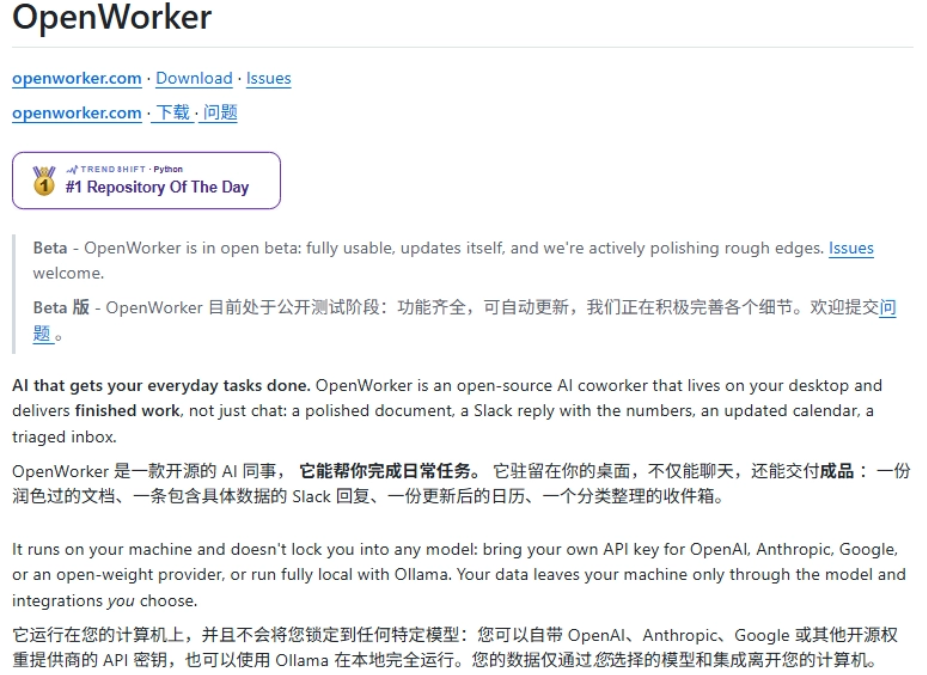
Recently I saw on GitHub that Andrew Ng open-sourced OpenWorker, which, after answering a question, continues to handle the steps that follow the answer. Given a goal and an authorized directory,OpenWorker can read files, call tools, and generate finished products you can open.
01. Hands-on project test
Installing OpenWorker is very simple—just go download the version for your computer's operating system.
You can also send this prompt to your AI Agent, such asCodex、Claude Code or the like.
Prompt:
Please install OpenWorker on the current computer.
Project URL:
https://github.com/andrewyng/openworker
Goal:
Install the latest stable version in GitHub Releases, preferring a current-user-only install. After installation, verify the version, program directory, disk usage, and process status, and launch the app once.
Execution requirements:
1. Detect the current operating system, CPU architecture, remaining disk space, and whether OpenWorker is already installed.
2. Query the GitHub API to get the latest official release:
https://api.github.com/repos/andrewyng/openworker/releases/latest
3. Only download files from the official GitHub Release of andrewyng/openworker. Do not use third-party download sites, mirror sites, or cloud drives.
4. Choose the installer based on the system:
– Windows x64: prefer OpenWorker-windows-setup.exe.
– If the EXE cannot run silently because it is unsigned, do not remove the security mark, do not turn off SmartScreen, and do not modify antivirus settings. Instead, use OpenWorker-windows.msi from the same Release.
– macOS Apple Silicon: choose the arm64 or aarch64 DMG.
– If there is no official installer suitable for the current platform, explain why, then install from source according to the repository README.
5. Download to a separate temporary directory. Before installation, verify:
– File name
– Download source
– File size
– SHA-256
– Digital signature status
6. On Windows, prefer installing to the current user directory without requesting administrator privileges. For the MSI, you can use:
msiexec.exe /i “<path to downloaded MSI>” ALLUSERS=2 MSIINSTALLPERUSER=1 INSTALLDIR=”<LocalAppData>\Programs\OpenWorker” /qn /norestart
7. If installation requires administrator privileges, handling UAC, bypassing security warnings, or entering a system password, pause and have the user confirm in person. Do not handle security prompts on the user's behalf.
8. After installation is complete, verify:
– OpenWorker exists in the system installation records
– The main program file exists
– The file version matches the GitHub Release
– After launch, the process keeps running and responds normally
– Record the actual installation directory and disk usage
9. Launch OpenWorker once and stop at the first-time configuration or model settings screen. Do not fill in, read, or save sensitive information such as API Keys, passwords, or OAuth Tokens.
10. Do not modify existing model configurations, proxy settings, system security settings, or user files. Do not install bundled software.
11. After success, clean up the temporary installation files created this time. Before deleting, you must confirm that the target is within the temporary directory created this time.
12. Final report includes the following:
– Whether the installation was successful
– Installed version
– Installation package source and SHA-256
– Installation directory
– Actual disk usage
– Whether the program started successfully
– Next steps that the user needs to complete personally
If the current Agent does not have local file, Shell, or desktop operation permissions, stop the installation and provide the official download link suitable for the current system and commands that can be directly copied and executed.
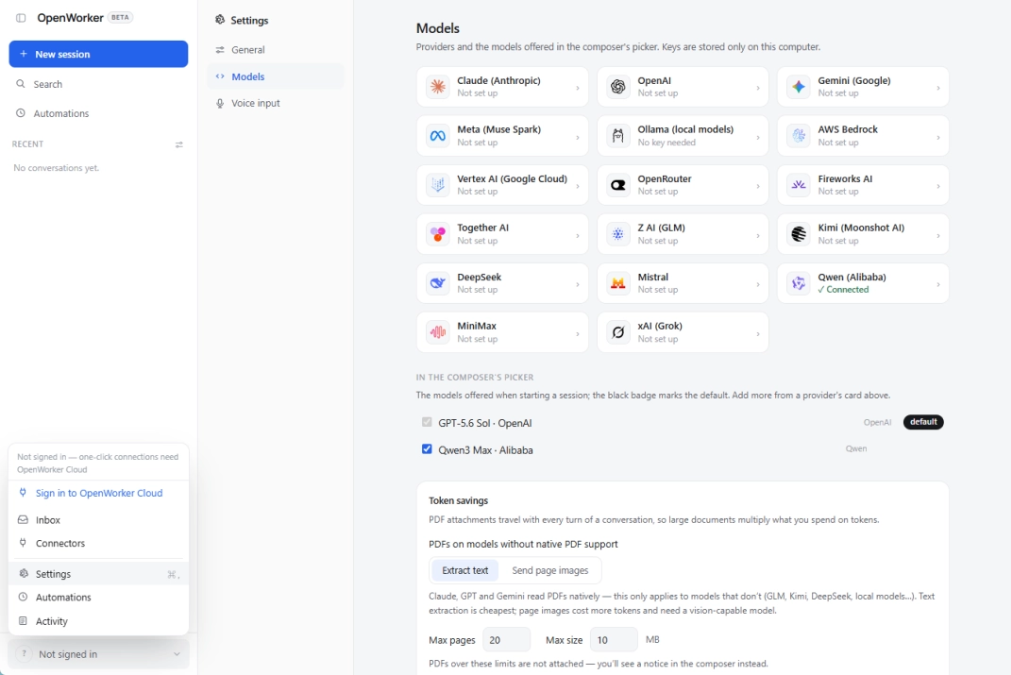
After installation, you need to connect to the API before you can use it. Everyone can connect it according to their own preferences.
Run a case of generating a finished product from scattered materials.
Prompt:
Only allow access to D:\OpenWorker-Test.
Read all files in the input directory and complete the following tasks:
1. Summarize the sales data and calculate the sales amount and number of orders for each product.
2. Extract the owner, deadline, and to-do items from the meeting notes.
3. Find contradictory or missing information between different files. Do not fill it in on your own.
4. Generate in the output directory:
– 销售分析.xlsx
– 项目执行清单.md
– 管理层简报.html
5. Mark the source file for each conclusion; for data conclusions, indicate the corresponding row number or calculation method.
6. Before writing files, first list the execution plan and target files, and wait for confirmation.
All the data was analyzed, and many contradictions were also found.
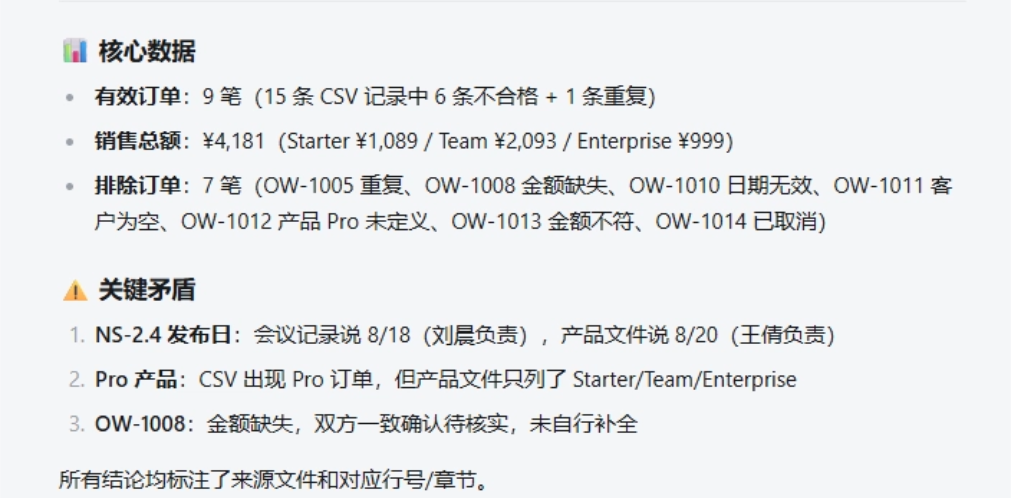
Of course, the files that should be produced were also automatically generated for us.
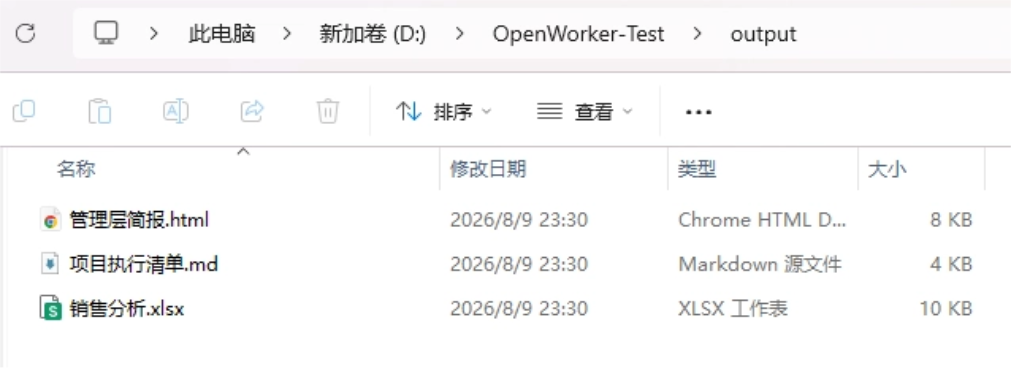
From the three finished products, it can be confirmed that OpenWorker indeed completed multi-file reading, rule extraction, data cleaning, conflict checking, and multi-format file generation. OW-1008 was not automatically filled in as 999 yuan, which shows that OpenWorker complied with the requirement not to guess missing data.
02. Project Introduction
OpenWorker is a local-first, open-source desktop AI assistant released by Andrew Ng.OpenWorker It receives task goals, reads local files, calls the terminal and third-party services, and finally delivers documents, spreadsheets, reports, web page files, or completes a confirmed external operation.
Project address:https://github.com/andrewyng/openworker
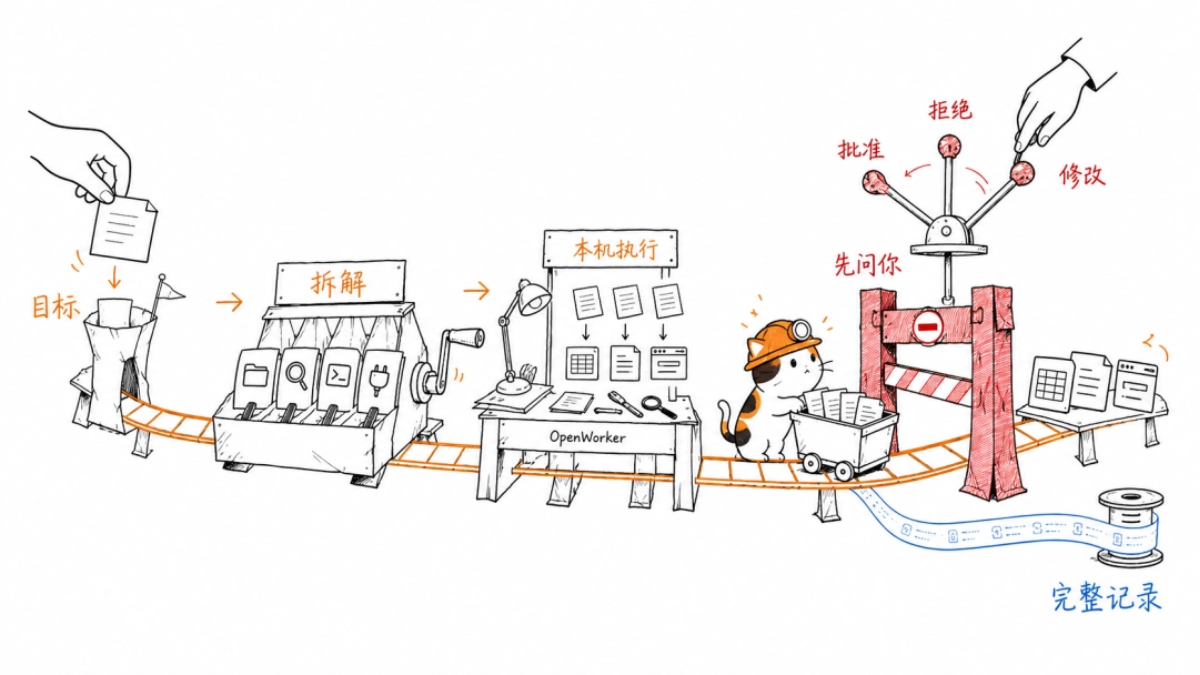
A task roughly goes through the following process:
The user describes the result.
The model breaks the goal into steps and chooses file, search, terminal, or connector tools.
OpenWorker performs reading, analysis, and file generation on the local machine.
Operations such as sending messages, modifying calendars, writing to external systems, and running commands enter permission checks.
The user approves, rejects, or modifies the operation, andOpenWorker then continues execution and keeps a complete record.
OpenWorker task engine supports streaming replies, tool calls, stopping during execution, user follow-up instructions, automatic compression of long conversations, audit records, and parallel execution of multiple low-risk read tools.
OpenWorker adopts BYOK, meaning the user provides the model API Key. The currently listed model sources include:
- OpenAI
- Anthropic
- Google Gemini
- AWS Bedrock、Google Vertex AI
- GLM、DeepSeek、Kimi、Qwen、MiniMax
- Mistral、xAI
- Together、Fireworks、OpenRouter
- Local Ollama
OpenWorker is currently more suitable for users who want to choose their own models and control API Keys, and knowledge workers who need to connect files, terminals, Slack, email, calendars, and business systems.
03. Dig a little
Our need for AI has moved from helping me think to helping me get it done.
Weekly reports, sales analysis, client briefs, and meeting follow-ups look ordinary, yet they occupy knowledge workers' time over the long term.
OpenWorker Put the model, local files, terminal, connectors, approvals, and operation records into the same desktop workflow. For office scenarios, this inspectable and reliable execution process is more useful than a polished answer.
You can also connect internal knowledge bases, email, calendars, and ticketing systems to turn OpenWorker into a dedicated assistant for a specific role. Being open source means you can choose the model yourself, control the API Key, file permissions, and where data is stored, and security can also be ensured.
The next round of desktop Agents needs to solve getting the answer done,OpenWorker has already run this step into a prototype you can verify with your own hands.
Original link:GitHub surges to 14K Stars, Andrew Ng's own Agent