
With just one minute of voice, you can make AI imitate my voice and cover any song with one click. Can you believe it?
In last week's tutorial on making Little Monk quotes, many friends expressedAI voice cloninggreat interest, and even sent a choir video:
Using AI voice cloning, it really feels like Silang and Zhuge Liang are singing together online, and surprisingly there's no sense of incongruity at all. It looks quite interesting, no wonder it remains popular on the internet.
Many people are curious: how are such cover videos made?
Actually, it only requires AI voice cloning covers +lip-syncing. There is already fairly mature SVC (Singing Voice Conversion) technology on GitHub, but local deployment has high computer configuration requirements and also needs a large amount of voice material for training. I think it's very troublesome.
Today I'll share two super simple tools with you. Upload one minute of original voice material, click click click, and even a zero-foundation beginner can quickly generate cover works.
If your computer configuration isn't high, just use the web version.There are a large number of voice models in the cloud that can be used for covers, no need to spend time training, and the results are really great. The key point is that it's completely free!It's simply too good to use.
01
Weights three-step generationcover
Select model, upload audio, fine-tune settings
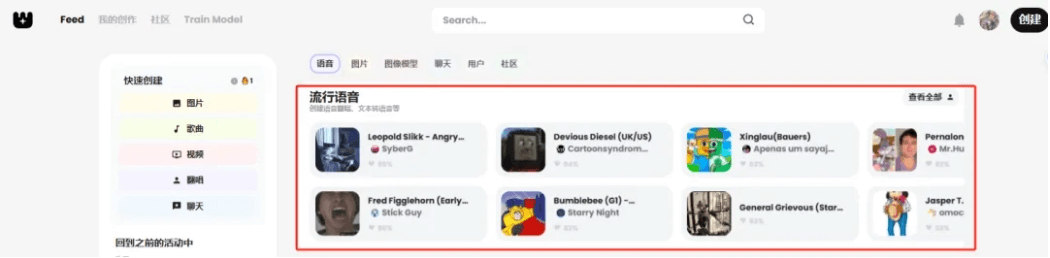
Go to the Weights official website (it is recommended to turn on the webpage translation function). The first section isa huge number of pre-trained voice models, free to use directly!Click to view all, and we can see everything from virtual characters to celebrity big shots, like SpongeBob, Michael Jackson, Taylor Swift, Hatsune Miku... It's really dazzling to choose.
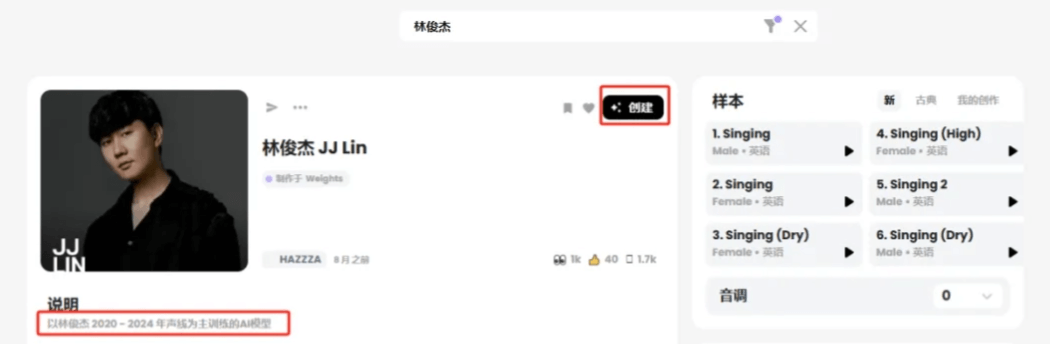
I tried searching for my idol, and unexpectedly there were several voice models for him. I chose the one ranked at the top, clicked Create in the upper right corner, and started a new cover task.
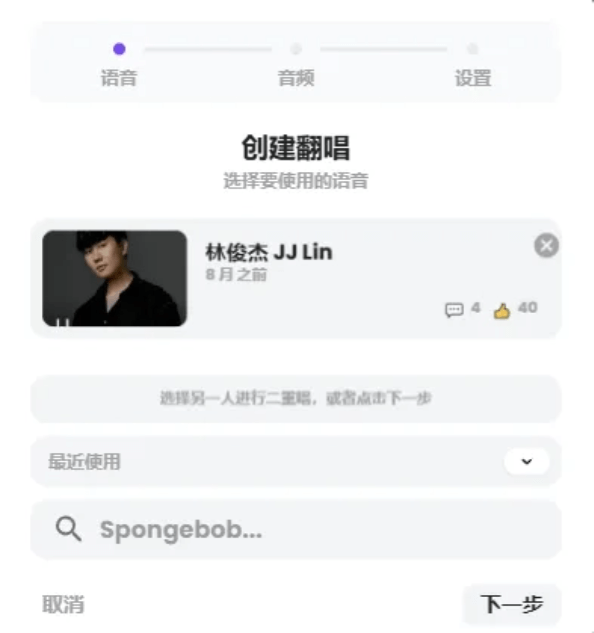
Click Next.
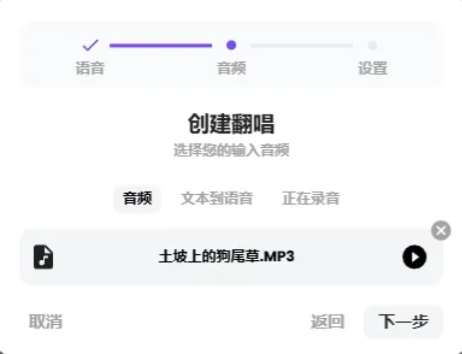
For the cover audio, we can directly copy a YouTube link to upload, or directly drag and drop the song file in.
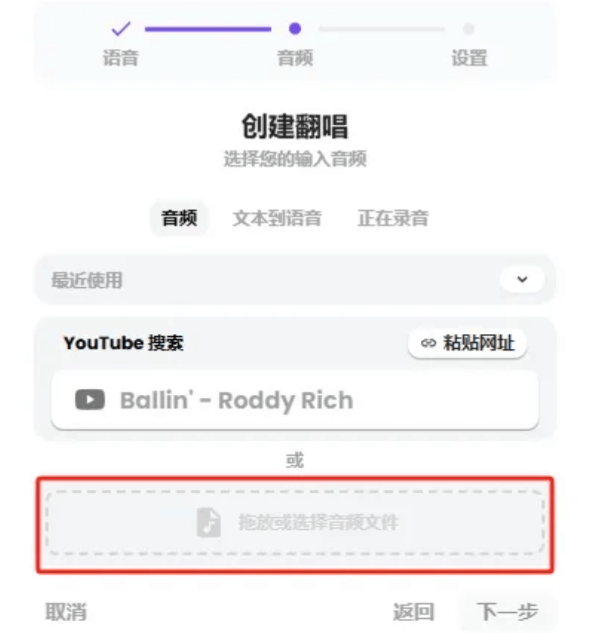
It not only supports song covers, but can also input text to convert to speech, or directly use microphone input for voice covers. This is just too comprehensive~
Harmony and reverb will both have some impact on the cover effect, so here I chose a segment of solo a cappella audio. Let's listen together:
(Dog's Tail Grass on the Dirt Slope)
After uploading the audio, click Next.
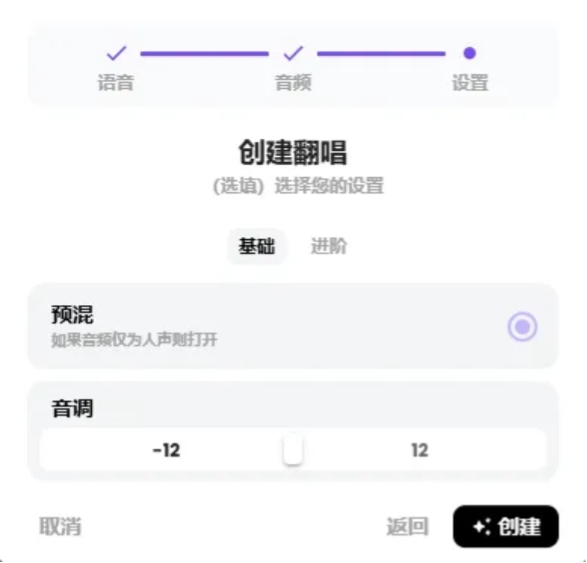
What I uploaded is vocals-only a cappella, and I checked premix. In terms of pitch, if a male voice model covers a female song, the pitch can be appropriately lowered, and vice versa. Here we can just use the default.
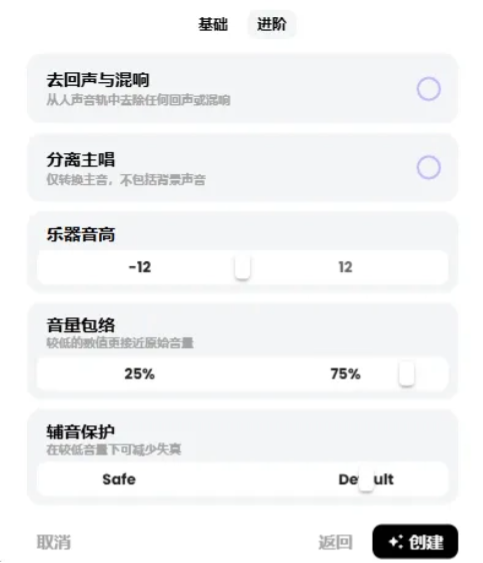
Advanced options can make more detailed adjustments. It is recommended to use the default first, and if the generated effect is unsatisfactory, then fine-tune it. Click Create in the lower right corner.
Go to My Creations in the upper left corner, and you can see that the cover song is being generated in the queue. Usually you only need to wait a few minutes.

After the success prompt pops up in the list, you can preview and download.
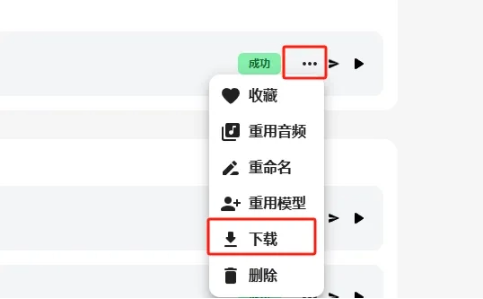
The audio in the download interface, in order, is: covered vocals + accompaniment (if any), covered dry vocals, original audio, dry vocals in the original audio, accompaniment in the original audio.
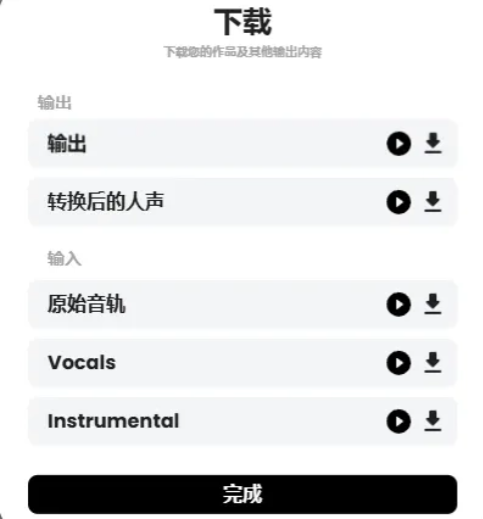
Let's listen together to the covered audio.
🎵JJ Lin - Dog's Tail Grass on the Dirt Slope
The voice is quite distinctive, the singing is coherent and natural, and it has a strong sense of rhythm. The transitions, accents, and high notes all perform pretty well.
And with this whole set of operations, it's done in just a few minutes. You could say anyone can do it.
Using the same method, I also did a cover with the models of Jay Chou and G.E.M., let's listen together.
(🎵Jay Chou - Dog's Tail Grass on the Dirt Slope)
🎵G.E.M. - Dog's Tail Grass on the Dirt Slope
We cut the audio into several segments according to the rhythm of the chorus, pair each short segment with a chibi-style portrait, upload them to Jimeng, and generatelip-sync videos。
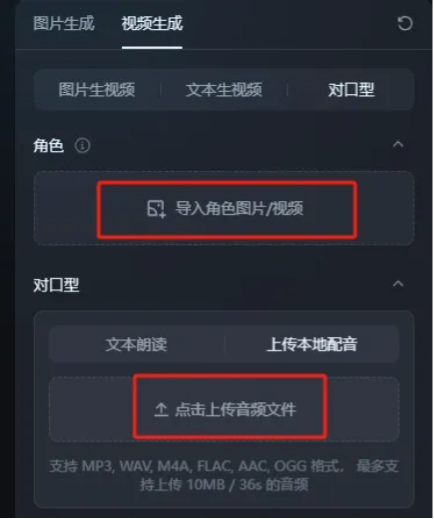
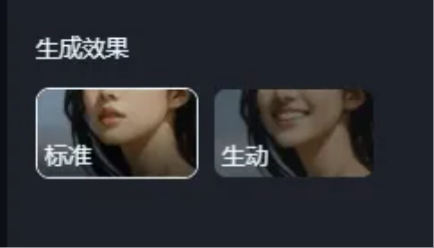
When using images for lip-sync, be sure to choose vivid for the generation effect. Otherwise, the standard one only moves the mouth and not the head, which looks very stiff.
Combine the generated clips with CapCut, (if there is accompaniment, add the accompaniment), and an AI chorus video is done. Let's take a look at the effect.
If I want to create my own voice model for covers, how should I do it?
02
Replay one-click vocal separation
Train your own voice model
Let's try making a Lazy Sheep voice model and cover together!
First, you need to go to the Replay official website and download the latest software.
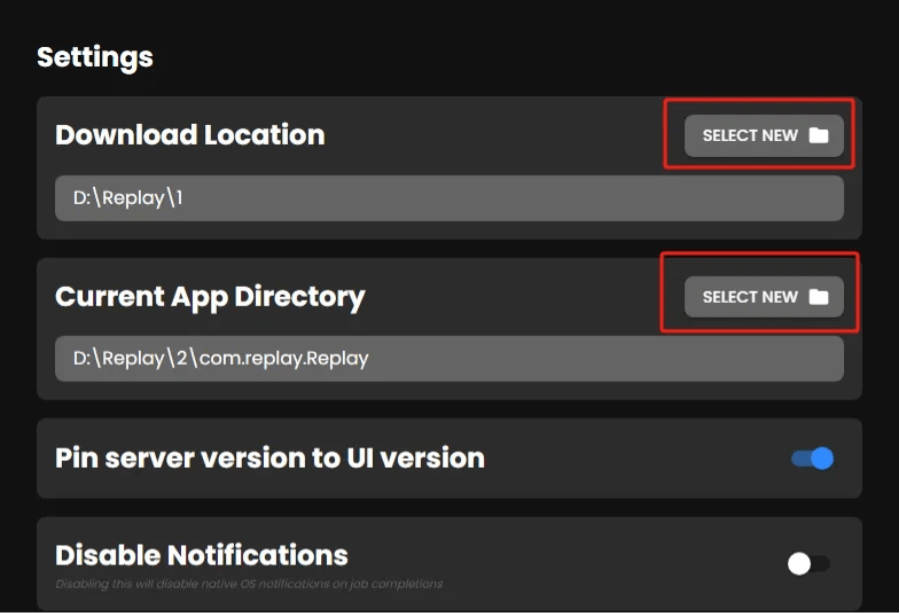
Note that after installing the software, two prompt boxes will pop up when you open it for the first time. Don't rush to click them!!! First go to the upper left corner App-Show Settings and change the file save location.
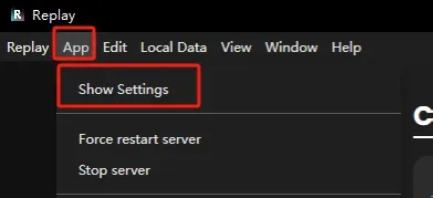
The first folder is the location for exporting audio. The second folder is for some application data; voice models, generated audio data, and so on will all be saved here. In short, don't put it on the C drive, anywhere else is fine~
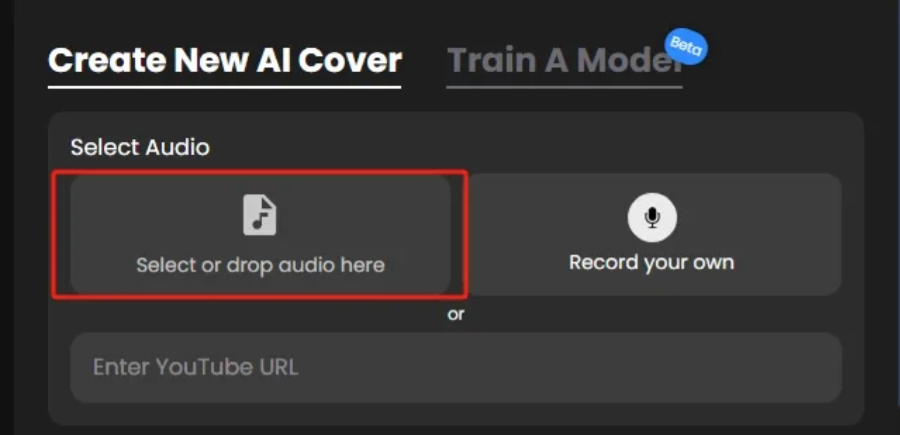
First, let's grab a video of Lazy Sheep singing from Bilibili, do some pre-processing with CapCut, keep only the segment with Lazy Sheep's voice, and export it as mp3/wav format. Upload the audio (at the position shown in the image).
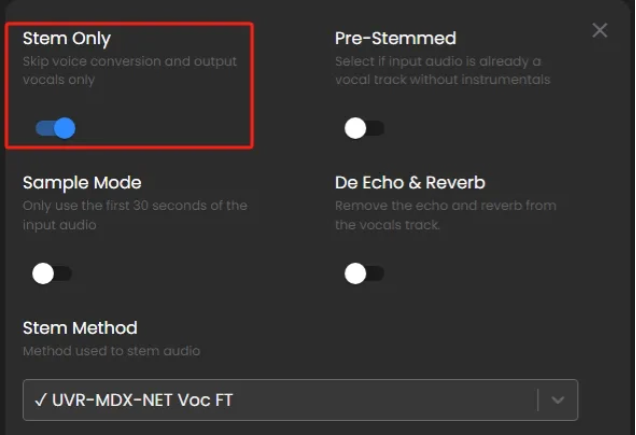
Select dry vocals only.
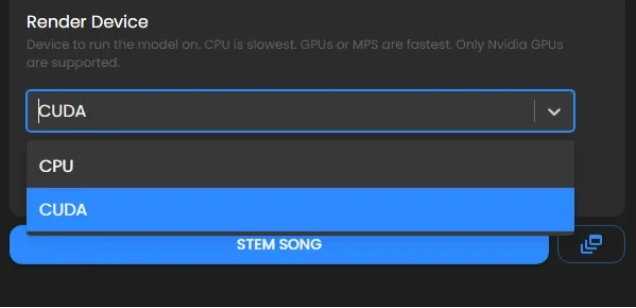
For the rendering device here, if your computer has integrated graphics, choose CUDA, and it will generate a bit faster. If there is no integrated graphics, you need to switch to CPU. Keep the other settings at default and click generate.
The generated audio will appear in the list on the left. Click once to see the separated dry vocals and accompaniment, and you can preview and download them separately.
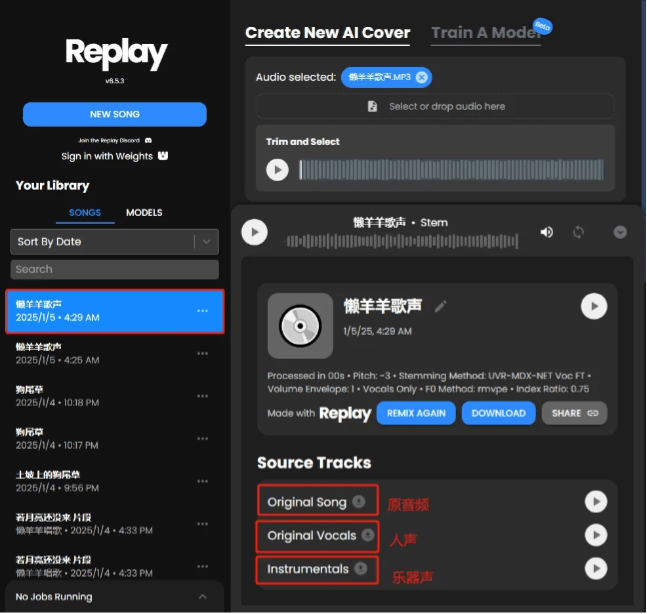
We download the separated dry vocals and upload the file to the model training section. Here you can upload multiple files, and you should cover as many vocal tones as possible, so the cover effect will be better.
A voice model that has not been trained on high notes will easily distort or even crack when covering high notes hahaha!
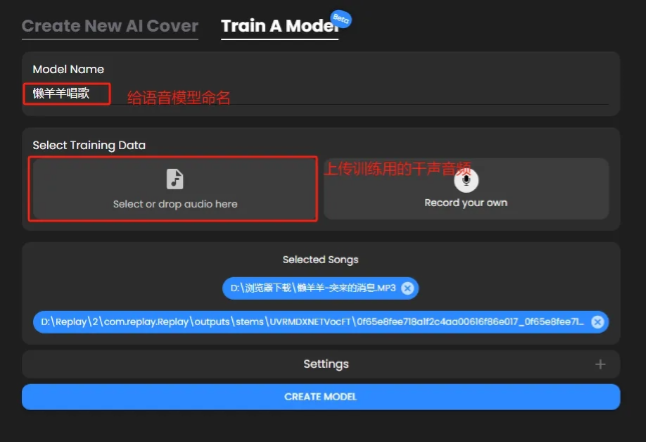
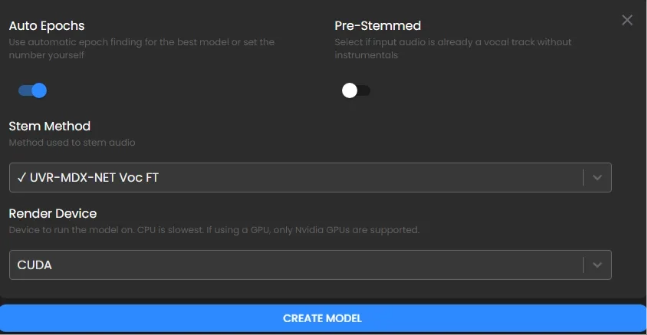
For the settings below, except for the rendering device here, keep the others at default and click create model. This process takes quite a while, about a few hours.
The trained model will be displayed here.
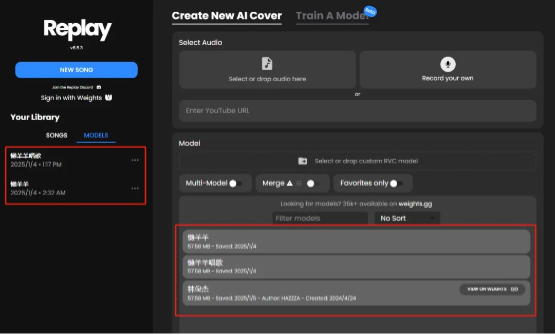
Let's try using the newly generated Lazy Sheep model to do a cover, and upload the song you want to cover.
(🎵If the Moon Hasn't Come Yet - excerpt)
Click to select Lazy Sheep's voice model.
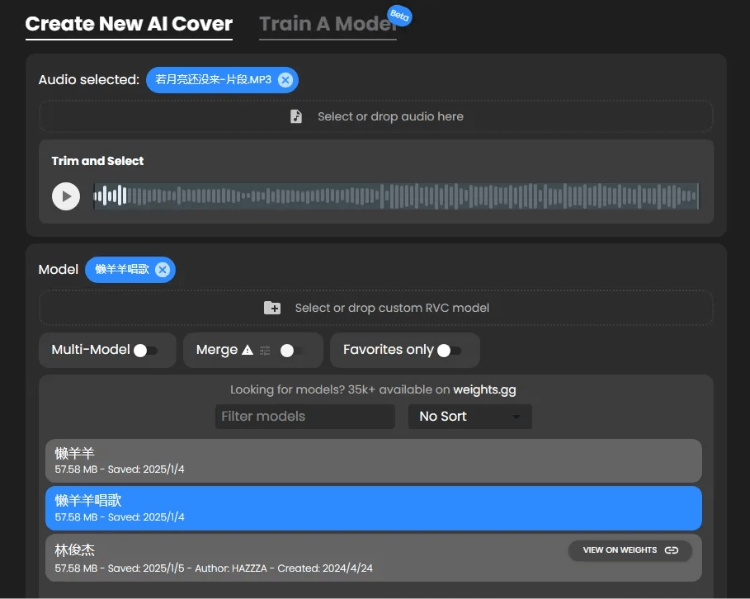
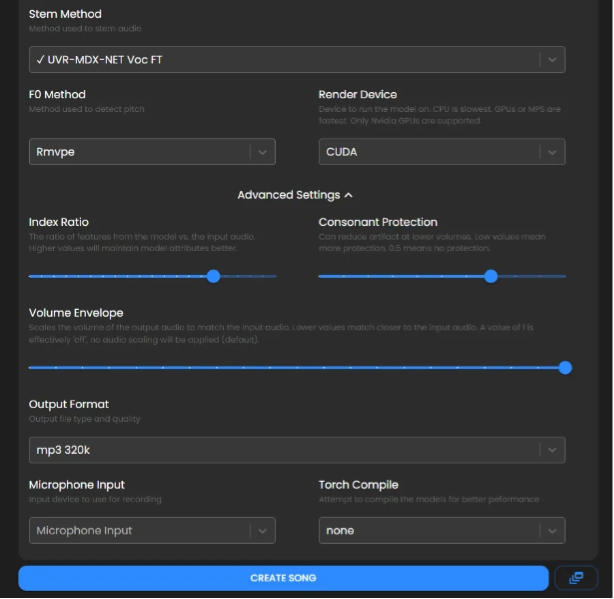
Keep the settings below at default, similar to online covers. You can appropriately adjust the pitch of the vocals and instruments, then click generate.
In less than a minute, the cover is done. We save the covered dry vocals and accompaniment separately.
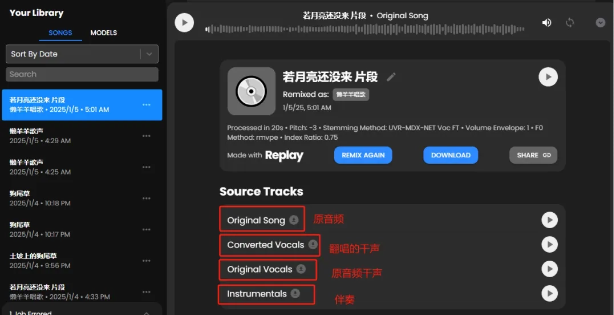
Let's listen together:
🎵Lazy Sheep - Dog's Tail Grass on the Dirt Slope
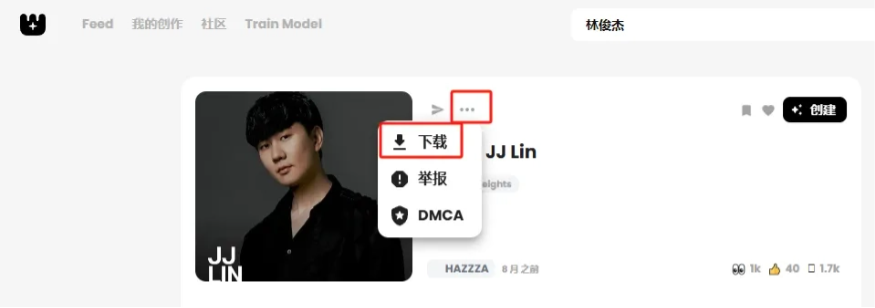
Download the voice model from Weights, unzip it and put it into the models folder under the application directory folder (the second location set when starting the software), and then it can be used directly in Replay.
To make a choir video, you just need to use different models to cover the same audio segment separately, and finally stitch them together with Jianying. Isn't it very simple and convenient? Come and listen to the choir of Lazy Sheep and Crayon Shin-chan.
With only one minute of voice material, you can achieve a pretty good cover effect. In use, apart from the generation model being a bit slow (that's my shortcoming...), the overall experience is very good. Especially the vocal separation feature, which on basically other platforms requires a membership to use, while Replay and Weights both allow free, unlimited use, and the effect is still great. It's hard not to love it.
If a cover song has harmonies, reverb, and the like, it will affect the cover effect. If we want to make a choir-type song, we can first cover it separately with the solo version, and then go toJianyingto synthesize it.
Train a model with your own voice, and you can makeAI coversof various popular songs. No need to worry about being out of tune anymore. Shouting rap, rap, and pop music can be handled in no time. Those nice-sounding but hard-to-sing songs, I have learned them in another way.
Although AI covers cannot 100% replicate the voice and singing skills, they can already convey seven or eight tenths of the singer's timbre. Having a cyber idol sing for me every day, just thinking about it makes me a little excited~
All tools involved in this article:
Weights:https://ai-bot.cn/weights/
Replay:https://ai-bot.cn/replay/
Original link:A must-read for zero-based beginners! AI one-click free covers of any song!