
What is FlowBench Cloud Workflow
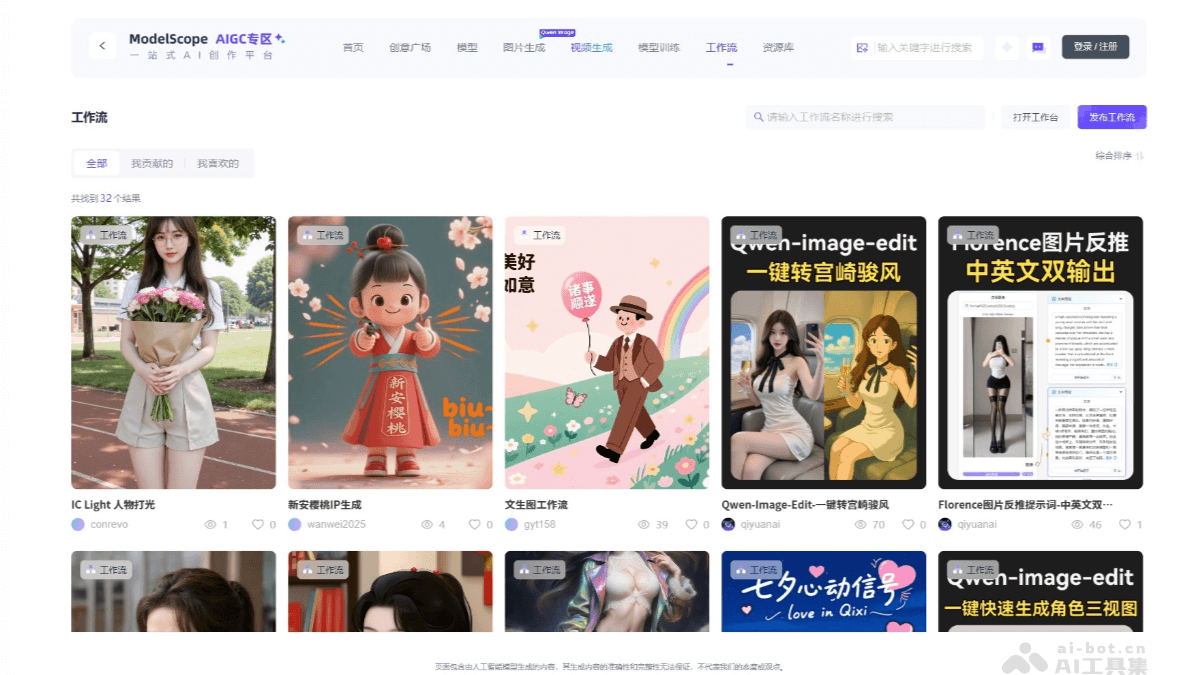
FlowBench Cloud Workflow is an online creation feature launched by the ModelScope community, providing AIGC creators, designers, and developers with a cloud-based creation environment that requires no software downloads. Users can create anytime, anywhere through web-based workflows. The workflow features a workbench canvas, allowing users to freely build workflows, with support for dragging nodes and connecting lines, and real-time preview and adjustment of creation results. FlowBench Cloud Workflow provides a workflow resource library, including official basic workflows, and encourages users to share their own creative workflows. Currently, FlowBench Cloud Workflow supports a variety of image models, such as the QwenImage series, Flux series, and SD series, enablingtext-to-imagegeneration, image style transfer, and other functions. FlowBench Cloud Workflow supportsvideo generationand image editing. Video nodes includeWan2.2andWan2.1video generation workflows, and QwenImage + Wan2.2 hybrid workflows, with supporting nodes such as video frame interpolation and super-resolution. Image nodes include,Qwen-Image-Editimage editing workflows,FLUX.1-Kontext-Devimage editing workflows,IC-Lightportrait lighting workflow combinations, etc.
Main Features of FlowBench Cloud Workflow
-
Workbench Canvas: Users can freely drag nodes and connect lines on the workbench canvas to build workflows, with support for real-time preview and adjustment of results, and can save and share workflows.
-
Workflow Resource Library: Provides official basic workflows, encourages users to share creative workflows, and makes it easy for users to find and use them.
-
Model Support: Supports image models such as the QwenImage series, Flux series, and SD series, enabling functions such as text-to-image generation, image style transfer, and human pose control.
-
Quick Use: Users can quickly run workflows, build and share their own workflows, and the client version supports running workflows with local resources.
How to Use FlowBench Cloud Workflow
- Visit the Official Website: Visit the FlowBench Cloud Workflow official website https://www.modelscope.cn/aigc/workflows。
- Run a Workflow:
- In the workflow resource library, select the workflow you are interested in and click the "Run" button.
- On the canvas page that pops up, click the "Run" icon to start the workflow.
- If you need to change the model, LoRA, or adjust the text prompt, please follow the step-by-step instructions on the page.
- Build Your Own Workflow:
- On the workflow homepage, click "Open Workbench", then click "New Canvas".
- Drag the required nodes from the node library onto the canvas, and complete the workflow construction by connecting lines.
- For example, to implement an image super-resolution workflow, only 3 nodes are needed: an image loading node, a super-resolution node, and an image preview node.
- Image loading and image preview are input/output nodes, while super-resolution is a function node. The official node library contains various function nodes, and users can freely choose according to their needs.
- How to Share Your Own Workflow:
- On the workflow homepage, click "Publish Workflow".
- Fill in the page information (such as workflow name, description, etc.) and click "Create" to complete the sharing.
- Local Use of Workflows:
- The ModelScope FlowBench client version supports running workflows using local resources.
- Download or update the FlowBench client.
- Go to Store - Node Packages, and click to download the "FlowBench Official Node Package".
- Go to Store - Workflows, and click to download the "QwenImage Cloud Multi-LoRA Image Generation" workflow or other workflows.
- Go to Workflows, open the workflow you just downloaded, and click Run.
Application Scenarios of FlowBench Cloud Workflows
-
Creative Design: Quickly generate and edit images, improving the creative efficiency of designers and illustrators.
-
Content Creation: Generate video materials and game elements, empowering content creators and game developers.
-
Advertising and Marketing: Quickly generate advertising posters and brand promotional images to meet different marketing needs.
-
Education and Training: Generate teaching charts and visual materials for online courses, improving teaching effectiveness.
-
Scientific Research and Engineering: Generate data visualization images and product prototypes, optimizing scientific research and design processes.