
What is EchoBird
EchoBird is an open-source AI Agent desktop management tool developed based on Tauri + Rust. Through the Model Nexus model center, the tool integrates the installation and configuration of Claude Code、Codex、OpenClaw and 12+ other Agents, along with local large model deployment, into a graphical interface, allowing users to run AI tools with one click without the command line.
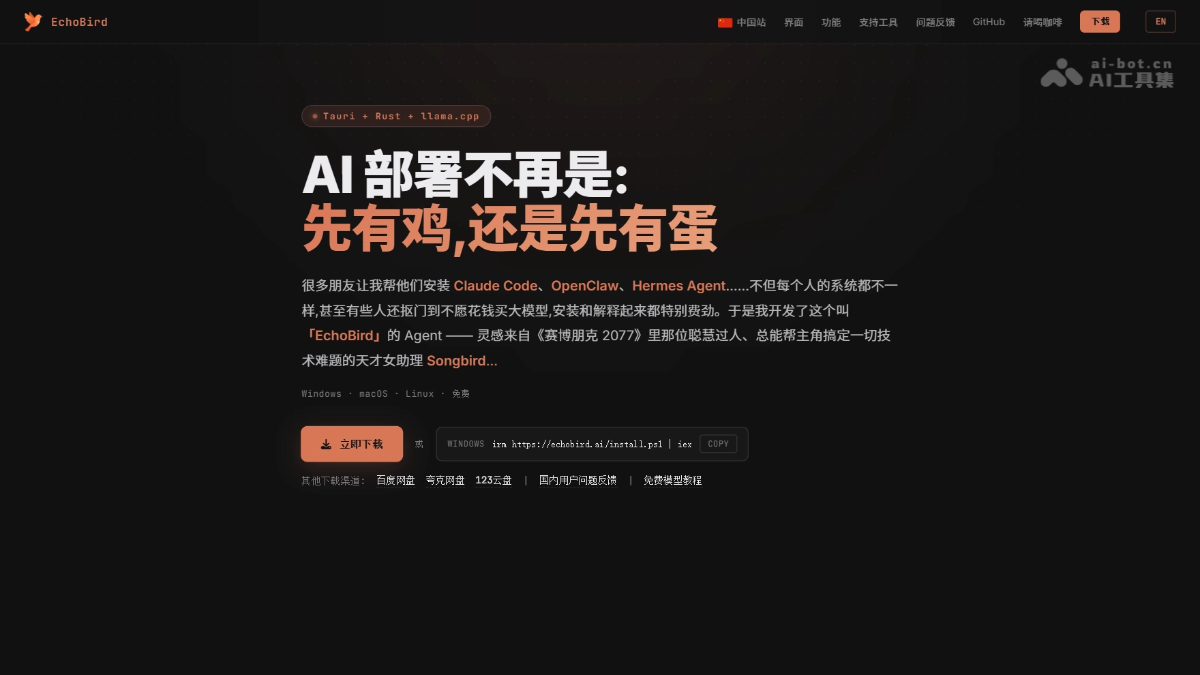
EchoBird's main features
-
Conversational installation and repair: Use natural language to let AI automatically detect the environment, handle dependencies, and install or repair Claude Code, Codex, OpenClaw, and 12+ other Agents, with support for local diagnostics and remote assistance.
-
One-click local large model: Built in with three major inference engines, llama.cpp, vLLM, and SGLang. After selecting a quantized version, click START to automatically complete model download and port configuration.
-
Model Nexus model center: Uniformly configure API Key, Base URL, Model Name, and Protocol. Once set, they can be shared by all Agents, with support for one-click speed testing.
-
App manager: Display installed Agents and projects as cards, with support for one-click start, stop, and model switching.
-
My AI projects: Support importing and uniformly managing user-developed AI applications or games as a centralized launch station.
-
AI news aggregation: Built in with AI News and Star Projects modules, providing a daily briefing on cutting-edge technology.

Follow WeChat and reply "open source" to join theAI Open-Source Project Communication Group
How to use EchoBird
-
One-click client installation: Windows users run the PowerShell command
irm https://echobird.ai/install.ps1 | iex, macOS/Linux users executecurl -fsSL https://echobird.ai/install.sh | shto automatically download the corresponding version. -
Install target Agent: After startup, enter the "App Management" page and select the Agent to use (such as Claude Code or Codex) for installation. It is recommended to successfully start one before expanding to other tools.
-
Configure model center: Enter the "Model Center" page, add a model provider, and fill in the four fields: API Key, Base URL, Model Name, and Protocol. Supports mainstream platforms such as DeepSeek, OpenAI, Anthropic, Qwen, and Kimi.
-
Bind and start: Return to the App Management page and assign the configured model to the target Agent. Click start to run it within seconds, with no need to modify the terminal or configuration files throughout the process.
EchoBird's core advantages
-
Lightweight and fast: Based on the Tauri + Rust architecture, the installation package is only about 50MB, starts quickly, and uses few resources.
-
Unified configuration: The Model Nexus model center realizes "configure once, use everywhere," with all Agents sharing the same set of API Key and model parameters.
-
Network optimization: Automatically matches domestic mirror sources to solve installation failures caused by unstable networks for tools such as Claude Code and Codex.
-
Local inference: Built in with three major engines, llama.cpp, vLLM, and SGLang. After selecting a quantized version, start the local large model with one click, with no need to manually configure ports and dependencies.
-
Remote assistance: Supports local environment diagnostics and remote server connections, making it convenient for teams to uniformly deploy and troubleshoot Agent environment issues.
-
Cross-platform coverage: Full support for Windows, macOS, and Linux (x64 + arm64), with adaptation to GitHub light and dark themes.
EchoBird's project address
- Project website:https://echobird.ai/
- GitHub repository:https://github.com/edison7009/EchoBird/
Comparison of EchoBird with similar competitors
| Comparison dimension | EchoBird | Pinokio |
|---|---|---|
| Core positioning | AI Agent (coding/agent) desktop management hub | Open-source AI creative application (image/video/audio) one-click installer |
| Target tools | Claude Code, Codex, OpenClaw, Aider, and other Agents | Stable Diffusion, ComfyUI, audio models, and other creative applications |
| Model configuration | Unified configuration via Model Nexus, shared by all Agents | Each application is configured independently, with no unified model center |
| Installation method | Conversational AI automatically detects the environment, repairs dependencies, and supports remote operation | Script-based one-click installation, automatically handling Python/dependencies |
| Local LLM | Built-in vLLM/SGLang/llama.cpp, one-click startup | Requires indirect use through installing the corresponding application (such as Oobabooga) |
| Project management | Supports importing user-developed AI applications/games for unified management | Mainly based on a community script library, supporting 1000+ open-source tools |
| Data privacy | Data is localized and not uploaded to the cloud | Runs completely locally, with no need for an internet connection |
EchoBird's application scenarios
-
Quick start for beginners: For users who do not want to tinker with the command line and environment configuration, they can get coding Agents such as Claude Code and Codex running within minutes through the graphical interface.
-
Switching between multiple Agents for work: Developers need to switch between tools such as Claude Code, Aider, and OpenClaw across different projects, and use a unified model center to avoid repeated configuration.
-
Local privacy deployment: For enterprises or individuals sensitive about data, the built-in inference engine enables one-click deployment of local large models, moving away from cloud APIs.
-
Team remote assistance: Through the remote server feature, help team members uniformly install and repair Agent environments, lowering the barrier to collaboration.
-
Personal AI application management: Vibe Coding developers can import AI applications or games they have developed into EchoBird, forming a personal tool library for unified startup.